
1. Product Overview
The Daylight Company UN1081 LED Magnifier Lamp is a versatile lighting solution designed for detailed tasks. It functions as both a floor lamp and a table lamp, featuring 21 high-performance LEDs for bright, natural light and a 5-inch lens with 2.0X magnification (4 diopter). The flexible gooseneck arm allows for precise light positioning, making it ideal for various applications such as crafting, reading, and professional use.
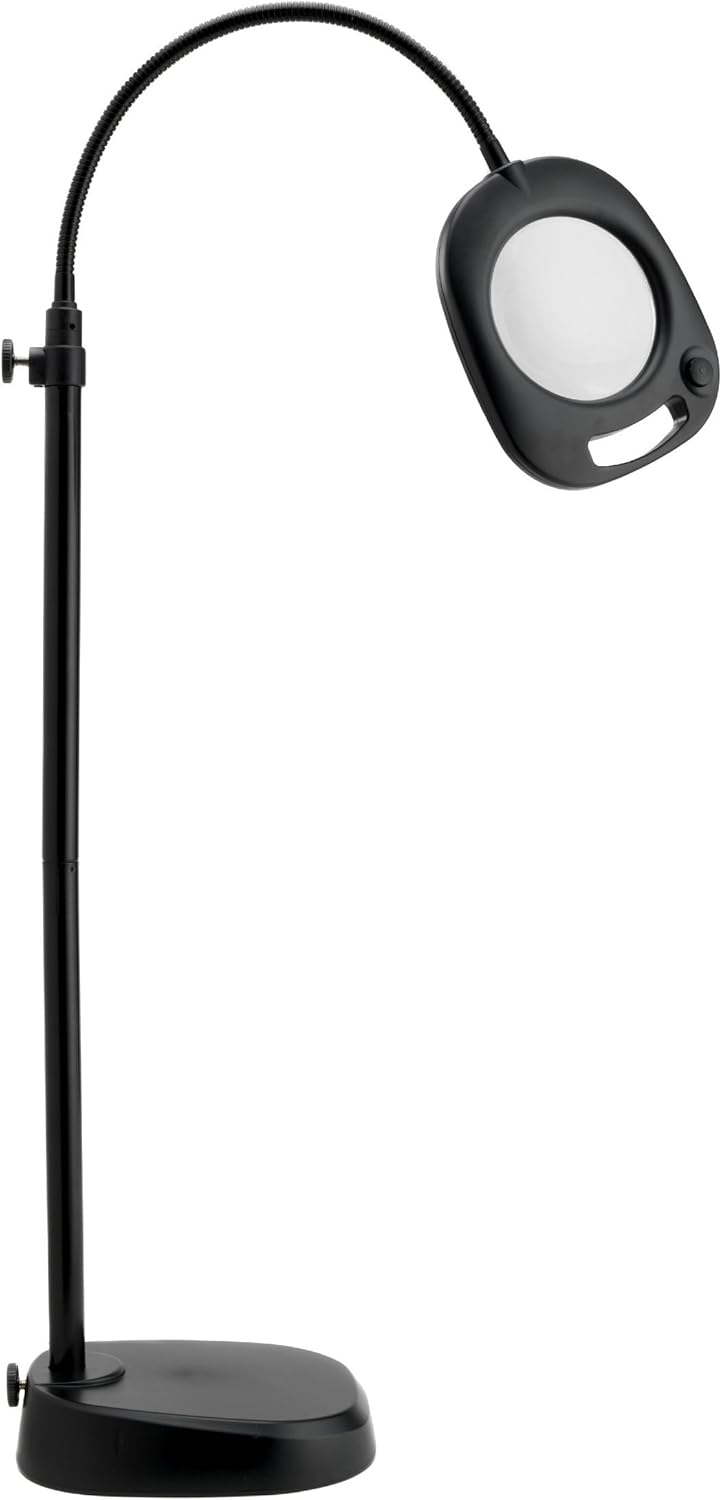
Figure 1.1: The UN1081 LED Magnifier Lamp in its floor lamp configuration.

Figure 1.2: The UN1081 LED Magnifier Lamp in its table lamp configuration.
2. Safety Instructions
- Read all instructions before assembly and use.
- Do not operate the lamp with a damaged cord or plug. If damaged, contact customer support.
- Ensure the lamp is placed on a stable, level surface to prevent tipping.
- Do not expose the lamp to water or excessive moisture. This product is for indoor use only.
- Avoid looking directly into the LED light source for extended periods, as it may cause eye strain.
- Keep the magnifier lens clean and free of dust for optimal viewing.
- Unplug the lamp from the power outlet before cleaning or performing any maintenance.
- This appliance is not intended for use by persons (including children) with reduced physical, sensory or mental capabilities, or lack of experience and knowledge, unless they have been given supervision or instruction concerning use of the appliance by a person responsible for their safety.
3. Package Contents
Verify that all components are present in the package:
- LED Magnifier Lamp Head with Gooseneck
- Floor Lamp Pole Sections (typically 2-3 sections)
- Floor Lamp Base
- Table Lamp Base
- Power Adapter
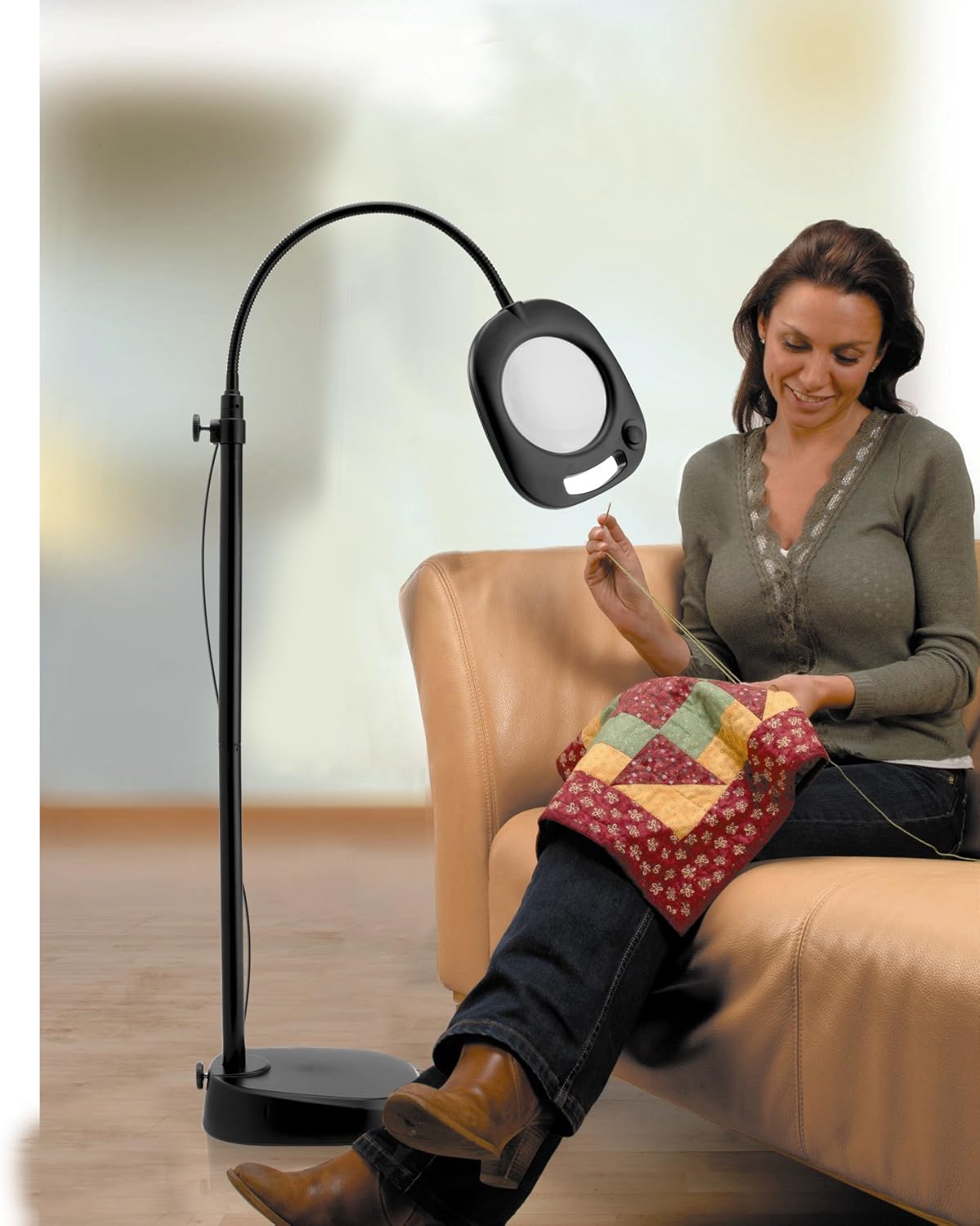
Figure 3.1: Example of product packaging, indicating included components.
4. Assembly Instructions
4.1. Assembling as a Floor Lamp
- Carefully unpack all components from the box.
- Attach the lowest pole section to the floor lamp base by screwing it clockwise until secure.
- Connect the remaining pole sections, screwing them together clockwise. Ensure each section is firmly tightened.
- Attach the lamp head with the gooseneck to the top pole section, screwing it clockwise until secure.
- Plug the power adapter into the lamp's power input, then into a suitable wall outlet.
Figure 4.1: The lamp fully assembled in its floor lamp configuration.
4.2. Assembling as a Table Lamp
- If currently assembled as a floor lamp, unscrew the lamp head from the top pole section.
- Attach the lamp head with the gooseneck directly to the table lamp base by screwing it clockwise until secure.
- Plug the power adapter into the lamp's power input, then into a suitable wall outlet.
Figure 4.2: The lamp fully assembled in its table lamp configuration.
5. Operating Instructions
5.1. Powering On/Off
The lamp features a touch control switch located on the lamp head. To turn the lamp on or off, gently touch the power button icon on the lamp head.

Figure 5.1: The lamp head with visible LEDs and touch control button.
5.2. Adjusting the Lamp
The flexible gooseneck arm allows for easy adjustment of the lamp head's position. Gently bend the gooseneck to direct the light and magnifier exactly where needed. The sturdy base ensures stability during adjustment.

Figure 5.2: User utilizing the flexible gooseneck for detailed crafting.

Figure 5.3: User reading with the lamp configured as a table lamp.
5.3. Using the Magnifier
The lamp features a 5-inch lens with 2.0X magnification. Position the magnifier directly over the object or text you wish to view in detail. Adjust the gooseneck to achieve optimal focus and clarity.
6. Maintenance
- Cleaning: Ensure the lamp is unplugged before cleaning. Wipe the lamp's surfaces with a soft, dry cloth. For the magnifier lens, use a soft, lint-free cloth specifically designed for optics. Do not use abrasive cleaners or solvents.
- LEDs: The lamp uses integrated LED lights that are designed for long life and are not user-replaceable. If the LEDs malfunction, contact customer support.
- Storage: When not in use for extended periods, store the lamp in a dry, cool place, away from direct sunlight.
7. Troubleshooting
| Problem | Possible Cause | Solution |
|---|---|---|
| Lamp does not turn on. |
|
|
| Light is dim or flickering. |
|
|
| Magnifier lens is blurry. |
|
|
8. Specifications
| Feature | Detail |
|---|---|
| Model Number | UN1081 |
| Brand | Daylight Company |
| Light Source | 21 High Performance LEDs |
| Magnification | 2.0X (4 Diopter) |
| Lens Diameter | 5 inches |
| Control Method | Touch Control |
| Power Source | Corded Electric |
| Voltage | 120 Volts |
| Wattage | 21 watts |
| Material | Plastic |
| Color | Black |
| Product Dimensions | 4.84"D x 10.94"W x 15.94"H (as table lamp, floor lamp height varies) |
| Item Weight | 7.54 pounds |
| Indoor/Outdoor Usage | Indoor |
| UPC | 809802010817 |
9. Warranty and Support
For warranty information, technical support, or to purchase replacement parts, please contact Daylight Company customer service. Refer to your purchase documentation or the official Daylight Company website for the most current contact details.
Website: www.daylightcompany.com
Please have your model number (UN1081) and date of purchase available when contacting support.


