
Lorell LLR80006
Lorell Millenia Pneumatic Adjustable Task Chair
Model: LLR80006 | Brand: Lorell
Important Safety Information
MAXIMUM WEIGHT CAPACITY: 250 lb. DO NOT EXCEED this weight limit to prevent injury or damage to the chair.
ADJUSTABLE FEATURES: READ AND FOLLOW ASSEMBLY AND USE INSTRUCTIONS CAREFULLY. Improper adjustment or use can lead to instability or discomfort.
CLEANING: SPOT CLEAN ONLY. AVOID USE OF ABRASIVE CLEANERS OR SOLVENTS, as these can damage the fabric and materials.
1. Product Overview
The Lorell Millenia Pneumatic Adjustable Task Chair is designed for comfort and functionality in an office environment. It features a molded seat and back, providing support for extended periods of use. The chair includes multiple adjustment options to customize your seating experience.
Key Features:
- Molded seat and back for all-day comfort.
- Durable shellback and seat base for a clean aesthetic.
- Height-adjustable back for personalized lumbar support.
- Pneumatic seat-height adjustment for optimal desk alignment.
- Back-height adjustment for tailored support.
- Seat-depth adjustment to accommodate various leg lengths.
- 360-degree swivel for easy movement.
- Height and width adjustable arms.
- Abrasion rating of 30,000 cycles for durability.
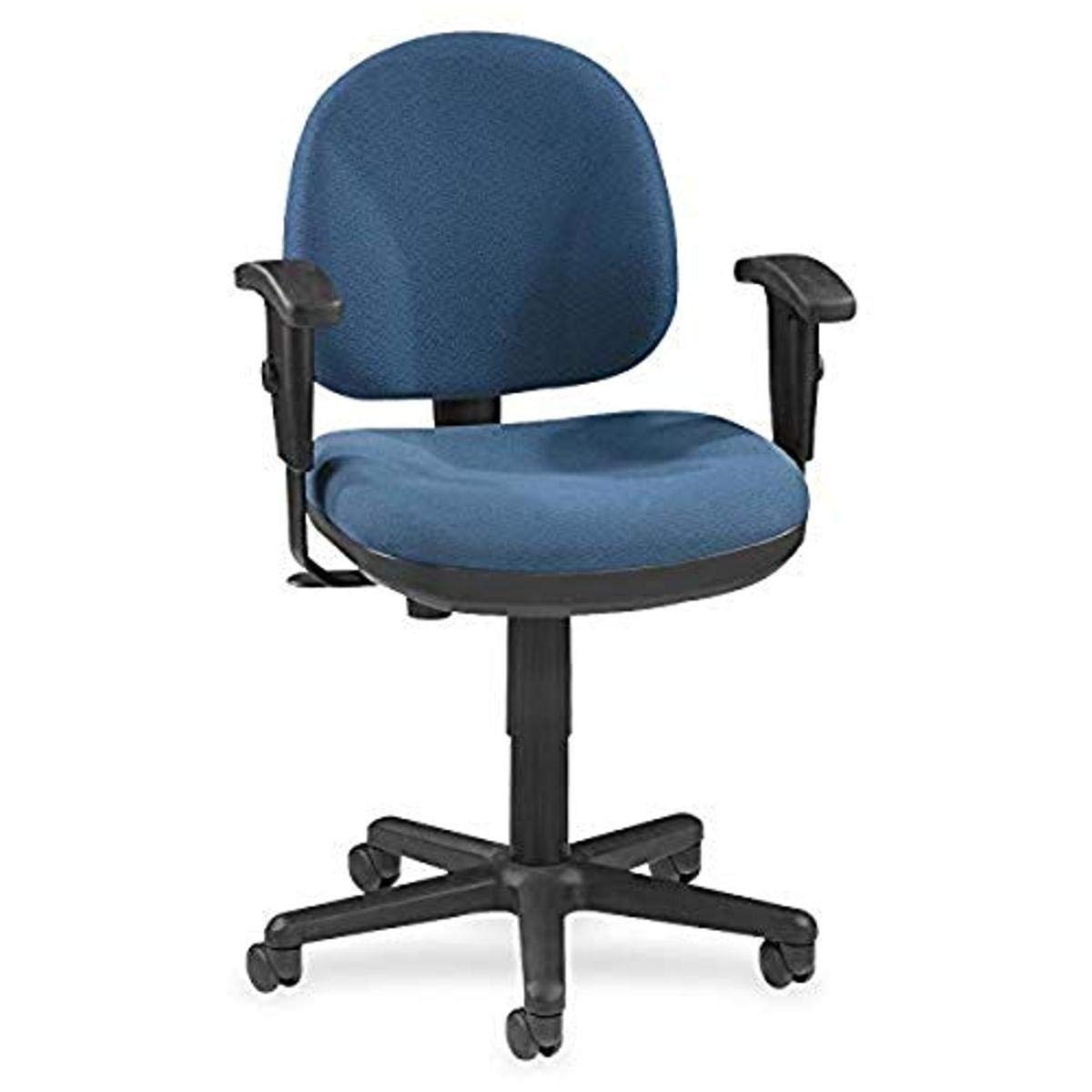
Figure 1: Lorell Millenia Pneumatic Adjustable Task Chair (Blue)
2. Setup and Assembly
Assembly of the Lorell Millenia Task Chair is required. Please refer to the detailed assembly instructions included in the product packaging for step-by-step guidance. The following provides a general overview of the assembly process.
General Assembly Steps:
- Unpack all components and verify against the parts list in your instruction manual.
- Insert the casters into the base.
- Place the pneumatic cylinder into the center hole of the base.
- Attach the seat mechanism to the underside of the seat cushion.
- Place the assembled seat onto the pneumatic cylinder.
- Attach the backrest to the seat assembly using the provided hardware.
- Install the armrests, ensuring they are securely fastened.

Figure 2: Chair Dimensions for space planning.
3. Operating Instructions
This chair offers several adjustments to optimize your comfort and posture. Familiarize yourself with these functions for best results.
3.1. Pneumatic Seat-Height Adjustment
To adjust the seat height, locate the lever on the right side beneath the seat. While seated, lift the lever to lower the seat. To raise the seat, stand up slightly and lift the lever. Release the lever at the desired height.
3.2. Back-Height Adjustment
The backrest height can be adjusted to provide optimal lumbar support. Locate the knob on the back of the chair. Loosen the knob, slide the backrest up or down to your preferred position, and then tighten the knob securely.
3.3. Seat-Depth Adjustment
To adjust the seat depth, locate the control mechanism beneath the seat. This allows you to slide the seat forward or backward, ensuring proper thigh support and clearance behind your knees.
3.4. Arm Height and Width Adjustment
The armrests can be adjusted for both height and width. Look for buttons or levers on the armrests or their bases. Press the button or lift the lever to adjust the height, and use any knobs or slides to adjust the width. Ensure arms are at a comfortable height to support your forearms while typing.
3.5. 360-Degree Swivel
The chair is equipped with a 360-degree swivel function, allowing for easy rotation and access to different areas of your workspace without needing to move the entire chair.
4. Maintenance and Care
Proper maintenance ensures the longevity and appearance of your chair.
- Cleaning: Spot clean fabric surfaces only. Use a mild detergent and a damp cloth. Do not saturate the fabric. Avoid using abrasive cleaners, solvents, or harsh chemicals, as these can damage the material.
- Inspection: Periodically check all bolts and screws to ensure they are tight. Retighten if necessary.
- Casters: Keep casters free of debris (hair, dust, etc.) to ensure smooth movement.
- Moving the Chair: When moving the chair, lift it rather than dragging it to prevent damage to the casters or base.
5. Troubleshooting
If you encounter issues with your chair, refer to the following common troubleshooting tips:
- Chair Sinks or Does Not Hold Height: This typically indicates an issue with the pneumatic cylinder. Ensure the height adjustment lever is fully disengaged when not in use. If the problem persists, the cylinder may need replacement.
- Chair is Wobbly: Check all assembly bolts and screws, especially those connecting the seat to the mechanism and the backrest. Ensure they are securely tightened. Verify the pneumatic cylinder is properly seated in the base.
- Casters Do Not Roll Smoothly: Inspect casters for trapped debris such as hair or lint. Clean them thoroughly. Ensure the casters are fully inserted into the chair base.
- Adjustments Are Stiff or Not Working: Check for any obstructions. Ensure levers and knobs are not overtightened or jammed. Apply a small amount of silicone lubricant to moving parts if necessary, avoiding contact with fabric.
6. Specifications
| Brand | Lorell |
| Model Number | LLR80006 |
| Color | Blue |
| Material | Plastic, Fabric (Seat: Fabric, Fill: Foam) |
| Product Dimensions (D x W x H) | 23.86"D x 23.23"W x 13"H |
| Item Weight | 16 ounces (0.45 kg) |
| Maximum Weight Capacity | 250 lb (113 kg) |
| Adjustments | Pneumatic Seat-Height, Back-Height, Seat-Depth, Arm Height, Arm Width |
| Base Movement | 360-Degree Swivel |
| Recommended Use | Office |
7. Warranty Information
The Lorell Millenia Pneumatic Adjustable Task Chair is covered by a 5-year manufacturer's warranty. This warranty covers defects in materials and workmanship under normal use. Please retain your proof of purchase for warranty claims. For specific terms and conditions, refer to the warranty documentation included with your product or contact Lorell customer support.
8. Support and Contact
If you require further assistance, have questions not covered in this manual, or need to report a problem, please contact Lorell customer support. Contact information can typically be found on the manufacturer's website or on the product packaging.
For online resources, visit the official Lorell website: Lorell Store
Ask a question about this manual
Ask about setup, troubleshooting, compatibility, parts, safety, or missing instructions. Manuals+ will review the question and use this page’s manual context to help answer it.