1. Introduction
This manual provides essential information for the safe and efficient use of your Lenovo Thinkserver TD230 tower server, model 104015U. Please read these instructions carefully before operating the device. This server is designed for reliable performance in various computing environments.
2. Product Overview
The Lenovo Thinkserver TD230 is a robust tower server featuring a Xeon E5603 processor and 2 GB of RAM. It is designed for businesses requiring a dependable and scalable server solution.
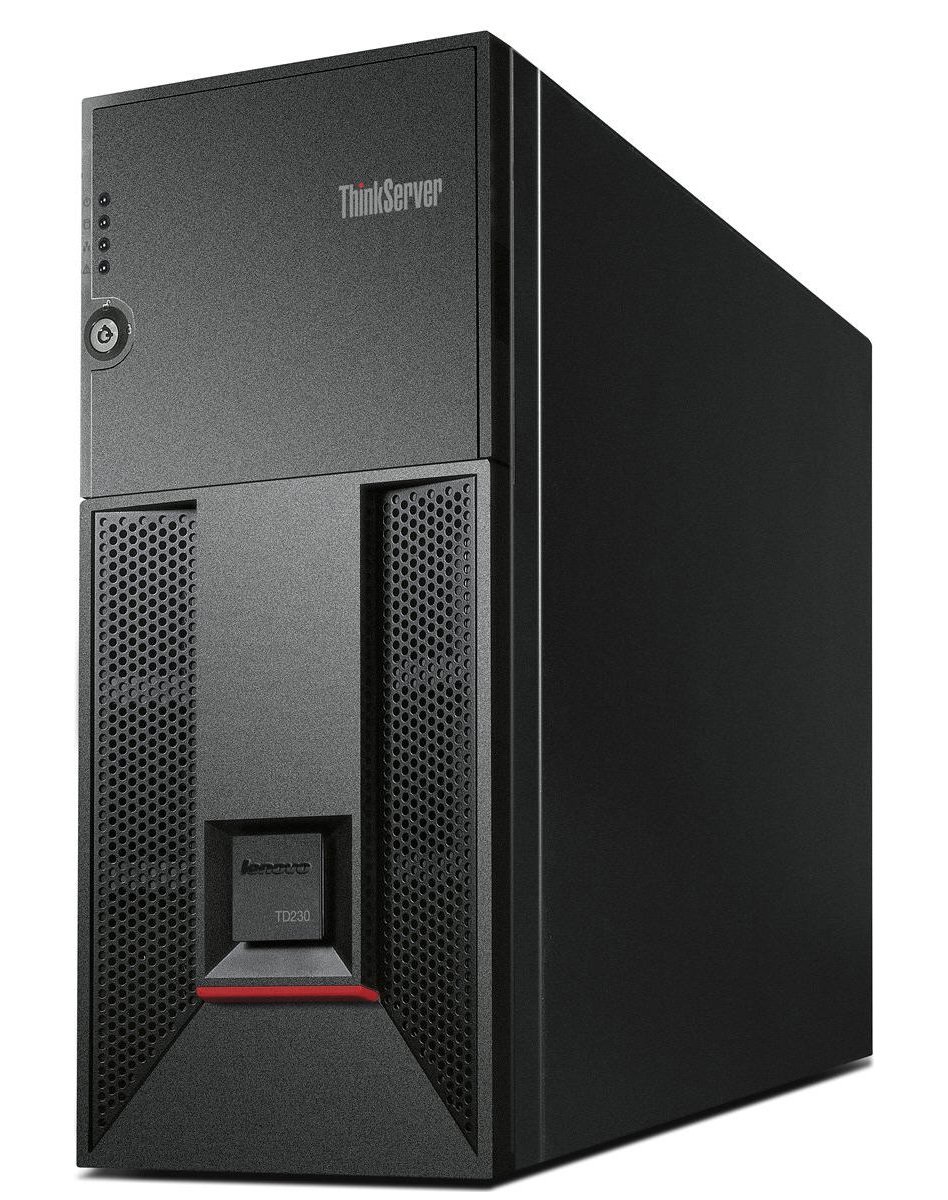
Figure 2.1: Angled view of the Lenovo Thinkserver TD230 tower server. This image shows the front and side panels, highlighting the ventilation grilles and the ThinkServer branding.

Figure 2.2: Front view of the Lenovo Thinkserver TD230 tower server. This image provides a clear look at the front panel, including the power button, status indicators, and the Lenovo TD230 branding.
3. Setup
Follow these steps to set up your Lenovo Thinkserver TD230:
- Unpacking: Carefully remove the server from its packaging. Retain all packaging materials for future transport or service.
- Placement: Place the server on a stable, flat surface in a well-ventilated area. Ensure adequate space around the server for airflow.
- Power Connection: Connect the power cord to the server's power supply unit and then to a grounded electrical outlet.
- Network Connection: Connect an Ethernet cable from your network switch or router to the server's network port(s).
- Peripheral Connections: Connect any necessary peripherals such as a monitor, keyboard, and mouse to the appropriate ports.
- Initial Boot: Press the power button on the front panel to turn on the server.
Note: This model is specified as "no HDD". You will need to install a hard drive or solid-state drive and an operating system to fully utilize the server. Refer to the hardware installation guide for drive installation instructions.
4. Operating Instructions
4.1 Powering On and Off
- To Power On: Press the power button on the front panel. The power indicator light will illuminate.
- To Power Off (Graceful Shutdown): From the operating system, initiate a graceful shutdown. This ensures all data is saved and the system is properly closed.
- To Power Off (Forced Shutdown): In an emergency, press and hold the power button for approximately 4 seconds until the server powers down. Use this method only when a graceful shutdown is not possible.
4.2 Accessing BIOS/UEFI
To access the server's BIOS/UEFI setup utility, power on the server and repeatedly press the designated key (commonly F1, F2, Delete, or Esc) during the initial boot sequence. The exact key may vary; refer to the on-screen prompts during startup.
4.3 Operating System Installation
After installing a hard drive, you will need to install an operating system. This typically involves booting from an OS installation media (USB drive or DVD) and following the on-screen instructions. Ensure your chosen operating system is compatible with the server hardware.
5. Maintenance
- Cleaning: Regularly clean the exterior of the server with a soft, dry cloth. Use compressed air to clear dust from ventilation grilles and internal components (when powered off and unplugged).
- Software Updates: Keep the operating system, drivers, and firmware updated to ensure optimal performance and security. Visit the Lenovo support website for the latest updates.
- Environmental Control: Ensure the server operates within recommended temperature and humidity ranges to prevent overheating and component damage.
- Data Backup: Regularly back up critical data to an external storage device or network location to prevent data loss.
6. Troubleshooting
6.1 No Power
- Verify the power cord is securely connected to both the server and the electrical outlet.
- Ensure the electrical outlet is functional by testing it with another device.
- Check the power supply unit (PSU) status indicators, if available.
6.2 Server Does Not Boot
- Listen for POST (Power-On Self-Test) beeps. Refer to the Lenovo documentation for beep code meanings.
- Ensure RAM modules are properly seated.
- Verify that a bootable operating system is installed on a recognized drive.
- Check monitor connection and input source.
6.3 Network Connectivity Issues
- Check the Ethernet cable connection at both the server and the network device.
- Verify network adapter drivers are installed and up to date in the operating system.
- Confirm network settings (IP address, subnet mask, gateway) are correctly configured.
7. Specifications
| Feature | Detail |
|---|---|
| Model Number | 104015U |
| Processor | Xeon E5603 (1.6 GHz) |
| RAM | 2 GB |
| Form Factor | Tower Server |
| Hard Drive | Not included (No HDD) |
| Manufacturer | Lenovo |
| Item Weight | 47 pounds |
| ASIN | B004WKSRW2 |
| First Available | April 14, 2011 |
8. Warranty and Support
For detailed warranty information, please refer to the warranty card included with your product or visit the official Lenovo support website. Lenovo provides technical support and resources for its products.
You can typically find support resources, driver downloads, and additional documentation by visiting support.lenovo.com and searching for your specific model (Thinkserver TD230, Model 104015U).


