
1. Introduction
The TFA 30.3180 is a radio-controlled temperature and humidity transmitter designed for use with the TFA KlimaLoggPro receiving device (models 30.3039.IT and 30.3060.IT). This transmitter measures ambient temperature and relative humidity, then wirelessly transmits this data to the compatible KlimaLoggPro unit. It is suitable for indoor use and offers flexible placement options.

Figure 1: Front view of the TFA 30.3180 Temperature Humidity Transmitter, displaying current temperature and humidity readings.
2. Product Features
- Measures temperature and humidity.
- Transmits data wirelessly to compatible KlimaLoggPro receiving devices.
- Offers wall mounting or table standing options.
- Transmission range of up to 100 meters (open field).
- Digital display for local readings.
- Operates on 868 MHz radio frequency.
3. Setup
3.1 Battery Installation
- Locate the battery compartment on the back of the transmitter.
- Open the battery compartment cover.
- Insert two (2) 1.5V AA batteries, ensuring correct polarity (+/-). Two AA batteries are included with the product.
- Close the battery compartment cover securely.
3.2 Placement
The transmitter can be placed on a flat surface using its integrated stand or mounted on a wall. For wall mounting, use a suitable screw (not included) in the designated mounting hole on the back of the device. Ensure the placement allows for optimal signal transmission to the KlimaLoggPro receiver, avoiding large metal objects or thick walls if possible.

Figure 2: The TFA 30.3180 transmitter positioned on a table, demonstrating its table standing capability.
3.3 Pairing with KlimaLoggPro
Upon battery insertion, the transmitter automatically enters pairing mode. To establish a connection:
- Ensure your KlimaLoggPro receiving device is powered on and in search mode for new transmitters. Refer to your KlimaLoggPro manual for specific instructions on initiating search mode.
- The KlimaLoggPro receiver should automatically detect and connect to the 30.3180 transmitter.
- Once connected, the temperature and humidity data from the transmitter will be displayed on the KlimaLoggPro unit.
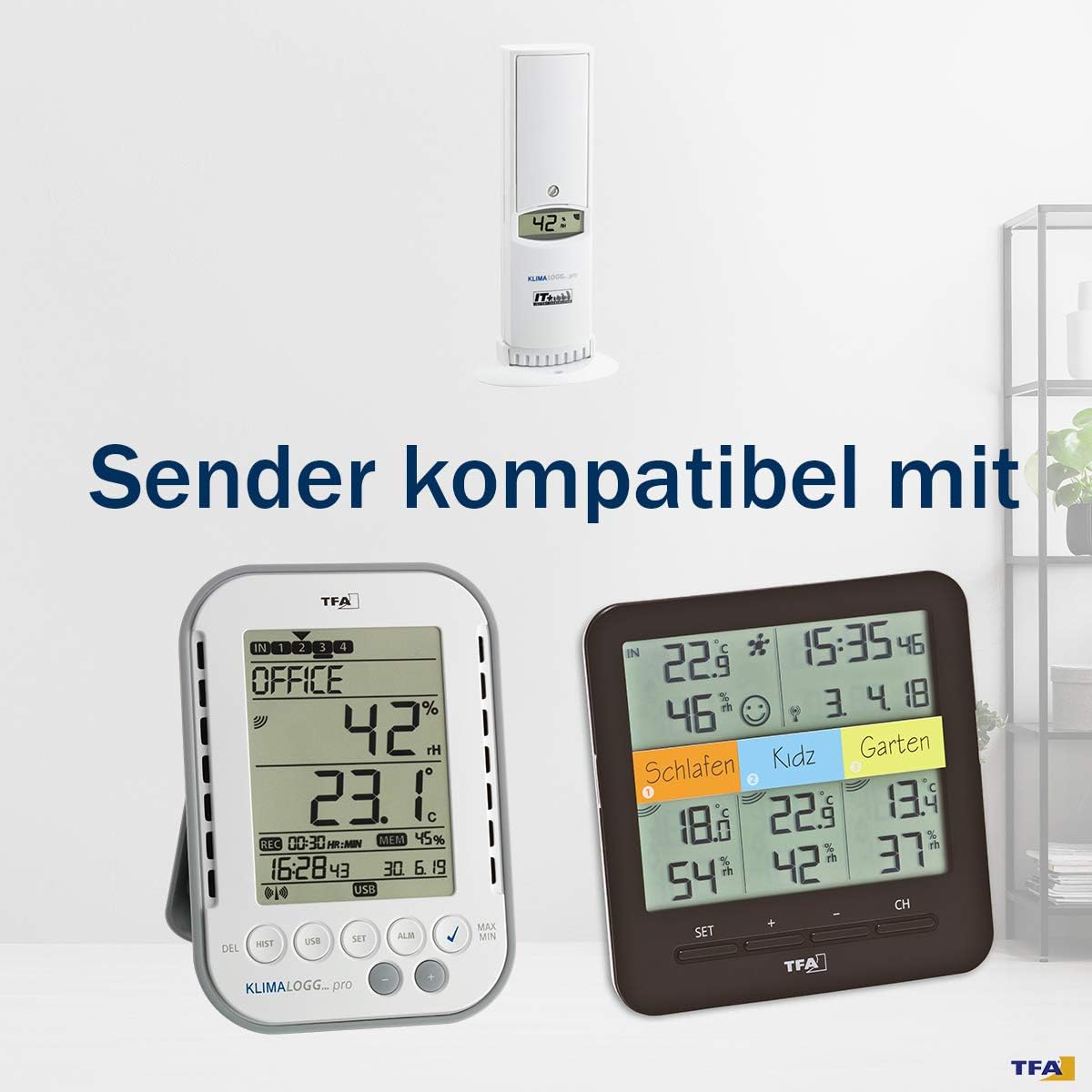
Figure 3: The TFA 30.3180 transmitter shown alongside compatible KlimaLoggPro receiving units, illustrating system compatibility.
4. Operating Instructions
The TFA 30.3180 transmitter operates continuously once batteries are installed. It measures temperature and humidity and transmits this data every 10 seconds to the paired KlimaLoggPro receiver. The current temperature and humidity readings are also visible on the transmitter's digital display.
- Temperature Display: Shows the current temperature in degrees Celsius.
- Humidity Display: Shows the current relative humidity in percentage.
- Transmission: Data is sent wirelessly at 868 MHz. The effective range is up to 100 meters in open areas. Obstacles such as walls, furniture, or other electronic devices may reduce the transmission range.
5. Maintenance
5.1 Cleaning
To clean the transmitter, wipe it with a soft, damp cloth. Do not use abrasive cleaners, solvents, or immerse the device in water. Ensure the device is dry before re-use.
5.2 Battery Replacement
When the display dims or the transmission becomes unreliable, it is time to replace the batteries. Follow the battery installation steps in Section 3.1. Always replace both AA batteries simultaneously with new ones to ensure optimal performance.
6. Troubleshooting
- No Data on KlimaLoggPro:
- Check if batteries are correctly installed and have sufficient charge in the transmitter.
- Ensure the KlimaLoggPro receiver is in search mode or has been successfully paired.
- Verify the distance between the transmitter and receiver is within the 100-meter range and minimize obstacles.
- Try re-pairing the transmitter with the KlimaLoggPro receiver by removing and reinserting the batteries in the transmitter, then initiating a search on the receiver.
- Inaccurate Readings:
- Ensure the transmitter is not exposed to direct sunlight, drafts, or heat sources, which can affect readings.
- Confirm the device is used in an appropriate indoor environment as specified.
7. Specifications
| Model Number | 30.3180.IT |
| Brand | TFA |
| Connectivity Technology | Radio Frequency (868 MHz) |
| Temperature Range | -39.9 to 59.9 °C |
| Humidity Measurement Range | 1 - 99 % |
| Transmission Interval | 10 seconds |
| Transmission Range | Up to 100 meters (open field) |
| Power Source | 2 x 1.5V AA batteries |
| Display Type | Digital |
| Response Time | 4 seconds |
| Dimensions (W x H x D) | 44mm x 160mm x 24mm |
| Weight | 2.61 ounces (approx. 74 grams) |
| Indoor/Outdoor Usage | Indoor |
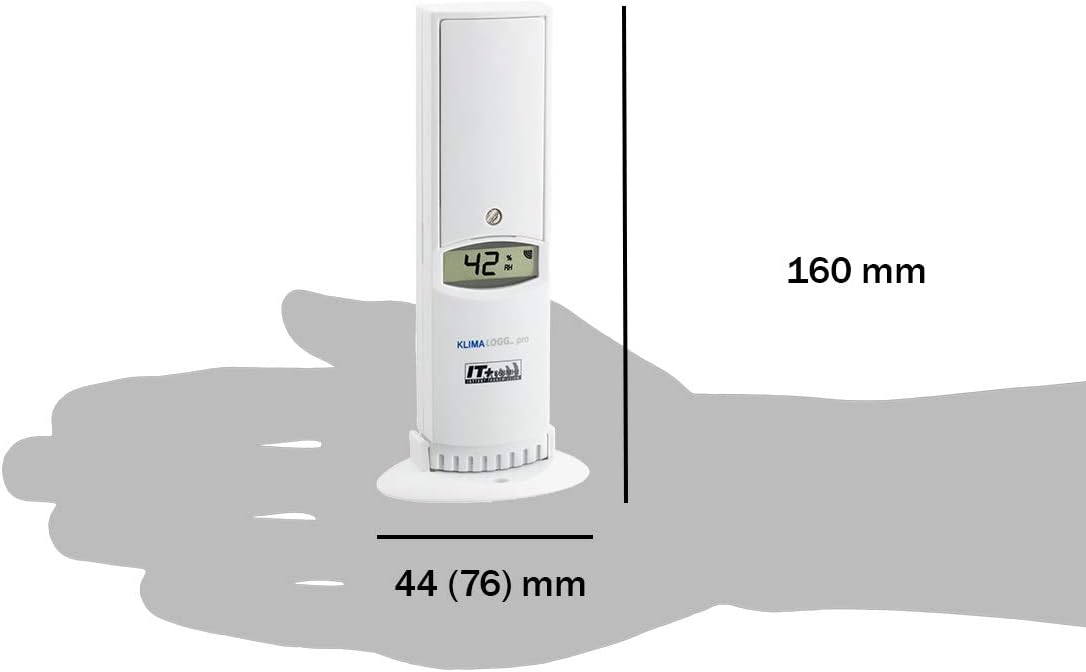
Figure 4: Diagram illustrating the dimensions of the TFA 30.3180 Temperature Humidity Transmitter.
8. Warranty and Support
For warranty information or technical support, please refer to the documentation provided with your purchase or contact TFA customer service directly. Contact details can typically be found on the manufacturer's official website or on the product packaging.
