
Introduction
The Hasbro Simon Flash game is an electronic memory and logic game featuring four interactive cubes. This manual provides comprehensive instructions for setup, gameplay, and maintenance to ensure an optimal user experience.
What's in the Box
- 4 Electronic Cubes
- Game Case
- Rules
- Quick-Play Card
- 8 AAA Batteries (pre-installed or included separately)
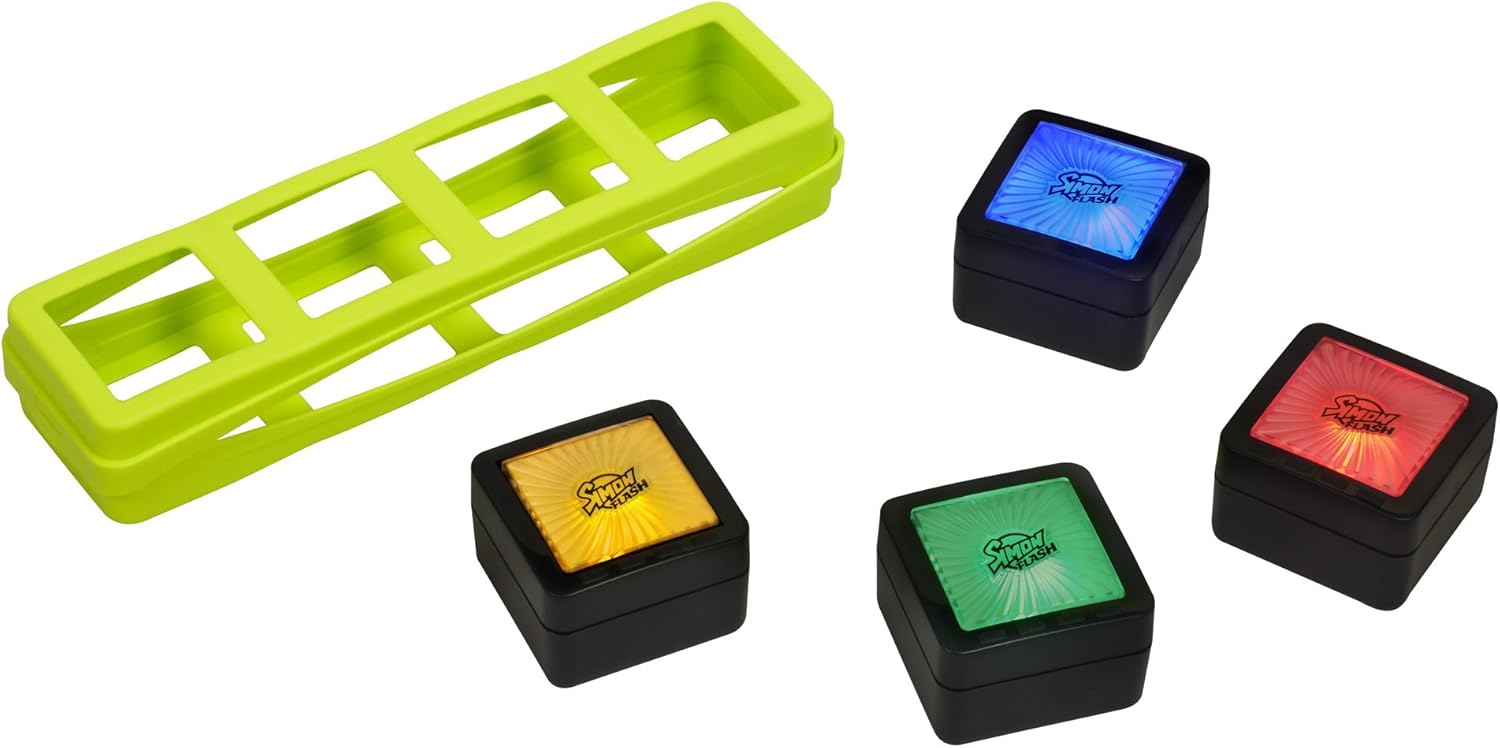
The game includes four electronic cubes that light up and produce sounds, a portable carrying case for storage and travel, a detailed rulebook, and a quick-play card for immediate game initiation.
Setup
Battery Installation
The Simon Flash game requires 8 AAA batteries. These batteries are typically included with the product. To install or replace batteries:
- Locate the battery compartment on each electronic cube.
- Using a small Phillips-head screwdriver, open the battery compartment cover.
- Insert 2 AAA batteries into each cube, ensuring correct polarity (+/-).
- Replace the battery compartment cover and secure it with the screw.
Initial Game Preparation
- Place the four electronic cubes on a flat surface.
- Refer to the Quick-Play Card for a summary of game rules or consult the full rulebook for detailed instructions.

Operating Instructions
Simon Flash utilizes Wonder-Link technology, allowing the cubes to interact and track game progress. The game features four distinct modes:
Game Modes
- Simon Lights Off (Yellow Game): Arrange the cubes in the correct order to turn off all the lights.
- Simon Shuffle (Red Game): When the cube colors scramble, line them up in their original displayed order.
- Simon Secret Color (Blue Game): Discover the correct order to place the cubes so they all display the same color.
- Simon Classic (Green Game): Repeat an increasing sequence of colors by pressing the corresponding cubes.
To start a specific game, press the cube associated with that game's color (e.g., press the yellow cube for Simon Lights Off).

General Gameplay
- The cubes respond to touch and proximity, indicating correct or incorrect moves with lights and sounds.
- The game tracks scores and progress automatically.
- To mute sound or switch games, press the designated buttons on the cubes.
- The cubes automatically power down after three minutes of non-use to conserve battery life.

Official Product Video
Maintenance
- Wipe the electronic cubes and case with a dry, soft cloth. Do not use abrasive cleaners or immerse in water.
- Remove batteries if the game will not be used for an extended period to prevent leakage.
- Store the game in its carrying case in a cool, dry place away from direct sunlight.
Troubleshooting
- Game not turning on: Ensure batteries are correctly installed with proper polarity. Replace with fresh batteries if necessary.
- Incorrect responses during gameplay: Verify that the cubes are placed on a flat, stable surface and that there are no obstructions interfering with their interaction.
- Sound issues: Check the mute option. If sound is still not working, replace batteries.
Specifications
- Brand: Hasbro
- Model Name: Simon Flash
- Model Number: 32730
- Age Range: 8 years and up
- Number of Players: 1-100 (competitive play requires taking turns)
- Power Source: Battery
- Battery Type: 8 x AAA batteries (included)
- Item Dimensions: 2.52 x 7.87 x 10.51 inches
- Item Weight: 1.2 Pounds
- Material Type: Cardstock (for cards)
- Special Features: Portable, Wonder-Link Technology, Auto Power-Down
Warranty and Support
For warranty information or technical support, please refer to the contact details provided on the product packaging or visit the official Hasbro website. Keep your purchase receipt as proof of purchase.
