
Acctim 74367
Acctim Peron 74367 Radio-Controlled Wall Clock User Manual
Introduction
Thank you for choosing the Acctim Peron 74367 Radio-Controlled Wall Clock. This manual provides essential information for the proper setup, operation, and maintenance of your new clock. Please read these instructions carefully to ensure optimal performance and longevity of your device.
Product Overview
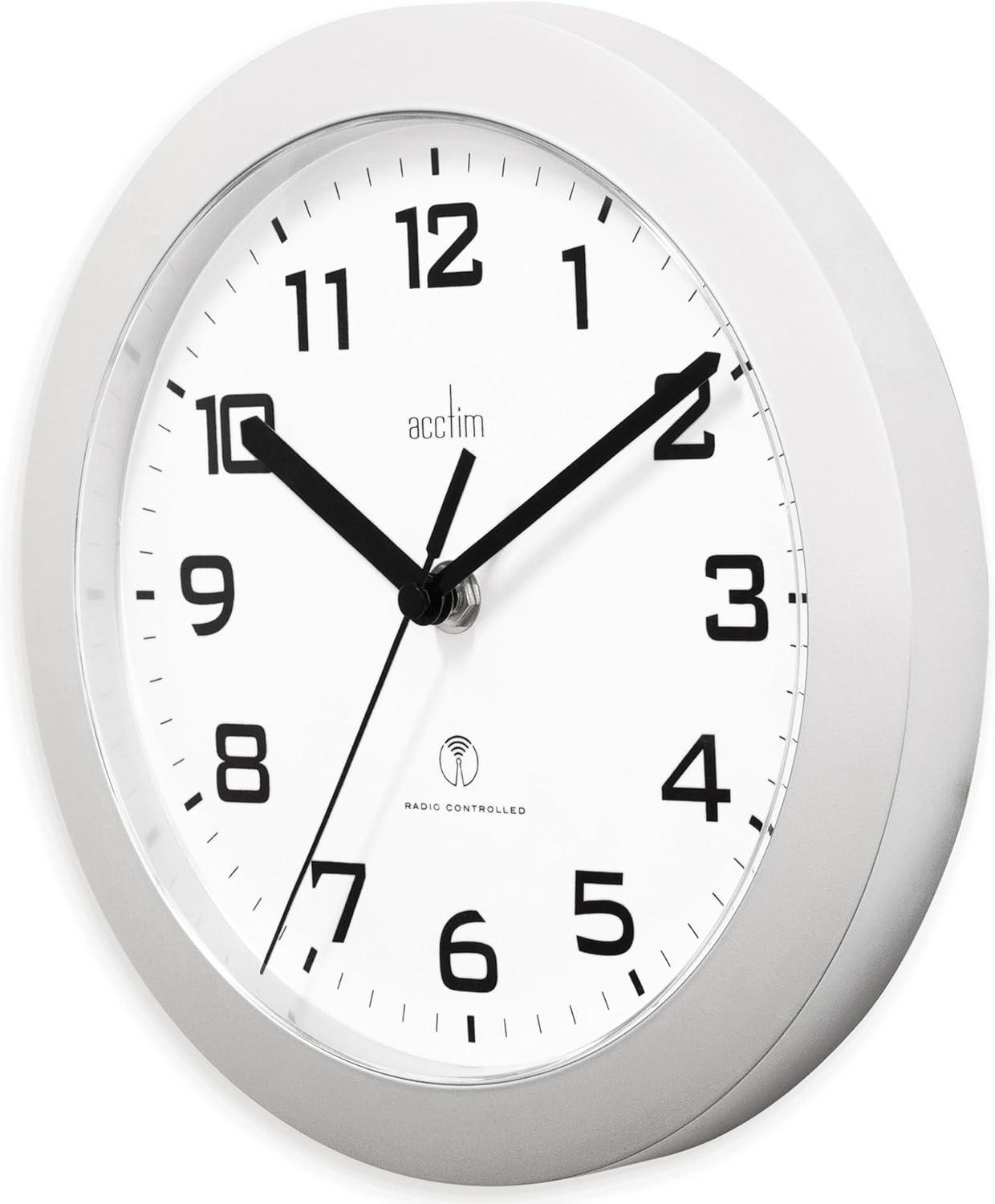
The Acctim Peron 74367 is a stylish radio-controlled wall clock designed for accurate timekeeping. Its key features include:
- Type: Wall clock
- Functionality: Radio-controlled for automatic time synchronization
- Casing: Silver finish
- Diameter: Approximately 230 mm
- Material: Wood, Silver Wood

Setup
- Battery Installation: Open the battery compartment on the back of the clock. Insert one (1) AA battery, ensuring the polarity (+/-) matches the indicators inside the compartment. Close the compartment securely.
- Initial Synchronization: Once the battery is inserted, the clock hands will typically move to the 12 o'clock position and then begin searching for the radio signal. This process can take several minutes to several hours, depending on signal strength.
- Placement: For optimal signal reception, place the clock near a window and away from large metal objects, electrical appliances, or other sources of interference. Avoid placing it in basements or areas with thick concrete walls.

Operating Instructions
The Acctim Peron 74367 is a radio-controlled clock, meaning it automatically synchronizes its time with a precise atomic clock signal. Once set up, manual time adjustment is generally not required.
- Automatic Time Setting: After battery installation and successful signal reception, the clock will automatically set itself to the correct time, including adjustments for Daylight Saving Time (DST) where applicable to the received signal.
- Continuous Synchronization: The clock will periodically search for the radio signal to maintain accuracy. This usually occurs overnight to minimize interference.

Maintenance
- Cleaning: To clean the clock, wipe it gently with a soft, dry cloth. Do not use abrasive cleaners, solvents, or chemical sprays, as these can damage the finish and internal components.
- Battery Replacement: Replace the AA battery annually or when the clock hands stop moving or become erratic. Always dispose of used batteries responsibly.
- Environmental Conditions: Avoid exposing the clock to extreme temperatures, direct sunlight, or high humidity, which can affect its performance and lifespan.
Troubleshooting
- Clock displays incorrect time (e.g., 1 hour difference):
- This clock is designed to receive the MSF radio signal, which broadcasts from the UK and corresponds to Greenwich Mean Time (GMT). If you are located in a region that observes Central European Time (CET) or another time zone, the clock may display a time that is consistently one hour (or more) behind or ahead of your local time, as it does not automatically adjust for regional time zone offsets outside of the UK's standard/daylight saving time. This is a characteristic of the clock's design and its signal source. For accurate local time in such regions, manual adjustment or a different type of clock may be required.
- Clock does not set automatically:
- Ensure the battery is correctly installed and fresh. Verify the clock's placement is optimal for signal reception (near a window, away from interference). Allow sufficient time (up to 24 hours) for the initial synchronization. If the issue persists, try relocating the clock to a different area.
- Hands are stuck or not moving:
- Check the battery. If the battery is low or depleted, replace it with a new AA battery. Ensure there are no obstructions preventing the hands from moving freely.
Specifications
| Feature | Detail |
|---|---|
| Brand | Acctim |
| Model Number | 74367 |
| Color | Silver |
| Product Dimensions (L x W x H) | 23.01 x 23.01 x 4.5 cm |
| Item Weight | 299.37 grams |
| Material | Wood, Silver Wood |
| Special Feature | Radio-controlled |
| Power Source | Battery Powered (1 AA battery required) |
| Display Type | Analog |
| Shape | Round |
| Indoor/Outdoor Use | Indoor |
| Country of Origin | China |
| Spare Parts Availability | Information unavailable |
Support
For further assistance or inquiries regarding your Acctim Peron 74367 Radio-Controlled Wall Clock, please contact your retailer or the point of purchase. Information regarding spare parts availability is currently unavailable.
Related documents74367


Ask a question about this manual
Ask about setup, troubleshooting, compatibility, parts, safety, or missing instructions. Manuals+ will review the question and use this page’s manual context to help answer it.