
Branson 8200-8400
Branson Model 8200-8400 Ultrasonic Plastic Welder Maintenance and Parts Manual
Comprehensive Guide for Setup, Operation, Maintenance, and Troubleshooting
Introduction
This manual provides essential information for the Branson 8200-8400 Ultrasonic Plastic Welder. It covers detailed procedures for setup, adjustment, maintenance, and troubleshooting. Additionally, it includes comprehensive parts lists and schematics for the Model 82 and Model 84 Power Supply Modules, as well as the Model 519 Programmer. This guide is designed to assist technicians and operators in ensuring the optimal performance and longevity of the equipment.
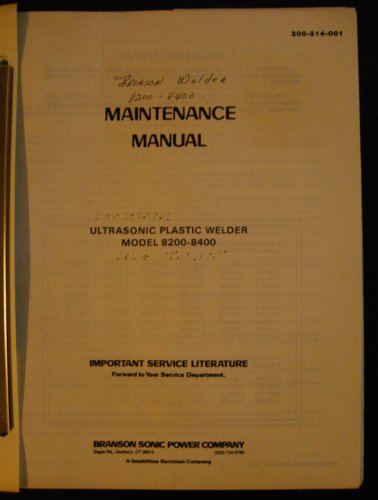
Figure 1: Cover of the Branson 8200-8400 Ultrasonic Plastic Welder Maintenance and Parts Manual.
Setup and Adjustment
Proper setup and adjustment are crucial for the safe and efficient operation of your Branson ultrasonic welder. Follow these procedures carefully.
Assembly of Converter, Booster, and Horn
- Standard Assembly: Detailed steps for assembling the converter, booster, and horn directly into the welder unit.
- Alternate Assembly Method: Instructions for an alternative assembly process for the converter, booster, and horn.
- Connecting Tip to Horn: Guidelines for securely attaching the welding tip to the horn.
Disassembly Procedures
- Disassembly of Converter, Booster, and Horn: Step-by-step instructions for safely disassembling these components.
- Removing Tip From Horn: Procedure for detaching the welding tip from the horn.
System Connections and Reconditioning
- Compressed Air Line Connection: Instructions for connecting the compressed air line to the welder.
- Basic Procedure for Ultrasonic Welder Setup and Adjustment: General steps for initial setup and fine-tuning.
- Reconditioning Converter/Booster/Horn Stack Interfaces: Procedures for maintaining and reconditioning the interfaces between the stack components to ensure optimal performance.
Maintenance
Regular maintenance is essential for the longevity and reliable operation of your Branson ultrasonic welder. Adhere to all safety precautions during maintenance procedures.
General Maintenance Precautions
Refer to the manual's dedicated section for detailed safety precautions before performing any maintenance tasks. Always disconnect power and compressed air before servicing the unit.
System Trouble Analysis Chart
The manual includes a comprehensive "System Trouble Analysis Chart" to assist in diagnosing common issues. This chart provides symptoms, probable causes, and recommended corrective actions.
Troubleshooting
When operational issues arise, consult the "System Trouble Analysis Chart" provided within this manual. This chart is designed to guide you through systematic troubleshooting steps.
For complex issues not covered by the chart, or if problems persist, contact a qualified Branson service representative.
Specifications and Components
This section details the specifications of various components and provides resistance charts for diagnostic purposes.
Resistance Charts
Refer to the manual for detailed resistance charts, which are critical for electrical diagnostics and component verification.
Model 519 Programmer Specifications
- Operating Characteristics: Information on how the Model 519 Programmer functions.
- Automated Systems: Details regarding its integration with automated welding systems.
- Model 519 Programmer Module Parts Drawing and Schematic: Visual aids for component identification.
- Model 519 Programmer Module Parts List: A comprehensive list of parts for the programmer module.
System Protection Monitor (SPM)
- SPM Parts Location Drawing and Schematic: Diagrams for locating and understanding SPM components.
- SPM Parts List: A complete list of parts for the System Protection Monitor.
General Product Specifications
| Specification | Detail |
|---|---|
| ASIN | B004THCO68 |
| Publisher | Branson |
| Publication Date | January 1, 2010 |
| Language | English |
| Item Weight | 13 ounces |
Parts Lists and Schematics
This section provides detailed visual and textual information for identifying and replacing components.
Main Assembly and Parts Location
The manual includes photographs and schematics illustrating the main assembly and the location of various parts within the Branson 8200-8400 welder.
Model 82 Power Supply Module
- Module and Transistor Heat Sink Assembly: Detailed views and descriptions.
- Parts List: A complete list of components for the Model 82 Power Supply Module.
- Mother Board Assembly Layout Drawing and Parts List: Diagrams and component lists for the Model 82 Mother Board.
Model 84 Power Supply Module
- Module and Transistor Heat Sink Assembly: Detailed views and descriptions.
- Parts List: A complete list of components for the Model 84 Power Supply Module.
- Mother Board Assembly Layout Drawing and Parts List: Diagrams and component lists for the Model 84 Mother Board.
Optional Accessories and Kits
Enhance the functionality and performance of your welder with these available accessories and kits.
- Universal Line Filter Assembly: For power conditioning.
- Accessory Board Protection Indicator Module (Option): Provides status indication.
- Lower Limit and Pretrigger Switch Kit: For precise control.
- Upper Limit Switch Kit: For operational safety.
- J3 Power Control Converter Protection Kit: Enhances converter protection.
- A480 Welding Systems Analyzer: For advanced diagnostics.
- A410 Wattmeter: For power measurement.
- A310 Transistor Tester: For component testing.
- LP Cylinder Kit: For specific applications.
- Cooling Kit: For thermal management.
- Panel Guard Kit: For protection of control panels.
Ordering Replacement Parts
To ensure the use of genuine and compatible components, always order replacement parts directly from Branson or an authorized distributor. Refer to the specific parts lists within this manual for correct part numbers.
Support and Contact Information
For technical assistance, service, or to order parts, please contact your local Branson representative. You may also contact Branson directly for support.
Contact details (e.g., phone numbers, website) would typically be provided here in the full manual.
Related documents8200-8400


Ask a question about this manual
Ask about setup, troubleshooting, compatibility, parts, safety, or missing instructions. Manuals+ will review the question and use this page’s manual context to help answer it.