1. Introduction
The Mr. Beams MB722 is a battery-powered, wireless, motion-sensing LED night light designed for convenient illumination in various indoor and outdoor locations. It features a built-in photocell that activates the motion sensor only when ambient light is low, conserving battery life. This light provides bright, automatic illumination without the need for electrical wiring, making installation simple and flexible.
2. Safety Information
- Battery Safety: Use only the specified battery type (4 AA batteries). Do not mix old and new batteries, or different types of batteries. Ensure batteries are inserted with correct polarity (+/-). Remove depleted batteries promptly. Dispose of batteries according to local regulations.
- Installation: Ensure the mounting surface is clean, dry, and suitable for adhesion or screws. Avoid mounting near heat sources or in direct sunlight, which can affect sensor performance.
- Water Exposure: While designed to be weatherproof, avoid submerging the unit in water.
- LED Light: Do not stare directly into the LED light when it is illuminated, as it may cause temporary vision impairment.
3. Package Contents
Verify that all items are present in your package:
- Mr. Beams MB722 Night Light Unit
- Double-sided adhesive tape
- Mounting bracket with screws and anchors (optional mounting method)
4. Setup
4.1 Battery Installation
- Locate the battery compartment on the back of the light unit.
- Open the battery compartment cover.
- Insert 4 AA batteries (not included) into the compartment, ensuring correct polarity (+/-) as indicated inside.
- Close the battery compartment cover securely.
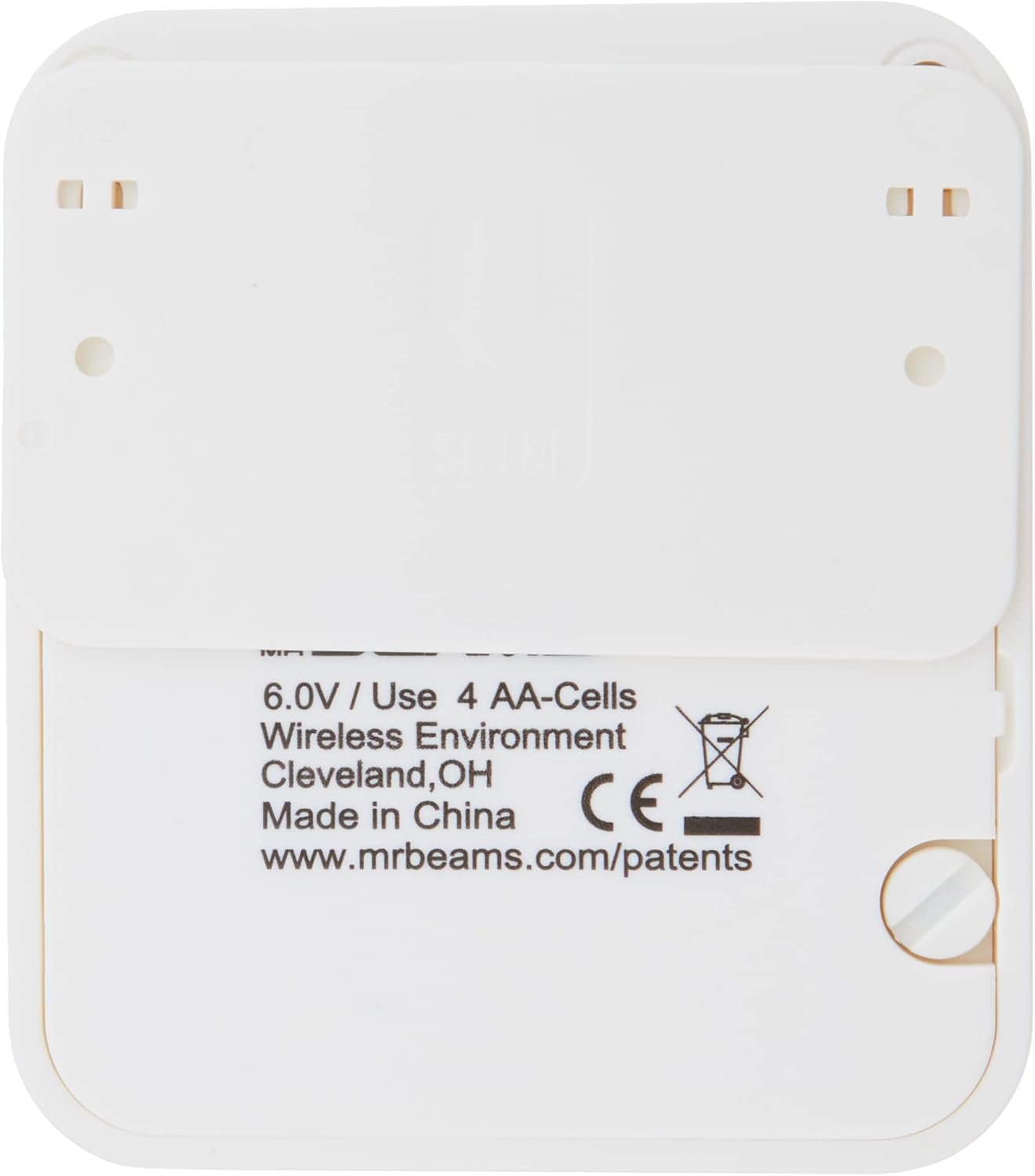
Image: Rear view of the MB722 night light, detailing the battery compartment and product information.
4.2 Mounting the Light
The MB722 offers two primary mounting options:
Option 1: Double-Sided Adhesive Tape
- Clean the desired mounting surface thoroughly to ensure it is free of dust, dirt, and grease.
- Peel the protective backing from the double-sided adhesive tape.
- Firmly press the light unit onto the cleaned surface for at least 30 seconds.
- Allow the adhesive to set for a few hours before relying on its full strength.
Option 2: Screws and Mounting Bracket
- Identify the desired mounting location.
- Use the provided mounting bracket as a template to mark the screw holes.
- Drill pilot holes if necessary, and insert wall anchors if mounting into drywall.
- Secure the mounting bracket to the surface using the provided screws.
- Slide the MB722 light unit onto the secured mounting bracket until it clicks into place.

Image: The compact size of the MB722 night light, held in a hand, indicating its approximate dimensions.
5. Operating Instructions
The Mr. Beams MB722 night light operates automatically once batteries are installed and it is mounted.
- Motion Sensing: The integrated motion sensor detects movement up to 10 feet away.
- Automatic Activation: The light will only activate when motion is detected and the ambient light is low (e.g., at night or in a dark room). This photocell feature helps conserve battery life by preventing activation during daylight hours.
- Automatic Shut-off: The light will automatically turn off after a period of no motion detection, typically 20-30 seconds, to further conserve battery power.
- Optimal Placement: For best performance, mount the light in areas where motion is expected, such as hallways, stairways, closets, or bathrooms. Ensure the sensor is not obstructed.

Image: The MB722 night light providing illumination on a stairway, demonstrating its practical application.

Image: Several MB722 night lights installed along a hallway, illustrating their use for path illumination.

Image: An MB722 night light mounted in a laundry room, demonstrating its utility for task lighting in low-light areas.
6. Maintenance
- Battery Replacement: When the light output diminishes or the unit stops activating, it is time to replace the batteries. Follow the "Battery Installation" steps in Section 4.1.
- Cleaning: Wipe the light unit with a soft, damp cloth. Do not use abrasive cleaners or solvents, as these can damage the finish or the sensor. Ensure the motion sensor lens is clean for optimal performance.
7. Troubleshooting
| Problem | Possible Cause | Solution |
|---|---|---|
| Light does not turn on. |
|
|
| Light stays on too long or turns on randomly. |
|
|
| Light output is dim. |
|
|
8. Specifications
| Model Number: | MB722 |
| Brand: | MR BEAMS |
| Light Source: | LED |
| Power Source: | 4 x AA Batteries (not included) |
| Motion Detection Range: | Up to 10 feet (3 meters) |
| Automatic Shut-off: | Approx. 20-30 seconds after last motion detected |
| Special Features: | Motion-sensor, Photocell (darkness activation), Weatherproof design |
| Material: | Durable Plastic (UV-Resistant) |
| Approximate Dimensions: | 9 cm (3.9 inches) height/length |
9. Warranty & Support
For warranty information or technical support, please refer to the official Mr. Beams website or contact their customer service directly. Keep your purchase receipt as proof of purchase.
Website: www.mrbeams.com


