
Nikon Nikkormat FT2
Nikon Nikkormat FT2 SLR Film Camera User Manual
Model: Nikkormat FT2 | Brand: Nikon
Introduction
The Nikon Nikkormat FT2 is a robust and reliable 35mm SLR film camera, known for its mechanical shutter and built-in through-the-lens (TTL) light meter. This manual provides essential information for setting up, operating, and maintaining your Nikkormat FT2 camera body. Please note that this manual pertains to the camera body only; lenses and other accessories are not included and may require their own specific instructions.
What's in the Box
- Nikon Nikkormat FT2 Camera Body
No other accessories, such as lenses, straps, or cases, are included with the camera body.
Product Overview

Figure 1: Front view of the Nikkormat FT2 camera body, highlighting the F-mount lens bayonet and the Nikkormat logo above the prism.

Figure 2: Rear view of the Nikkormat FT2, displaying the viewfinder eyepiece, film advance lever, and the "Nikon JAPAN" engraving.

Figure 3: Top view of the Nikkormat FT2, featuring the shutter speed dial, film counter, film advance lever, shutter release button, and the hot shoe for flash synchronization.
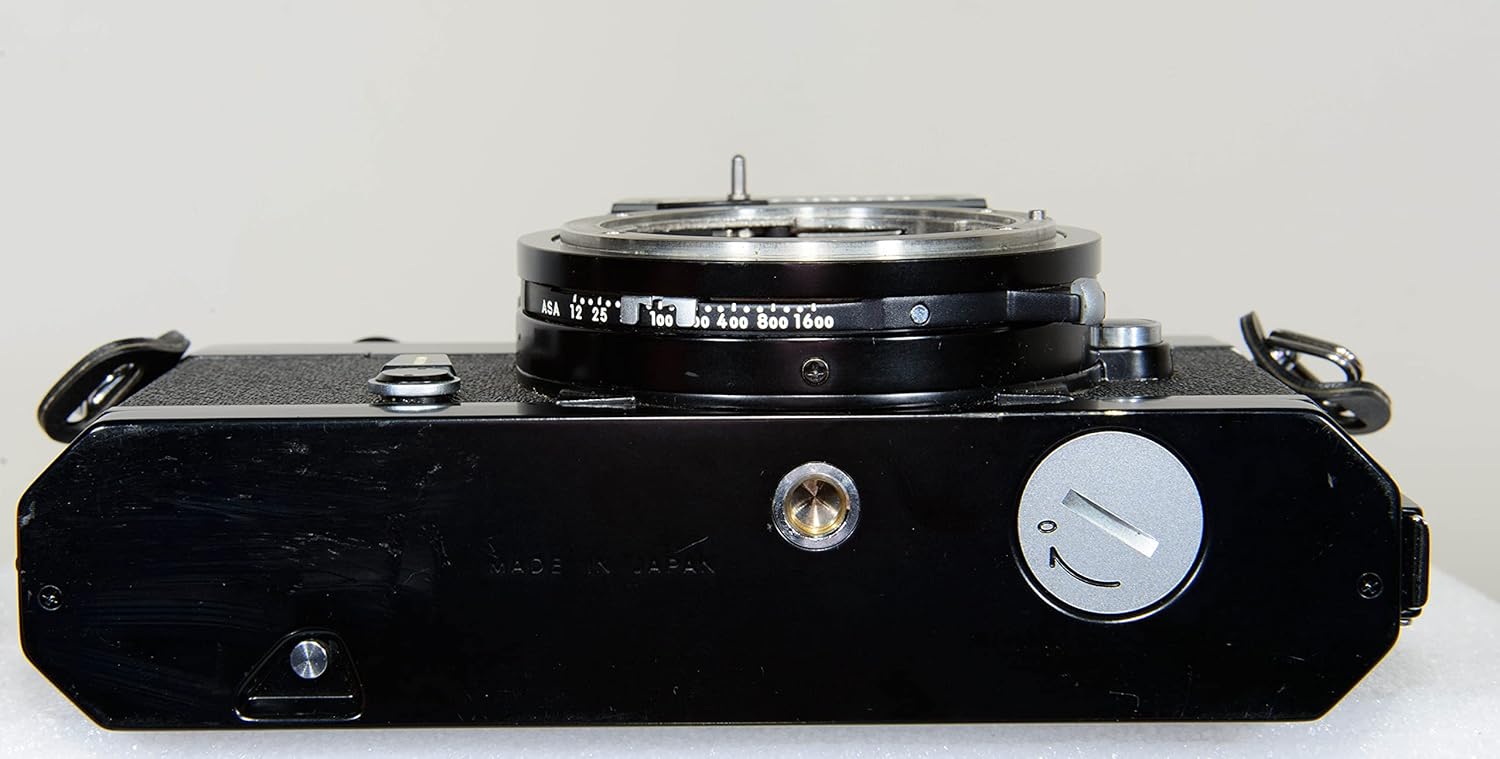
Figure 4: Bottom view of the Nikkormat FT2, illustrating the battery compartment cover and the standard tripod mounting socket.
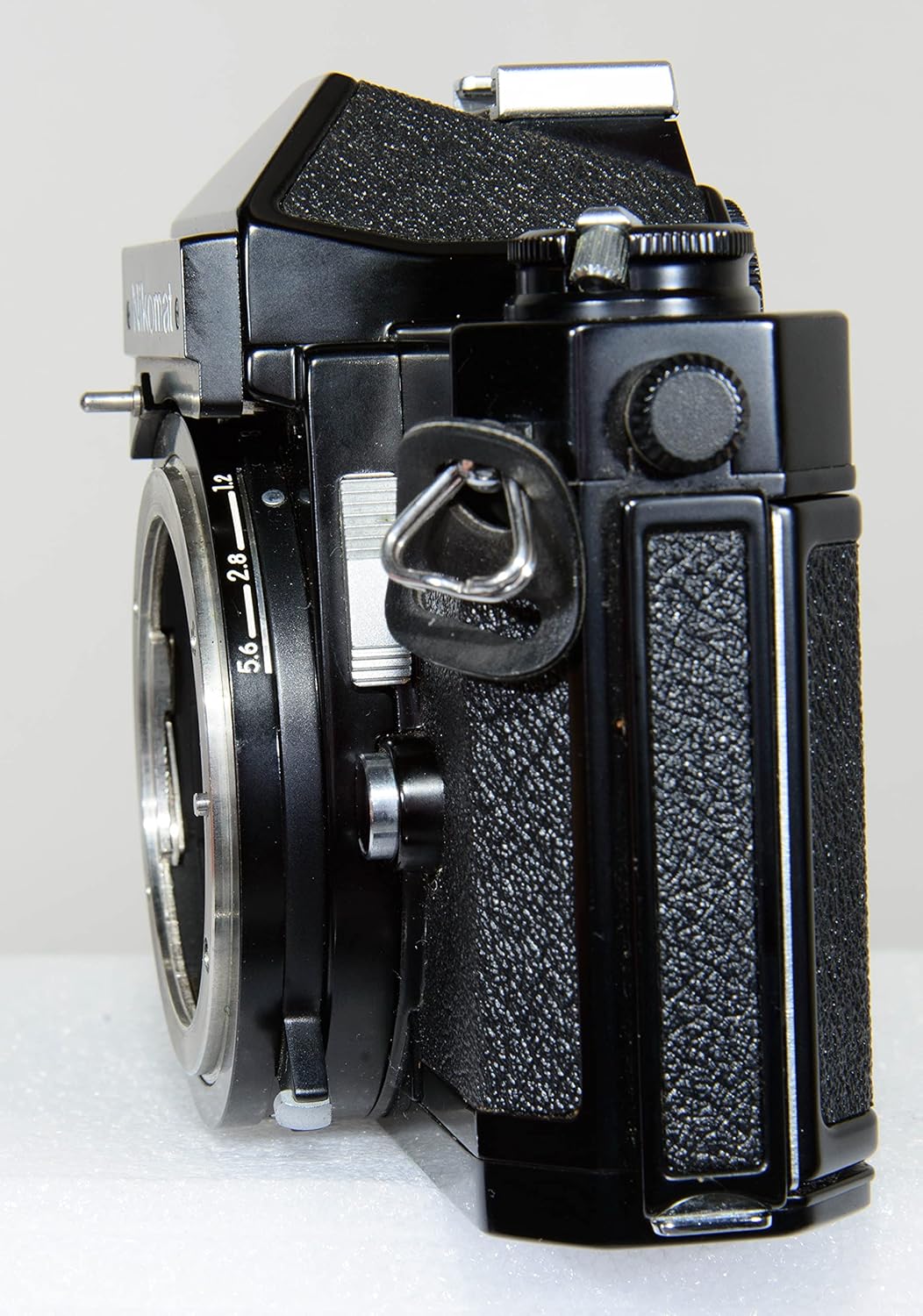
Figure 5: Angled side view of the Nikkormat FT2, displaying the film rewind crank and a strap lug.

Figure 6: Another angled side view of the Nikkormat FT2, showing the self-timer lever and depth-of-field preview button near the lens mount.
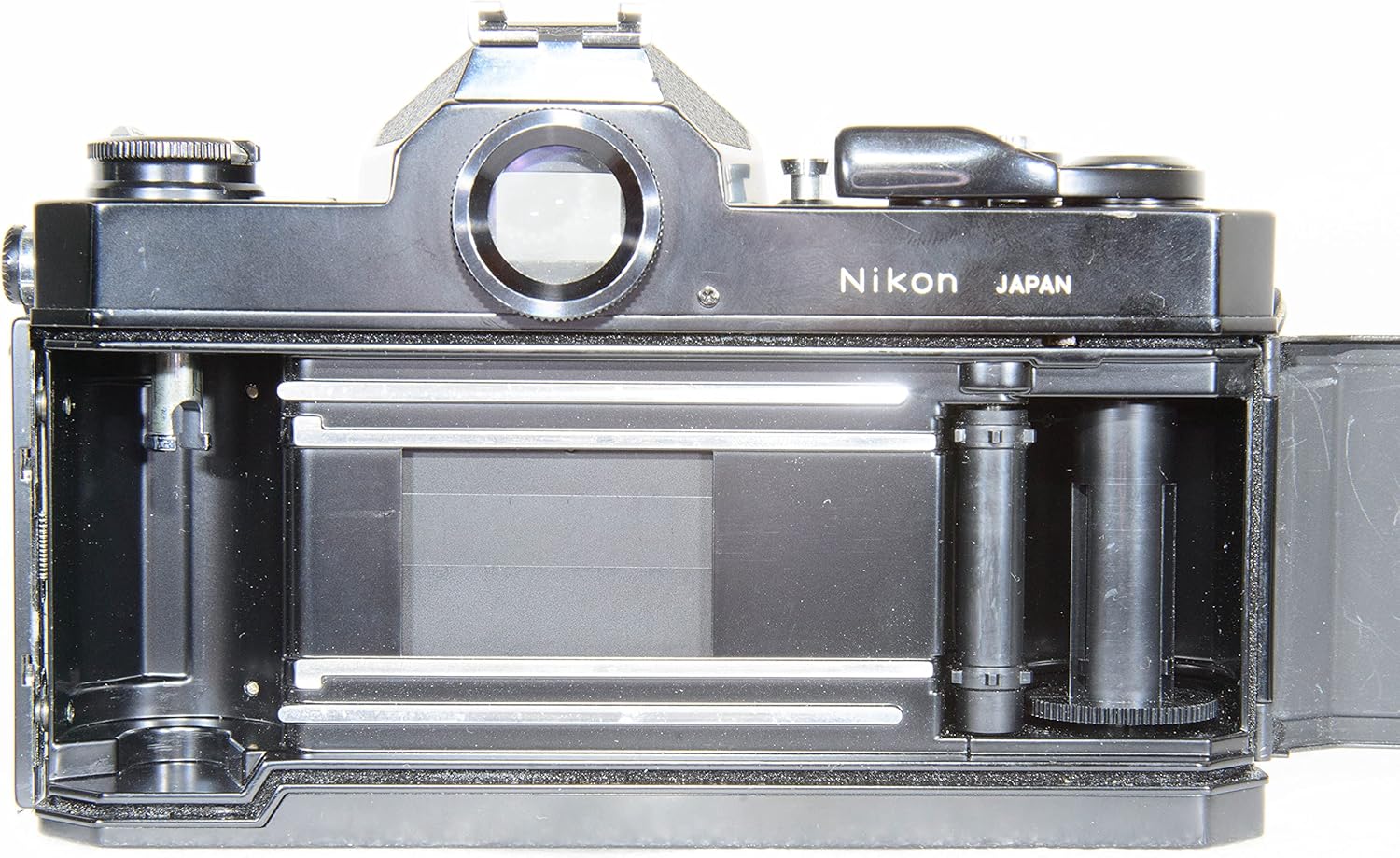
Figure 7: Internal view of the Nikkormat FT2 film compartment with the back open, revealing the film pressure plate, film rails, and take-up spool.
Setup
1. Battery Installation
The Nikkormat FT2 requires one 1.5V silver oxide battery (SR44 or equivalent) to power its light meter. The camera's mechanical shutter functions without a battery, but the light meter will not operate.
- Locate the battery compartment cover on the bottom of the camera (refer to Figure 4).
- Use a coin to unscrew the battery compartment cover counter-clockwise.
- Insert the new battery with the positive (+) side facing outwards (towards the cover).
- Replace the cover and screw it clockwise until secure. Do not overtighten.
2. Film Loading
The Nikkormat FT2 uses standard 35mm film cartridges.
- Open the camera back by pulling up the film rewind crank (refer to Figure 5). The back will spring open (refer to Figure 7).
- Insert the film cartridge into the film chamber on the left side of the camera. Push the rewind crank back down to secure the cartridge.
- Pull the film leader across the film gate and insert the tip into one of the slots on the take-up spool on the right side.
- Advance the film slightly using the film advance lever until the sprocket teeth engage with the film perforations. Ensure the film lies flat against the film rails.
- Close the camera back firmly until it clicks shut.
- Advance the film two frames (by winding the film advance lever and pressing the shutter release) to move past the exposed leader. The film counter should now show '1'.
- Set the film speed (ASA/ISO) on the camera's ASA dial, usually located around the shutter speed dial or lens mount, to match your film.
Operating Instructions
1. Setting Shutter Speed
The shutter speed dial is located on the top of the camera (refer to Figure 3). Rotate the dial to select the desired shutter speed. Speeds range from 1 second to 1/1000th of a second, plus 'B' for Bulb (shutter remains open as long as the button is pressed) and 'T' for Time (shutter opens on first press, closes on second press).
2. Setting Aperture (with compatible lens)
Aperture is controlled via the aperture ring on the lens. Ensure your lens is properly mounted and coupled with the camera's meter. Rotate the aperture ring to select the desired f-stop.
3. Focusing
The Nikkormat FT2 features a split-image rangefinder and microprism collar in the viewfinder for precise manual focusing. Rotate the focusing ring on your lens until the image in the viewfinder appears sharp and the split-image aligns.
4. Using the Exposure Meter
The built-in TTL (Through-The-Lens) light meter helps determine correct exposure. Look through the viewfinder; a needle will indicate overexposure, underexposure, or correct exposure. Adjust the shutter speed and/or aperture until the needle is centered for optimal exposure.
5. Taking a Picture
- Advance the film using the film advance lever until it stops.
- Compose your shot through the viewfinder.
- Focus the lens.
- Adjust shutter speed and aperture based on the light meter reading.
- Gently press the shutter release button located on the top of the camera (refer to Figure 3) to take the picture.
6. Rewinding Film
Once all frames on the film roll have been exposed:
- Press the film rewind release button on the bottom of the camera (refer to Figure 4).
- Fold out the crank on the film rewind knob (refer to Figure 5) and turn it clockwise until you feel the tension release, indicating the film is fully rewound into its cartridge.
- Open the camera back and remove the film cartridge.
Maintenance
- Cleaning: Use a soft, lint-free cloth to wipe the camera body. For the viewfinder and mirror, use a blower brush to remove dust. Avoid touching the mirror or shutter curtains directly.
- Storage: Store the camera in a cool, dry place away from direct sunlight and extreme temperatures. If storing for extended periods, remove the battery to prevent leakage.
- Film Compartment: Periodically inspect the film compartment (refer to Figure 7) for dust or debris that could scratch film. Use a blower to clean.
- Lens Mount: Keep the lens mount clean and free of dust. Always use a body cap when a lens is not attached.
Troubleshooting
| Problem | Possible Cause | Solution |
|---|---|---|
| Light meter not working | Dead or incorrectly installed battery. | Check battery installation; replace battery if necessary. |
| Shutter not firing | Film not advanced; camera is not cocked. | Advance the film advance lever fully. |
| Film advance lever stuck | Film is at the end of the roll; film is jammed. | If at end of roll, rewind film. If jammed, open back in darkroom or consult a professional. |
| Unevenly exposed negatives | Shutter curtains sticking. | Requires professional service. |
Specifications
| Feature | Detail |
|---|---|
| Model Name | Nikkormat FT2 |
| Brand | Nikon |
| Film Format Type | SLR 35mm |
| Shutter Type | Focal Plane Shutter |
| Exposure Control Type | Manual |
| Included Components | Camera Body Only |
| Item Weight | 1.85 pounds (approx. 0.84 kg) |
| Package Dimensions | 6.8 x 4.4 x 3.3 inches (approx. 17.3 x 11.2 x 8.4 cm) |
Warranty and Support
For information regarding warranty coverage, repair services, or technical support for your Nikon Nikkormat FT2 camera, please refer to the original purchase documentation or contact Nikon customer service directly. As this is a vintage camera model, specific warranty terms may vary depending on the seller and condition at the time of purchase.
You can often find additional resources, such as online forums and community groups dedicated to vintage Nikon cameras, which can provide valuable insights and assistance for maintenance and operation.
Related documentsNikkormat FT2


Ask a question about this manual
Ask about setup, troubleshooting, compatibility, parts, safety, or missing instructions. Manuals+ will review the question and use this page’s manual context to help answer it.