
1. Product Overview
The Amerock Kane BP53702GB is a 3-3/4 inch (96 mm) center-to-center cabinet pull, featuring a Gilded Bronze finish. This pull is designed for use on cabinets and drawers, offering both functionality and a distinct aesthetic. The Gilded Bronze finish provides a dark golden appearance with a richly brushed texture, complementing various interior designs.
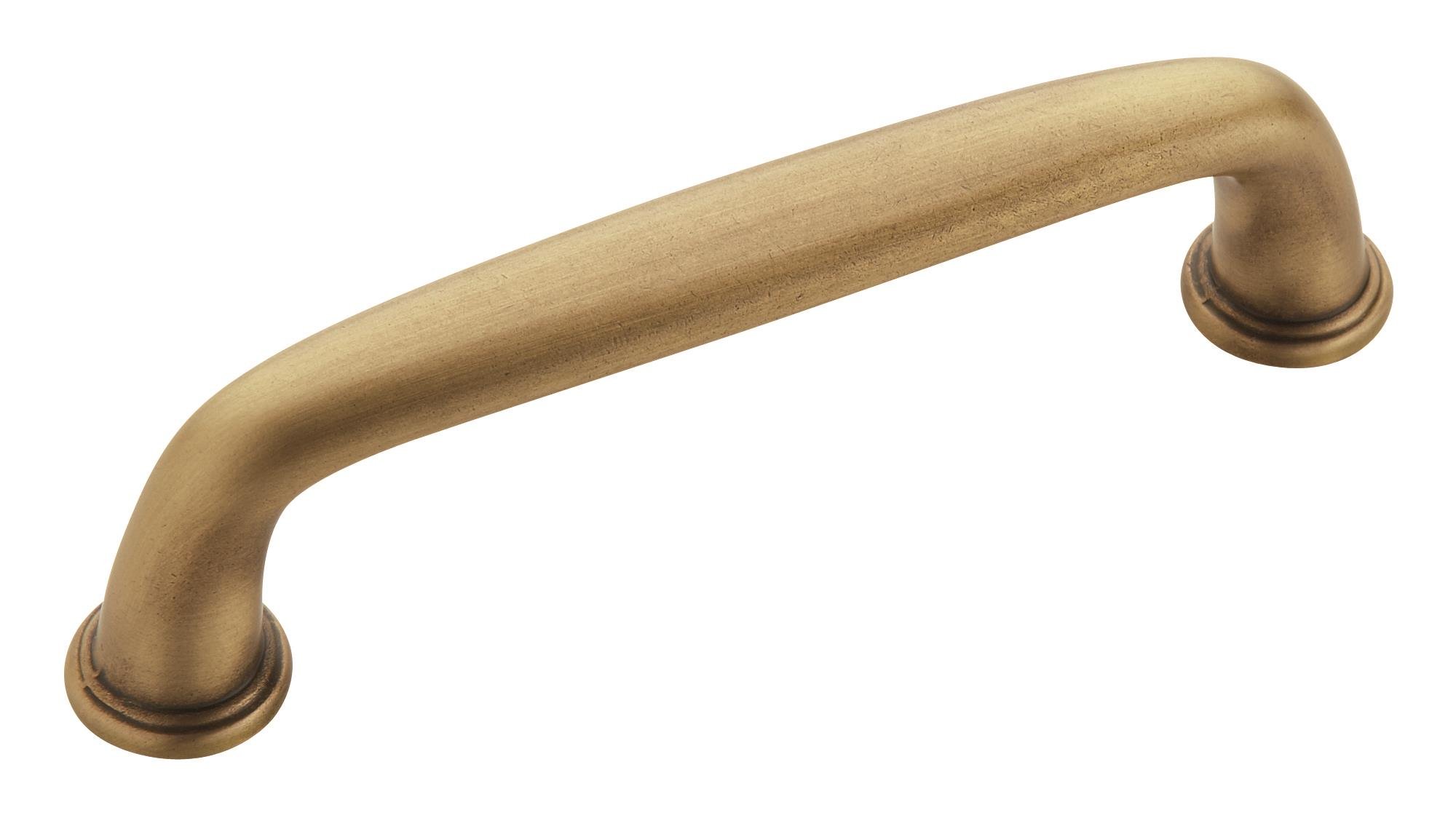
Figure 1: Amerock Kane BP53702GB Gilded Bronze Cabinet Pull. This image shows the front view of the cabinet pull, highlighting its Gilded Bronze finish and design.

Figure 2: Side view of the Amerock Kane BP53702GB cabinet pull. This perspective illustrates the pull's projection and the design of its mounting feet.
2. Package Contents
Verify that all components are present before beginning installation.
- 1 x Amerock Kane BP53702GB Cabinet Pull
- Mounting Hardware: #8-32 x 1 inch Truss Head Machine Screws (multiple sizes may be included to accommodate various cabinet thicknesses)
- Installation Instructions (this document)
3. Tools Required for Installation
The following tools are recommended for a smooth installation process:
- Pencil
- Level
- Ruler or Measuring Tape
- Drill with a 3/16 inch Drill Bit
- Painter's Tape (optional, for securing templates)
4. Installation Instructions
Follow these steps carefully to install your Amerock Kane cabinet pull.
4.1 Understanding Center-to-Center Measurement (CTC)
The "center-to-center" (CTC) measurement refers to the distance between the centers of the two mounting holes on the cabinet pull. This is a critical measurement for ensuring proper alignment and fit with existing or new drill holes.
Video 1: How to Measure Center-to-Center. This video demonstrates the correct method for measuring the center-to-center distance of a cabinet pull, which is essential for accurate installation.
For the Amerock Kane BP53702GB pull, the center-to-center distance is 3-3/4 inches (96 mm).

Figure 3: Dimensional drawing showing the length, width, projection, and center-to-center measurements for the cabinet pull. This diagram helps in understanding the physical dimensions for installation.
4.2 Preparing the Mounting Template
If using a printable template (available from Amerock's website), ensure it is printed at 100% scale (actual size) to guarantee accurate measurements. For larger pulls (12-inch or 18-inch), the template may consist of multiple pages that need to be aligned and taped together. For this 3-3/4 inch (96 mm) pull, a single-page template is typically sufficient.
Video 2: Appliance Pull Installation using a Template. This video guides you through the process of using a template to accurately mark and drill holes for appliance pull installation.
4.3 Marking and Drilling Holes
- Determine Placement: Decide on the desired location for your pull on the cabinet door or drawer. Use a level and pencil to draw a straight centerline on the cabinet surface where you intend to mount the pull. This centerline will help ensure proper alignment.
- Mark Drill Points: Align the top edge of your template with the drawn centerline. Ensure the template's centerline aligns with your mark. Secure the template in place using painter's tape. Using a pencil, mark the two points on the cabinet surface where the drill holes will be made, as indicated on the template.
- Verify Marks: Before drilling, remove the template and use your level to re-check that your marked points are properly aligned and level. Adjust if necessary.
- Drill Holes: Using a drill with a 3/16 inch drill bit, carefully drill through the marked points. Ensure you drill straight to avoid angled holes.
4.4 Attaching the Pull
- Insert Screws: From the inside of the cabinet door or drawer, insert the provided #8-32 x 1 inch truss head machine screws through the newly drilled holes.
- Attach Pull: Align the Amerock Kane pull with the screws protruding from the cabinet surface. Thread the screws into the pull's mounting posts.
- Tighten Securely: Use a screwdriver or drill (on a low torque setting) to tighten the screws until the pull is firmly attached to the cabinet. Avoid over-tightening, which can strip the screws or damage the cabinet surface.
5. Care and Maintenance
To maintain the finish and functionality of your Amerock Kane cabinet pull, follow these care guidelines:
- Cleaning: Clean regularly with a soft, damp cloth. Avoid abrasive cleaners, harsh chemicals, or polishes, as these can damage the Gilded Bronze finish.
- Inspection: Periodically check the tightness of the mounting screws. If they become loose, gently tighten them to prevent the pull from wobbling or detaching.
- Avoid Impact: Protect the pull from sharp impacts or heavy objects that could scratch or dent the finish.
6. Troubleshooting
Most issues with cabinet pulls are related to installation or loose hardware.
- Pull is Loose: If the pull feels loose, gently tighten the mounting screws from the inside of the cabinet door or drawer. Do not over-tighten.
- Pull is Crooked: If the pull appears crooked after installation, it may be due to inaccurate marking or drilling. Carefully remove the pull, re-evaluate your measurements, and re-drill if necessary. Small adjustments can sometimes be made by slightly loosening the screws, adjusting the pull, and then re-tightening.
- Scratched Finish: Minor scratches may be carefully touched up with a suitable Gilded Bronze touch-up pen, if available. For significant damage, replacement may be necessary.
7. Specifications
| Feature | Detail |
|---|---|
| Brand | Amerock |
| Model Number | BP53702GB |
| Collection | Kane |
| Color/Finish | Gilded Bronze |
| Material | Zinc Alloy (Handle Material: Bronze) |
| Center-to-Center Spacing | 3-3/4 inches (96 mm) |
| Overall Length | 4-7/16 inches (113 mm) |
| Width | 9/16 inches (14 mm) |
| Projection Distance | 1-1/8 inches (29 mm) |
| Item Weight | 2.4 ounces |
| Included Components | Mounting hardware and instructions |
| UPC | 026634224971, 027837643910 |
8. Warranty and Support
Amerock products are backed by the Amerock Guardian Lifetime Guarantee against defects in material and workmanship.
For full warranty details and customer support, please visit the official Amerock website:
For questions regarding installation or product use, you may contact Amerock customer service at 1-800-435-6959.


