
Lasko 2264QM
Lasko 20-inch High Velocity Fan User Manual
Model: 2264QM
Introduction
This manual provides detailed instructions for the safe and efficient use of your Lasko 20-inch High Velocity Fan, Model 2264QM. Designed for powerful air circulation, this versatile fan can be used as a floor fan or wall-mounted, making it suitable for various indoor spaces including homes, garages, and attics. Please read all instructions carefully before operation.

Figure 1: Lasko 20-inch High Velocity Fan, Model 2264QM.
Important Safety Information
Your safety is paramount. This Lasko fan is ETL listed and incorporates The Blue Plug safety fuse technology, which automatically stops the fan during potential electrical faults. Always adhere to the following general safety guidelines:
- Always unplug the fan before cleaning, servicing, or relocating.
- Do not operate any fan with a damaged cord or plug.
- Keep the power cord away from heated surfaces.
- Do not run cord under carpeting. Do not cover cord with throw rugs, runners, or similar coverings. Arrange cord away from traffic area where it will not be tripped over.
- Do not insert or allow foreign objects to enter any ventilation or exhaust opening as this may cause an electric shock or fire, or damage the fan.
- Do not use outdoors. This fan is for indoor use only.
For a complete list of safety warnings and detailed instructions, please refer to the official User Manual (PDF) linked in the 'Support' section.

Figure 2: The Blue Plug™ Trusted Safety Fuse Technology for enhanced protection.
Setup
Assembly
The Lasko 20-inch High Velocity Fan features a user-friendly, no-tools assembly design. Simply attach the base or wall-mount bracket as instructed in the full user manual.
Placement Options
This fan offers versatile placement options:
- Floor Fan: Use the included stand for stable floor placement. Built-in rubber pads help reduce vibrations.
- Wall-Mounted Fan: Utilize the included wall bracket to easily transform your fan into an efficient wall-mounted unit, saving floor space.
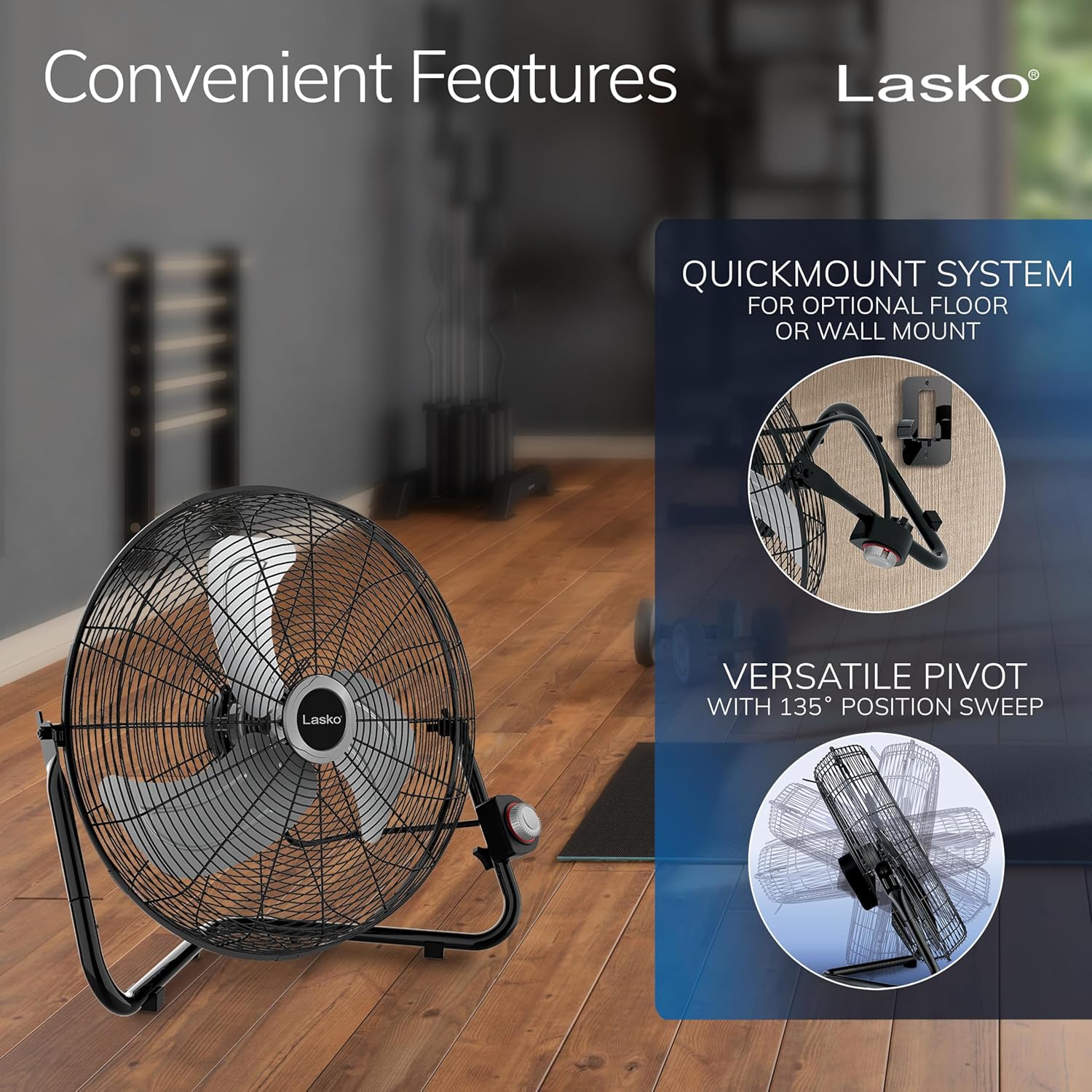
Figure 3: The QuickMount system allows for optional floor or wall mounting, and the versatile pivot offers a 135° position sweep.
Operating Instructions
Power and Speed Control
The fan is equipped with three high-velocity speed settings to control airflow. The control knob is conveniently located for easy access.
- Plug the fan into a standard AC power outlet.
- Turn the control knob to select your desired speed: 1 (Low), 2 (Medium), or 3 (High).
- To turn off the fan, rotate the knob to the 'OFF' position.
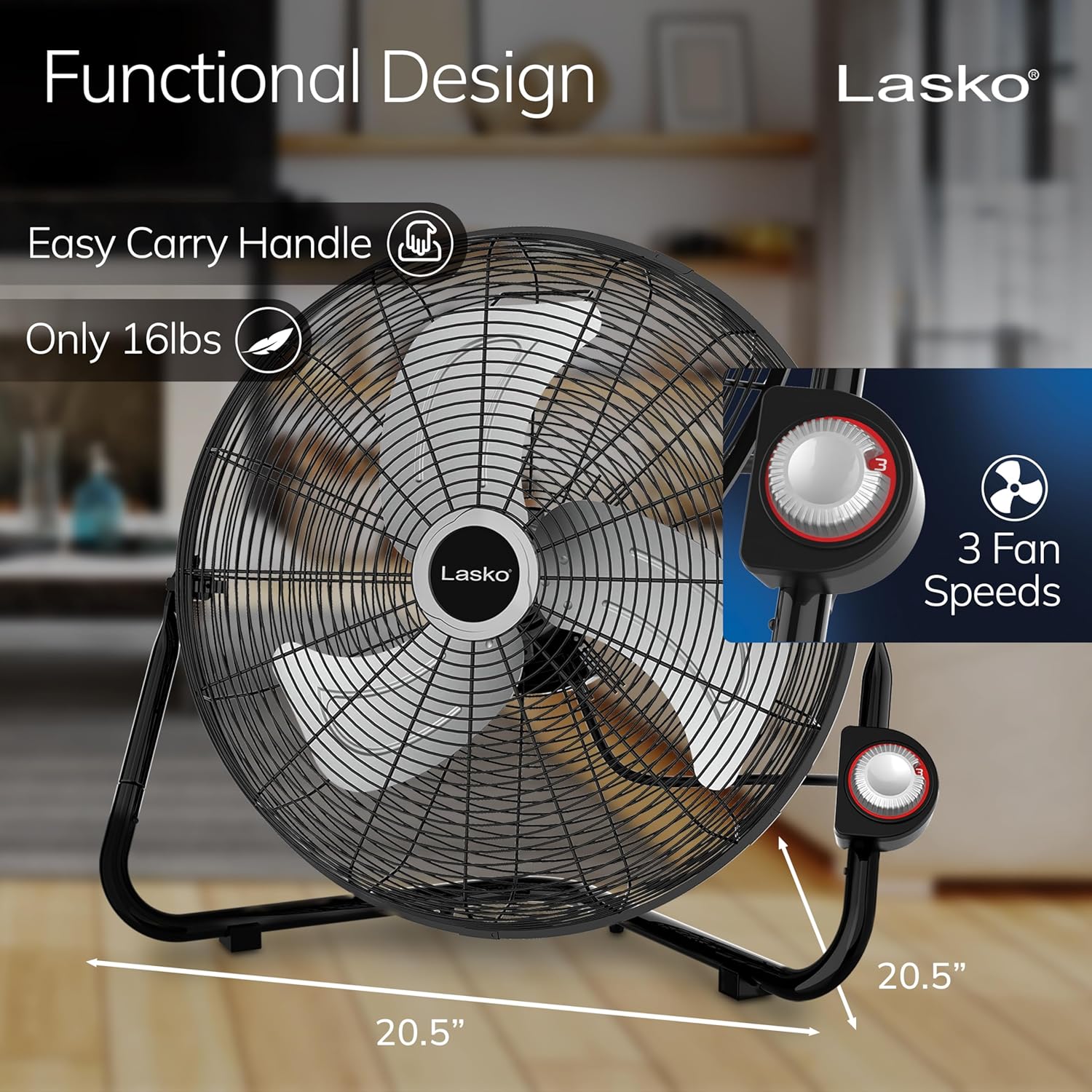
Figure 4: The fan features an easy-carry handle and a 3-speed control dial for powerful air circulation.
Adjusting Airflow Direction
The fan features a pivoting head that allows you to direct airflow precisely where needed. Simply tilt the fan head up or down to adjust the angle of the air stream.

Figure 5: The fan head can be pivoted to direct airflow in various directions.
Maintenance
Regular cleaning helps maintain the fan's performance and longevity. Always unplug the fan before performing any maintenance.
- Exterior Cleaning: Wipe the exterior surfaces with a soft, damp cloth. Avoid using harsh chemicals or abrasive cleaners.
- Blade and Grill Cleaning: Periodically, dust and debris can accumulate on the fan blades and inside the grill, which may affect air output. To clean, unplug the fan, carefully remove the front cover (refer to the full user manual for specific instructions on cover removal), and clean the fan blades and the back of the fan grill. A soft brush, vacuum cleaner, or a wet rag can be used. Ensure all parts are dry before reassembling and operating the fan.
- Motor Maintenance: If you notice the blades turning slowly or hear squeaking noises, it may be due to debris around the motor housing. Unplug the fan, remove the cover, and carefully inspect the area behind the blades where the motor housing is. Remove any string, hair, or other obstructions. Applying a small amount of rust-resistant spray to the motor shaft (if accessible and recommended by the full manual) may also help.
Troubleshooting
If your Lasko fan is not operating as expected, try the following common troubleshooting steps:
- Fan Not Turning On:
- Ensure the fan is securely plugged into a working electrical outlet.
- Check the power cord for any damage.
- Verify that the control knob is set to a speed setting (1, 2, or 3) and not 'OFF'.
- Check your household circuit breaker or fuse box.
- If the fan has The Blue Plug™ safety fuse, check if it has tripped. Refer to the full manual for instructions on resetting or replacing the fuse.
- Reduced Airflow or Unusual Noise:
- Unplug the fan and inspect the fan blades and grills for dust, lint, or obstructions. Clean as described in the Maintenance section.
- Ensure the fan is placed on a stable, level surface to prevent vibrations.
- Check for any loose parts or components.
- Fan Stops Unexpectedly:
- This could be due to the Blue Plug™ safety fuse activating. Unplug the fan, wait a few minutes, and then plug it back in. If it continues to stop, consult the full user manual or contact customer support.
If these steps do not resolve the issue, please contact Lasko Customer Support.
Specifications
| Feature | Specification |
|---|---|
| Brand | Lasko |
| Model Name | 2264QM |
| Color | Black Silver |
| Electric Fan Design | Floor Fan (convertible to Wall Mount) |
| Power Source | AC |
| Product Dimensions | 22"D x 22"W x 7"H |
| Item Weight | 0.01 Ounces |
| Special Feature | Portable, Pivoting Head, QuickMount System |
| Number of Power Levels | 3 |
| Noise Level | 68.2 dB |
| Wattage | 130 watts |
| Air Flow Capacity | 2750 Cubic Feet Per Minute |
| Blade Material | Metal |
| Safety Certification | ETL Listed |
Warranty and Support
Warranty Information
This Lasko fan comes with a 1-year limited warranty. Please retain your proof of purchase for warranty claims. For full details regarding warranty coverage and terms, refer to the official documentation.
Additional Resources
- User Manual (PDF): Download Here
- Instructions for Use (IFU) (PDF): Download Here
Customer Support
For further assistance, technical support, or warranty inquiries, please visit the official Lasko website or contact their customer service department. Contact information can typically be found in the full user manual or on the Lasko brand website.
Related documents2264QM


Ask a question about this manual
Ask about setup, troubleshooting, compatibility, parts, safety, or missing instructions. Manuals+ will review the question and use this page’s manual context to help answer it.