
Introduction
This manual provides essential information for the safe and efficient operation of your EVERTECH 9-Channel 12V DC 5A Power Supply Distribution Box, model EV-PB09-05P. This unit is designed to provide stable 12V DC power to multiple devices, such as CCTV security cameras, DVRs, and LED lights, offering centralized power management and protection.
Safety Information
- Risk of Electrical Shock: Do not open the cover. Refer all servicing to qualified personnel.
- Ensure the power supply is disconnected from the AC outlet before installation or maintenance.
- Install the enclosure in a protected location, away from moisture and water.
- Verify input and output voltage requirements of connected devices to prevent damage.
- The unit features short-circuit protection, over-current protection, and high-voltage protection. However, proper installation is crucial for safety.
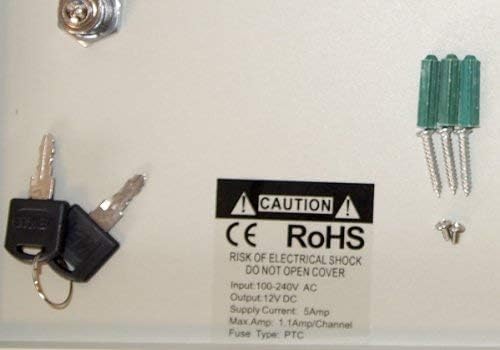
Image: Close-up of the internal caution label, indicating 'RISK OF ELECTRICAL SHOCK DO NOT OPEN COVER', along with the included keys for the lock.
Package Contents
Verify that all items are present in the package:
- 1x EVERTECH 9-Channel 12V DC 5A Power Supply Distribution Box
- 1x AC Power Cord
- 2x Keys for Door Lock
- Wall Mounting Screws and Plastic Anchors
- Screws for Locking Case Lid
- Drill Template (for mounting)

Image: A visual representation of the accessories included with the power supply box, such as the AC power cord, keys, wall mounting hardware, and a drill template.
Product Overview
The EVERTECH 9-Channel Power Supply Distribution Box is designed for centralized power distribution to multiple 12V DC devices. It features a robust metal housing with a key lock for security and individual PTC resettable fuses for each output channel.
External Features

Image: Front view of the power supply box, highlighting the red LED for AC power status, green LED for DC power status, and the key lock mechanism.
- Red LED Light: Indicates AC power status.
- Green LED Light: Indicates DC power status.
- Key Lock: Secures the enclosure to prevent unauthorized access.
Internal Components
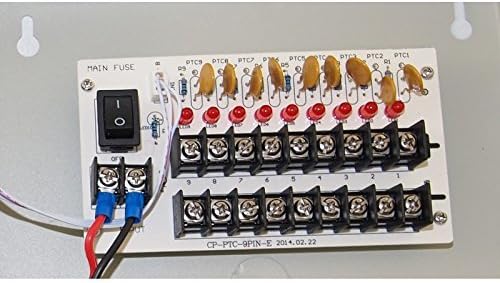
Image: Internal view of the power distribution board, showing the main fuse, individual PTC resettable fuses (PTC1-PTC9), and the 9 output terminal pairs.
- Main Power Switch: Controls the overall power to the distribution board.
- Individual PTC Resettable Fuses: Nine fuses, one for each output channel, providing overload and short-circuit protection.
- Output Terminals: Nine pairs of terminals for connecting 12V DC devices.
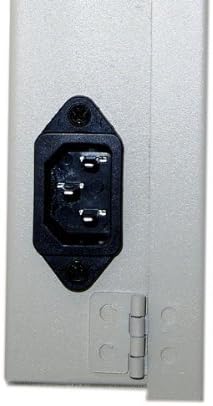
Image: Side view of the power supply box, showing the standard AC power input port for connecting the included 3-prong AC power cord.
Setup and Installation
Follow these steps for proper installation of your power supply box:
- Choose a Location: Mount the enclosure in a protected area, out of sight and protected from moisture and water.
- Prepare for Wiring: Knock out the appropriate conduit holes (knockouts) on the enclosure for running your camera or device cables.
- Mount the Box: Use the provided drill template, screws, and plastic anchors to securely mount the power box to a wall or suitable surface.
- Connect Devices: Ensure the main power switch inside the box is in the "OFF" position. Connect each 12V DC device's power cable to an individual output terminal pair on the distribution board. Observe correct polarity (positive to positive, negative to negative).
- Connect AC Power: Plug the 3-prong AC power cord into the AC inlet on the side of the power box, then connect the other end to a standard AC 100-240V, 50/60Hz power outlet.
- Secure the Cover: Close the cover and secure it with the provided screws and the key lock.
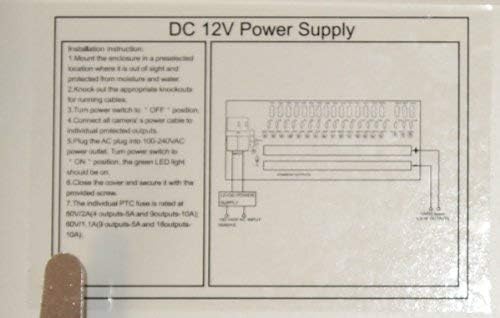
Image: Diagram showing basic installation instructions and wiring connections for the DC 12V Power Supply, located on the inside lid of the enclosure.
Operating Instructions
- After completing the installation and wiring, ensure all connections are secure.
- Turn the main power switch inside the box to the "ON" position.
- The green LED light on the front cover should illuminate, indicating active DC power output. The red LED light should also be on, indicating AC input power.
- Your connected 12V DC devices should now receive power.
Note: Each channel distributes 12V DC at up to 1 Amp when all channels are in use, with a total output of 5 Amps for the entire unit.
Maintenance
- Keep the power supply box clean and free from dust. Use a dry cloth for cleaning.
- Periodically check all wiring connections to ensure they remain secure.
- Do not obstruct the ventilation slots on the side of the enclosure to ensure proper air cooling.
- The individual PTC resettable fuses automatically reset after an overload or short-circuit condition is resolved. If a device repeatedly triggers a fuse, inspect the device and its wiring for faults.
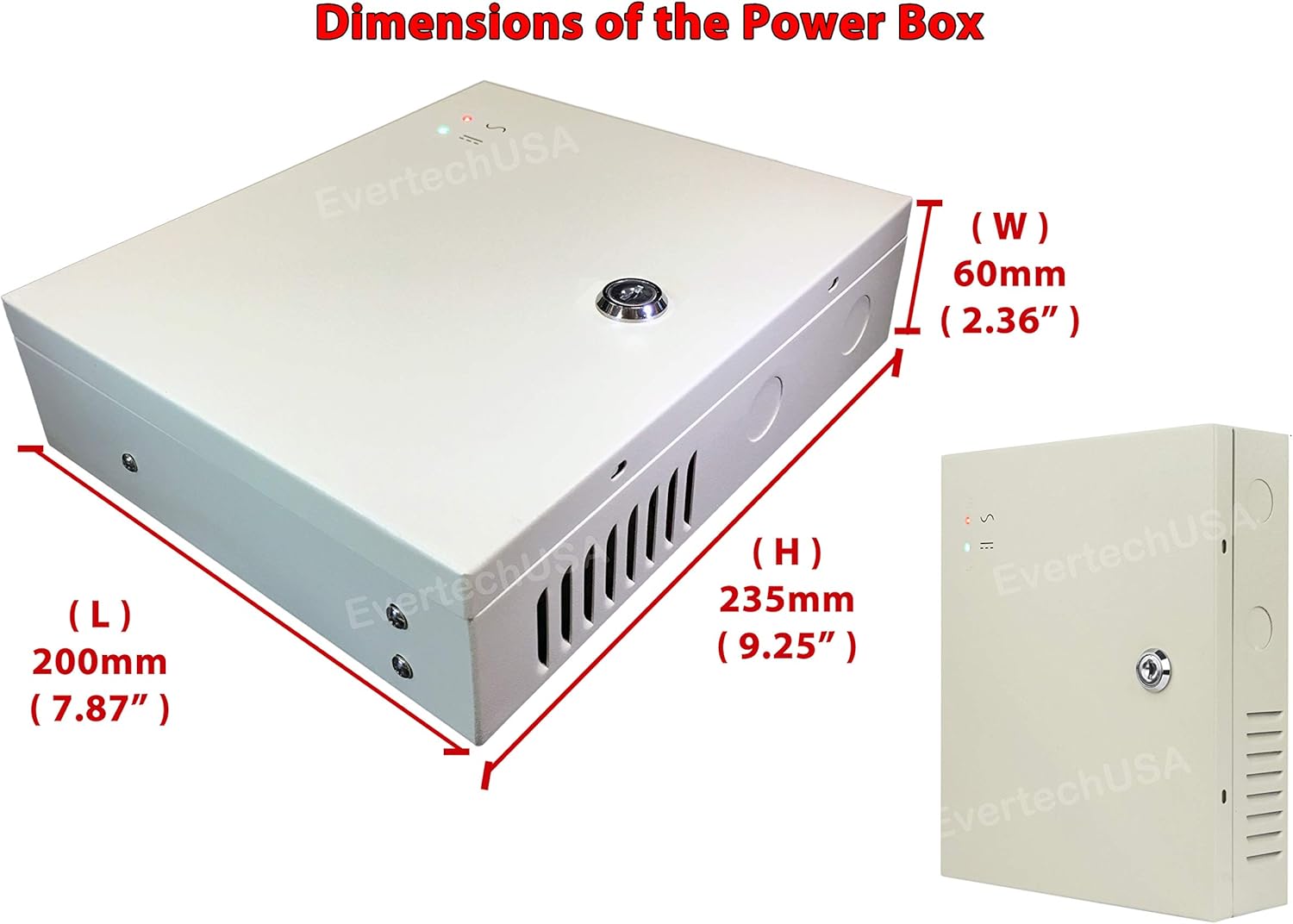
Image: Diagram illustrating the dimensions of the power supply box: Length (L) 200mm (7.87"), Width (W) 60mm (2.36"), Height (H) 235mm (9.25").
Troubleshooting
| Problem | Possible Cause | Solution |
|---|---|---|
| No power to devices | AC power not connected or switched off | Check AC power cord connection and wall outlet. Ensure main power switch is ON. |
| Green DC LED is off | Main power switch is OFF or internal fault | Turn main power switch ON. If still off, contact support. |
| One device not receiving power | Faulty device, short circuit, or overloaded channel | Check the individual PTC fuse for that channel (it will reset automatically). Disconnect and test the device. Ensure total current draw does not exceed 1A per channel or 5A total. |
| Red AC LED is off | No AC input power | Verify AC power cord is securely plugged into a live outlet. |
Specifications
| Feature | Detail |
|---|---|
| Model Number | EV-PB09-05P |
| Input Voltage | AC 100-240V, 50/60Hz |
| Output Voltage | DC 12V |
| Total Output Current | 5A |
| Number of Channels | 9 |
| Fuse Type | Individual PTC Resettable Fuses |
| Fuse Rating (per channel) | 1 Amp (when all channels are used) |
| Total Output Wattage | 60W |
| Dimensions (L x W x H) | 7.87 x 2.36 x 9.25 inches (200 x 60 x 235 mm) |
| Cooling Method | Air |
| Housing Material | Metal |
| Security Features | Key Lock, Short-circuit Protection, Over-current Protection, High-voltage Protection |
Warranty and Support
For warranty information or technical support, please refer to the contact details provided by your retailer or visit the official Evertech website. Keep your purchase receipt as proof of purchase.
Manufacturer: EVERTECH
Model Number: EV-PB09-05P
UPC: 796762326648

