
1. Introduction
The Bostitch EZ Squeeze 130 Heavy Duty Stapler (Model B8130) is designed for stapling documents ranging from 2 to 130 sheets. It features an EZ Squeeze mechanism for reduced effort stapling and a flat clinch system for neat paper stacks. This stapler uses a single staple size for all capacities within its range.

Image 1: Front view of the Bostitch EZ Squeeze 130 Heavy Duty Stapler. The stapler is black with a gray grip on the handle and the 'BOSTITCH' logo visible on the side.
2. Package Contents
Verify that all items are present in the package:
- Bostitch EZ Squeeze 130 Heavy Duty Stapler (Model B8130)
- Starter pack of Bostitch EZ Squeeze 130 Premium Staples
3. Safety Information
- Keep fingers clear of the stapling mechanism during operation.
- Use only Bostitch EZ Squeeze 130 Premium Staples to ensure proper function and prevent jamming.
- Do not attempt to staple materials thicker than 130 sheets of standard 20 lb paper.
- Keep out of reach of children.
4. Setup: Loading Staples
To load staples into your Bostitch EZ Squeeze 130 stapler:
- Locate the staple magazine release button, typically at the rear of the stapler. Press this button to eject the staple magazine.
- Pull the staple magazine out until it is fully extended.
- Insert a strip of Bostitch EZ Squeeze 130 Premium Staples into the magazine with the staple points facing down.
- Push the staple magazine back into the stapler until it clicks securely into place.

Image 2: The Bostitch EZ Squeeze 130 stapler with its staple magazine extended, ready for staple loading.
Video: How to Load Staples
Video 1: This video demonstrates the process of loading staples into the Bostitch EZ Squeeze 130 Heavy Duty Stapler. It shows how to eject the magazine, insert staples, and close the magazine.
5. Operating Instructions
To staple documents:
- Gather the sheets of paper you wish to staple. Ensure the stack is neatly aligned.
- Slide the paper into the stapler's throat until it reaches the desired stapling position. The adjustable paper guide can be used to ensure consistent staple placement.
- Press down firmly on the stapler handle. The EZ Squeeze mechanism will reduce the force required.
- Release the handle. The stapler will clinch the staple flat against the back of the paper, creating a neat stack.
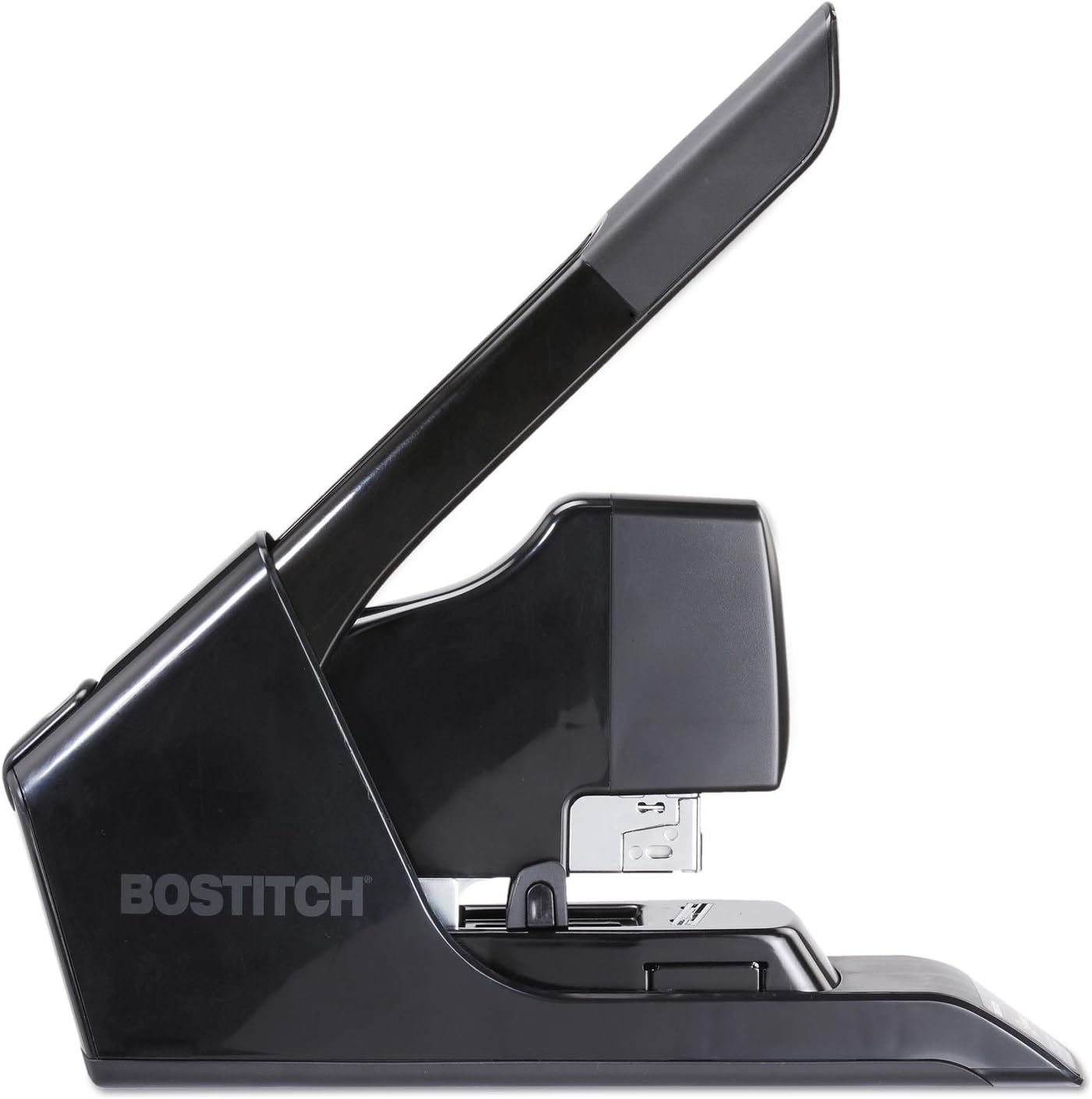
Image 3: The Bostitch EZ Squeeze 130 stapler shown in the process of stapling a document. The handle is pressed down, indicating active use.
6. Maintenance
- Cleaning: Wipe the stapler with a soft, dry cloth to remove dust and debris. Do not use abrasive cleaners or solvents.
- Staple Type: Always use Bostitch EZ Squeeze 130 Premium Staples for optimal performance. Using incorrect staples may lead to jams or damage.
- Storage: Store the stapler in a dry environment when not in use.
7. Troubleshooting
| Problem | Possible Cause | Solution |
|---|---|---|
| Stapler jams frequently | Incorrect staple type or overloaded capacity. | Ensure you are using Bostitch EZ Squeeze 130 Premium Staples. Do not exceed 130 sheets. Clear any jammed staples carefully. |
| Staples do not clinch flat | Paper stack too thick or incorrect staple type. | Reduce the number of sheets. Verify you are using the correct staples. |
| Stapler feels stiff or difficult to operate | Accumulation of dust or debris. | Clean the stapler thoroughly. Ensure the staple magazine moves freely. |
8. Specifications
- Brand: Bostitch
- Model Number: B8130
- Color: Black
- Material: Metal
- Stapling Capacity: 2 to 130 sheets
- Staple Type: Bostitch EZ Squeeze 130 Premium Staples
- Product Dimensions (L x W): 14.57 inches x 4.5 inches
- Item Weight: 5.9 pounds
- Operation Mode: Manual
- Features: EZ Squeeze Technology, Flat Clinch System, Adjustable Paper Guide, Non-skid Base
9. Warranty
This Bostitch EZ Squeeze 130 Heavy Duty Stapler is covered by the manufacturer's limited lifetime warranty. For specific details regarding warranty coverage, terms, and conditions, please refer to the documentation included with your product or visit the official Bostitch website.
10. Support
For further assistance, technical support, or to inquire about replacement parts, please contact Bostitch customer service. Contact information can typically be found on the official Bostitch website or within the product packaging.
