
1. Introduction
This manual provides detailed instructions for the safe and effective use of your Fujifilm FinePix HS20EXR Digital Camera. The HS20EXR is an advanced SLR-styled long-zoom camera featuring a 16-megapixel EXR-CMOS sensor, a powerful FUJINON 30x optical zoom lens, and versatile shooting capabilities for both still images and Full HD video.
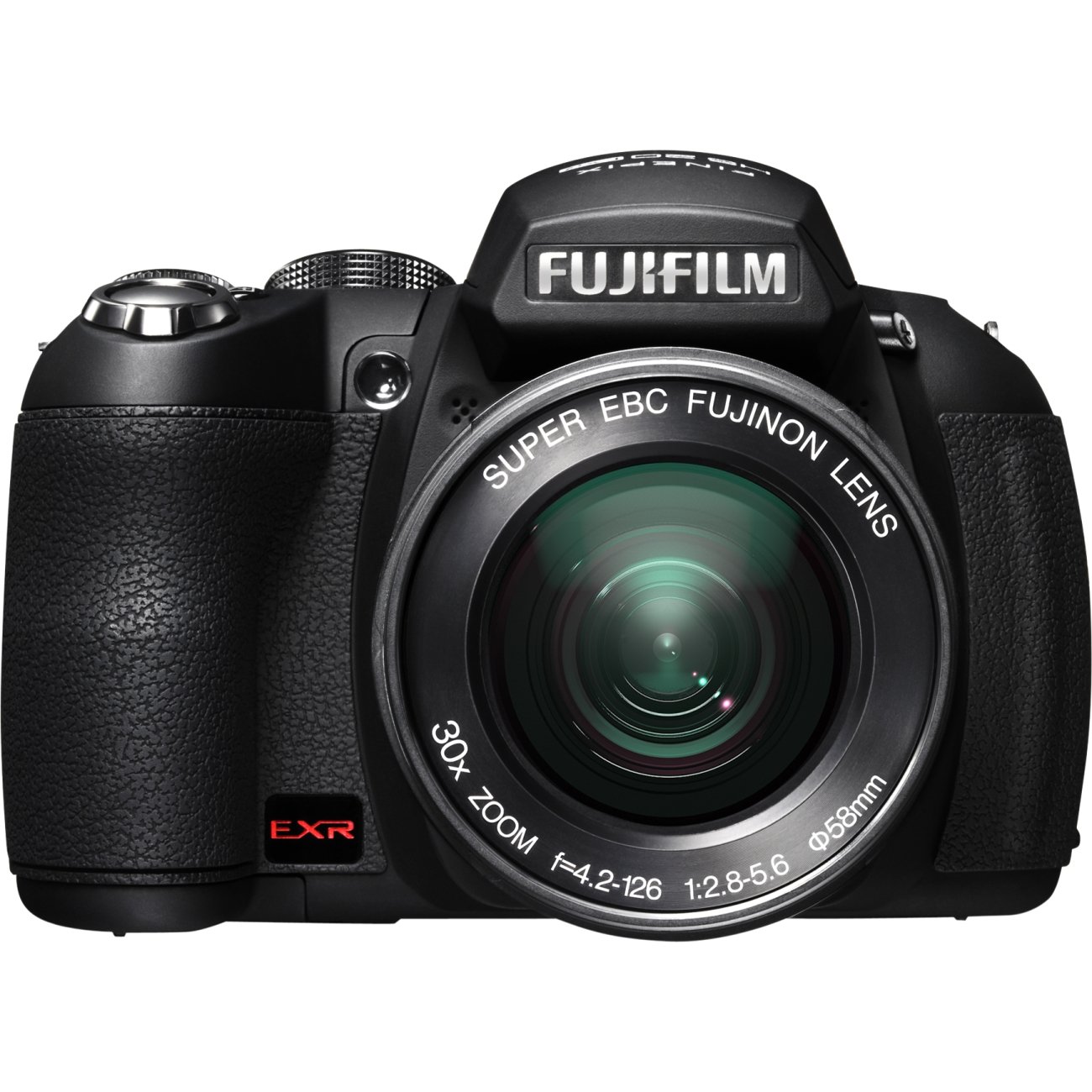
Figure 1: Fujifilm FinePix HS20EXR Digital Camera
2. Setup
2.1. Battery Installation
The FinePix HS20EXR operates on standard AA alkaline batteries. For optimal performance, especially during extended use, it is recommended to use high-quality rechargeable Ni-MH AA batteries.
- Open the battery compartment cover located on the bottom of the camera.
- Insert four AA batteries, ensuring correct polarity (+/-) as indicated inside the compartment.
- Close the battery compartment cover securely.
2.2. Memory Card Installation
The camera supports SD/SDHC/SDXC memory cards (not included).
- Open the memory card slot cover, usually located on the side or bottom of the camera.
- Insert the memory card with the label facing the correct direction until it clicks into place.
- Close the memory card slot cover securely.
2.3. Initial Power-On
After installing batteries and a memory card, turn on the camera using the power switch. Follow any on-screen prompts for initial setup, such as setting the date and time.
3. Operating the Camera
3.1. Basic Photography
- Power On/Off: Use the dedicated power switch to turn the camera on or off.
- Shooting Modes: Select your desired shooting mode using the mode dial. Options include EXR Auto, Program AE, Shutter-priority AE, Aperture-priority AE, Manual, and various Scene Position modes.
- Focusing: The camera features Auto Focus (AF) with modes like Center, Continuous, Contrast Detection, Face Detection, Live View, Multi-area, Single, and Tracking. For manual focus, use the manual focus ring on the lens.
- Zoom: The FUJINON 30x optical zoom lens (24-720mm equivalent) is operated manually by rotating the lens barrel.
- Image Stabilization: Dual Image Stabilization combines a mechanically stabilized CMOS sensor with high ISO sensitivities to reduce blur from camera shake and subject movement.
- Flash: The built-in flash offers modes including Automatic. The Super Intelligent Flash feature helps control flash washout for balanced illumination.
- Shutter Speed: Ranges from 1/4000 seconds to 30 seconds.
- ISO Sensitivity: Auto, 100, 200, 400, 800, 1600, 3200 (expandable to 6400 and 12800 with boost).
- White Balance: Automatic.
3.2. Advanced Features
- Continuous Shooting: Capture fast-moving subjects at up to 11 frames per second (FPS) at 8-megapixel resolution.
- Pro Low Light Mode: Utilizes multi-image capture technology to combine four exposures into a single 8MP image, delivering bright and clear results in dim lighting.
- Film Emulations: Simulate the distinctive look of classic film emulsions such as PROVIA, Velvia, ASTIA, Black & White, and Sepia.
- HD Video Capture: Record Full 1080p HD video with stereo sound. High Speed Movie options allow capture at up to 320 fps for slow-motion playback.
- Face Recognition: The camera can identify and remember up to eight registered faces, allowing for easy searching and prioritized focus/exposure.
- Automatic Scene Recognition: EXR Auto technology identifies up to 27 scene types and automatically adjusts camera settings for optimal results.
- Red-eye Removal: Automatically detects and eliminates red-eye reflections in portraits.
- Blink Detection: Warns you if a subject blinked during a shot, allowing for re-shooting if desired.
- Smile Detection (Smile & Shoot): The camera will only take a picture when it detects a smile, ensuring happy expressions.
- Motion Panorama 360°: Automatically stitches three consecutive shots into one panoramic image.
- Instant Zoom / Zoom Bracketing: Instant Zoom allows you to bracket and track a moving subject in wide view, then instantly zooms in for optimal composition. Zoom Bracketing provides three shots at varying degrees of magnification with a single shutter press.
- Image Search: Find images easily based on criteria such as date, face, favorite, or scene.
- PhotoBook Assist: Select and organize images in-camera to create a digital photo book.
3.3. Connecting to a Computer and Uploading
Connect the camera to your PC using a mini USB cable (included). Use the MyFinePix Studio software to manage your photos and videos. The in-camera software allows you to mark photos and videos for easy uploading to YouTube or Facebook once connected to a PC.
4. Media Integration
4.1. Official Product Video: Introducing the Fujifilm FinePix HS20
This video provides an introduction to the Fujifilm FinePix HS20EXR camera, highlighting its key features and capabilities. It covers aspects such as the 30x optical zoom, 16MP EXR CMOS sensor, HD video recording, and various intelligent shooting modes. The video is approximately 4 minutes and 56 seconds long.
5. Maintenance
- Cleaning the Camera: Use a soft, lint-free cloth to clean the camera body. For the lens, use a specialized lens cleaning cloth and solution. Avoid using harsh chemicals.
- Battery Care: Remove batteries if the camera will not be used for an extended period. Store batteries in a cool, dry place.
- Memory Card Handling: Always format new memory cards in the camera before first use. Avoid removing the card while the camera is writing data.
6. Troubleshooting
If you encounter issues with your camera, please refer to the following common problems and solutions:
- Camera not powering on: Check battery installation and ensure batteries are charged. Try new batteries.
- Images are blurry: Ensure Image Stabilization is enabled. Check focus settings. Use a higher shutter speed in low light or with moving subjects.
- Slow autofocus: Ensure sufficient lighting. Check AF mode settings; some modes may be faster than others.
- "Heat Warning" message: This may appear after extensive continuous shooting or video recording. Allow the camera to cool down before resuming use.
- Red-eye in photos: Ensure Red-eye Removal is active in camera settings.
For more detailed troubleshooting, please consult the full instruction manual or contact Fujifilm support.
7. Specifications
| Model Name | Fujifilm FinePix HS20 |
| Model Number | HS20EXR |
| Effective Still Resolution | 16 MP |
| Photo Sensor Size | 1/2-inch |
| Photo Sensor Technology | CMOS |
| Optical Zoom | 30x |
| Minimum Focal Length | 24 Millimeters |
| Maximum Focal Length | 720 Millimeters |
| Image Stabilization | Sensor-shift |
| Screen Size | 3 Inches |
| Display Type | LCD (Tilting) |
| Viewfinder | Electronic |
| Video Resolution | FHD 1080p |
| Continuous Shooting | 11 FPS |
| Supported File Format | JPEG, RAW |
| Flash Memory Type | SD/SDHC/SDXC |
| Connectivity Technology | HDMI, USB |
| Item Weight | 1.61 Pounds |
8. Warranty Information
The Fujifilm FinePix HS20EXR Digital Camera comes with a 1 Year Parts & Labor warranty from the manufacturer. Please retain your proof of purchase for warranty claims. For full terms and conditions, refer to the warranty card included with your product or visit the official Fujifilm website.
9. Support
For further assistance, technical support, or to explore other Fujifilm products, please visit the official Fujifilm Store:
Visit the Fujifilm Store on Amazon
You may also find helpful resources and FAQs on the Fujifilm global support website.


