
1. Product Overview
The Rosslare AYCE55 is an advanced, ultra-slim PIN reader designed for versatile access control applications. It can operate as a standalone unit, managing user PINs directly, or as a reader connected to a central access control panel. Its robust design and compact form factor make it suitable for various indoor and outdoor installations, providing secure and reliable entry management.

Figure 1: Front view of the AYCE55 PIN reader, showcasing its ultra-slim design and numeric keypad.
2. Setup and Installation
2.1 Mounting
Select a suitable mounting location, ensuring it is secure and provides adequate space for wiring. The AYCE55 is designed for surface mounting. Use appropriate screws and anchors for the wall material. Ensure the unit is level and securely fastened to prevent tampering or accidental dislodgement.
2.2 Wiring
Connect the AYCE55 to the power supply and, if applicable, to the access control panel according to the wiring diagram provided in the full product manual. Ensure all connections are secure and insulated. Pay close attention to polarity for power connections. For Wiegand or Clock & Data interfaces, connect the data lines to the corresponding inputs on your access control panel. It is highly recommended that installation and wiring be performed by a qualified technician.
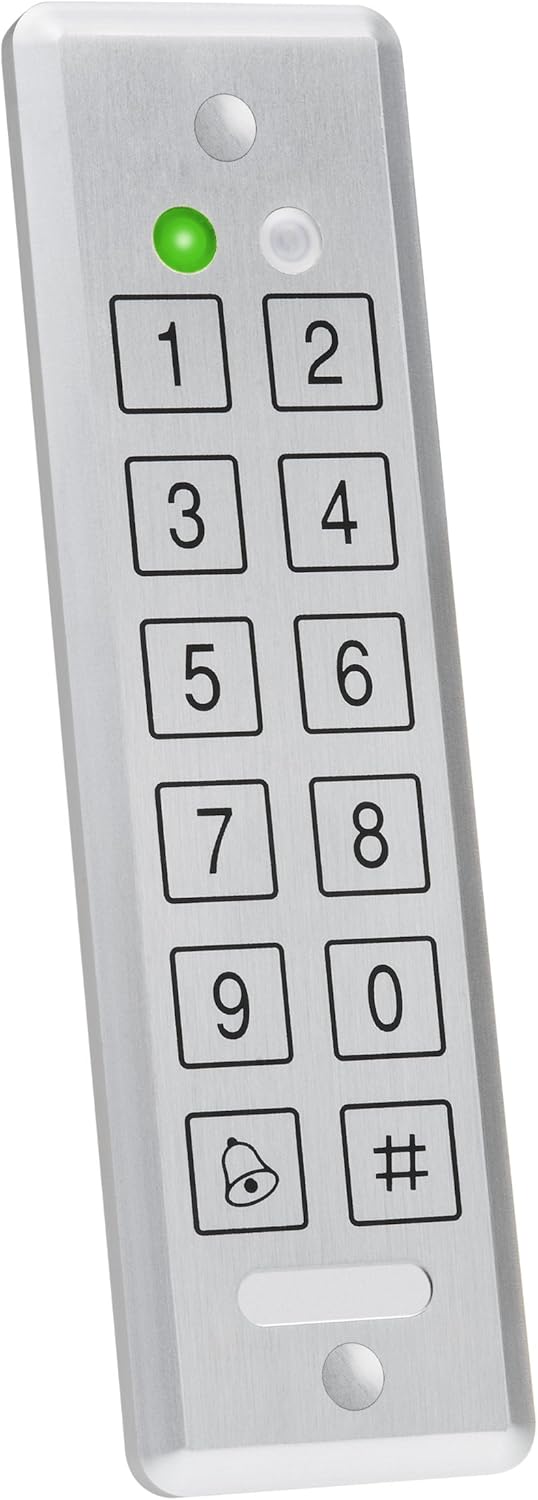
Figure 2: Side profile of the AYCE55, illustrating its slim form factor which aids in discreet mounting.
3. Operating Instructions
3.1 Standalone Mode
In standalone mode, the AYCE55 manages user PINs directly. To program new user PINs, enter the master code followed by the programming sequence. Refer to the detailed programming guide for specific steps on adding, deleting, or modifying user PINs and system settings. The unit will activate the connected lock mechanism upon successful PIN entry.
3.2 Reader Mode
When connected to an external access control panel, the AYCE55 functions as a reader. It transmits the entered PIN data to the panel, which then processes the authentication and controls the lock. In this mode, all user management and access decisions are handled by the connected access control system.
3.3 PIN Entry
To gain access, simply enter your valid PIN using the numeric keypad. The green LED indicator will illuminate upon successful entry, and the connected lock will activate. An incorrect PIN entry will typically result in a red LED flash and an audible error tone.

Figure 3: Angled view of the AYCE55, providing a clearer look at the keypad layout and indicator lights.
4. Care and Maintenance
To ensure the longevity and optimal performance of your AYCE55 reader, follow these maintenance guidelines:
- Cleaning: Use a soft, dry cloth to wipe the surface of the reader. For stubborn dirt, a slightly damp cloth with mild soap can be used, but ensure no liquid enters the unit. Avoid abrasive cleaners, solvents, or harsh chemicals, as these can damage the finish and internal components.
- Environmental Conditions: While designed for durability, avoid exposing the unit to extreme temperatures, direct prolonged sunlight, or excessive moisture. Ensure proper sealing during installation to protect against water ingress if installed outdoors.
- Inspection: Periodically check the wiring connections for any signs of wear or corrosion. Ensure the unit remains securely mounted.
5. Troubleshooting Guide
This section provides solutions to common issues you might encounter with your AYCE55 reader.
| Problem | Possible Cause | Solution |
|---|---|---|
| No power indicator light | No power supply; Incorrect wiring; Faulty unit | Check power source and connections; Verify wiring against diagram; Contact support if issue persists. |
| PIN not accepted / Access denied | Incorrect PIN entered; PIN not programmed; Unit in wrong mode (e.g., standalone vs. reader); Controller issue (in reader mode) | Re-enter PIN carefully; Program the PIN (standalone mode); Verify operating mode; Check access control panel status. |
| Keypad unresponsive | Power issue; Internal fault | Check power supply; Perform a power cycle (disconnect and reconnect power); Contact support. |
If the problem persists after attempting these solutions, please refer to the full product manual or contact Rosslare customer support.
6. Technical Specifications
Below are the key technical specifications for the Rosslare AYCE55 Convertible Reader/Stand Alone unit:
| Specification | Detail |
|---|---|
| Model Number | AYCE55 |
| Manufacturer | Rosslare |
| ASIN | B004HN7CVG |
| First Available Date | December 31, 2010 |
| Type | Convertible PIN Reader / Stand Alone Access Control |
| Design | Ultra-Slim |
7. Warranty Information
The Rosslare AYCE55 Convertible Reader/Stand Alone unit is covered by a manufacturer's limited warranty. The specific terms and duration of the warranty may vary by region and purchase date. Please retain your proof of purchase. For detailed warranty information, including coverage and claims procedures, refer to the official Rosslare website or the warranty card included with your product.
8. Customer Support
For technical assistance, product inquiries, or service requests, please contact Rosslare Security Products customer support. You can find contact information, FAQs, and additional resources on the official Rosslare website. When contacting support, please have your product model number (AYCE55) and purchase details ready.
Rosslare Official Website: www.rosslaresecurity.com

