
1. Introduction
Thank you for choosing the Mobo Cyber Power Bank MBPB-20A. This portable charger is designed to provide reliable and efficient power for your mobile devices on the go. With a 10000mAh capacity and 3A/22.5W output, it ensures your devices stay charged when you need them most. Please read this manual carefully to understand the proper use, maintenance, and safety precautions.
2. Product Overview
Familiarize yourself with the components of your Mobo Cyber Power Bank.
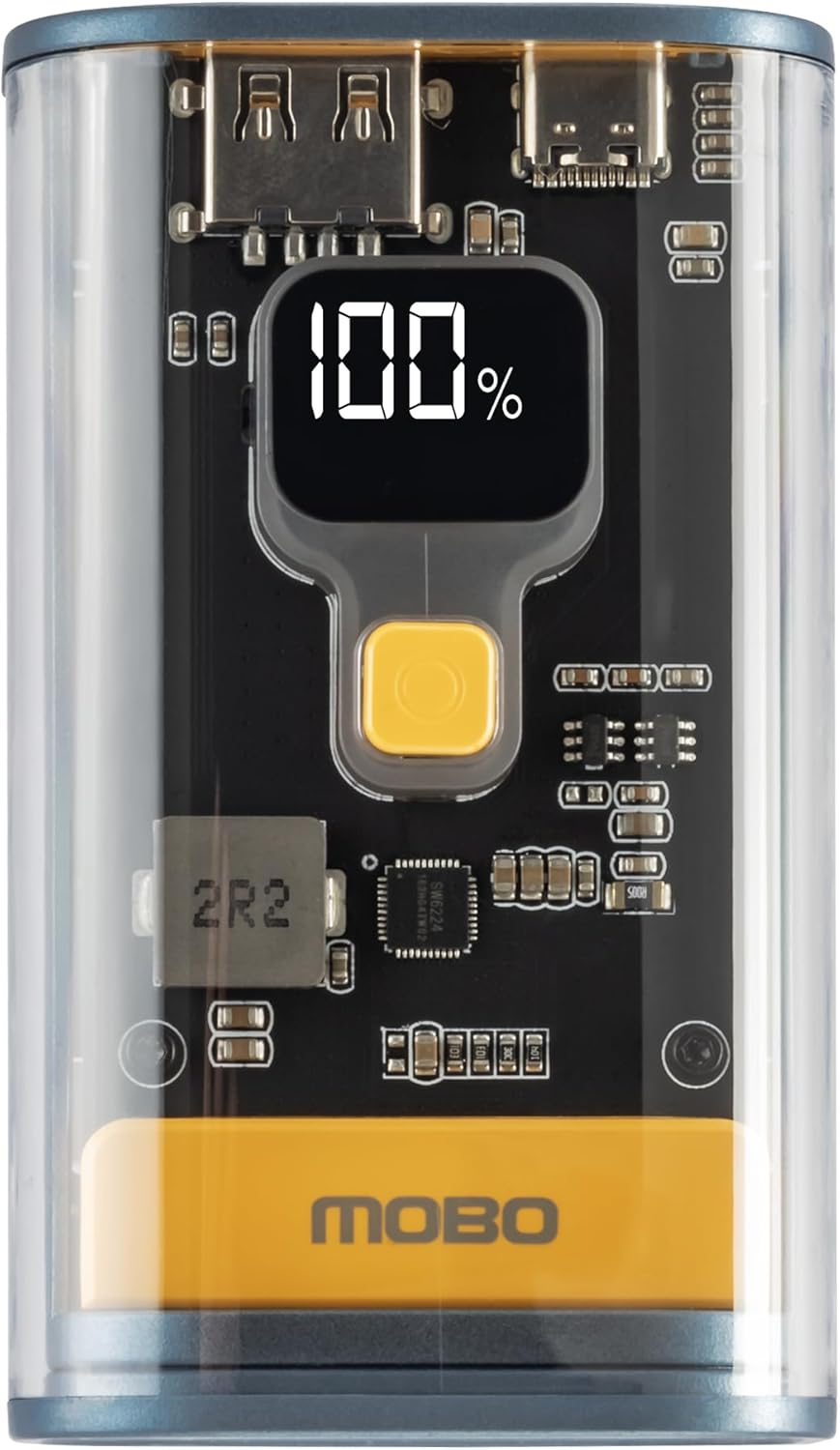
Figure 2.1: Front view of the Mobo Cyber Power Bank, highlighting the transparent casing and the digital display indicating 100% battery charge. The power button is visible below the display.
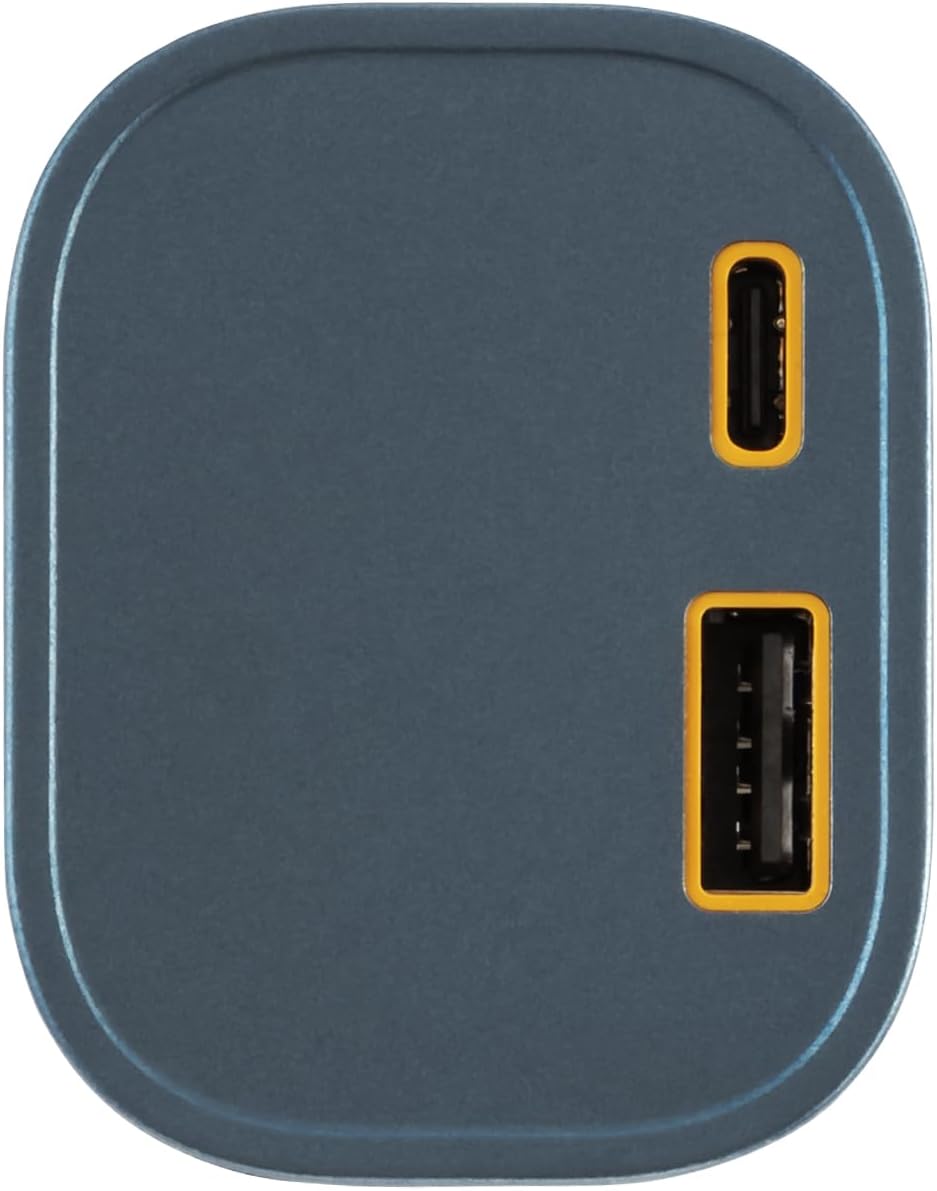
Figure 2.2: Top view of the power bank, illustrating the USB-A output port and the USB-C input/output port, both with yellow accents.
Package Contents:
- Mobo Cyber Power Bank MBPB-20A
- User Manual
- Charging Cable (USB-A to USB-C, typically)
3. Setup
Before first use, it is recommended to fully charge your Mobo Cyber Power Bank.
- Initial Charge: Connect the provided USB charging cable to the USB-C port on the power bank and plug the other end into a compatible USB wall adapter (not included) or a computer's USB port.
- Monitor Charge Level: The digital display will show the current battery percentage. It will indicate 100% when fully charged.
4. Operating Instructions
4.1. Checking Battery Level
Press the power button once to activate the digital display. The screen will show the remaining battery percentage. The display will turn off automatically after a few seconds to conserve power.
4.2. Charging the Power Bank
To recharge your Mobo Cyber Power Bank:
- Connect a USB-C charging cable to the USB-C port on the power bank.
- Connect the other end of the cable to a USB power source, such as a wall adapter or computer.
- The digital display will show the charging progress. When it reaches 100%, the power bank is fully charged.
4.3. Charging Your Devices
To charge your mobile phone, tablet, or other compatible devices:
- Connect your device's charging cable to one of the output ports on the power bank (USB-A or USB-C).
- Connect the other end of the cable to your device.
- The power bank will automatically begin charging your device. If charging does not start, press the power button once.
- The digital display will remain active during charging, showing the power bank's remaining charge.
5. Safety Information
Please observe the following safety guidelines to prevent damage to the product or injury to yourself:
- Do not expose the power bank to extreme temperatures (above 60°C/140°F or below 0°C/32°F).
- Do not disassemble, modify, or attempt to repair the device.
- Avoid dropping, hitting, or subjecting the power bank to strong impacts.
- Keep away from water, moisture, and flammable materials.
- Use only certified charging cables and adapters.
- Keep out of reach of children.
- Dispose of the power bank responsibly according to local regulations.
6. Maintenance
Proper care ensures the longevity of your power bank:
- Cleaning: Use a soft, dry cloth to clean the surface of the power bank. Do not use liquid cleaners or abrasive materials.
- Storage: Store the power bank in a cool, dry place away from direct sunlight. If storing for extended periods, charge it to approximately 50-75% every three months to maintain battery health.
7. Troubleshooting
If you encounter issues with your power bank, refer to the following common solutions:
- Power bank not charging:
- Ensure the charging cable is securely connected to both the power bank and the power source.
- Try a different charging cable or wall adapter.
- Verify the power source is active.
- Device not charging from power bank:
- Press the power button on the power bank to activate charging.
- Ensure your device's charging cable is securely connected to both the power bank and your device.
- Try a different charging cable.
- Check if your device is compatible with the power bank's output specifications.
- Digital display not working:
- Press the power button. If it still doesn't light up, the power bank might be completely discharged or require service.
8. Specifications
| Model Number | MBPB-20A |
| Battery Capacity | 10000 mAh |
| Input | USB-C (Details not specified, typically 5V/2A or higher) |
| Output | USB-A, USB-C (Up to 3A/22.5W total) |
| Battery Type | Lithium Polymer |
| Dimensions | 21.8 x 12.9 x 5.6 cm |
| Weight | 290 g |
| Special Features | Fast charging, Lightweight, Pocket size |
9. Warranty and Support
Mobo products are designed for reliability and performance. For specific warranty information, please refer to the warranty card included with your purchase or visit the official Mobo website. If you require technical assistance or have questions not covered in this manual, please contact Mobo customer support through their official channels.
