
Introduction
Thank you for choosing the Trelock LS 950 Control ION Front Bike Light. This advanced headlight features a lithium-ion rechargeable battery, offering adjustable brightness levels and an integrated LCD display for real-time information. This manual provides essential instructions for the safe and efficient use of your new bike light.
Safety Information
- Always ensure the light is securely mounted before riding.
- Do not look directly into the light beam to avoid eye injury.
- Keep the light and charger away from water and extreme temperatures. The light is water-resistant, but not submersible.
- Use only the provided charger or a compatible USB charger.
- Regularly check the battery level to avoid unexpected power loss during rides.
Package Contents
Please verify that all items are present in your package:
- Trelock LS 950 Control ION Front Bike Light
- Handlebar Mounting Bracket
- USB Charging Cable

Image: Front view of the Trelock LS 950 Control ION Front Bike Light, showcasing its sleek design and integrated display.
Setup
1. Mounting the Light
- Attach the handlebar mounting bracket to your bicycle handlebar. Ensure it is positioned centrally and securely tightened to prevent movement during rides.
- Slide the Trelock LS 950 light onto the bracket until it clicks into place. Verify that the light is firmly attached and facing forward.

Image: Rear view of the Trelock LS 950 Control ION, showing the mounting mechanism for attachment to the handlebar bracket.
2. Initial Charging
Before first use, fully charge the light. Refer to the 'Charging the Battery' section for detailed instructions.
Operating Instructions
Powering On/Off
Press and hold the power button (usually the '+' button) for approximately 2 seconds to turn the light on or off.
Adjusting Brightness Levels
The LS 950 offers 5 brightness levels, ranging from 10 LUX to 70 LUX. Once the light is on:
- Press the '+' button to increase the brightness level.
- Press the '-' button to decrease the brightness level.
Understanding the LCD Display
The integrated LCD display provides crucial information:
- Light Intensity: Shows the current LUX level (e.g., 10, 20, 30, 50, 70 LUX).
- Battery Capacity: Indicates the remaining battery charge.
- Light Duration: Displays the estimated remaining operating time in hours and minutes for the current brightness setting.

Image: Close-up of the Trelock LS 950 Control ION's LCD display, illustrating the various brightness levels (10-70 Lux) and corresponding battery runtimes (6-45 hours).
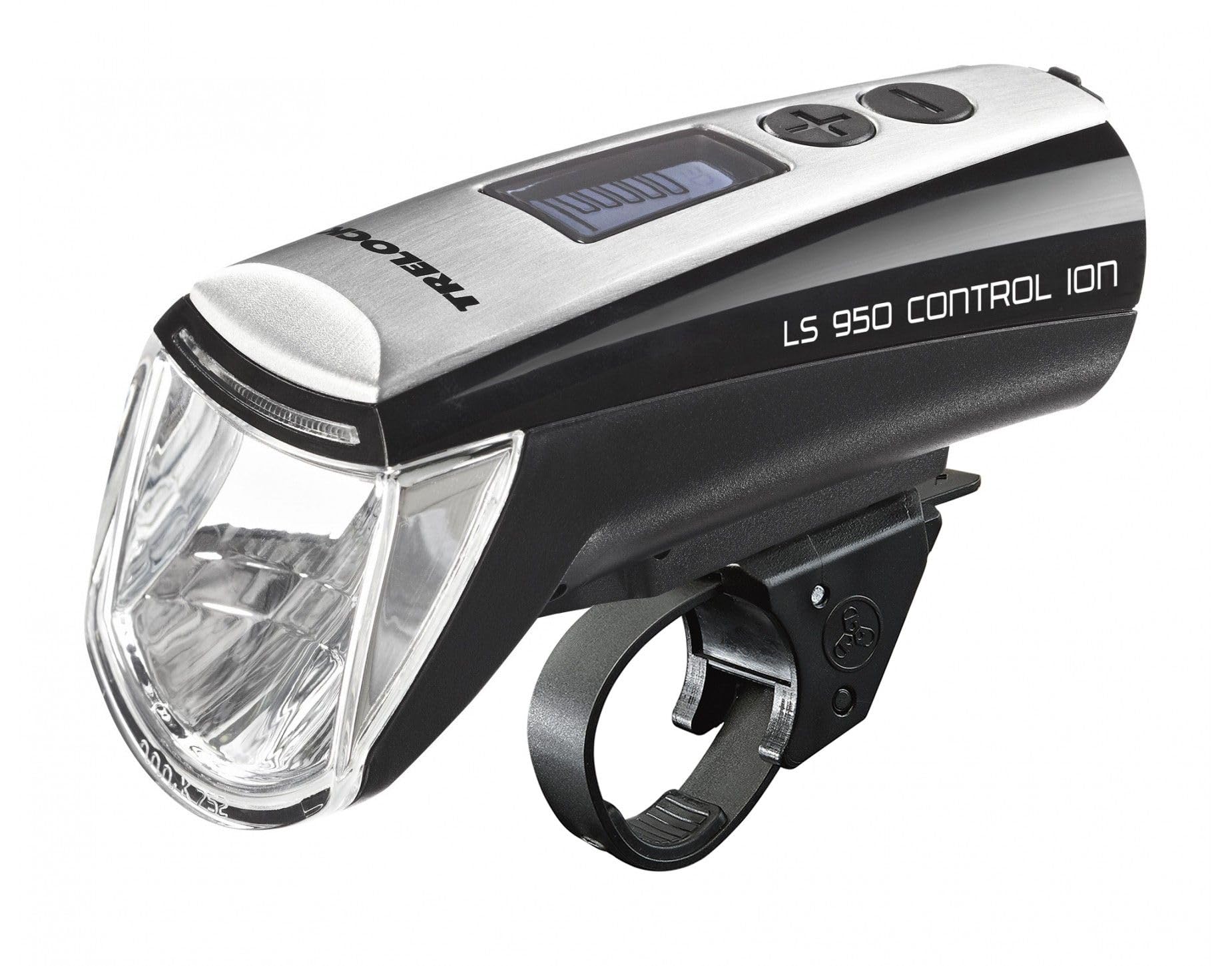
Image: The Trelock LS 950 Control ION illuminating a dark road, demonstrating its powerful beam and the display features like 70 LUX output and 5 brightness levels.
Charging the Battery
The Trelock LS 950 uses a rechargeable lithium-ion battery and comes with a USB charging cable.
- Locate the USB charging port on the light. This is typically covered by a rubber flap to protect against water.
- Open the rubber flap and insert the small end of the USB charging cable into the light's port.
- Connect the larger end of the USB cable to a compatible USB power source (e.g., computer USB port, USB wall adapter).
- The LCD display will indicate the charging status. A full charge typically takes several hours.
- Once fully charged, disconnect the cable and securely close the rubber flap over the USB port to maintain water resistance.

Image: Side view of the Trelock LS 950 Control ION, highlighting the location of the USB charging port, usually protected by a cover.
Maintenance
- Cleaning: Wipe the light with a soft, damp cloth. Do not use abrasive cleaners or solvents. Ensure the USB port cover is closed during cleaning.
- Battery Care: For optimal battery life, avoid fully discharging the battery frequently. If storing the light for an extended period, charge it to approximately 50% every few months.
- Storage: Store the light in a cool, dry place away from direct sunlight.
Troubleshooting
| Problem | Possible Cause | Solution |
|---|---|---|
| Light does not turn on. | Battery is discharged. | Charge the battery fully. |
| Light flickers or dims unexpectedly. | Low battery charge. | Recharge the battery. |
| Light does not charge. | Faulty USB cable or power source. | Try a different USB cable or power adapter. Ensure connections are secure. |
| Light is loose on the handlebar. | Mounting bracket not tightened sufficiently. | Re-tighten the mounting bracket screws. Ensure the light is clicked into place. |
Specifications
| Feature | Detail |
|---|---|
| Model Name | LS 950 Control ION |
| Brand | Trelock |
| Light Output | Up to 70 LUX |
| Brightness Levels | 5 (10 to 70 LUX) |
| Power Source | Lithium-Ion Rechargeable Battery |
| Charging | USB |
| Material | Aluminum |
| Mounting Type | Handlebar Mount |
| Water Resistance | Water Resistant (IP70) |
| Color | Black |
| Model Number | 8002095 |
| Manufacturer Part Number | 03108693 |
| GTIN | 04016167033344 |
Warranty Information
Trelock products are manufactured to high-quality standards. For specific warranty terms and conditions, please refer to the warranty card included with your product or visit the official Trelock website. Keep your proof of purchase for any warranty claims.
Support
If you encounter any issues not covered in this manual or require further assistance, please contact Trelock customer support through their official website or the retailer where you purchased the product. Please have your model number (LS 950) and proof of purchase ready when contacting support.

