
Introduction
The QEP 60095 Water Pump is designed to provide continuous water flow for various applications, primarily with tile saws such as Mfr. No. 60020 and 61024. This pump features a 54 gallons per hour (gph) flow rate, an extra-large intake reservoir with a removable, easy-to-clean filter, and a corrosion-resistant plastic housing for extended durability. This manual provides essential information for the safe and effective use of your water pump.
Safety Information
Please read and understand all safety instructions before operating the water pump. Failure to follow these instructions may result in electric shock, fire, or serious injury.
- Electrical Safety: Always ensure the power source matches the pump's requirements. Do not operate the pump with a damaged cord or plug. Keep all electrical connections dry and away from water.
- Water Safety: Use the pump only with clean water. Do not use with flammable liquids or chemicals. Ensure the pump is fully submerged in water during operation to prevent overheating.
- Maintenance: Disconnect the pump from the power supply before performing any maintenance or cleaning.
- Children and Pets: Keep the pump and its accessories out of reach of children and pets.
Package Contents
Verify that all items are present in the package:
- QEP 60095 Water Pump Unit
- Tubing
- Instruction Guide
Setup
- Connect Tubing: Attach one end of the provided tubing to the pump's outlet nozzle. Ensure a secure connection to prevent leaks.
- Position Pump: Place the water pump into the water reservoir of your tile saw or other compatible equipment. Ensure the pump is fully submerged and resting on a stable surface.
- Route Tubing: Route the other end of the tubing to direct water flow to the desired area, such as the diamond blade of a tile saw. Ensure the tubing is not kinked or obstructed.
- Fill Reservoir: Fill the reservoir with clean water, ensuring the water level is sufficient to fully submerge the pump and allow for continuous operation without running dry.
- Connect Power: Plug the pump's power cord into a grounded electrical outlet.
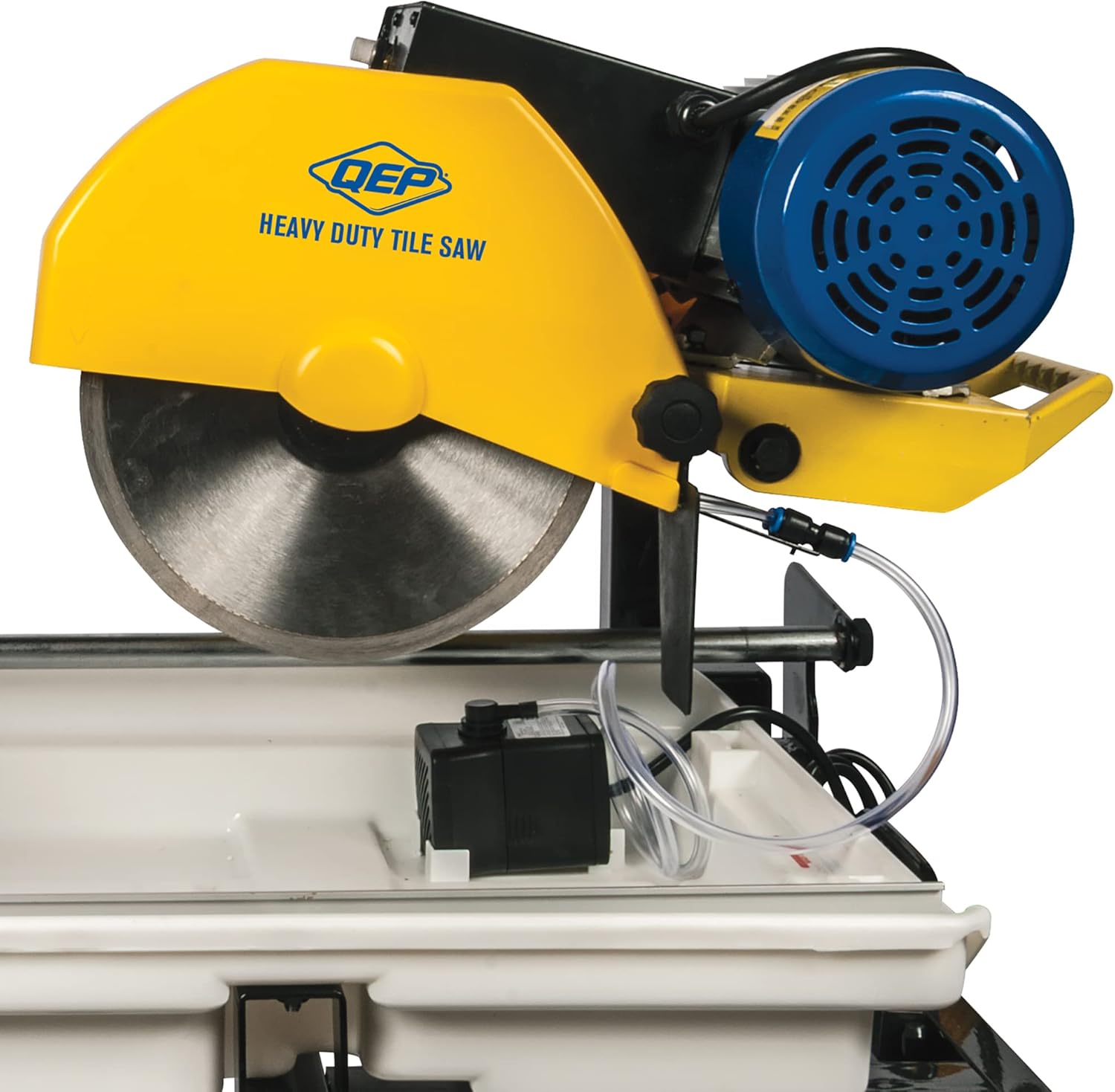
Image: The QEP 60095 Water Pump with its tubing connected, ready for placement in a tile saw's water tray. This illustrates the pump's compact size and how the tubing extends from the unit.
Operating Instructions
- Initiate Operation: Once the pump is properly set up and submerged, turn on the power at the electrical outlet or the connected equipment's switch.
- Verify Water Flow: Observe the water flow from the tubing. Ensure a steady stream is directed to the intended area. The pump provides a flow rate of 54 gph.
- Monitor Water Level: Regularly check the water level in the reservoir during operation. Replenish water as needed to keep the pump fully submerged and prevent it from running dry, which can cause damage.
- Conclude Operation: When finished, turn off the power to the pump and disconnect it from the electrical outlet.

Image: The QEP 60095 Water Pump in operation, circulating water within a tile saw's tray and directing it towards the cutting blade. This demonstrates the pump's function during use.
Maintenance
Regular maintenance ensures the longevity and efficient performance of your QEP 60095 Water Pump.
- Clean Filter: The pump features a removable, easy-to-clean filter. Periodically remove the filter and rinse it under clean water to remove debris and sediment. This prevents blockages and maintains optimal flow.
- Inspect Tubing: Check the tubing for any kinks, cracks, or blockages. Ensure water can flow freely. Replace tubing if damaged.
- Clean Pump Housing: The corrosion-resistant plastic housing should be wiped clean regularly to prevent buildup. Do not use harsh chemicals that could damage the plastic.
- Storage: When not in use for extended periods, clean the pump thoroughly, dry it, and store it in a cool, dry place away from direct sunlight.
Troubleshooting
If you encounter issues with your water pump, refer to the following troubleshooting guide:
- Pump Not Starting:
- Ensure the pump is securely plugged into a functional electrical outlet.
- Check if the power switch on the connected equipment is turned on.
- Verify there is power to the outlet by testing with another device.
- No Water Flow or Reduced Flow:
- Check the water level in the reservoir; the pump must be fully submerged.
- Inspect the intake filter for clogs and clean if necessary.
- Examine the tubing for kinks, blockages, or debris.
- Ensure the pump's outlet nozzle is not obstructed.
- Excessive Noise:
- Ensure the pump is fully submerged and not running dry.
- Check for any foreign objects that may have entered the pump's intake.
- Ensure the pump is resting stably and not vibrating against the reservoir walls.
If problems persist after following these steps, contact QEP customer support.
Specifications
| Brand | QEP |
| Model Number | 60095 |
| Color | Black |
| Material | Plastic, Rubber |
| Power Source | Electric |
| Item Weight | 1 Pound |
| Product Dimensions | 6 x 3 x 2.75 inches |
| Flow Rate | 54 GPH (Gallons Per Hour) |
| Housing | Corrosion Resistant Plastic |
Warranty and Support
For warranty information or technical support regarding your QEP 60095 Water Pump, please contact QEP customer service directly. Refer to the contact information provided on the product packaging or the official QEP website for the most up-to-date support details.


