
1. Safety Information
Read all safety warnings and instructions carefully before installing, operating, or performing maintenance on this fan. Failure to follow these instructions may result in electric shock, fire, or serious injury.
General Safety Precautions
- Always disconnect the fan from the power source before cleaning, servicing, or moving.
- Do not operate any fan with a damaged cord or plug. Discard fan or return to an authorized service facility for examination and/or repair.
- Do not run cord under carpeting. Do not cover cord with throw rugs, runners, or similar coverings. Arrange cord away from traffic area and where it will not be tripped over.
- This fan is intended for indoor use or protected outdoor use. Do not use outdoors in exposed conditions.
- To reduce the risk of fire or electric shock, do not use this fan with any solid-state speed control device.
- Do not insert fingers or foreign objects into any ventilation or exhaust opening.
- Ensure the fan is placed on a stable, level surface to prevent tipping.
- Keep children and pets away from the fan during operation.
Certifications
This fan is UL and C-UL Listed, ensuring compliance with safety standards. It also features OSHA-approved intake and discharge grills for enhanced workplace safety.

Image: UL and C-UL certification logos, indicating the product meets recognized safety standards.
2. Product Overview
The TPI CPB36D is a 36-inch high-velocity portable drum fan designed for efficient air circulation in various environments such as gyms, garages, industrial areas, and commercial spaces. It features a durable construction, a 2-speed motor, and rubber wheels for easy portability.
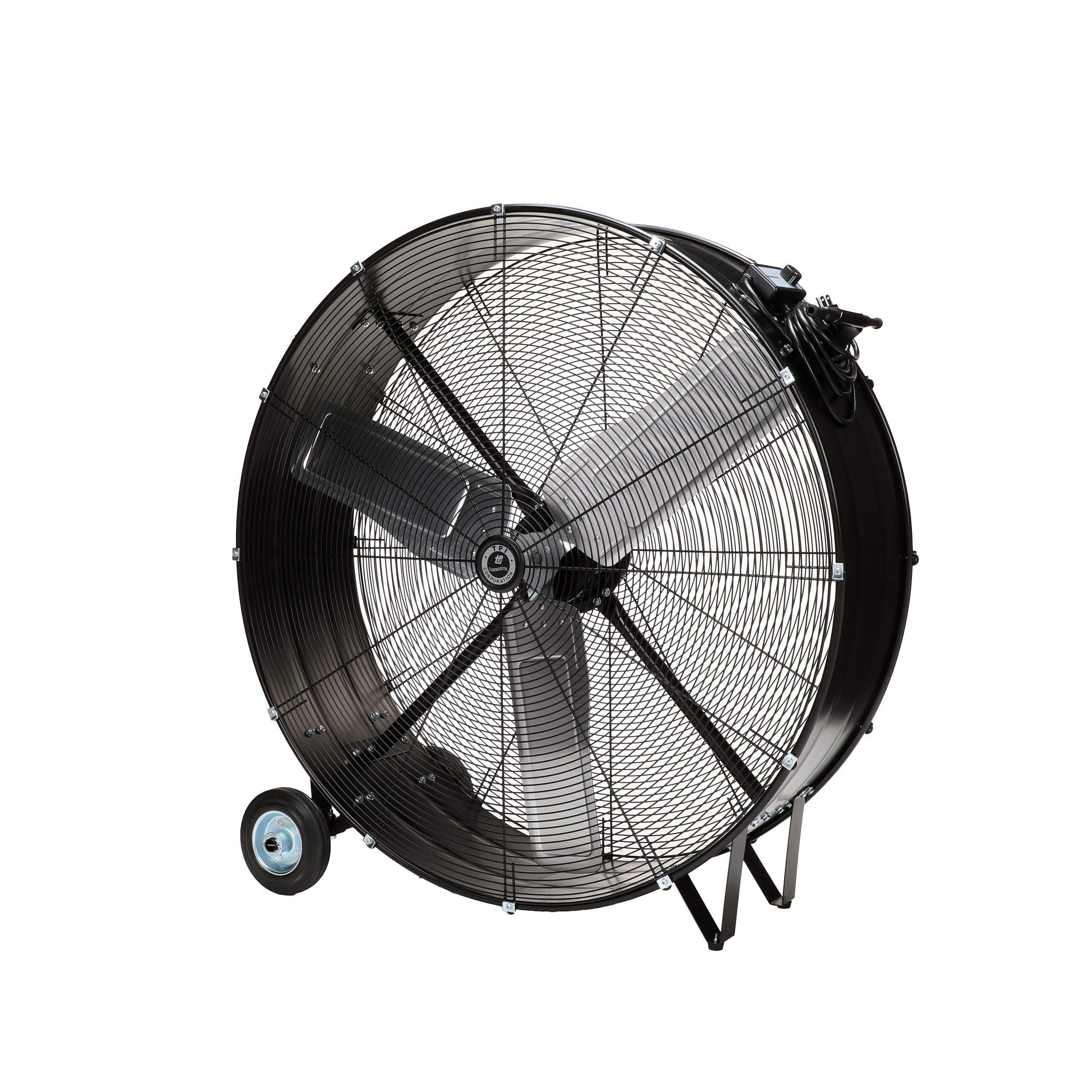
Image: Front-side view of the TPI CPB36D 36-inch high-velocity portable drum fan, showcasing its robust design and integrated wheels.
Key Features
- High-Velocity Airflow: Delivers 11200 CFM for powerful air circulation.
- Durable Construction: Features a black corrosion-resistant steel frame and 3 aluminum paddle blades.
- 2-Speed Operation: Adjustable airflow settings for various needs.
- Portable Design: Equipped with 5-inch rubber wheels and a 6-foot grounded cord for easy mobility.
- Safety Certified: UL and C-UL Listed with OSHA-approved grills.
Package Contents
Verify that all components are present upon unpacking:
- 1 x TPI CPB36D 36-Inch High-Velocity Portable Drum Fan
- Steel Frame
- Direct Drive Open Vent Fan Motor
- Cordset and Plug
3. Setup
Unpacking and Inspection
- Carefully remove the fan from its packaging.
- Inspect the fan for any signs of damage during shipping. If damage is found, do not operate the fan and contact customer support.
- Ensure all listed package contents are present.
Assembly (Field Install Tire Assembly Required)
The fan requires field installation of the tire assembly. Follow these steps:
- Identify the axle and wheel components.
- Attach the wheels to the designated axle points on the fan frame. Secure them firmly using the provided hardware (nuts, bolts, washers).
- Ensure both wheels are securely fastened and rotate freely.
Placement
- Place the fan on a firm, level surface to prevent vibration and ensure stability.
- Position the fan away from curtains, loose papers, or other objects that could be drawn into the fan blades.
- Ensure adequate clearance around the fan for optimal airflow and safety.
- Do not block the intake or discharge grills.
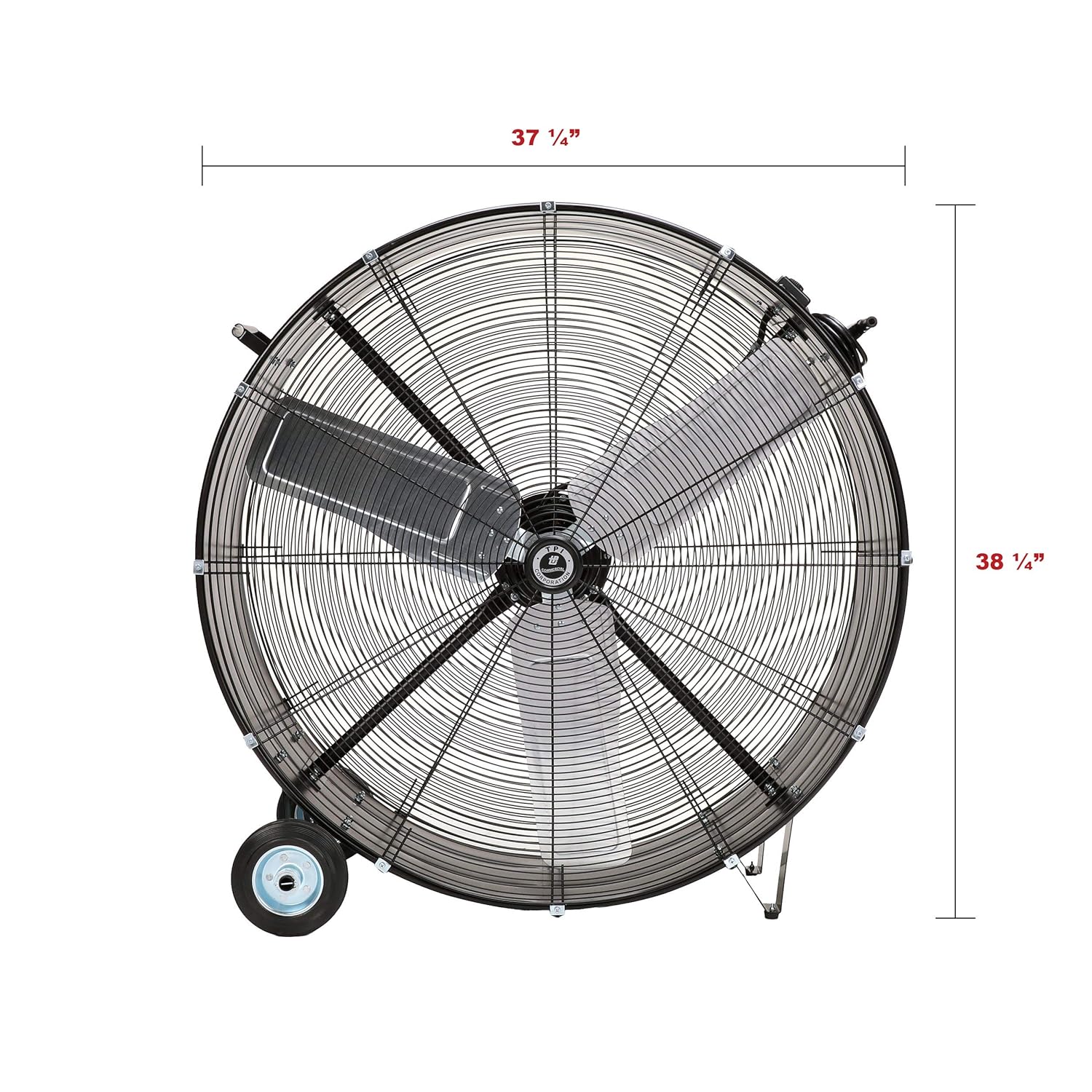
Image: Top-down view of the TPI CPB36D fan, illustrating its overall dimensions (37 1/4" width, 38 1/4" height).

Image: Side view of the TPI CPB36D fan, showing its depth (14") and wheel base width (20 1/2").
4. Operating Instructions
Power Connection
- Ensure the fan's power switch is in the "OFF" position.
- Plug the fan's 6-foot, 3-prong grounded power cord into a standard 120V AC electrical outlet. Ensure the outlet is properly grounded.

Image: Close-up of the heavy-duty 16/3-conductor power cord and 3-prong grounded plug, indicating 8 feet long and 120 volts.
Speed Control
The TPI CPB36D fan features a 2-speed rotary switch for adjusting airflow.
- To turn the fan ON and select a speed, rotate the switch to the desired setting (Low or High).
- To turn the fan OFF, rotate the switch to the "OFF" position.
Recommended Usage
- Use the fan to improve air circulation in large rooms, workshops, garages, or industrial settings.
- Effective for drying floors or carpets after cleaning.
- Can be used for ventilation in enclosed areas to reduce stuffiness.
5. Maintenance
Regular maintenance ensures optimal performance and extends the lifespan of your fan.
Cleaning
- Disconnect Power: Always unplug the fan from the electrical outlet before cleaning.
- Exterior Cleaning: Use a soft, damp cloth to wipe down the exterior surfaces of the fan. Do not use abrasive cleaners or solvents.
- Grill Cleaning: Use a vacuum cleaner with a brush attachment to remove dust and debris from the intake and discharge grills. For stubborn dirt, the grills may be carefully removed if designed for user removal (refer to specific assembly instructions if provided, otherwise do not attempt).
- Blade Cleaning: If accessible, carefully wipe the fan blades with a damp cloth. Be cautious not to bend or damage the blades.
- Drying: Ensure all parts are completely dry before reconnecting to power and operating.
Motor Lubrication
The fan features a permanently lubricated motor, requiring no additional lubrication throughout its lifespan.
Storage
When not in use for extended periods, store the fan in a clean, dry place, preferably in its original packaging or covered to protect it from dust.
6. Troubleshooting
Before contacting customer support, refer to the following troubleshooting guide for common issues.
| Problem | Possible Cause | Solution |
|---|---|---|
| Fan does not turn on. | No power to the outlet. Fan not plugged in securely. Power switch is off. Damaged power cord/plug. | Check circuit breaker/fuse. Ensure plug is fully inserted into outlet. Turn the rotary switch to a speed setting. Inspect cord for damage; if damaged, discontinue use and seek professional repair. |
| Reduced airflow. | Grills or blades are dirty. Obstruction near intake/discharge. | Clean grills and blades as per maintenance section. Remove any objects blocking airflow. |
| Excessive noise or vibration. | Fan not on a level surface. Loose components. Debris in fan blades. | Place fan on a stable, level surface. Check for loose screws or parts (do not attempt internal repairs). Disconnect power and carefully remove any debris from blades. |
7. Specifications
Detailed technical specifications for the TPI CPB36D fan.
| Feature | Detail |
|---|---|
| Brand | TPI |
| Model Name | CPB36D |
| Electric Fan Design | Blower |
| Power Source | Corded Electric, 120V |
| Style | 36 Inch |
| Product Dimensions (D x W x H) | 10"D x 25"W x 30"H |
| Special Feature | Rotary Switch, Steel Frame, 5" Rubber Wheels, 6' long cord |
| Noise Level | 70 Decibels |
| Wattage | 450 watts |
| Finish Type | Steel |
| Number of Blades | 4 |
| Air Flow Capacity | 11200 Cubic Feet Per Minute (CFM) |
| Blade Length | 36 Inches |
| Speed | 1072 RPM |
| Voltage | 120V |
| Included Components | Steel Frame, Direct Drive Open Vent Fan Motor, Cordset and Plug |
| Indoor/Outdoor Usage | Indoor (or protected outdoor) |
| Specification Met | OSHA, UL, C-UL |
| Number of Power Levels | 2 |
| Motor Type | Direct Drive |
| Item Weight | 66 pounds |
8. Warranty & Support
Warranty Information
TPI Corporation products are manufactured to high-quality standards. For specific warranty details regarding your TPI CPB36D fan, please refer to the warranty card included with your purchase or visit the official TPI Corporation website. Keep your purchase receipt as proof of purchase for any warranty claims.
Customer Support
If you have any questions, require technical assistance, or need to report an issue that cannot be resolved using the troubleshooting guide, please contact TPI Corporation customer support. Contact information can typically be found on the product packaging, the official TPI website, or your purchase documentation.
When contacting support, please have your model number (CPB36D) and purchase date readily available.