
1. Introduction
This manual provides comprehensive instructions for the safe installation, proper operation, and routine maintenance of the RIDGID 89185 Toggle Switch 270. This electrical component is designed for ON-OFF control in various applications, particularly within building materials and material handling systems. Please read this manual thoroughly before installation and use to ensure optimal performance and safety.
2. Safety Information
WARNING: Electrical components can cause serious injury or death if not handled properly. Always follow these safety guidelines:
- Ensure power is disconnected at the source before installing, servicing, or removing the switch.
- Only qualified personnel should perform electrical installations.
- Verify all wiring connections are secure and correct according to applicable electrical codes.
- Do not exceed the electrical ratings of the switch.
- Inspect the switch for any damage before installation. Do not install damaged components.
3. Product Overview and Components
The RIDGID 89185 is a robust toggle switch designed for reliable ON-OFF operation. It features a durable plastic body, brass contact material, and push-on terminals for straightforward connection.
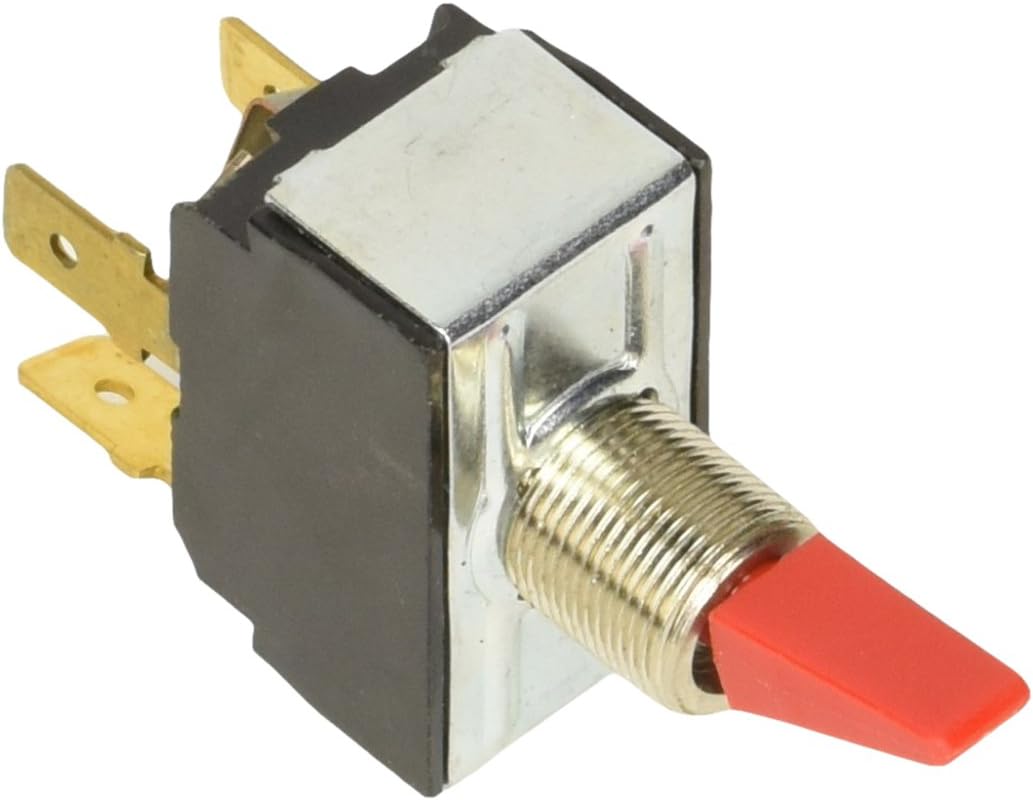
Figure 1: Front and side view of the RIDGID 89185 Toggle Switch, showing the red toggle lever and threaded mounting shaft.

Figure 2: Rear view of the RIDGID 89185 Toggle Switch, illustrating the brass push-on terminals for electrical connections.
4. Installation Instructions
The RIDGID 89185 Toggle Switch is designed for flush mounting. Follow these steps for proper installation:
- Disconnect Power: Ensure all power to the circuit where the switch will be installed is completely disconnected at the main breaker or fuse box. Verify with a voltage tester.
- Prepare Mounting Hole: Create an appropriately sized hole for flush mounting the switch. The switch dimensions are approximately 3.5 x 3.5 x 1 inches (8.9 x 8.9 x 2.5 cm).
- Mount the Switch: Insert the threaded shaft of the toggle switch through the prepared hole. Secure it in place using the provided mounting hardware (nut and washer, if applicable) on the front panel.
- Wire Connections: Connect the electrical wires to the push-on terminals at the rear of the switch. Ensure connections are firm and correct for your specific application (ON-OFF operation). Refer to your equipment's wiring diagram.
- Verify Installation: Double-check all connections and ensure the switch is securely mounted.
- Restore Power: Once installation is complete and verified, restore power to the circuit.
5. Operating the Switch
The RIDGID 89185 Toggle Switch operates in a simple ON-OFF mode. To operate:
- Move the toggle lever to one position to engage the "ON" state, completing the circuit.
- Move the toggle lever to the opposite position to engage the "OFF" state, breaking the circuit.
The specific "ON" and "OFF" positions may vary depending on the switch orientation during installation. Always observe the effect of the switch on the connected device.
6. Maintenance
The RIDGID 89185 Toggle Switch requires minimal maintenance. Regular inspection and cleaning will help ensure its longevity and reliable operation.
- Cleaning: Periodically wipe the exterior of the switch with a clean, dry cloth. Avoid using abrasive cleaners or solvents. Ensure power is off before cleaning.
- Inspection: Regularly inspect the switch for any signs of physical damage, loose connections, or excessive wear. If any damage is observed, disconnect power and replace the switch immediately.
- Environmental Conditions: Ensure the switch is not exposed to conditions beyond its intended operating environment (e.g., excessive moisture, extreme temperatures, corrosive substances).
7. Troubleshooting
If the RIDGID 89185 Toggle Switch is not functioning as expected, consider the following:
- No Power to Device:
- Check if the main power supply to the circuit is active.
- Verify that the switch is in the "ON" position.
- Inspect wiring connections at the switch terminals for looseness or corrosion.
- Test the continuity of the switch using a multimeter (with power disconnected).
- Intermittent Operation:
- Check for loose wiring connections.
- Inspect the switch for internal damage or wear.
If troubleshooting steps do not resolve the issue, it may be necessary to replace the switch. Always disconnect power before attempting any repairs or replacements.
8. Specifications
Key technical specifications for the RIDGID 89185 Toggle Switch:
| Model Number | 89185 |
| Operation Mode | ON-OFF |
| Mounting Type | Flush Mount |
| Terminal Type | Push On |
| Contact Material | Brass |
| Body Material | Plastic |
| Item Weight | 0.96 ounces (approx. 27 grams) |
| Product Dimensions | 3.5 x 3.5 x 1 inches (approx. 8.9 x 8.9 x 2.5 cm) |
| Manufacturer | StandardPlumbing: Kohler (as listed) |
| UPC | 095691891853 |
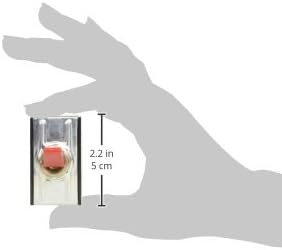
Figure 3: Approximate dimensions of the RIDGID 89185 Toggle Switch, indicating a height of 2.2 inches (5 cm) for the visible portion.
9. Warranty Information
Specific warranty details for the RIDGID 89185 Toggle Switch are not provided within this manual. For information regarding product warranty, please refer to the official RIDGID website or contact RIDGID customer support directly.
10. Customer Support
For technical assistance, replacement parts, or further inquiries regarding the RIDGID 89185 Toggle Switch, please visit the official RIDGID website or contact their customer service department. Contact information can typically be found on the product packaging or the manufacturer's official website.
You can visit the RIDGID Store on Amazon for more product information.