
Introduction
The Vanco SS6 is a low-profile speaker selector unit designed to distribute high-level (amplified) stereo signals to up to six independent zones. It features a manually activated impedance protection circuit to safeguard your receiver and maintain optimal sound quality across all connected speakers. This manual provides essential information for proper installation, operation, and maintenance of your SS6 unit.
Important Safety Information
- Read all instructions carefully before operating the device.
- Do not expose this unit to rain or moisture.
- Ensure all connections are secure before powering on your audio system.
- Always disconnect power before making or changing any connections.
- Do not attempt to service this unit yourself. Refer all servicing to qualified personnel.
Package Contents
Verify that your package contains the following items:
- Vanco SS6 6-Pair Stereo Speaker Selector Box
- Instruction Manual (this document)
Product Overview
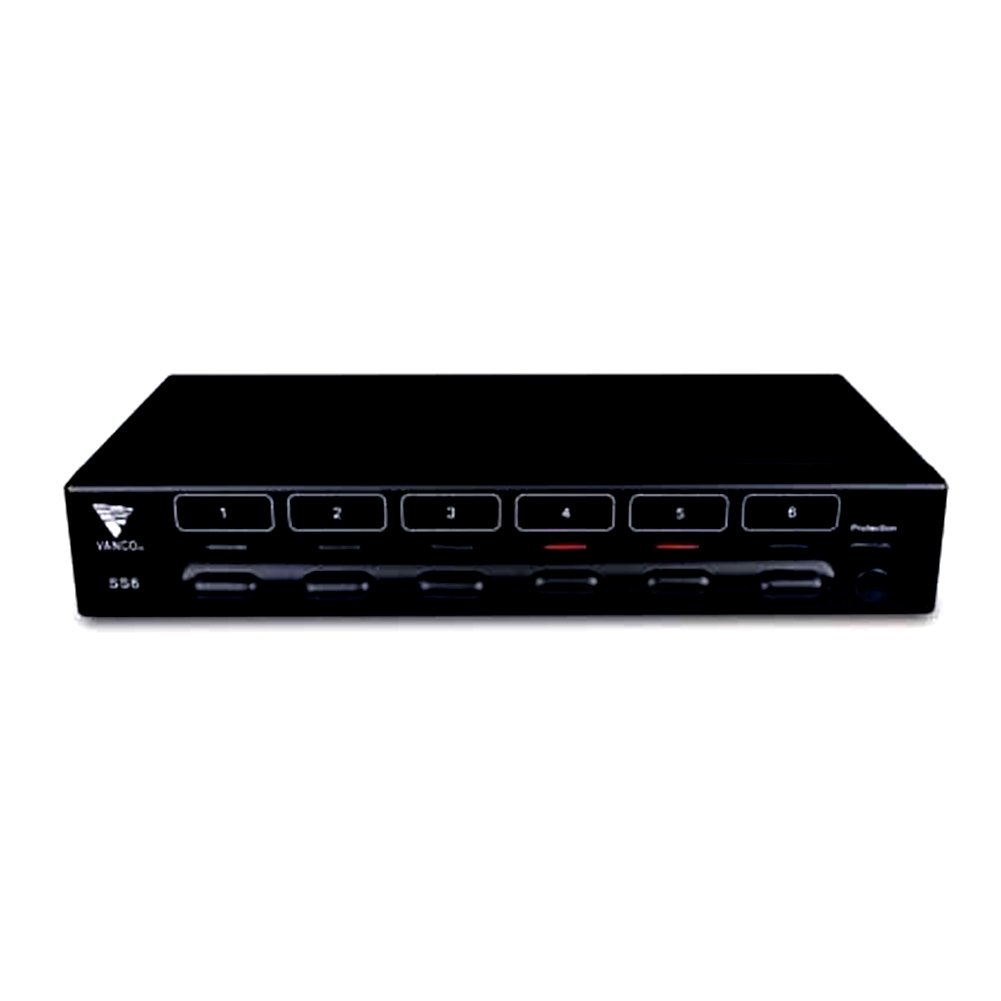
Figure 1: Front view of the Vanco SS6 6-Pair Stereo Speaker Selector Box. This image shows the compact design and the individual speaker zone selection buttons.

Figure 2: Rear view of the Vanco SS6 showing the push terminal connections for amplifier input and six speaker zone outputs. Note the impedance protection switch.
The Vanco SS6 allows you to connect a single stereo amplifier to up to six pairs of speakers, enabling audio distribution to different rooms or zones. Each zone can be independently turned on or off. The unit incorporates an impedance protection circuit to prevent your amplifier from operating below a safe impedance level, which can be manually activated or deactivated depending on your system's configuration and the use of impedance-matching volume controls.
Setup and Installation
Follow these steps to properly set up your Vanco SS6 speaker selector box:
- Power Off: Ensure your amplifier and all audio components are powered off and unplugged from the main power supply before making any connections.
- Speaker Wire Preparation: Prepare your speaker wires (14 to 22 AWG recommended) by stripping approximately 1/4 inch (6mm) of insulation from the ends. Twist the bare wire strands tightly.
- Connect Amplifier: Connect the speaker output terminals of your stereo amplifier to the "AMPLIFIER INPUT" push terminals on the rear of the SS6 unit. Ensure correct polarity (+ to + and - to -).
- Connect Speakers: Connect each pair of speakers to the corresponding "SPEAKER ZONE" push terminals (1 through 6) on the rear of the SS6 unit. Maintain correct polarity for each speaker pair.
- Impedance Protection:
- Activate (Recommended): For most setups, especially when connecting multiple speaker pairs to a single amplifier without impedance-matching volume controls, activate the impedance protection circuit. This prevents the amplifier's impedance from dropping below 5 ohms, protecting your receiver.
- Deactivate: If you are using impedance-matching volume controls in each zone or have a specific system design that accounts for impedance, you may deactivate the protection circuit. Consult an audio professional if unsure.
- Placement: Place the SS6 unit in a well-ventilated area, away from heat sources and direct sunlight. Its low-profile design allows for flexible placement.
- Power On: Once all connections are secure and verified, plug in and power on your amplifier and other audio components.
Operating Instructions
Using your Vanco SS6 is straightforward:
- Select Zones: Press the corresponding button on the front panel for each speaker zone you wish to activate. The button will typically illuminate or indicate its active status.
- Deselect Zones: Press the button again to deactivate a speaker zone.
- Volume Control: Adjust the volume using your amplifier's volume control. If using impedance-matching volume controls in individual zones, adjust those as needed.
- Impedance Protection: If the impedance protection circuit is activated, it will automatically prevent the amplifier from seeing an impedance below 5 ohms, regardless of how many speaker pairs are active or their individual impedance ratings.
Maintenance
The Vanco SS6 requires minimal maintenance. Keep the unit clean and free from dust. Use a soft, dry cloth for cleaning. Do not use liquid cleaners or solvents. Ensure adequate ventilation around the unit to prevent overheating.
Troubleshooting
- No Sound:
- Check all speaker wire connections for proper seating and polarity.
- Ensure the amplifier is powered on and playing audio.
- Verify that the desired speaker zones are selected on the SS6 unit.
- Check the volume levels on both the amplifier and any in-zone volume controls.
- Distorted Sound:
- Ensure speaker wires are not frayed or shorting.
- Check that the impedance protection is correctly set for your system.
- Reduce amplifier volume to see if distortion persists.
- Unit Overheating:
- Ensure adequate ventilation around the SS6 unit.
- Verify that the impedance protection is activated if you are running multiple low-impedance speakers.
Specifications
| Model Number | SS6 |
| Product Dimensions | 6.5 x 17 x 2.5 inches |
| Item Weight | 2.85 pounds |
| Rated Power | 100 Watts continuous per channel |
| Impedance Range | 4 to 16 Ohm |
| Speaker Wire Gauge | 14 to 22 AWG |
| Number of Ports | 6 (pairs) |
| Color | Black |
Warranty and Support
For warranty information or technical support, please refer to the Vanco official website or contact their customer service department. Keep your purchase receipt as proof of purchase for any warranty claims.


