
1. Introduction
Thank you for choosing the Fish Mate P7000 Automatic Pond Fish Feeder. This device is designed to provide consistent and reliable feeding for your pond fish, ensuring they receive appropriate nutrition even when you are away. Its programmable LCD timer allows for precise control over feeding schedules and portion sizes, making it an ideal solution for maintaining the health and well-being of your aquatic pets.
This manual provides detailed instructions for the setup, operation, maintenance, and troubleshooting of your new feeder. Please read it thoroughly before use to ensure optimal performance and longevity of the product.

Image: The Fish Mate P7000 Automatic Pond Fish Feeder, a green and translucent purple unit, designed for outdoor use.
2. Safety Information
To ensure safe operation and prevent damage to the unit or injury, please observe the following safety precautions:
- Power Source: The feeder operates on 4 C batteries. Ensure batteries are inserted with correct polarity. Do not mix old and new batteries, or different types of batteries. Remove batteries if the unit will not be used for an extended period.
- Placement: Position the feeder on a stable, level surface near your pond. While weather-resistant, avoid submerging the unit in water. Ensure the dispensing spout is clear and unobstructed.
- Food Type: This feeder is designed for dry pellets and sticks. Do not use wet, sticky, or powdered foods as they may clog the mechanism.
- Children and Pets: Keep the feeder out of reach of small children and other animals to prevent tampering or accidental ingestion of food.
- Cleaning: Disconnect power (remove batteries) before cleaning. Use a damp cloth; do not use abrasive cleaners or immerse the unit in water.
- Repairs: Do not attempt to disassemble or repair the unit yourself. Refer all servicing to qualified personnel.
3. Package Contents
Please check the box to ensure all components are present:
- Fish Mate P7000 Feeder Base Unit with LCD Display
- Food Hopper (translucent purple)
- Hopper Lid
- Dispensing Spout
- Internal Auger Mechanism (pre-installed or separate)
- Instruction Manual (this document)

Image: An exploded diagram showing the main components of the Fish Mate P7000: the lid, food hopper, internal auger and spring, dispensing spout, and the base unit with control panel.
4. Setup
4.1. Battery Installation
- Locate the battery compartment on the underside of the feeder base unit.
- Open the battery compartment cover.
- Insert 4 C-size batteries, ensuring the correct polarity (+/-) as indicated inside the compartment.
- Close the battery compartment cover securely. The LCD display should illuminate.
4.2. Assembly
- Ensure the internal auger mechanism is correctly seated within the base unit.
- Place the food hopper onto the base unit, aligning it with the guides.
- Attach the dispensing spout to the designated slot on the front of the base unit.
- Place the lid securely on top of the food hopper.
4.3. Placement and Mounting
The feeder is designed for outdoor use. Place it on a stable, level surface adjacent to your pond, ensuring the dispensing spout extends over the water. The unit includes mounting options for added stability, which can be utilized by securing the base to a wooden plank or similar structure.
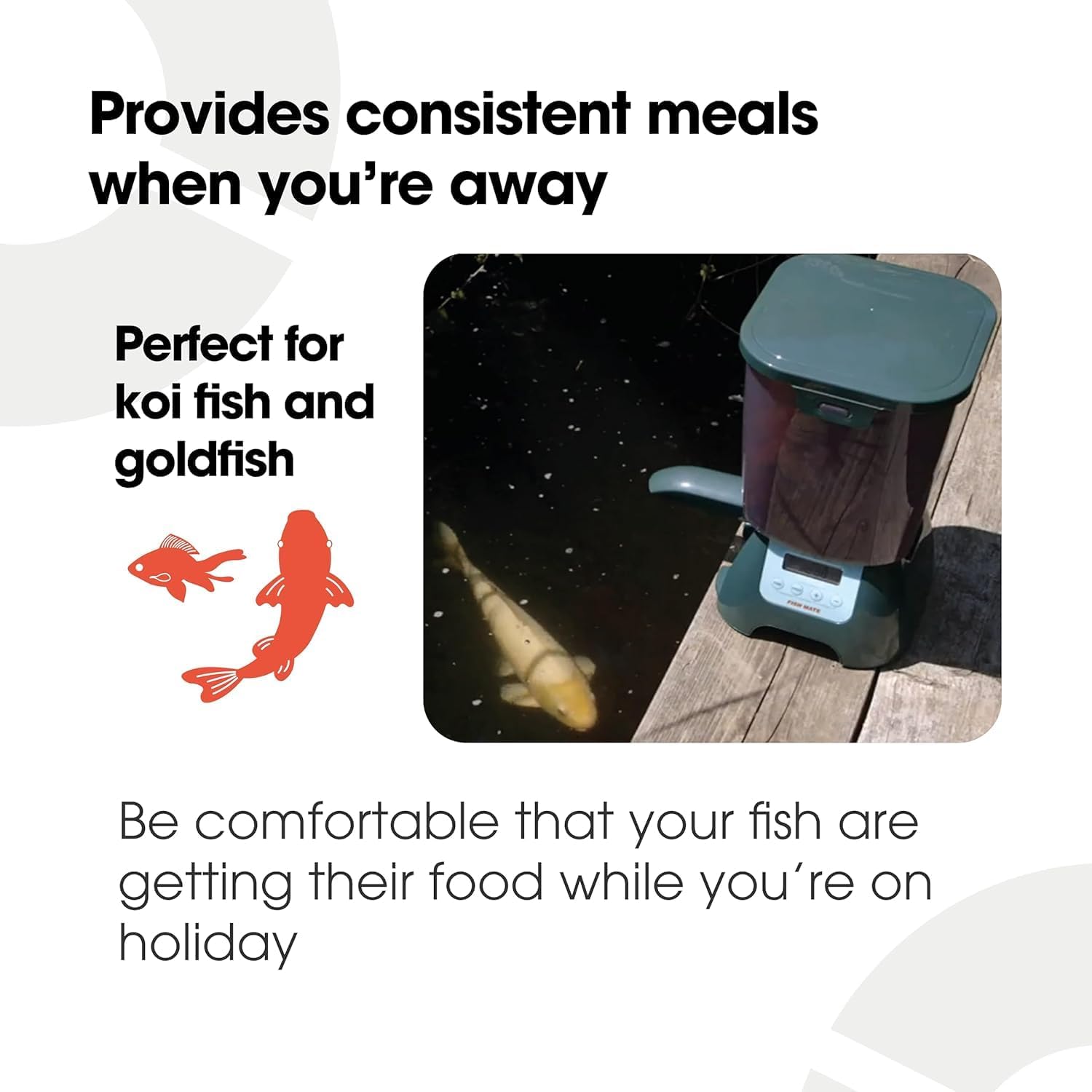
Image: The Fish Mate P7000 feeder positioned on a wooden surface next to a pond, ready for operation.
4.4. Filling the Hopper
Open the hopper lid and fill with your preferred dry fish pellets or sticks. The large capacity holds up to 7 liters (6.5 lbs) of food, reducing the frequency of refills.

Image: A top-down view into the translucent hopper of the Fish Mate P7000, showing the internal auger mechanism and fish food pellets.
5. Operating Instructions
5.1. LCD Display and Controls
The digital LCD display provides clear information and allows for easy navigation of settings. The control panel features "TIME", "FEED", "+", and "-" buttons.
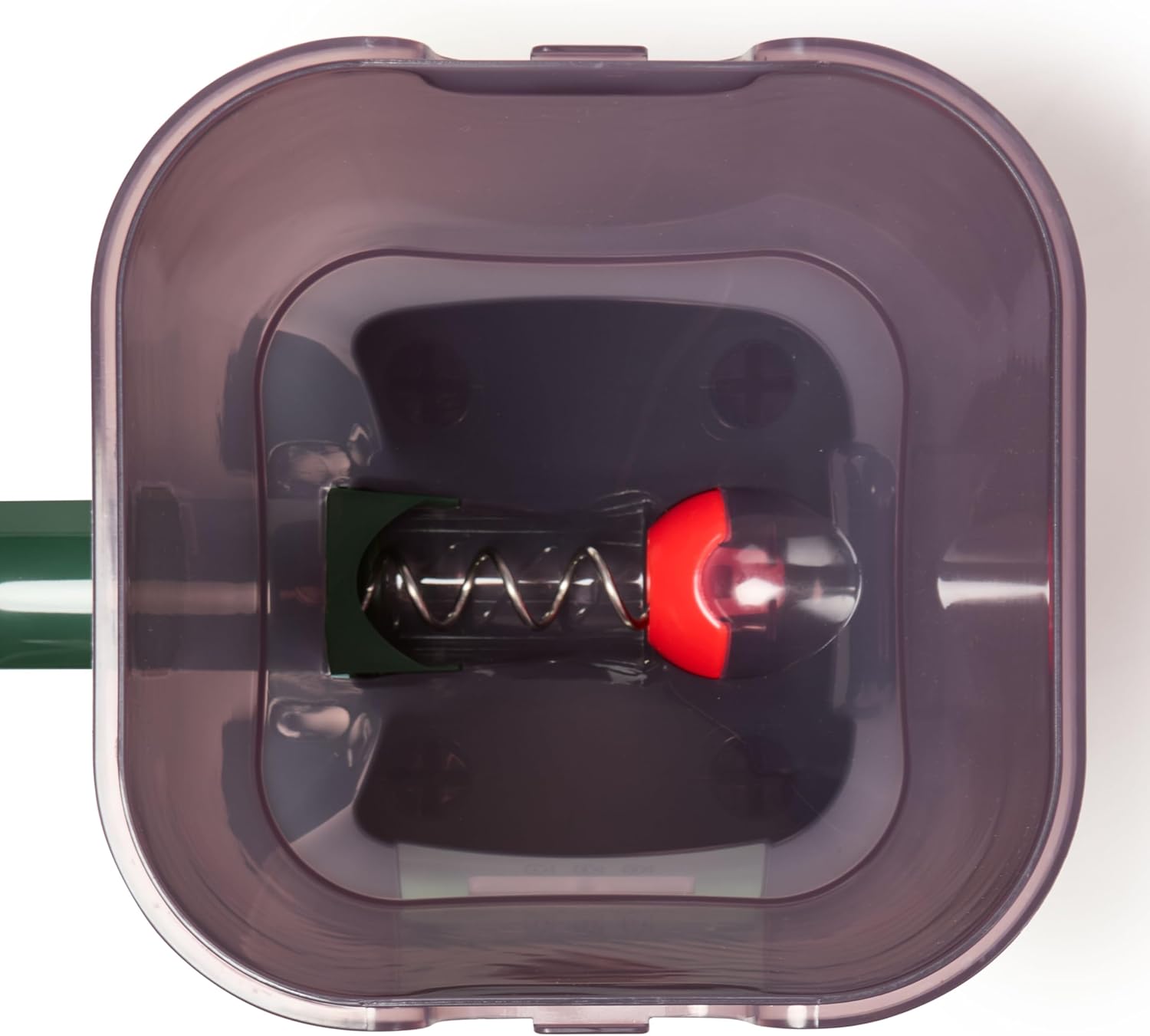
Image: A detailed view of the Fish Mate P7000's LCD screen, showing the time display, and the control buttons for setting time, feed, and adjusting values.
5.2. Setting the Current Time
- Press and hold the "TIME" button until the hour display flashes.
- Use the "+" and "-" buttons to adjust the hour.
- Press "TIME" again to move to minutes, then adjust with "+" and "-".
- Press "TIME" once more to save the current time.
5.3. Programming Feeding Times and Portions
The P7000 allows for up to 3 programmed feeding times per day. Each feeding time can have a customized portion size.
- Press the "FEED" button to enter programming mode for the first feed (indicated by '1' on the display).
- The hour display will flash. Use "+" and "-" to set the desired feeding hour.
- Press "FEED" to move to minutes, then adjust with "+" and "-".
- Press "FEED" again to set the portion size. The display will show a number (e.g., '0.5' to '10'). Use "+" and "-" to adjust the amount. A higher number indicates a larger portion. It is recommended to test the dispensed amount into a container to determine the appropriate setting for your fish and food type.
- Repeat steps for Feed 2 and Feed 3 if desired. If a feed time is not set, it will be skipped.
- To exit programming, press "TIME" or wait for the display to return to the current time automatically.
5.4. Manual Feeding
To dispense food manually, simply press the "FEED" button once while in normal operation mode. A small portion of food will be dispensed immediately.
5.5. Auto/Off Function
To temporarily disable automatic feeding without losing programmed settings, press and hold the "-" button until "OFF" appears on the display. To re-enable, press and hold the "-" button again until the current time is displayed.
6. Maintenance
Regular maintenance ensures the longevity and optimal performance of your Fish Mate P7000 feeder.
6.1. Cleaning the Feeder
- Remove the hopper lid and empty any remaining food.
- Carefully remove the food hopper and dispensing spout from the base unit.
- Clean the hopper and spout with warm, soapy water. Rinse thoroughly and ensure they are completely dry before reassembly.
- Wipe the base unit and LCD display with a damp cloth. Do not immerse the base unit in water.
- Check the internal auger mechanism for any food residue or blockages. Use a small brush if necessary to clear any debris.
6.2. Battery Replacement
When the battery indicator on the LCD display shows low power, replace all 4 C batteries promptly. It is recommended to replace all batteries at the same time to ensure consistent power. Note: Settings may be lost if batteries are removed for more than 60 seconds.
6.3. Winter Storage
If storing the feeder for the winter or an extended period, ensure it is thoroughly cleaned and completely dry. Remove all batteries. Store the unit in a dry, frost-free location.
7. Troubleshooting
If you encounter issues with your Fish Mate P7000 feeder, refer to the following common problems and solutions:
| Problem | Possible Cause | Solution |
|---|---|---|
| Feeder not dispensing food. | Hopper empty; food clogged; batteries low/dead; auger jammed. | Refill hopper. Check for and clear any food blockages in the hopper or spout. Replace batteries. Inspect auger for foreign objects. |
| LCD display is blank or dim. | Batteries are dead or incorrectly installed. | Check battery polarity. Replace all 4 C batteries. |
| Food gets wet or damp. | Lid not sealed properly; excessive humidity/rain. | Ensure lid is securely snapped shut. While weather-resistant, consider additional shelter in extreme weather. |
| Feeder is knocked over or tampered with. | Wildlife interference; unstable placement. | Utilize the mounting options to secure the feeder. Consider placing it within a protective enclosure if wildlife is an issue. |
| Incorrect feeding times or portions. | Programming error; settings reset due to battery change. | Re-program the feeding times and portion sizes carefully following Section 5.3. |
8. Specifications
| Feature | Detail |
|---|---|
| Model Number | 00348 |
| Product Dimensions (L x W x H) | 8.3 x 8.3 x 14.5 inches (210mm x 210mm x 350mm) |
| Item Weight | 1 pound |
| Food Capacity | 7 liters (approx. 6.5 lbs / 30 cups) |
| Power Source | 4 x C Batteries (not included) |
| Material | Polypropylene |
| Special Features | Feeding Schedule, Portable, Portion Control, Programmable, Refillable Storage |
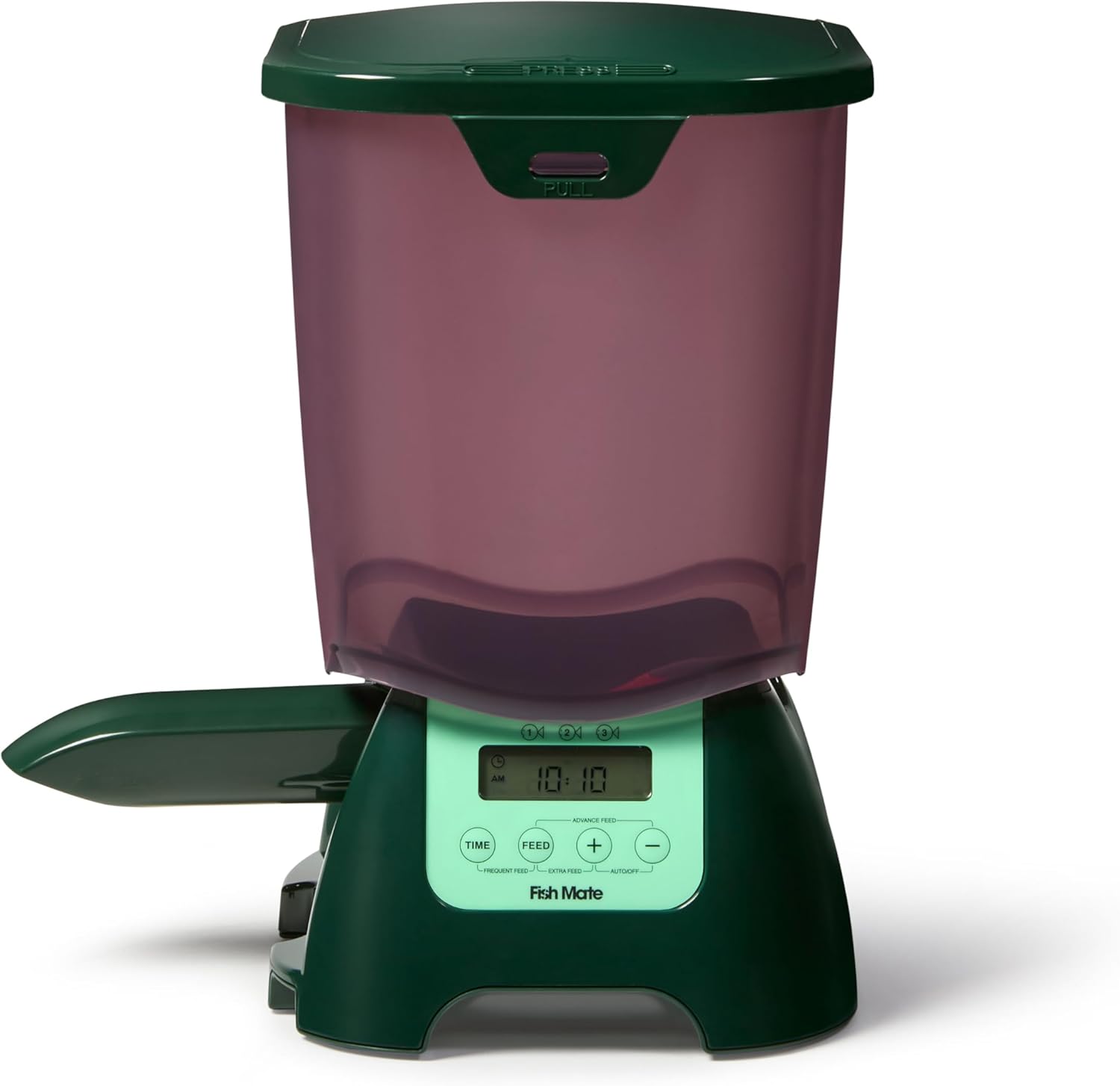
Image: The Fish Mate P7000 feeder shown with its key dimensions: 36.83cm (14.5 inches) height, 21.08cm (8.3 inches) width, and 21.08cm (8.3 inches) depth.
9. Warranty and Support
The Fish Mate P7000 Automatic Pond Fish Feeder is manufactured by Ani Mate Inc. (now part of Closer Pets). For warranty information, technical support, or spare parts, please contact the manufacturer directly through their official website or customer service channels.
Please retain your proof of purchase for any warranty claims.