
1. Introduction
This manual provides essential information for the BLACK+DECKER PVF110 Replacement Filter. The PVF110 is a washable, pleated filter designed to maintain optimal suction power and filtration efficiency in compatible BLACK+DECKER dustbuster cordless hand vacuums.

Image 1.1: The BLACK+DECKER PVF110 Replacement Filter, a pleated filter designed for efficient dust collection.
2. Compatibility
The PVF110 filter is specifically designed for use with the following BLACK+DECKER dustbuster cordless hand vacuum models:
- PHV1410
- PHV1810
- PHV1210
- BDH2000PL
- BDH2020FLFH
- BDH1620FLFH

Image 2.1: The PVF110 filter shown alongside a compatible BDH2000PL hand vacuum, illustrating its intended use.
3. Installation
Follow these steps to properly install the PVF110 replacement filter into your BLACK+DECKER hand vacuum:
- Ensure the vacuum is turned off and unplugged from any charging source.
- Locate the dust bowl release button or latch on your hand vacuum and open the dust bowl.
- Carefully remove the old filter from the dust bowl. Dispose of the old filter responsibly.
- Insert the new PVF110 filter into the dust bowl, ensuring it is seated correctly and securely. The pleated side should face outwards.
- Close the dust bowl until it clicks firmly into place.
- Your vacuum is now ready for use with the new filter.
Video 3.1: This video demonstrates the installation process of the BLACK+DECKER PVF110 replacement filter into a compatible hand vacuum. It highlights the filter's premium pleated design, washability, and importance for maintaining suction power and high filtration efficiency.
4. Maintenance
Regular cleaning and timely replacement of your PVF110 filter are crucial for maintaining your vacuum's performance and extending its lifespan.
4.1. Cleaning Instructions
- Remove the filter from the vacuum as described in the installation steps.
- Wash the filter regularly using warm, soapy water. Gently rinse until the water runs clear.
- Important: Ensure the filter is completely dry before reinserting it into the vacuum. Allow at least 24 hours for air drying. Do not use heat to dry the filter.
4.2. Replacement Frequency
For maximum performance and to ensure consistent suction power, it is recommended to replace the PVF110 filter every 6-9 months, or more frequently depending on usage and the amount of debris collected.

Image 4.1: Visual reminder to wash the filter frequently and replace it every 6-9 months for optimal vacuum performance.
5. Specifications
| Model Number | PVF110 |
| Brand | BLACK+DECKER |
| Material | Blend |
| Reusability | Reusable (Washable) |
| Product Dimensions (L x W x H) | 3.64" x 3.37" x 3.31" |
| Item Weight | 0.01 Ounces |
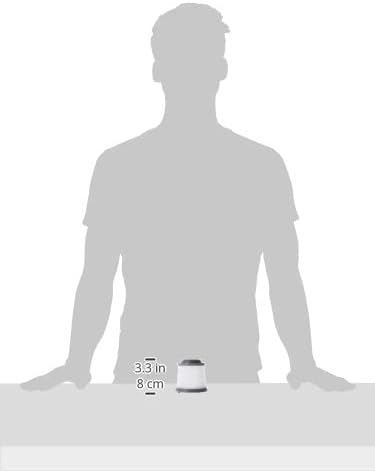
Image 5.1: A diagram illustrating the compact dimensions of the PVF110 filter.
6. Warranty Information
The BLACK+DECKER PVF110 Replacement Filter comes with a 2-year limited warranty. This warranty covers defects in material and workmanship under normal use. For specific terms and conditions, please refer to the warranty documentation included with your original vacuum purchase or contact BLACK+DECKER customer support.
7. Support
For further assistance, troubleshooting, or to inquire about other BLACK+DECKER products, please visit the official BLACK+DECKER website or contact their customer service department. Ensure you have your product model number (PVF110) and vacuum model number ready when seeking support.