
Mobo SPE125R-MB-2
Mobo Portable Bluetooth Mushroom Speaker
Model: SPE125R-MB-2
Brand: Mobo
Introduction
The Mobo Portable Bluetooth Mushroom Speaker is designed to provide a unique and convenient audio experience. Its compact, mushroom-shaped design makes it highly portable, while the integrated microphone allows for hands-free communication. The speaker also features an adhesive suction cup for versatile placement options.
This manual will guide you through the setup, operation, and maintenance of your speaker, ensuring you get the most out of its features.
Product Overview

Figure 1: Front view of the Mobo Portable Bluetooth Mushroom Speaker, showcasing its distinctive red mushroom cap and gray base with speaker grille and eyes-like design.
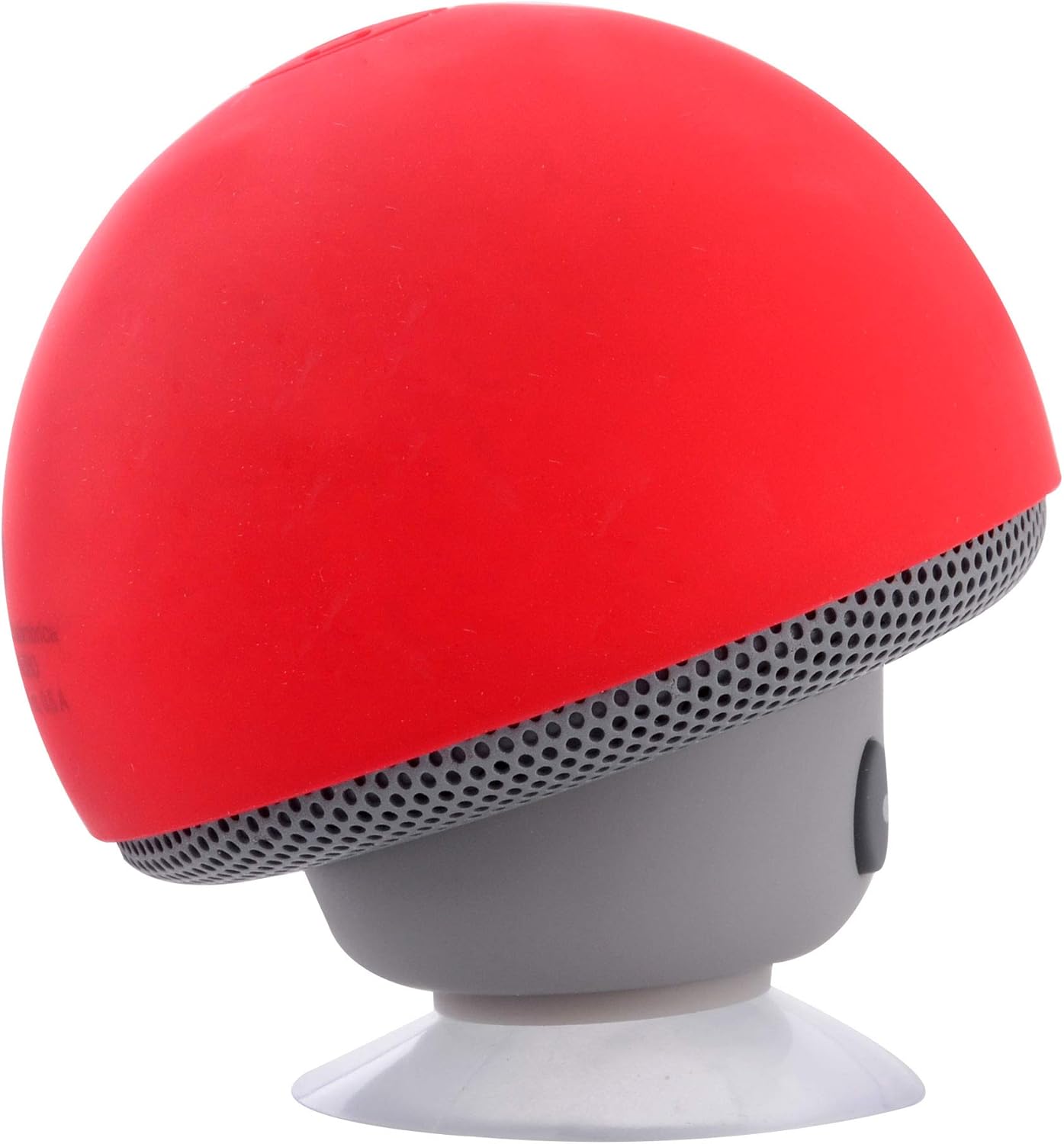
Figure 2: Side view of the Mobo Portable Bluetooth Mushroom Speaker, highlighting its compact and ergonomic design, with the speaker grille visible.

Figure 3: Rear view of the Mobo Portable Bluetooth Mushroom Speaker, showing the Micro-USB charging port and the product information label on the back of the mushroom cap.
Setup
1. Charging the Speaker
Before first use, fully charge the speaker. The Mobo Mushroom Speaker is powered by a Lithium Ion battery.
- Locate the Micro-USB charging port on the back of the speaker (refer to Figure 3).
- Connect the provided USB charging cable to the speaker and plug the other end into a standard USB power adapter (not included) or a computer's USB port.
- The charging indicator light will illuminate (color may vary) to show that the speaker is charging.
- Once fully charged, the indicator light will change or turn off. Disconnect the charging cable.
2. Powering On/Off
- To Power On: Press and hold the power button (usually located on the side or bottom) for a few seconds until you hear an audible prompt or see an indicator light.
- To Power Off: Press and hold the power button again for a few seconds until the speaker powers down.
3. Bluetooth Pairing
To connect your speaker to a device (e.g., smartphone, tablet), follow these steps:
- Ensure the speaker is powered on and in pairing mode (it will typically flash an indicator light rapidly).
- On your device, go to the Bluetooth settings.
- Search for available devices. The speaker should appear as "Mobo Speaker" or a similar name.
- Select the speaker from the list to initiate pairing.
- Once successfully paired, you will hear a confirmation sound, and the indicator light will typically become solid or flash slowly.
Operating Instructions
1. Playing Audio
After successful Bluetooth pairing, you can play audio from your connected device. The speaker will output the sound.
- Volume Control: Adjust the volume directly from your connected device. Some speakers may have physical volume buttons.
- Playback Control: Play, pause, skip tracks directly from your connected device.
2. Using the Integrated Microphone for Calls
The speaker features an integrated microphone, allowing you to use it for hands-free calls.
- Answering Calls: When a call comes in, press the multi-function button (often the power button or a dedicated call button) once to answer.
- Ending Calls: Press the multi-function button once again to end the call.
- Rejecting Calls: Press and hold the multi-function button for a few seconds to reject an incoming call.
3. Utilizing the Adhesive Suction Cup
The speaker's base includes an adhesive suction cup for versatile placement.
- Ensure the surface is clean, smooth, and non-porous for optimal adhesion.
- Press the suction cup firmly against the desired surface (e.g., wall, table, glass).
- The speaker can also be used as a kickstand for your mobile phone by attaching the suction cup to the back of your phone.
- To remove, gently lift the edge of the suction cup to break the seal.
Maintenance
Proper care will extend the life of your Mobo Mushroom Speaker.
- Cleaning: Use a soft, dry cloth to wipe the speaker's exterior. Do not use harsh chemicals or abrasive cleaners.
- Storage: Store the speaker in a cool, dry place away from direct sunlight and extreme temperatures.
- Battery Care: If not used for extended periods, charge the speaker at least once every three months to maintain battery health.
- Water Resistance: This speaker is not waterproof. Avoid exposing it to water or excessive moisture.
Troubleshooting
If you encounter issues with your speaker, try the following solutions:
- Speaker does not turn on: Ensure the battery is charged. Connect the charging cable and try again.
- Cannot pair with device:
- Ensure Bluetooth is enabled on your device.
- Make sure the speaker is in pairing mode.
- Move the speaker closer to your device.
- Forget the speaker from your device's Bluetooth list and try pairing again.
- Restart both the speaker and your device.
- No sound or low volume:
- Increase the volume on both the speaker and your connected device.
- Ensure the speaker is properly paired.
- Try playing audio from a different application or source.
- Short battery life:
- Ensure the speaker is fully charged before use.
- Battery life can vary based on volume level and usage.
- Over time, rechargeable batteries naturally degrade.
Specifications
| Feature | Detail |
|---|---|
| Brand | Mobo |
| Model Number | SPE125R-MB-2 |
| Special Features | Bluetooth, Integrated Microphone |
| Power Source | Battery Powered |
| Battery Type | Lithium Ion |
| Connector Type | Bluetooth |
| Material Type | Plastic |
| Mounting Type | Tabletop Mount (with suction cup) |
| Product Dimensions | 7.6 x 5.8 x 5.7 cm |
| Weight | 100 g |
Warranty and Support
For warranty information and customer support, please refer to the official Mobo website or contact their customer service department. Keep your purchase receipt as proof of purchase.
For further assistance, you may visit the Mobo official website at www.mobo.com.mx (Note: This is a placeholder URL as no specific support link was provided).
Ask a question about this manual
Ask about setup, troubleshooting, compatibility, parts, safety, or missing instructions. Manuals+ will review the question and use this page’s manual context to help answer it.