
1. Introduction
The Mobo Smartwatch Move 2 MBSW-2.0 is designed to integrate essential functionalities into a wearable device. It allows users to monitor health metrics, receive notifications, and manage communications directly from their wrist. This manual provides detailed instructions to help you get the most out of your smartwatch.
Key Features:
- Health Monitoring: Measures heart rate, counts steps, and analyzes sleep quality.
- Communication: Receives mobile notifications and supports calls and texts via a micro SIM card (without Bluetooth pairing) or through Bluetooth connection to a smartphone.
- Display: 1.3-inch LCD screen with 260,000 colors for clear viewing and text input.
- Connectivity: Bluetooth version 4.0.
- Battery Life: 340 mAh battery providing approximately 24 hours of usage time.
- Additional Functions: Calculator, sedentary reminder, and remote camera control.
2. Setup
2.1 Package Contents
Before proceeding, ensure all items are present:
- Mobo Smartwatch Move 2 MBSW-2.0
- Charging Cable
- Magnetic Charger
- SIM Ejector Tool

Image: Mobo Smartwatch Move 2 with its accessories, including a SIM ejector tool, USB charging cable, and magnetic charging dock. The smartwatch itself is black with a round display showing app icons.
2.2 Initial Charging
Before first use, fully charge your smartwatch. Connect the magnetic charger to the charging pins on the back of the watch and plug the USB cable into a power source. The screen will indicate charging status.
2.3 Micro SIM Card Installation (Optional)
To enable standalone call and text functionality, install a micro SIM card:
- Locate the SIM card slot on the smartwatch.
- Use the provided SIM ejector tool to open the SIM tray.
- Carefully place the micro SIM card into the tray with the gold contacts facing down.
- Insert the tray back into the smartwatch until it clicks into place.
2.4 Pairing with a Smartphone (Optional)
To receive notifications and use other smartphone-dependent features, pair your smartwatch via Bluetooth:
- Ensure Bluetooth is enabled on your smartphone.
- On your smartwatch, navigate to the Bluetooth settings and make it discoverable.
- On your smartphone, search for available Bluetooth devices and select "Mobo Move 2" or a similar name.
- Confirm the pairing request on both devices.
- For full functionality, it is recommended to install the companion application on your smartphone. Refer to the smartwatch display or manufacturer's website for the correct application.
3. Operating Instructions
3.1 Basic Navigation
The Mobo Smartwatch Move 2 features a 1.3-inch LCD touchscreen for interaction. Swipe left, right, up, or down to navigate through menus and applications. Tap to select an item.

Image: The Mobo Smartwatch Move 2 display showing three main application icons: a green phone icon for the Dialer, an orange envelope icon for Messages, and a blue person icon for Contacts.
3.2 Making and Receiving Calls
- With Micro SIM: Use the Dialer application on the smartwatch to make calls directly. Incoming calls will display on the screen; tap to answer or reject.
- Via Bluetooth (Paired Smartphone): When paired, the smartwatch acts as a remote for your phone's calls. Use the Dialer or Contacts app on the watch to initiate calls. Answer or reject incoming calls from your wrist.
3.3 Sending and Receiving Messages
Access the Messages application to view incoming texts or compose new ones. The 1.3-inch screen allows for text input.
3.4 Health Monitoring
- Heart Rate: Open the Heart Rate application to measure your pulse. Ensure the watch is snug on your wrist for accurate readings.
- Step Counter: The smartwatch automatically tracks your daily steps. View your progress in the Pedometer application.
- Sleep Analysis: Wear the smartwatch during sleep to monitor sleep patterns and quality. Access sleep data in the Sleep Monitor application.
3.5 Notifications
When paired with a smartphone, the smartwatch will display notifications from your connected applications. Customize notification settings through the companion app on your phone.
3.6 Additional Functions
- Camera Remote: Use the smartwatch as a remote shutter for your smartphone's camera.
- Calculator: Access the built-in calculator for quick computations.
- Sedentary Reminder: Set reminders to encourage movement after periods of inactivity.
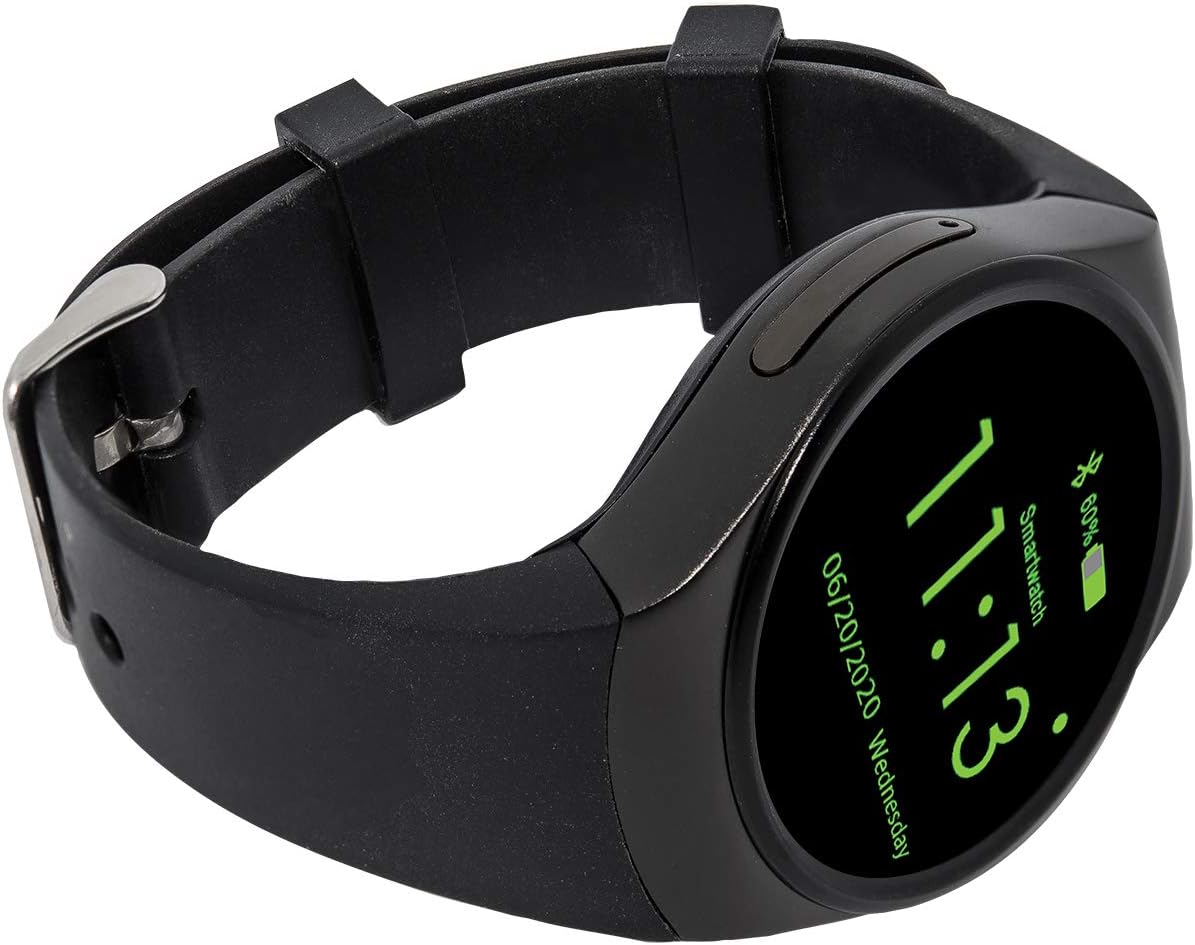
Image: The Mobo Smartwatch Move 2 showing the current time '11:13', date '06/20/2020 Wednesday', and battery status '60%' with a Bluetooth icon.
4. Maintenance
4.1 Charging
Recharge the smartwatch when the battery level is low. Use only the provided charging cable and magnetic charger. A full charge typically takes a few hours.
4.2 Cleaning
Wipe the smartwatch and strap with a soft, dry cloth. Avoid using harsh chemicals or abrasive materials. Do not submerge the watch in water unless explicitly stated as waterproof by the manufacturer.
4.3 Battery Care
To prolong battery life, avoid extreme temperatures. If the device will not be used for an extended period, charge it to about 50% before storing.
5. Troubleshooting
5.1 Short Battery Life
- Check Usage: Frequent use of features like calls, heart rate monitoring, and screen-on time can drain the battery faster.
- Adjust Settings: Reduce screen brightness, shorten screen timeout, and disable unnecessary notifications.
- Background Apps: Close any applications running in the background that are not in use.
- Charging: Ensure the watch is properly connected to the charger and receiving power.
5.2 Syncing Issues with Smartphone
- Bluetooth: Verify Bluetooth is enabled on both the smartwatch and smartphone.
- Proximity: Ensure the devices are within Bluetooth range.
- Restart Devices: Try restarting both the smartwatch and your smartphone.
- Companion App: Confirm the correct companion app is installed and running on your smartphone.
- Re-pair: Unpair the devices and attempt to pair them again.
5.3 Touchscreen Unresponsive
- Restart: Attempt to restart the smartwatch.
- Clean Screen: Ensure the screen is clean and free of moisture or debris.
- Physical Damage: If the screen has sustained physical impact, it may be damaged and require professional repair.
6. Specifications
| Brand | Mobo |
| Model | MBSW-2.0 |
| Compatible Devices | Smartphone, Tablet |
| Special Features | Camera (Remote), Notifications |
| Display Size | 1.3 Inches |
| Display Type | LCD |
| Average Battery Life | 24 Hours |
| Battery Capacity | 340 Milliamp Hours |
| Battery Composition | Lithium Polymer |
| Wireless Connection Type | Bluetooth |
| Connector Type | Bluetooth, Cellular |
| Human Interface Input | Touchscreen |
| Product Dimensions | 23 x 13 x 7 cm; 360 g |
| Color | Black |
7. Warranty and Support
Warranty information for the Mobo Smartwatch Move 2 MBSW-2.0 is typically provided with the product packaging or can be found on the official Mobo website. For technical support, troubleshooting assistance, or warranty claims, please refer to the contact information provided by Mobo or your retailer.


