
1. Introduction
Thank you for choosing the Fagor MWB-17A EG X Built-in Microwave. This manual provides essential information for the safe and efficient use of your appliance. Please read these instructions carefully before installation and operation, and keep them for future reference. Proper installation and adherence to safety guidelines are crucial for optimal performance and to prevent potential hazards.
2. Safety Instructions
Always follow basic safety precautions when using electrical appliances to reduce the risk of fire, electric shock, injury, or exposure to excessive microwave energy.
- Read all instructions before using the appliance.
- Do not operate the microwave oven when empty. This can damage the appliance.
- Do not heat sealed containers, as they may explode.
- Use only microwave-safe cookware. Metal containers or dishes with metallic trim are not suitable for microwave cooking.
- Supervise children closely when the appliance is in use. This appliance is not intended for use by persons with reduced physical, sensory or mental capabilities, or lack of experience and knowledge, unless they have been given supervision or instruction concerning use of the appliance by a person responsible for their safety.
- Do not attempt to service or repair the appliance yourself. Contact qualified service personnel.
- Ensure the power cord is not damaged. Do not immerse the cord, plug, or appliance in water or other liquid.
- Do not use the appliance for purposes other than its intended use.
- When using the grill function, be aware that surfaces can become very hot. Use oven mitts.
- Clean the microwave regularly to prevent grease buildup, which can be a fire hazard.
3. Product Overview
The Fagor MWB-17A EG X is a 17-liter built-in microwave oven with a grill function, designed for seamless integration into your kitchen cabinetry. It features a stainless steel interior for durability and easy cleaning.
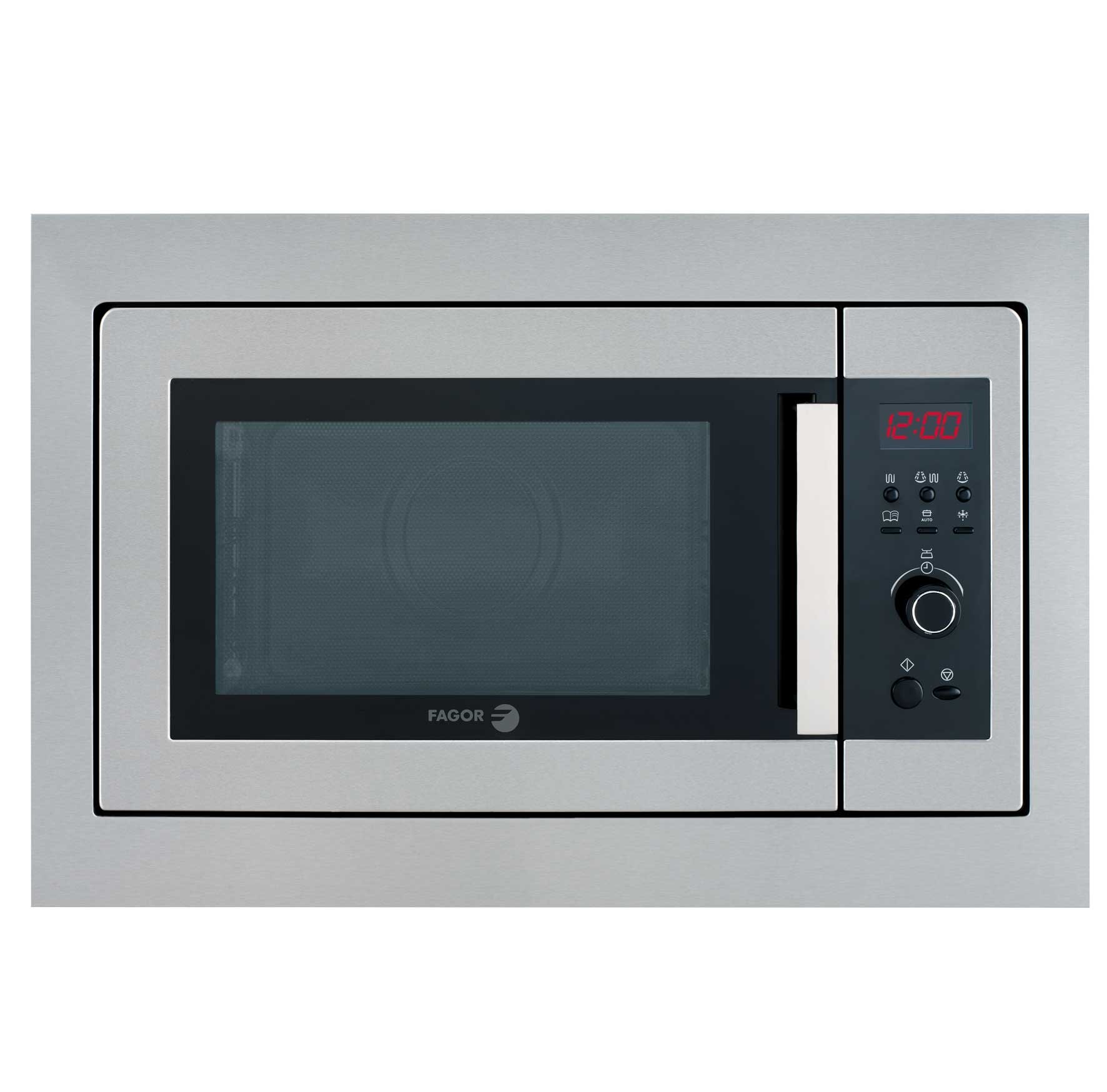
Figure 3.1: Front view of the Fagor MWB-17A EG X Built-in Microwave. This image shows the appliance's exterior, including the door and control panel, highlighting its stainless steel finish and integrated design.
3.1. Components
- Door: Equipped with a safety lock system.
- Control Panel: Features a display, function buttons, and a rotary dial for setting time and power.
- Turntable: Glass tray that rotates to ensure even cooking.
- Turntable Support: Ring that supports the glass turntable.
- Grill Element: Located at the top of the interior cavity for grilling functions.
- Interior Cavity: Made of stainless steel for easy cleaning and durability.
3.2. Control Panel
The control panel allows you to select cooking functions, set time, and adjust power levels. Refer to the markings on your appliance for specific button functions.
- Display: Shows cooking time, power level, and program indicators.
- Function Buttons: For selecting microwave, grill, combination, defrost, and automatic programs.
- Rotary Dial: Used to set cooking time, weight for defrosting, or adjust settings.
- Start/Pause Button: To begin or temporarily stop cooking.
- Stop/Cancel Button: To cancel a program or clear settings.
4. Setup and Installation
Proper installation is essential for the safe and efficient operation of your microwave oven. This model is designed for built-in installation.
4.1. Unpacking
- Remove all packaging materials from the microwave oven and its accessories.
- Check the appliance for any damage during transit. Do not operate if damaged.
- Ensure all accessories, including the turntable and support ring, are present.
4.2. Placement and Ventilation
- The microwave must be placed on a stable, level surface or installed into a suitable cabinet opening.
- Ensure adequate ventilation around the appliance. Do not block any ventilation openings.
- Maintain minimum clearances as specified in the installation diagram (refer to your separate installation guide for precise measurements).
4.3. Electrical Connection
- Connect the appliance to a properly grounded electrical outlet.
- The power supply must be 220-240 V, 50 Hz.
- Do not use extension cords or adapters.
4.4. Built-in Installation
The Fagor MWB-17A EG X comes with an integrated trim kit designed for installation into a 60 cm wide cabinet opening. Follow the instructions provided in the separate installation template for precise cabinet dimensions and mounting procedures. Ensure the appliance is securely fastened and level within the cabinet.
5. Operating Instructions
This section details how to use the various functions of your Fagor microwave oven.
5.1. Setting the Clock
- When the microwave is first plugged in, the display will show "0:00".
- Press the clock button (if available, or refer to specific model instructions).
- Use the rotary dial to set the hour, then press the clock button again.
- Use the rotary dial to set the minutes, then press the clock button to confirm.
5.2. Microwave Cooking
To cook with microwave power:
- Place food in a microwave-safe dish on the turntable.
- Close the door securely.
- Press the Microwave function button.
- Use the rotary dial to select the desired power level (e.g., P100 for 700W, P80, P60, P40, P20 for lower power). The microwave has 5 power levels.
- Use the rotary dial to set the cooking time (up to 60 minutes).
- Press the Start button to begin cooking.
5.3. Grill Cooking
The 1000W Quartz Ultrarapid Grill is ideal for browning and crisping food.
- Place food on the grill rack (if provided) or a heat-resistant dish.
- Close the door.
- Press the Grill function button.
- Use the rotary dial to set the grilling time.
- Press the Start button.
Caution: The interior and grill element become very hot during grill operation. Use caution when removing food.
5.4. Combination Cooking (Microwave + Grill / Microwave + Turbo Heat)
For faster cooking with browning, use combination modes.
- Place food in a microwave and grill-safe dish.
- Close the door.
- Press the Combination function button (or cycle through modes until desired combination appears).
- Use the rotary dial to set the cooking time.
- Press the Start button.
5.5. Defrost Function
The defrost function allows you to thaw food by weight or time.
- Place frozen food in a microwave-safe dish.
- Press the Defrost function button.
- Use the rotary dial to select defrost by weight or time, and adjust the value accordingly.
- Press the Start button.
5.6. Automatic Programs
The microwave features a range of automatic programs for common food items. These programs automatically set the optimal cooking time and power level.
- Press the Auto Program button.
- Use the rotary dial to select the desired program (e.g., Popcorn, Potato, Pizza).
- Confirm the weight or quantity if prompted.
- Press the Start button.
5.7. Child Lock
The child lock prevents accidental operation of the microwave.
- To activate: Press and hold the Stop/Cancel button for approximately 3 seconds until a lock indicator appears on the display.
- To deactivate: Press and hold the Stop/Cancel button again for approximately 3 seconds until the lock indicator disappears.
5.8. Reheat Function
The reheat function is designed to quickly warm up pre-cooked food.
- Place food in a microwave-safe dish.
- Press the Reheat button (if dedicated, or select from auto programs).
- Adjust quantity if prompted.
- Press the Start button.
6. Maintenance and Cleaning
Regular cleaning and maintenance will ensure the longevity and optimal performance of your microwave oven.
6.1. Cleaning the Interior
- Always unplug the appliance before cleaning.
- Wipe the interior cavity, especially the stainless steel surfaces, with a damp cloth and mild detergent after each use.
- For stubborn food splatters, place a bowl of water with lemon juice inside and microwave on high for a few minutes to loosen residue, then wipe clean.
- Do not use abrasive cleaners, steel wool, or harsh chemicals, as these can damage the stainless steel finish.
6.2. Cleaning the Exterior
- Clean the exterior surfaces with a soft, damp cloth.
- Avoid getting water into ventilation openings.
6.3. Cleaning the Turntable and Support
- The glass turntable and its support ring can be removed for cleaning.
- Wash them in warm, soapy water or in the dishwasher.
- Ensure they are completely dry before placing them back in the microwave.
7. Troubleshooting
If you encounter problems with your microwave, consult the following table before contacting service.
| Problem | Possible Cause | Solution |
|---|---|---|
| Microwave does not start. | Door not closed properly; Power cord unplugged; Child lock activated; Fuse blown. | Ensure door is firmly closed; Check power plug; Deactivate child lock; Check household fuse/circuit breaker. |
| Food not heating. | Incorrect power level set; Cooking time too short; Microwave-safe dish not used. | Increase power level or cooking time; Ensure cookware is microwave-safe. |
| Turntable not rotating. | Turntable not correctly placed; Debris under turntable support. | Reposition turntable and support; Clean under the turntable. |
| Display shows an error code. | Internal malfunction. | Unplug the microwave for a few minutes, then plug it back in. If the error persists, contact customer support. |
If the problem persists after attempting these solutions, please contact Fagor customer support for assistance.
8. Specifications
| Model: | MWB-17A EG X |
| Capacity: | 17 Liters |
| Microwave Power: | 700 W |
| Grill Power: | 1000 W (Quartz Ultrarapid) |
| Power Levels: | 5 |
| Timer: | 60 minutes |
| Interior Material: | Stainless Steel |
| Voltage: | 220-240 V |
| Frequency: | 50 Hz |
| External Dimensions (W x H x D): | 592 x 390 x 330 mm |
| Interior Dimensions (W x H x D): | 280 x 205 x 280 mm |
| Installation Type: | Built-in (with integrated trim kit for 60 cm cabinet) |
| Key Features: | Child Lock, Reheat Function, Automatic Programs, Defrost by weight/time, Combination cooking (Microwave+Grill, Microwave+Turbo Heat) |
9. Warranty and Support
Fagor products are manufactured to high-quality standards and are guaranteed against manufacturing defects. Please refer to the warranty card included with your purchase for specific terms and conditions, including the warranty period and coverage details.
For technical assistance, spare parts, or to report a fault, please contact Fagor customer support. Have your model number (MWB-17A EG X) and purchase date ready when contacting support.
You can find contact information for Fagor customer service on the official Fagor website or in your product documentation.


