
Introduction
This manual provides essential information for the safe and efficient operation of your QSC KW181 18-inch 1000 Watt Active PA Subwoofer. Please read this manual thoroughly before using the product to ensure proper setup, operation, and maintenance. Retain this manual for future reference.
The QSC KW181 is a high-performance active subwoofer designed to deliver powerful low-frequency reinforcement for various audio applications, including live sound, DJ setups, and installed systems. It features an 18-inch woofer powered by a 1000-watt Class D amplifier, housed in a durable birch plywood enclosure.
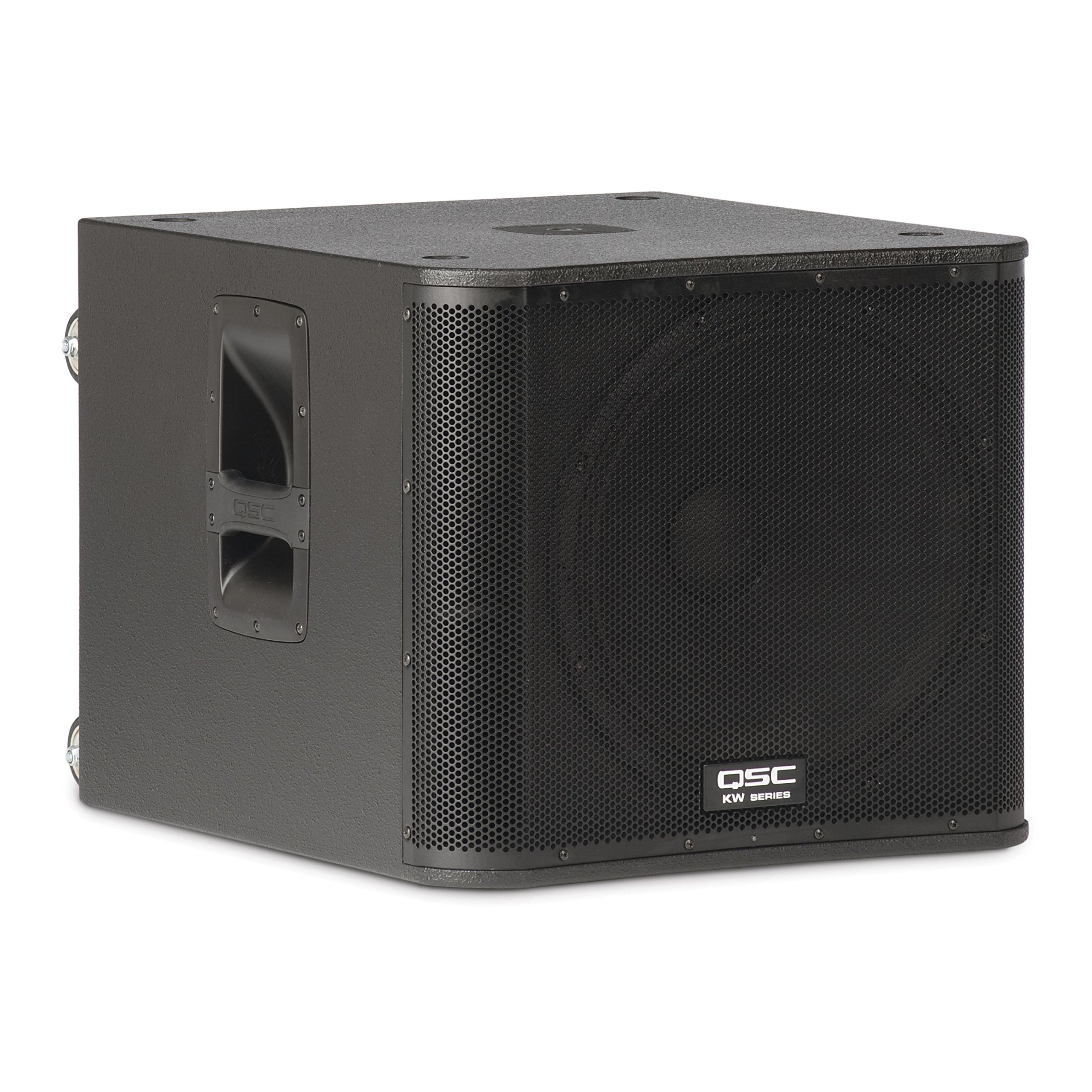
Figure 1: Front view of the QSC KW181 Subwoofer, showcasing its protective grille and robust design.
Safety Information
WARNING: To prevent fire or electric shock, do not expose this appliance to rain or moisture. Do not remove the cover. No user-serviceable parts inside. Refer servicing to qualified service personnel.
- Power Source: Connect the unit only to an AC power outlet of the specified voltage. Ensure the power cord is not damaged or pinched.
- Ventilation: Ensure adequate ventilation around the subwoofer. Do not block ventilation openings. Maintain a minimum distance of 6 inches (15 cm) from walls or other objects to allow proper airflow.
- Moisture: Do not expose the unit to dripping or splashing liquids. Do not place objects filled with liquids, such as vases, on the apparatus.
- Heat: Do not place the unit near heat sources such as radiators, heat registers, stoves, or other apparatus (including amplifiers) that produce heat.
- Cleaning: Unplug the unit from the wall outlet before cleaning. Use a dry cloth for cleaning.
- Mounting: When using the integrated pole-mounting cup, ensure the pole and satellite speaker are securely seated and stable.
Package Contents
The QSC KW181 Subwoofer package typically includes the following items:
- QSC KW181 Active PA Subwoofer
- Power Cord
- Fixed-length, M20 threaded speaker pole
- Pole-mounting cup (integrated into the subwoofer)
- Speaker Grills (pre-installed)
- User Manual (this document)
Product Overview
Key Features
- 1000-watt (2 x 500-watt Class D amplifiers) continuous output, 2000 watts peak power.
- 18-inch high-excursion woofer.
- Frequency Response (-6 dB): 40 Hz to 112 Hz.
- Rugged birch plywood enclosure with textured black paint for durability.
- Integrated M20 threaded pole-mounting cup for satellite speakers.
- Built-in casters and ergonomic handles for easy transport.
Rear Panel Controls and Connections

Figure 2: Rear panel of the KW181, illustrating the various controls and connection points.

Figure 3: Detailed view of the KW181 rear panel, highlighting the input/output section and control switches.
- MODE Switch: Selects between 'NORMAL' and 'DEEP' modes. 'DEEP' mode provides enhanced low-frequency extension.
- POLARITY Switch: Toggles between 'NORMAL' and 'REVERSE' polarity. Use to align the subwoofer's phase with other speakers in the system.
- FRONT LED Switch: Controls the behavior of the front-panel LED indicator. Options typically include 'PWR' (power on), 'LIMIT' (indicates signal limiting), and 'OFF'.
- REMOTE GAIN Connector: For connecting an external remote gain control device (not included).
- LINE IN A / LINE IN B: Combo XLR/TRS input jacks for connecting audio sources.
- LINE OUT A / LINE OUT B: XLR output jacks for sending the processed signal to other speakers or subwoofers.
- SIGNAL LED: Illuminates when an audio signal is present at the inputs.
- GAIN Knob: Adjusts the input sensitivity and overall output level of the subwoofer.
- AC INLET: Power input connector for the supplied AC power cord.
- POWER Switch: Turns the subwoofer power ON or OFF.
Setup
Placement
- Position the subwoofer on a stable, flat surface. The KW181 is designed for floor standing operation.
- Utilize the integrated casters for easy positioning, then ensure they are locked or the subwoofer is stable during operation.
- For optimal bass response, consider placing the subwoofer near a wall or in a corner, but ensure proper ventilation as described in the Safety Information.
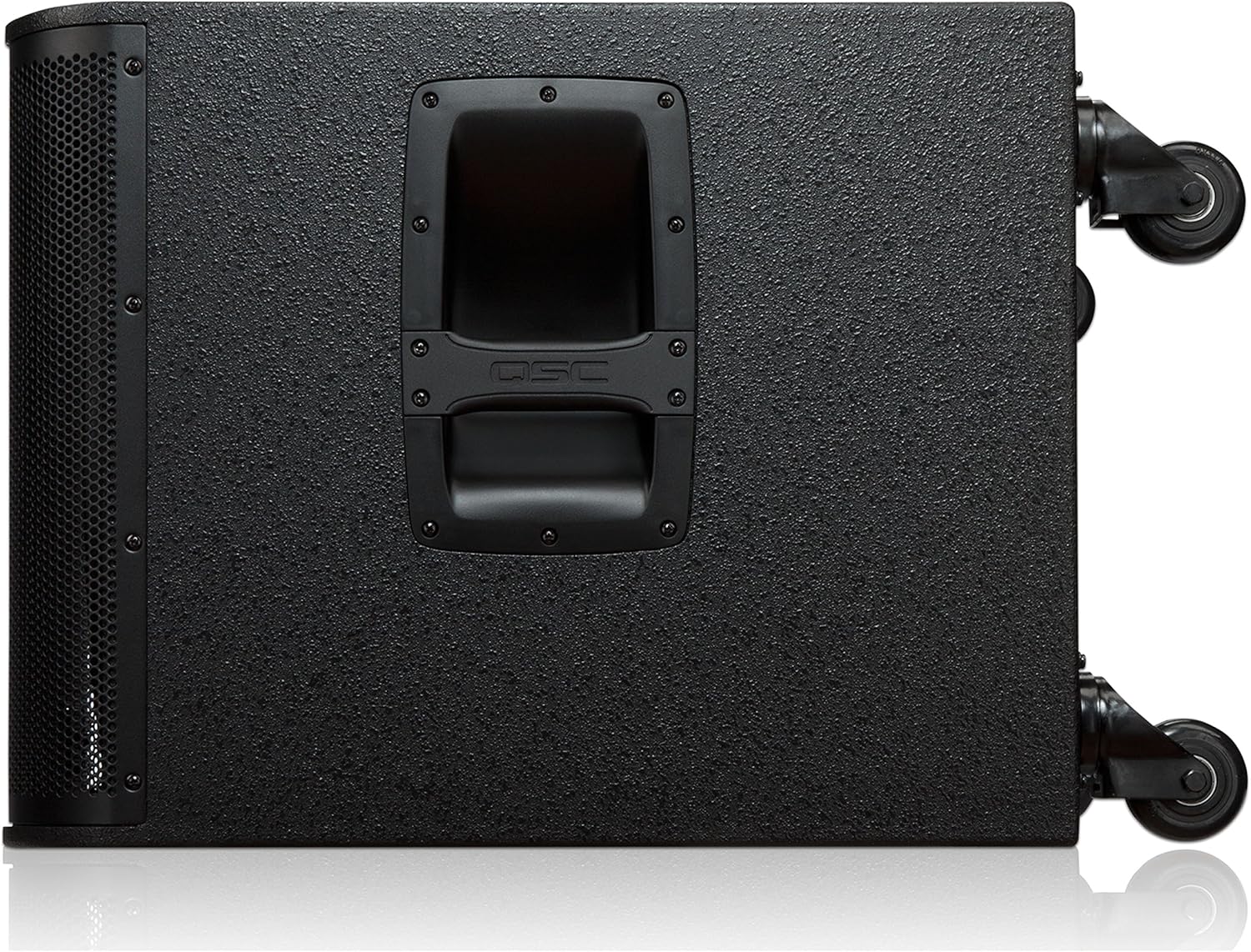
Figure 4: Side view of the KW181, illustrating the handles and casters for transport and positioning.
Audio Connections
- Input Connection: Connect your audio source (e.g., mixer, audio interface) to the LINE IN A and/or LINE IN B combo XLR/TRS jacks on the rear panel using appropriate cables.
- Output Connection (Optional): If you are connecting additional full-range speakers or another subwoofer, use the LINE OUT A and LINE OUT B XLR jacks to send the signal. These outputs typically provide a high-pass filtered signal for satellite speakers, allowing them to focus on mid and high frequencies.
Power Connection
- Ensure the POWER switch on the rear panel is in the 'OFF' position.
- Connect the supplied AC power cord to the AC INLET on the subwoofer and then to a suitable grounded electrical outlet.
Using the Speaker Pole
The KW181 includes an M20 threaded pole-mounting cup. To mount a full-range speaker on top of the subwoofer:
- Screw the fixed-length M20 threaded speaker pole into the pole-mounting cup on the top of the KW181.
- Carefully place your compatible full-range speaker onto the top of the speaker pole. Ensure the speaker is stable and securely seated.
Operating
Powering On/Off
- To Power On: After all connections are made, flip the POWER switch on the rear panel to the 'ON' position. The front LED (if enabled) will illuminate.
- To Power Off: Flip the POWER switch to the 'OFF' position. It is recommended to power off the subwoofer after all other audio equipment in your system.
Adjusting Controls
- GAIN: Start with the GAIN knob at its minimum setting. Gradually increase the GAIN to achieve the desired subwoofer output level in relation to your main speakers. Monitor the SIGNAL LED to ensure a healthy input signal and avoid clipping.
- MODE (NORMAL/DEEP): Experiment with the 'NORMAL' and 'DEEP' modes to find the best low-frequency response for your application and room acoustics. 'DEEP' mode provides extended bass but may reduce maximum output.
- POLARITY (NORMAL/REVERSE): Adjust the POLARITY switch to 'NORMAL' or 'REVERSE' to achieve the most coherent bass response when combined with other speakers. Listen for the fullest, most impactful bass.
- FRONT LED: Set the FRONT LED switch to your preference. 'PWR' indicates the unit is powered on, 'LIMIT' indicates the internal limiter is active (suggesting the signal is too hot), and 'OFF' disables the LED.
Maintenance
- Cleaning: Regularly wipe the exterior of the subwoofer with a soft, dry cloth. For stubborn dirt, a slightly damp cloth can be used, followed by a dry cloth. Do not use abrasive cleaners or solvents.
- Ventilation: Periodically check that the ventilation openings are clear of dust and debris. Use a soft brush or vacuum cleaner to remove any blockages.
- Storage: If storing the subwoofer for an extended period, ensure it is in a dry, temperature-controlled environment. Consider using a protective cover (like the one shown in Figure 5) to prevent dust accumulation and minor damage.

Figure 5: The QSC KW181 subwoofer with an optional protective cover, ideal for storage and transport.
Troubleshooting
If you encounter issues with your QSC KW181 subwoofer, refer to the following common troubleshooting steps:
- No Power:
- Ensure the power cord is securely connected to both the subwoofer and a working electrical outlet.
- Check the power switch on the rear panel is in the 'ON' position.
- Verify the electrical outlet is functional by plugging in another device.
- No Sound:
- Confirm the subwoofer is powered on and the front LED (if enabled) is lit.
- Check that audio cables are securely connected to the LINE IN jacks on the subwoofer and to your audio source.
- Ensure the GAIN knob is not set to minimum.
- Verify that your audio source is sending a signal and its volume is turned up.
- Check the SIGNAL LED on the rear panel; if it's not lighting up, there's no input signal.
- Distorted Sound / Limiter LED On:
- If the front LED is set to 'LIMIT' and is frequently illuminating, the input signal is too strong or the subwoofer is being overdriven.
- Reduce the GAIN knob on the subwoofer.
- Lower the output level from your audio source.
- Ensure the audio cables are not damaged.
- Weak Bass / Phase Issues:
- Experiment with the POLARITY switch (NORMAL/REVERSE) to find the setting that provides the most impactful bass when combined with your main speakers.
- Adjust the MODE switch (NORMAL/DEEP) to suit your preference and room acoustics.
- Consider repositioning the subwoofer.
Specifications
| Feature | Specification |
|---|---|
| Model Name | KW181 |
| Brand | QSC |
| Speaker Type | Active PA Subwoofer |
| Woofer Diameter | 18 Inches |
| Maximum Speaker Power Output | 1000 Watts (Continuous), 2000 Watts (Peak) |
| Frequency Response (-6 dB) | 40 Hz to 112 Hz |
| Frequency Response (General) | 38 Hz |
| Signal-to-Noise Ratio | 100 dB |
| Audio Output Mode | Stereo |
| Mounting Type | Floor Standing |
| Enclosure Material | Birch Wood |
| Power Source | Corded Electric |
| Item Weight | 117.25 Pounds |
| Connectivity Technology | Wired (Audio), Bluetooth (Control, if applicable) |
| Control Method | Remote Control |
| UPC | 684284059819, 684284057839 |
Warranty Information
The QSC KW181 Subwoofer comes with a Limited Warranty. For specific terms, conditions, and duration of the warranty, please refer to the warranty card included with your product or visit the official QSC website. Keep your proof of purchase for warranty claims.
Support
For technical assistance, service, or further information regarding your QSC KW181 Subwoofer, please contact QSC customer support. You can find contact details and additional resources on the official QSC website:
When contacting support, please have your product model number (KW181) and serial number ready.


