
1. Introduction
This manual provides instructions for the proper installation and use of the ECLIPSE KW-1290 Honda Car Genuine Radio Antenna Conversion Cord. This product is designed to enable the connection of an ECLIPSE navigation system to a Honda vehicle's genuine radio antenna.
2. Safety Information
Please read all safety instructions before installation. Improper installation can lead to damage to the product, vehicle, or personal injury.
- Ensure the vehicle's ignition is off and the battery is disconnected before beginning installation to prevent electrical shorts.
- Wear appropriate safety gear, such as gloves and eye protection, if necessary.
- If you are unsure about any part of the installation process, consult a qualified professional.
- Do not modify the product or use it for purposes other than its intended use.
3. Package Contents
Verify that all items are present in the package:
- ECLIPSE KW-1290 Honda Car Radio Antenna Conversion Cord (1 unit)
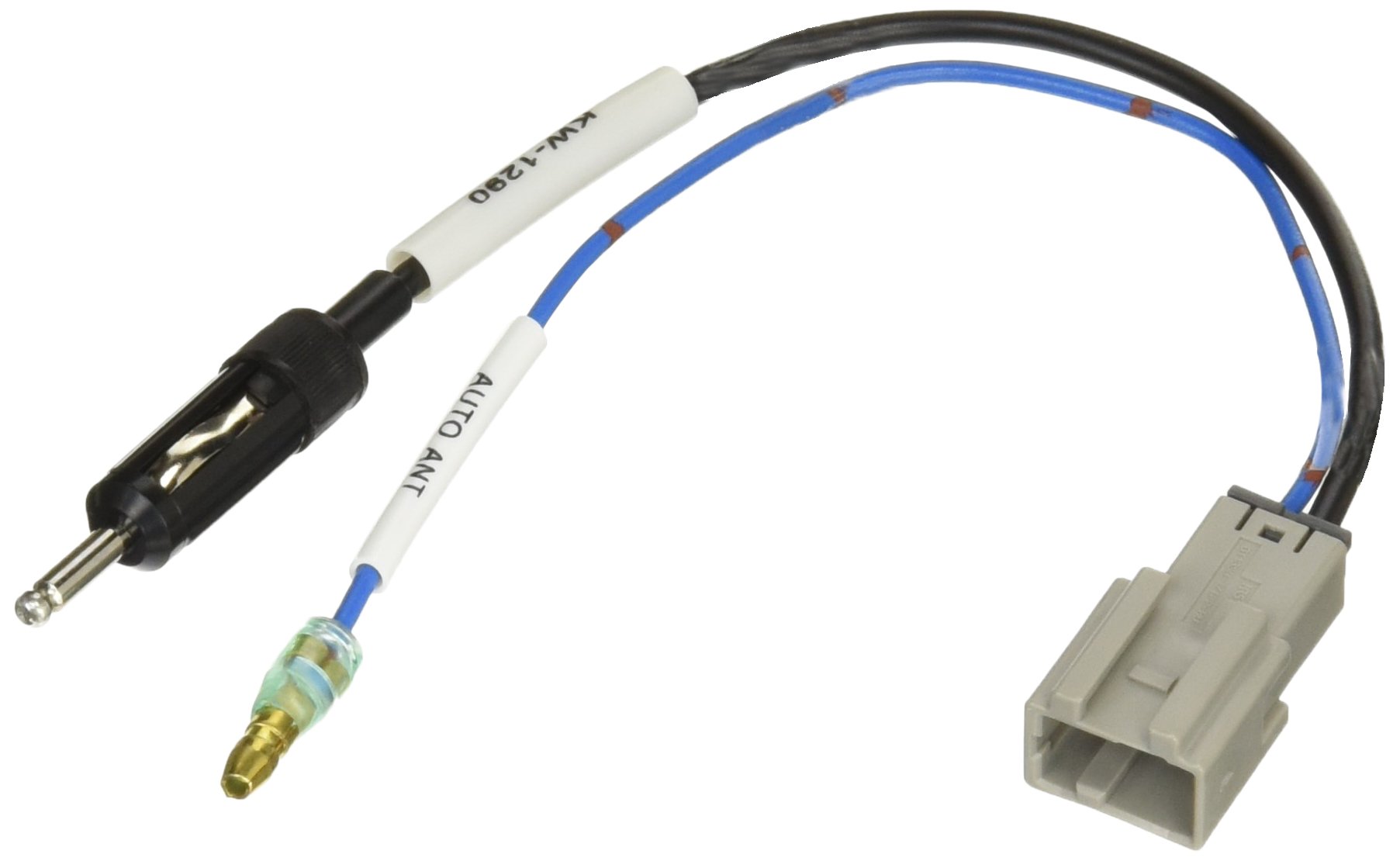
Image 1: The ECLIPSE KW-1290 Honda Car Radio Antenna Conversion Cord. This image shows the conversion cord with a gray multi-pin connector on one end and two separate wires terminating in a male antenna plug and a smaller signal wire on the other end.
4. Installation Instructions
Follow these steps to install the conversion cord:
- Prepare the Vehicle: Ensure the vehicle is turned off and the negative terminal of the car battery is disconnected to prevent electrical hazards.
- Access Antenna Connection: Locate the genuine radio antenna connection point in your Honda vehicle. This is typically behind the car's head unit or dashboard. Refer to your vehicle's service manual for exact location.
- Connect to Vehicle Antenna: Connect the appropriate end of the KW-1290 conversion cord (the end designed for the Honda vehicle's genuine antenna) to the vehicle's antenna port. Ensure a secure and snug fit.
- Connect to ECLIPSE Navigation: Connect the other end of the KW-1290 conversion cord (the end with the male antenna plug) to the antenna input port on your ECLIPSE navigation system.
- Secure Connections: Ensure all connections are firm and free from strain. Route the cable safely to avoid pinching or damage.
- Reconnect Battery: Once all connections are made and secured, reconnect the negative terminal of the car battery.
- Test Functionality: Turn on the vehicle and the ECLIPSE navigation system. Test the radio reception to confirm proper installation.
5. Operation
The ECLIPSE KW-1290 is a passive conversion cord and does not require any specific operational steps. Once correctly installed, it facilitates the radio antenna signal transfer between your Honda vehicle's genuine antenna and the ECLIPSE navigation system. Radio operation is then controlled directly through your ECLIPSE navigation unit.
6. Maintenance
The KW-1290 conversion cord requires minimal maintenance. To ensure longevity and optimal performance:
- Avoid bending or kinking the cable sharply.
- Ensure connections remain secure over time. Periodically check for loose connections if experiencing signal issues.
- Keep the cable free from excessive heat, moisture, and corrosive substances.
7. Troubleshooting
If you experience issues after installing the KW-1290 conversion cord, consider the following:
| Problem | Possible Cause | Solution |
|---|---|---|
| Poor radio reception | Loose connection; Damaged cable; Incorrect connection | Check all connections for tightness. Inspect the cable for visible damage. Ensure the cord is connected to the correct ports on both the vehicle and the navigation unit. |
| No radio signal | Completely disconnected cable; Faulty navigation unit antenna input | Verify that the conversion cord is fully plugged into both the vehicle's antenna and the navigation unit. Test the navigation unit with a known working antenna if possible. |
8. Specifications
| Feature | Detail |
|---|---|
| Brand | ECLIPSE |
| Model Number | KW-1290 |
| Compatible Device | Navigation Systems |
| Compatible Item | Honda Car Genuine Radio Antenna |
| Connector Type | Male-Female |
| Unit Count | 1.0 Unit |
| Number of Items | 1 |
| Included Components | None |
9. Warranty and Support
For warranty information and customer support, please refer to the documentation provided with your ECLIPSE navigation system or contact ECLIPSE customer service directly. Keep your purchase receipt as proof of purchase for warranty claims.
