
1. Introduction
This manual provides essential information for the safe and effective use of the Fluke 1550C Insulation Resistance Tester. The Fluke 1550C is a digital insulation tester designed for high-voltage equipment, including switchgear, motors, generators, and cables. It offers insulation testing up to 10 kV and includes features such as measurement storage and a PC interface.
Key features include:
- Selectable test voltages in 50 V steps from 250 to 1000 V, and 100 V steps above 1000 V.
- Measurement storage for up to 99 locations with user-defined labels.
- Automatic calculation of Dielectric Absorption (DAR) and Polarization Index (PI).
- Capacitance and leakage current measurement capabilities.
- Guard system to eliminate surface leakage effects on high-resistance measurements.
- Large digital/analog LCD for clear viewing.
- Timer for timed tests up to 99 minutes.
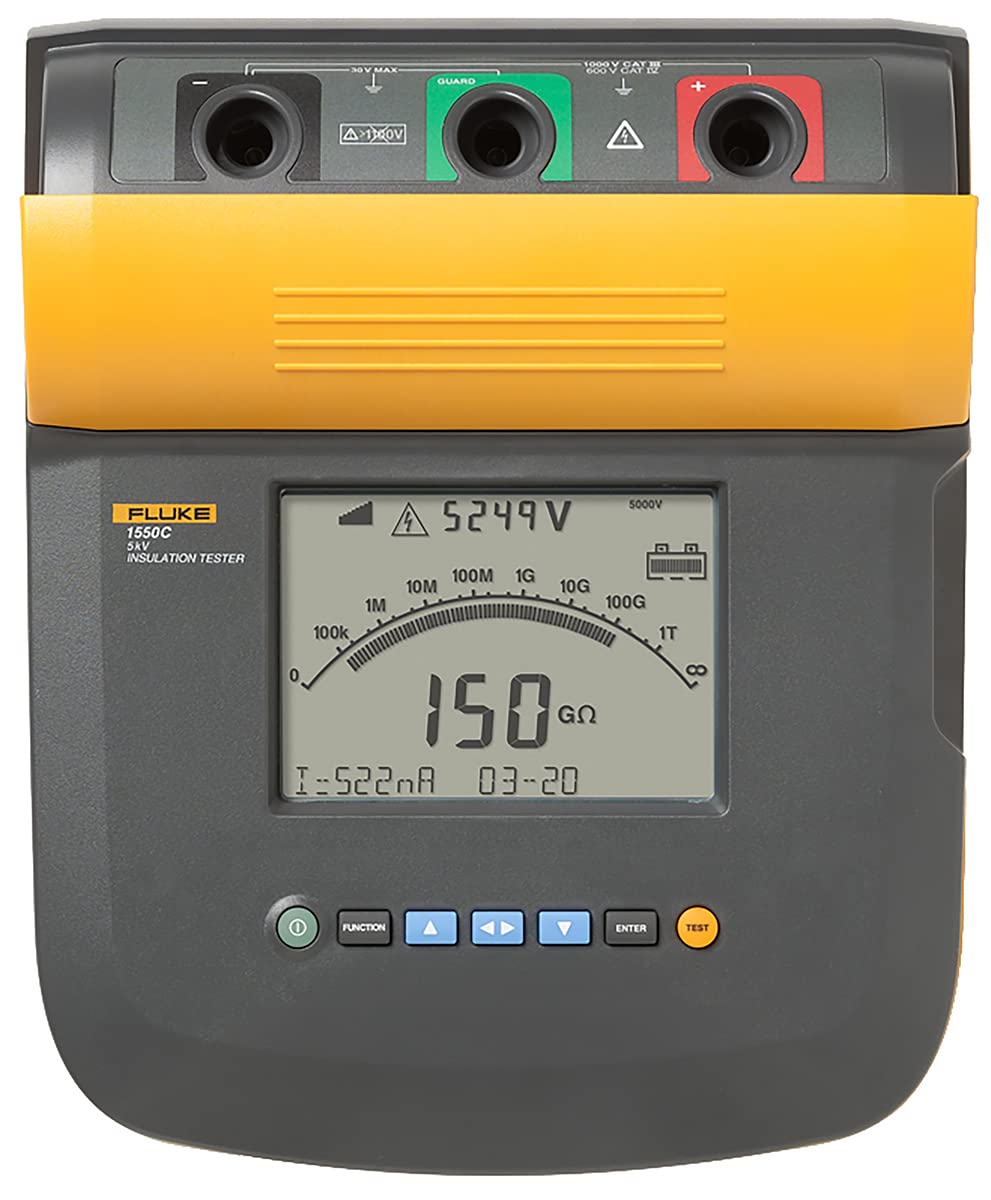
Image of the Fluke 1550C Insulation Resistance Tester, showing its robust design and clear digital/analog display.
2. Safety Information
The Fluke 1550C is rated CAT IV 600 V, ensuring high safety standards for industrial environments. Always adhere to local and national safety codes.
- Voltage Breakdown Detection: The tester includes a voltage breakdown detection feature that alerts the user to the presence of voltage and displays readings up to 600 V AC or DC, enhancing user safety.
- Personal Protective Equipment (PPE): Always wear appropriate PPE, including insulated gloves and safety glasses, when working with high voltage.
- Inspect Leads: Before each use, inspect test leads for damage. Do not use damaged leads.
- Environmental Conditions: Use the tester within its specified operating temperature and humidity ranges.
3. Setup
Before operating the Fluke 1550C, ensure it is properly prepared for use.
- Battery Charging: Ensure the internal battery is fully charged. The tester provides long battery life, allowing over 750 tests between charges. Refer to the charging indicator on the display.
- Connecting Test Leads: Connect the appropriate test leads to the tester's terminals. Ensure connections are secure.
- Power On: Press the power button to turn on the device. The LCD will illuminate, displaying the initial screen.
- Self-Test: Allow the device to complete any self-test routines before proceeding with measurements.
4. Operating Instructions
Follow these steps for accurate insulation resistance measurements.
- Select Test Voltage: Use the voltage selection controls to choose the desired test voltage. The Fluke 1550C offers selectable test voltages in 50 V steps from 250 V to 1000 V, and in 100 V steps above 1000 V, up to 5 kV.
- Connect to Device Under Test (DUT): Connect the test leads to the DUT according to the specific test procedure. Ensure proper grounding and isolation.
- Perform Measurement: Initiate the test. The tester will apply the selected voltage and measure the insulation resistance. The large digital/analog LCD provides real-time readings.
- Automatic Calculations: The device automatically calculates Dielectric Absorption Ratio (DAR) and Polarization Index (PI) without additional setup.
- Timed Tests: For timed tests, set the timer for up to 99 minutes. The tester will automatically stop the test after the set duration.
- Measurement Storage: To save a measurement, use the memory function. Measurements can be stored in up to 99 memory locations, each assignable with a unique, user-defined label for easy recall.
- PC Interface: Utilize the PC interface for downloading stored measurements and further analysis.
5. Maintenance
Proper maintenance ensures the longevity and accuracy of your Fluke 1550C.
- Cleaning: Clean the tester's casing with a damp cloth and mild detergent. Do not use abrasive cleaners or solvents.
- Battery Care: Recharge the battery regularly, especially if the device will be stored for an extended period. Avoid fully discharging the battery frequently.
- Storage: Store the tester in a dry, dust-free environment within the specified temperature range.
- Calibration: Regular calibration by authorized service centers is recommended to maintain measurement accuracy.
6. Troubleshooting
If you encounter issues with your Fluke 1550C, consider the following common solutions.
- No Power: Check battery charge level. Ensure the power button is fully pressed.
- Inaccurate Readings: Verify test lead connections. Ensure the DUT is properly isolated and grounded. Check for external interference. Consider if calibration is due.
- Display Issues: If the display is dim or unresponsive, try recharging the battery. If the issue persists, contact support.
- Voltage Present Warning: If the voltage breakdown detection activates, ensure the circuit is de-energized before proceeding with insulation testing. This is a safety feature, not a malfunction.
7. Specifications
| Specification | Detail |
|---|---|
| Brand | Fluke |
| Model | 1550C |
| Item Weight | 15.38 Pounds |
| Minimum Operating Voltage | 250 Volts |
| Upper Temperature Rating | 50 Degrees Celsius |
| Measurement Type | Ohmmeter, Capacitance Meter, Leakage Current Meter |
| Item Dimensions (L x W x H) | 13 x 9.5 x 6.7 inches |
| Package Weight | 16 Pounds |
| Unit Count | 1.0 Count |
| Specification Met | EN 61326, CAT IV 600 V |
| Included Components | 5KV INSULATION TESTER |
| UPC | 095969550918 |
8. Warranty and Support
The Fluke 1550C Insulation Resistance Tester comes with a 3-year warranty, covering defects in materials and workmanship under normal use.
For technical support, service, or warranty claims, please contact Fluke customer service. Refer to the official Fluke website for the most current contact information and support resources.


