
Introduction
This manual provides instructions for the proper use and care of your Avery 05504 Slant Ring View Binder. This binder is designed for organizing documents up to 2 inches thick, offering durability and ease of use for everyday applications.
Key Features
- DuraHinge Design: Engineered for enhanced strength and longevity, resisting tearing even with frequent use.
- DuraEdge Feature: Provides increased flexibility along the edges, reducing the likelihood of splitting.
- Nonstick Material: The binder's material prevents ink or toner from lifting off printed pages, preserving document quality.
- Clear Interior Pockets: Four transparent pockets offer additional storage for loose papers, notes, or unpunched documents.
- Wider Panels: Front and back panels are designed to fully cover standard dividers and sheet protectors, ensuring a neat appearance.
- Slant Rings: The slant ring mechanism allows for a higher page capacity compared to traditional round rings of the same size.
- Back-Mounted Rings: Rings are mounted on the back cover, allowing pages to lie flat when the binder is open for easier viewing and writing.

Figure 1: Illustration highlighting the DuraEdge and DuraHinge construction, designed for durability and resistance to splitting and tearing.

Figure 2: Visual representation of the 2-inch slant ring capacity, capable of holding approximately 500 sheets of standard paper.
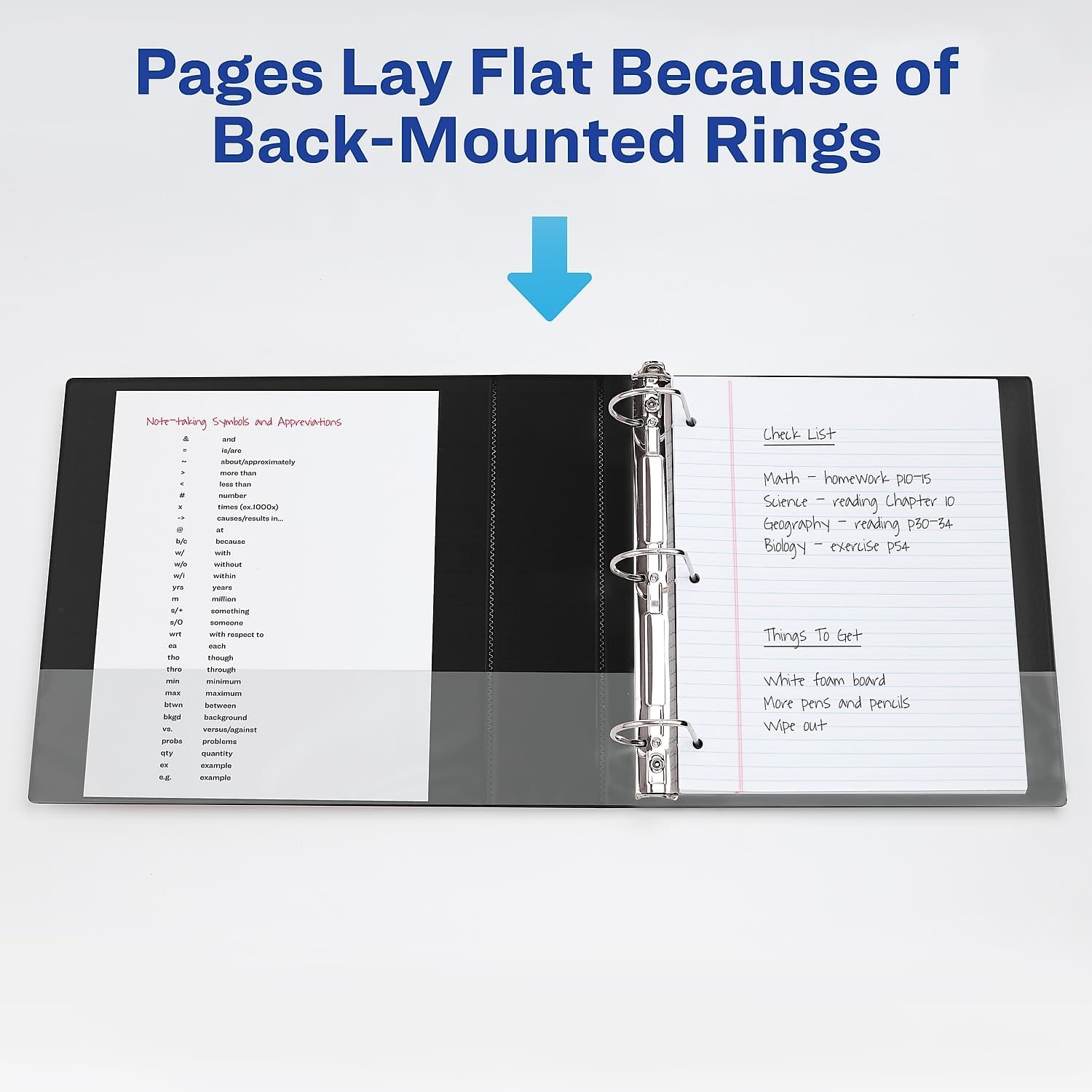
Figure 3: An open binder demonstrating how back-mounted rings allow pages to lie completely flat, improving readability and ease of writing.
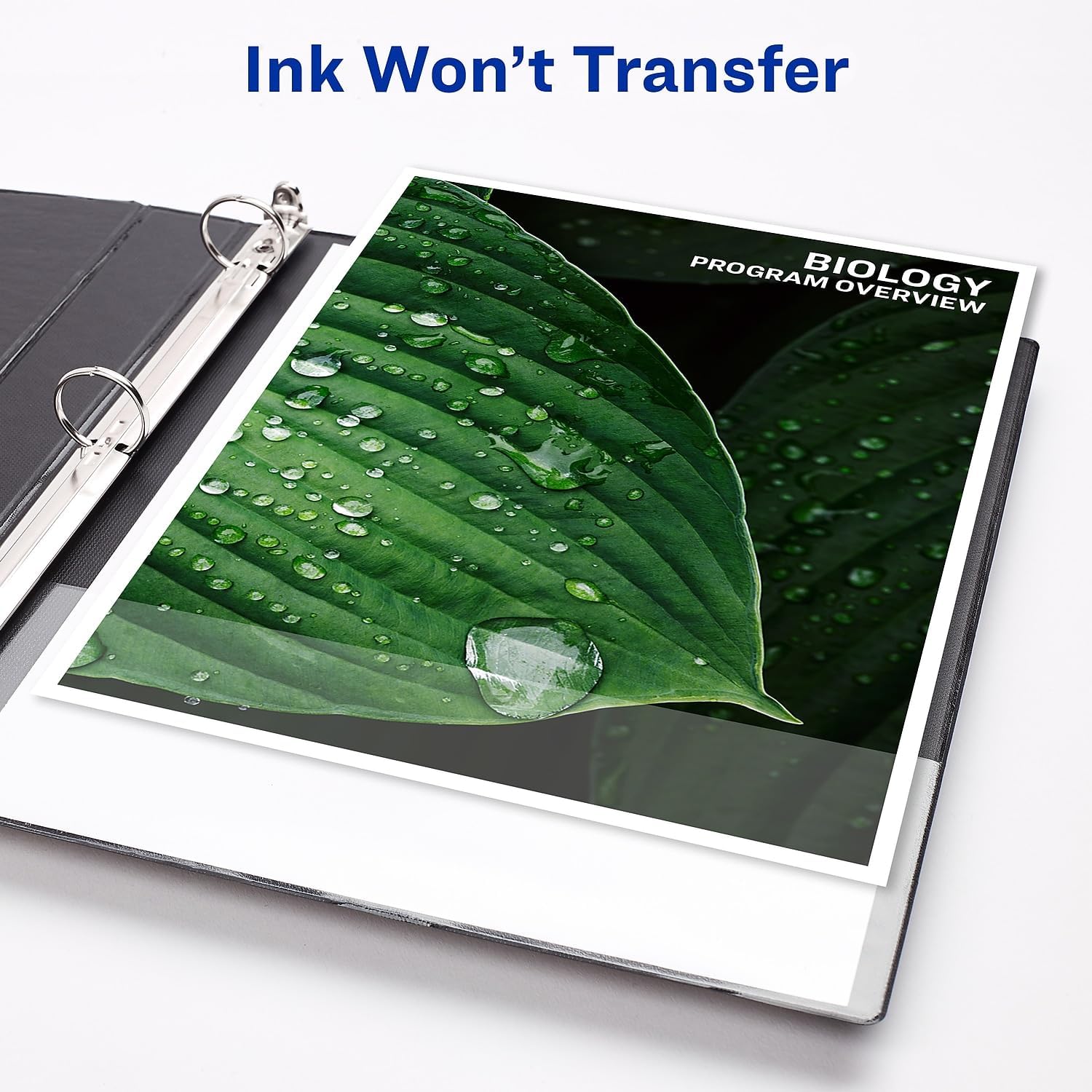
Figure 4: Image showing a document inside the binder, illustrating the nonstick material that prevents ink and toner transfer.
Setup and Customization
- Opening the Rings: Locate the lever at the bottom of the ring mechanism. Press the lever to open the rings.
- Inserting Documents: Align punched documents with the open rings. Gently close the rings by pressing them together until they click securely.
- Using Interior Pockets: Utilize the four clear interior pockets for storing unpunched papers, CDs, or other small items.
- Customizing the Cover: The clear overlay on the front, back, and spine allows for customization. Insert printed title pages, spine labels, or other decorative elements. Templates for customization are available at Avery Design & Print Online.

Figure 5: An open Avery binder showcasing a customized front cover and spine, demonstrating the view binder feature.

Figure 6: Close-up view of the slant ring mechanism, illustrating the design that facilitates easy page insertion and removal.
Operating the Binder
The Avery 05504 binder is designed for straightforward operation. To add or remove pages, simply press the lever at the base of the ring mechanism to open the rings. Once documents are in place, press the rings firmly until they lock into a closed position. The back-mounted rings ensure that your documents lay flat, providing an optimal surface for reading or writing.
Maintenance
- Cleaning: To clean the binder, wipe the exterior and interior surfaces with a soft, damp cloth. Avoid using harsh chemicals or abrasive cleaners, as these may damage the nonstick material or the binder's finish.
- Storage: Store the binder in a cool, dry place away from direct sunlight to prevent material degradation over time.
- Ring Care: Ensure the rings are always fully closed when not in use to maintain their alignment and functionality. Avoid overfilling the binder beyond its stated capacity to prevent stress on the ring mechanism.
Troubleshooting
- Rings Not Closing Properly: If the rings do not close completely, check for any obstructions between the rings. Ensure the binder is not overfilled. Gently press the rings together until they click.
- Pages Tearing at Holes: This can occur if the binder is overfilled or if pages are frequently removed and reinserted without proper care. Consider using reinforced hole protectors or reducing the number of pages.
Specifications
| Feature | Detail |
|---|---|
| Model Number | 05504 |
| Brand | Avery |
| Ring Type | Slant Ring, Back-Mounted |
| Capacity | 2 Inches (approx. 500 sheets) |
| Product Dimensions | 11"L x 8.5"W (for document size) |
| Item Weight | 0.01 ounces (approximate) |
| Material | Nonstick, DuraHinge, DuraEdge |
| Color | White |
Warranty and Support
For product support, warranty information, or to provide feedback, please visit the official Avery website or contact Avery customer service. Specific warranty details may vary and are typically provided with the product packaging or on the manufacturer's website.
Official Avery Website: www.avery.com