
Fujifilm X100
Fujifilm X100 Digital Camera User Manual
Model: X100
1. Introduction
The Fujifilm FinePix X100 is a high-precision digital compact camera designed to deliver exceptional image quality through a blend of modern technology and traditional camera aesthetics. It features an APS-C CMOS sensor, a fixed Fujinon 23mm F2 lens, a 2.8-inch LCD, and a unique Hybrid Viewfinder.
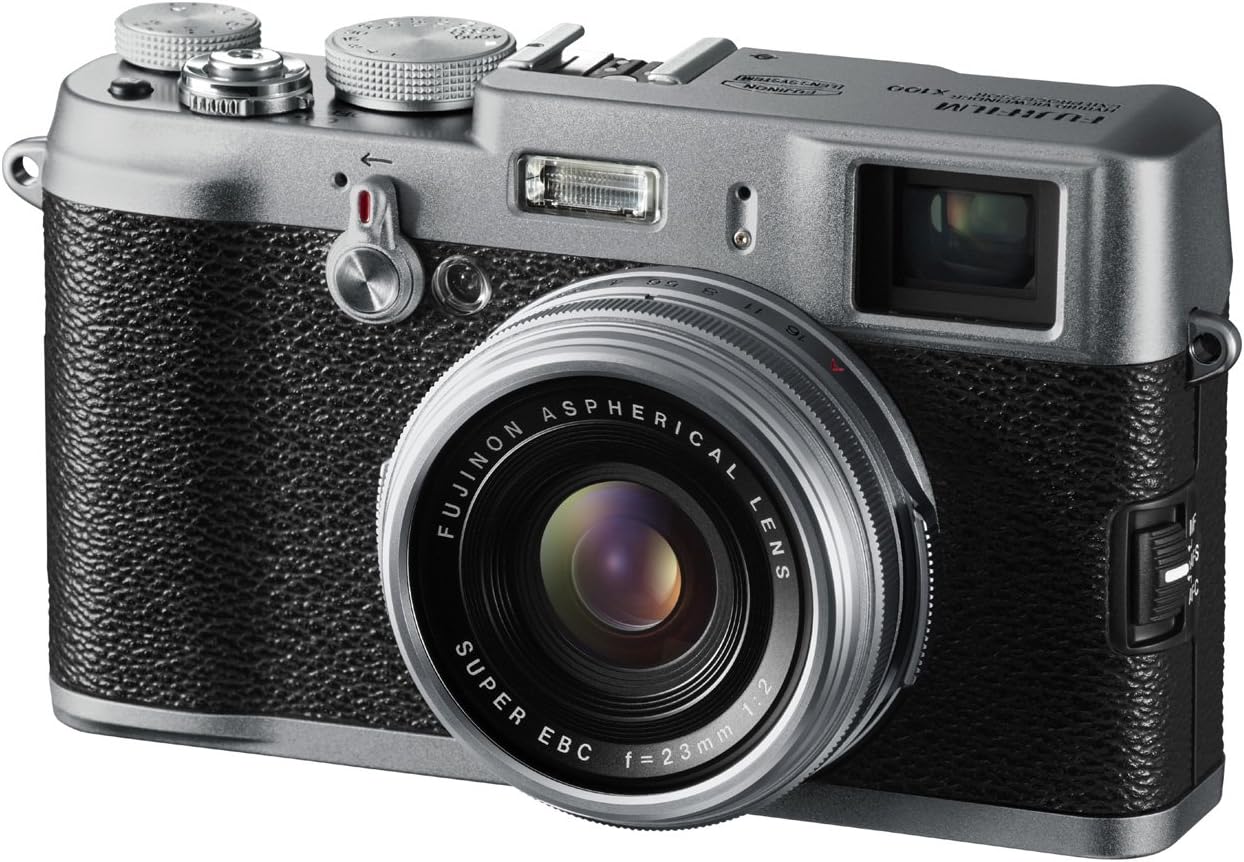
This manual provides comprehensive instructions for setting up, operating, maintaining, and troubleshooting your Fujifilm X100 camera.
2. What's in the Box
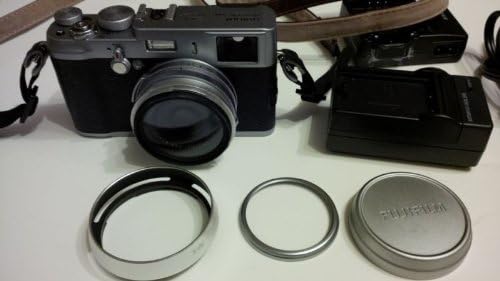
Upon unboxing your Fujifilm X100, please verify that all the following components are included:
- Fujifilm FinePix X100 Digital Camera
- Li-ion Battery (NP-95)
- Battery Charger (BC-65N)
- Shoulder Strap
- USB Cable
- Lens Cap
- Metal Strap Clip
- Protective Cover
- Clip Attaching Tool
- CD-ROM
- Owner's Manual (this document)

3. Setup
3.1 Charging the Battery
Before first use, fully charge the supplied Li-ion Battery (NP-95) using the Battery Charger (BC-65N). Connect the charger to a power outlet and insert the battery. The charging indicator will show the charging status.
3.2 Inserting the Memory Card
The Fujifilm X100 supports SD/SDHC/SDXC memory cards. Open the memory card slot cover, insert the card with the contacts facing the correct direction until it clicks into place. Ensure you use a fast SD card (e.g., Class 10 or UHS-I) for optimal performance, especially for RAW files and HD video recording.
3.3 Initial Power-On
Press the power button to turn on the camera. The camera may prompt you to set the date and time. Follow the on-screen instructions to complete the initial setup.
4. Operating the Camera
4.1 Key Features Overview
The Fujifilm X100 is equipped with several advanced features for enhanced photographic control and image quality.
- 12.3-megapixel APS-C CMOS Sensor: This custom-designed sensor is optimized for light gathering efficiency, providing sharp images with exceptional clarity and excellent low-light performance.
- Fujinon 23mm F2 Lens: A newly developed non-collapsible lens structure (equivalent to 35mm in 135 format) with a wide F2 aperture, designed for high resolution from center to corners and beautiful bokeh. It includes a built-in 3-stop ND filter.
- Hybrid Viewfinder: This world-first technology combines a traditional optical viewfinder (OVF) with an electronic viewfinder (EVF). Users can switch between modes instantly using a dedicated lever. The OVF provides a bright frame with overlaid electronic shooting data, while the EVF offers a high-resolution 1,440,000-dot display for precise composition and exposure preview.
- Intuitive Controls: The camera features traditional manual dials for aperture, shutter speed, and exposure compensation, allowing for quick adjustments even when the camera is off.

4.2 Shooting Modes and Functions
- RAW Quality: Capture images in RAW format for maximum post-processing flexibility. The camera also supports in-camera RAW development.
- Film Simulation Modes: Replicate the look of classic Fujifilm film stocks such as Velvia (Vivid), PROVIA (Standard), and ASTIA (Soft). Monochrome mode with R/Ye/G filter settings is also available.
- HD Movie Mode: Record high-definition video at 720p. Aperture-priority AE is available for movies, allowing for creative depth-of-field effects. An HDMI Mini connector is included for direct connection to HD TVs.
- Motion Panorama: Easily capture 180° and 120° panoramic photos by sweeping the camera.
- Multi-Bracketing Functions: The camera offers AE, ISO, Dynamic Range, and Film Simulation bracketing, capturing multiple images with varied settings with a single shutter press.
5. Maintenance
5.1 Cleaning the Camera
Regular cleaning helps maintain your camera's performance and appearance.
- Body: Use a soft, dry cloth to wipe the camera body. For stubborn dirt, slightly dampen the cloth with water or a mild cleaning solution.
- Lens: Use a lens brush or a blower to remove dust. For smudges, use a lens cleaning cloth and a specialized lens cleaning solution. Avoid touching the lens surface directly.
- Sensor: Due to the non-interchangeable lens design, the sensor is less exposed to dust. If dust spots appear on images, consult a professional service center for sensor cleaning. Do not attempt to clean the sensor yourself.
- LCD Screen: Gently wipe with a soft, lint-free cloth. Avoid pressing too hard.
5.2 Storage
When not in use for extended periods, store the camera in a cool, dry place away from direct sunlight and extreme temperatures. Remove the battery if storing for more than a month.
6. Troubleshooting
This section addresses common issues you might encounter with your Fujifilm X100.
6.1 Power-Up Lag
If the camera takes a long time to power on, ensure you are using a high-speed SD card (Class 10 or UHS-I). The speed of the memory card significantly impacts the camera's startup time and overall responsiveness.
6.2 Autofocus Performance
The X100's autofocus system is generally reliable, but performance can vary in very low light or with low-contrast subjects. Ensure sufficient light and contrast for optimal AF. For critical focus, especially in macro or challenging conditions, consider using the EVF for precise confirmation.
6.3 Image Quality Concerns
If images appear soft or noisy, check your ISO settings. While the X100 performs well at higher ISOs, extreme settings (e.g., ISO 12800) may introduce more noise. Ensure the lens is clean and that you are shooting within the optimal aperture range (e.g., f/4 to f/8 for sharpness).
6.4 Firmware Updates
Fujifilm periodically releases firmware updates to improve camera performance, add features, and address known issues. Check the official Fujifilm website for the latest firmware and installation instructions. Keeping your camera's firmware up-to-date is recommended.
7. Specifications
Key technical specifications for the Fujifilm X100 Digital Camera:
| Feature | Specification |
|---|---|
| Sensor Type | APS-C CMOS (23.6 x 15.8 mm) |
| Effective Still Resolution | 12.3 MP |
| Lens | Fujinon 23mm F2 (35mm equivalent: 35mm) |
| Optical Zoom | 4x |
| Display | 2.8-inch LCD, 460,000 dots |
| Viewfinder | Hybrid (Optical & Electronic) |
| Video Resolution | HD 720p |
| Supported File Formats | JPEG (Exif 2.3), RAW, RAW+JPEG, MOV |
| Memory Storage | SD/SDHC/SDXC |
| Connectivity | USB, HDMI |
| Item Weight | 445 Grams |
| Battery Life (CIPA) | Approx. 300 photos |
8. Warranty Information
The Fujifilm FinePix X100 comes with a 1-Year Limited Warranty. For specific terms and conditions, please refer to the warranty card included in your product packaging or visit the official Fujifilm support website.
Legal Disclaimer: FULL 14 DAY SATISFACTION GUARANTEE, FULL 90 DAY PARTS AND LABOR WARRANTY.
9. Support
For further assistance, technical support, or service inquiries, please visit the official Fujifilm support website or contact their customer service. You can also find more information and resources on the Fujifilm Store on Amazon.
Related documentsX100


Ask a question about this manual
Ask about setup, troubleshooting, compatibility, parts, safety, or missing instructions. Manuals+ will review the question and use this page’s manual context to help answer it.