
1. Introduction
This manual provides essential information for the proper use and care of your Leica 50mm f/1.4 Summilux-M Aspherical Manual Focus Lens (Model 11891). This high-performance lens is designed for Leica M-mount cameras, offering exceptional image quality and precise manual control. It features an advanced optical design with aspherical elements and a floating element system for consistent performance across all focusing distances.

Figure 1: Angled view of the Leica 50mm f/1.4 Summilux-M Aspherical Lens, showing aperture and focus rings.
2. Setup
2.1 Attaching the Lens
- Ensure both the camera and lens are clean and free of dust.
- Align the red dot on the lens barrel with the corresponding red dot on your Leica M-mount camera body.
- Gently insert the lens into the camera mount.
- Rotate the lens clockwise until it clicks securely into place. Do not force the lens.
2.2 Removing the Lens
- Press and hold the lens release button on your camera body.
- Rotate the lens counter-clockwise until it stops.
- Gently pull the lens straight out from the camera mount.
- Immediately attach the front and rear lens caps to protect the lens elements.

Figure 2: Rear lens cap with Leica logo, used for protecting the rear element when the lens is not mounted.
2.3 Using the Built-in Lens Hood
The lens features a built-in, retractable lens hood. To deploy, gently pull the hood forward until it locks into position. To retract, push it back towards the lens barrel until it clicks. The lens hood helps to reduce flare and ghosting caused by stray light and provides physical protection to the front element.
3. Operating the Lens
3.1 Aperture Control
The aperture is controlled by rotating the aperture ring located at the front of the lens. The ring is marked with f-stops from f/1.4 to f/16. Rotate the ring to select your desired aperture. Smaller f-numbers (e.g., f/1.4) indicate a wider aperture, allowing more light and producing a shallower depth of field. Larger f-numbers (e.g., f/16) indicate a narrower aperture, allowing less light and producing a greater depth of field.

Figure 3: Front view of the lens, highlighting the aperture ring (top) and focus ring with distance scales.
3.2 Manual Focusing
This is a manual focus lens. Focus is adjusted by rotating the focus ring. The lens features a focus tab for quick and precise adjustments. The focus ring has distance markings in both meters (m) and feet (feet). For optimal sharpness, use your camera's rangefinder or live view focusing aids.

Figure 4: Side view of the lens, showing the ergonomic focus tab for manual focusing.
3.3 Depth of Field Scale
The lens includes a depth of field scale, which helps in estimating the range of acceptable sharpness at different apertures and focus distances. Align the chosen aperture value on the scale with the corresponding distance markings to determine the near and far limits of your depth of field.
4. Maintenance
4.1 Cleaning the Lens Elements
- Use a blower brush to remove loose dust and particles from the front and rear lens elements.
- For smudges or fingerprints, apply a small amount of lens cleaning fluid to a clean, soft microfiber cloth.
- Gently wipe the lens surface in a circular motion from the center outwards. Avoid excessive pressure.
- Never use abrasive materials or harsh chemicals.
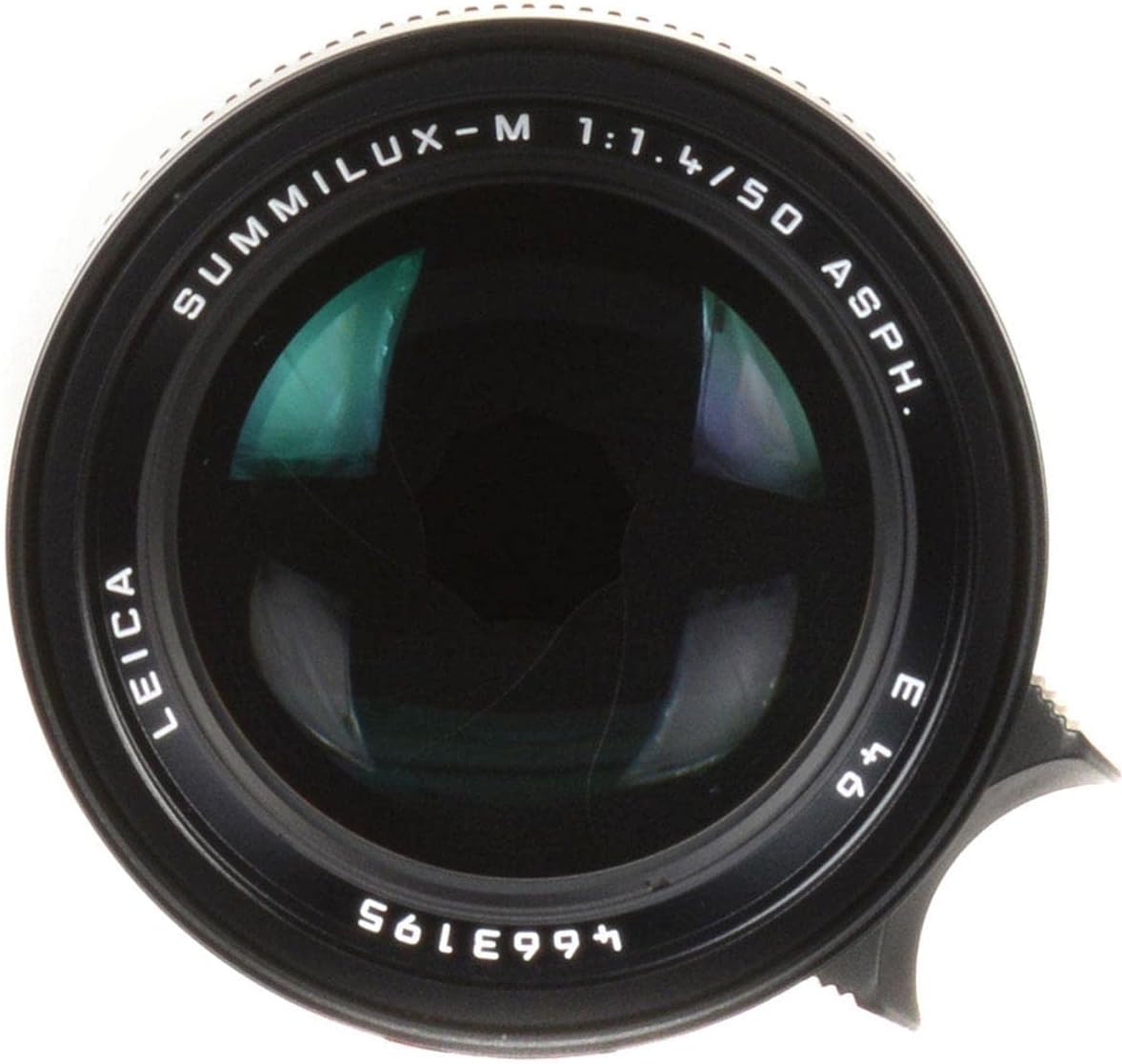
Figure 5: Front element of the lens, showing coatings and markings. Handle with care during cleaning.
4.2 Cleaning the Lens Body
Wipe the lens barrel with a clean, dry, soft cloth. For stubborn dirt, a slightly damp cloth can be used, followed by a dry cloth. Ensure no moisture enters the lens.
4.3 Storage
When not in use, always attach both front and rear lens caps. Store the lens in a dry, cool place, away from direct sunlight and extreme temperatures. Consider using a dehumidifying cabinet if you live in a high-humidity environment.
5. Troubleshooting
5.1 Common Issues
- Dust on Lens Elements: Use a blower brush to remove. If persistent, follow cleaning instructions in Section 4.1.
- Difficulty Focusing: Ensure the focus ring moves smoothly. Verify your camera's rangefinder or focusing aids are correctly calibrated.
- Lens Not Attaching Securely: Check for obstructions on the lens mount or camera body. Ensure proper alignment of the red dots.
5.2 When to Seek Professional Service
If you experience any of the following, contact an authorized Leica service center:
- Visible damage to lens elements or barrel.
- Unusual resistance or grinding when adjusting focus or aperture.
- Internal dust or fungus that cannot be removed externally.
- Any malfunction affecting image quality or lens operation.
6. Specifications
| Model Number | 11891 |
| Focal Length | 50 mm |
| Maximum Aperture | f/1.4 |
| Lens Type | Standard, Aspherical Manual Focus |
| Compatible Mountings | Leica M |
| Optical Construction | 8 elements in 5 groups (includes aspherical and anomalous partial dispersion glass elements) |
| Minimum Focus Distance | 0.7m (2.3 feet) |
| Product Dimensions | 4 x 4 x 4 inches |
| Item Weight | 11.8 ounces |
| Built-in Features | Retractable Lens Hood, Floating Element System |
7. Warranty & Support
For specific warranty information, please refer to the warranty card included with your product or visit the official Leica website. Leica provides comprehensive customer support for its products.
For service inquiries or technical assistance, please contact an authorized Leica service center or visit the Leica Store on Amazon.


