
Introduction
Thank you for choosing the Acctim Parona 74312 Radio-Controlled Wall Clock. This clock is designed to automatically set and maintain accurate time by receiving a radio signal. Please read this manual carefully to ensure proper setup and operation of your new clock.

Figure 1: Front view of the Acctim Parona 74312 Radio-Controlled Wall Clock. This image shows the clock's clean white face, clear black Arabic numerals, and black hour and minute hands with a red second hand. The "Acctim" logo is visible below the 12 o'clock position, and "RADIO CONTROLLED" with a signal icon is above the 6 o'clock position.
Setup
Follow these steps to set up your radio-controlled wall clock:
- Battery Installation:
Locate the battery compartment on the back of the clock. Insert one (1) AA alkaline battery, ensuring the positive (+) and negative (-) terminals align correctly with the markings inside the compartment.
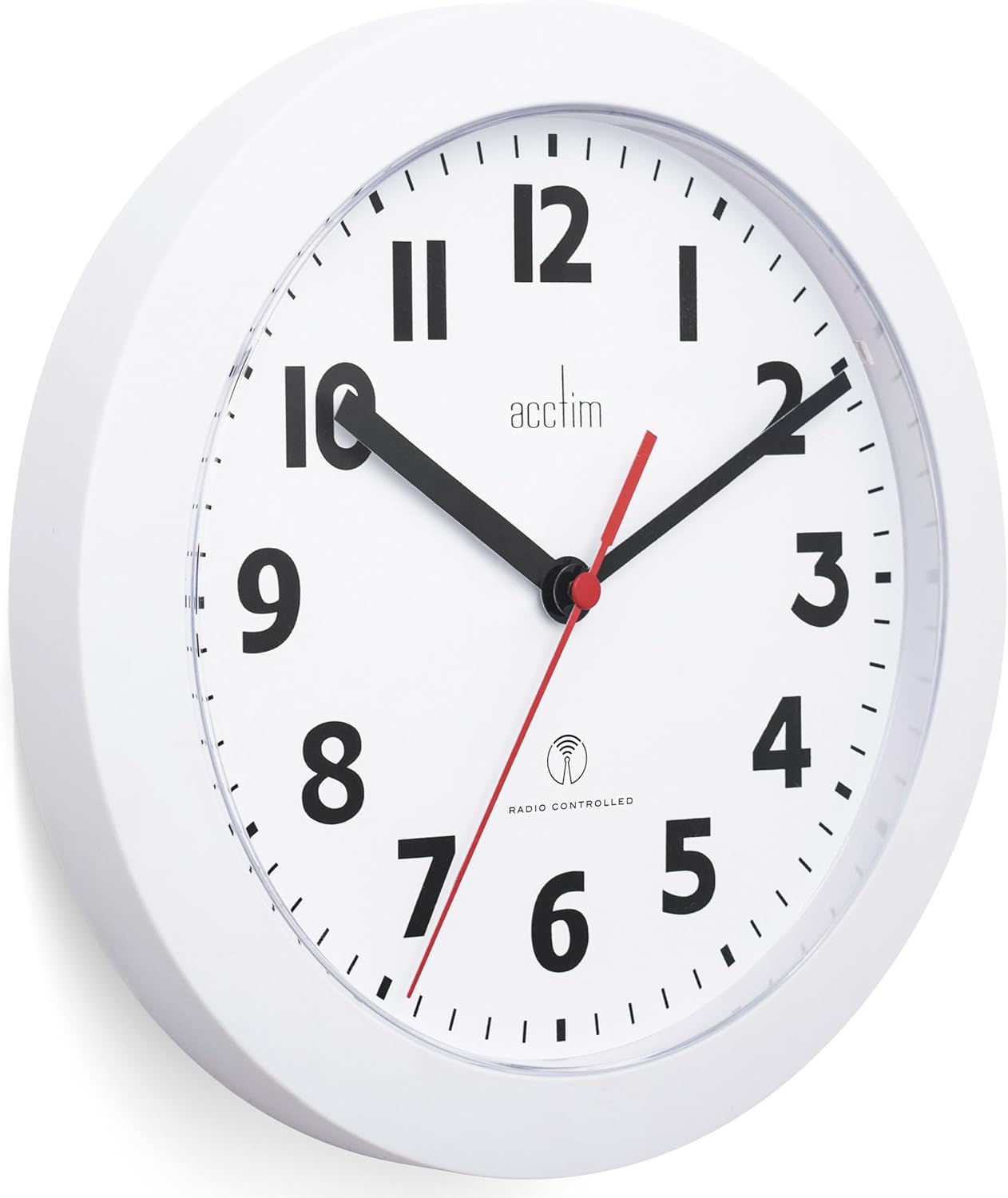
Figure 2: Back view of the clock, highlighting the battery compartment. This image displays the rear casing of the clock, with a clear view of the circular battery slot and its polarity indicators.
- Initial Time Setting:
After battery insertion, the second hand will begin to rotate clockwise and stop at the 12 o'clock position. Within approximately 3 minutes, the minute and hour hands will also move to the 12 o'clock position. This indicates that the clock is in signal reception mode.
- Signal Reception:
The clock will then attempt to receive the MSF radio signal and automatically adjust to the correct time. Please be patient, as this process can take some time. For optimal signal reception, it is recommended to leave the clock undisturbed overnight, as signal transmission is often stronger during nighttime hours.
Once the clock successfully receives the signal, it will periodically search for the signal at 1 AM, 3 AM, 5 AM, 1 PM, 5 PM, and 9 PM to maintain accuracy.
Operating Instructions
Your Acctim Parona 74312 clock is designed for fully automatic operation once the initial setup is complete.
- Automatic Time Synchronization: The clock continuously monitors the MSF radio signal, which broadcasts the precise time from Anthorn, Cumbria, UK. This ensures your clock is always accurate, including automatic adjustments for Daylight Saving Time (DST).
- Signal Strength: The strength of the radio signal can be affected by geographical location, atmospheric conditions, and interference from electronic devices or large metal objects. For best reception, place the clock near a window and away from other electronics.
Maintenance
- Battery Replacement: When the clock stops or the second hand begins to jump erratically, it is time to replace the battery. Always use a fresh AA alkaline battery.
- Cleaning: To clean the clock, wipe it with a soft, dry cloth. Do not use abrasive cleaners, solvents, or chemical sprays, as these may damage the clock's finish or internal components.
- Environment: Avoid exposing the clock to extreme temperatures, direct sunlight, or high humidity, which can affect its performance and lifespan.
Troubleshooting
| Problem | Possible Cause / Solution |
|---|---|
| Clock does not set to the correct time. |
|
| Clock shows incorrect time, specifically one hour off. |
|
| Clock stops or runs intermittently. |
|
Specifications
| Feature | Detail |
|---|---|
| Brand | Acctim |
| Model Number | 74312 |
| Color | White |
| Product Dimensions (L x W x H) | 23 x 3.81 x 23 cm (9.06 x 1.5 x 9.06 inches) |
| Item Weight | 300 grams (0.66 lbs) |
| Material | Plastic |
| Special Feature | Radio-controlled (MSF signal) |
| Power Source | Battery Powered (1 x AA required) |
| Display Type | Analog |
Warranty and Support
Acctim products are manufactured to high-quality standards. For information regarding warranty coverage or technical support, please refer to the warranty card included with your purchase or visit the official Acctim website. Keep your purchase receipt as proof of purchase.
For further assistance, you may contact Acctim customer service through their official channels. Details are typically available on the product packaging or the brand's official website.


