
Introduction
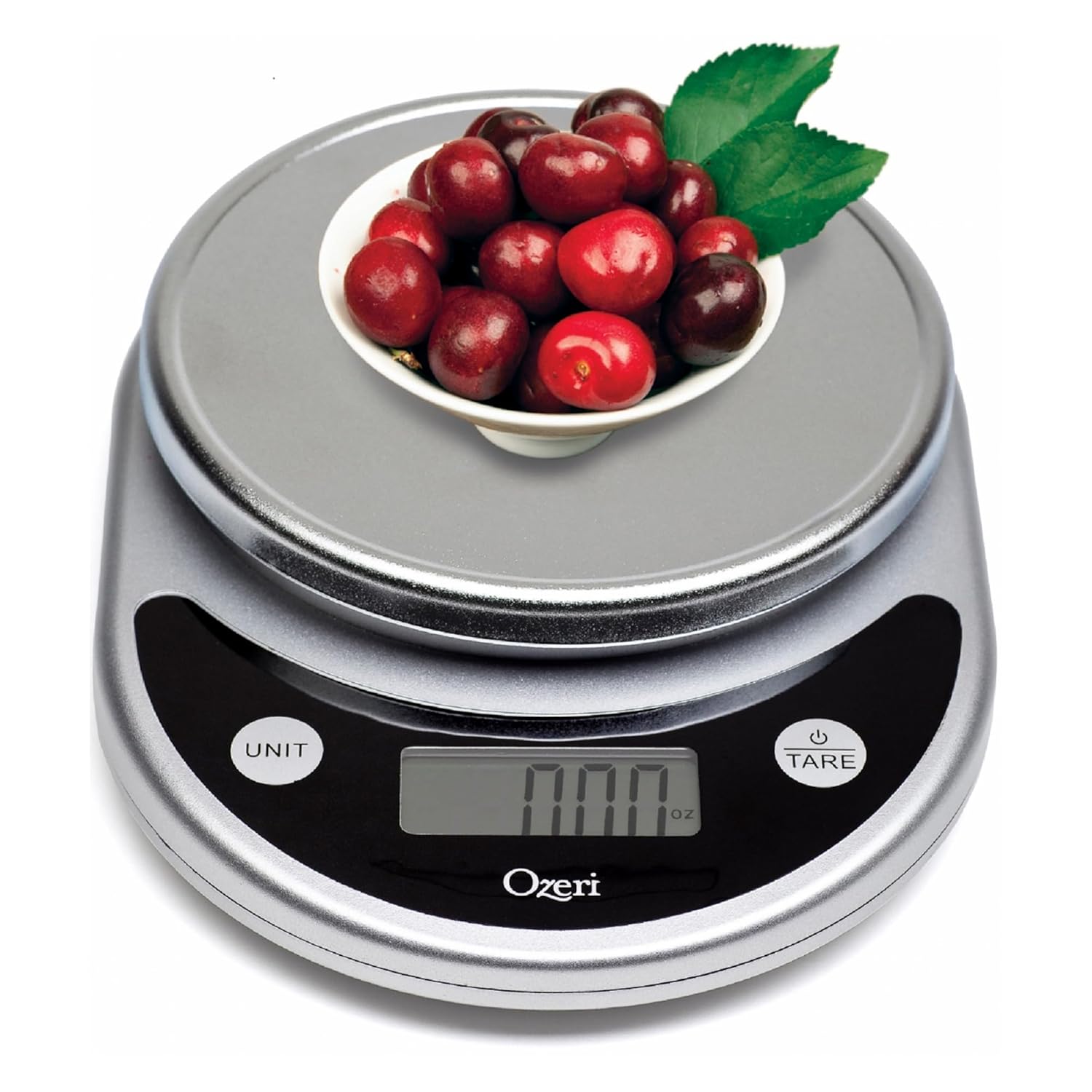
The Ozeri Pronto Digital Multifunction Kitchen and Food Scale is designed for accurate and immediate response, ideal for various kitchen and home weighing needs. It features an enlarged weighing platform and a large LCD for wide viewing angles. This manual provides essential information for setting up, operating, and maintaining your scale.
- Accurate and easy-to-use for diet and health goals.
- Weighs up to 11.24 lbs (5100 grams) with 0.04 oz (1 gram) graduations.
- Instant unit conversion between 6 units (g, lbs, lbs:oz, oz, ml, kg).
- Tare button for net weight calculation.
- Audible and tactile click confirmations for buttons.
- Powered by 2 AAA batteries (included) with automatic power-off.
Setup
Your Ozeri Pronto Digital Scale comes ready for use with included batteries. Follow these steps for initial setup:
- Battery Installation: Locate the easy-access battery compartment on the underside of the scale. Insert the 2 AAA batteries, ensuring correct polarity.
- Placement: Place the scale on a flat, stable surface to ensure accurate readings.
- Power On: Press the "TARE" button (which also serves as the power button) to turn on the scale. The LCD display will illuminate and show "0.00".

Operating Instructions
The Ozeri Pronto scale offers versatile weighing options:
- Unit Conversion: Press the "UNIT" button to cycle through the available units of measurement: grams (g), pounds (lbs), pounds and ounces (lbs:oz), ounces (oz), milliliters (ml), and kilograms (kg). The selected unit will be displayed on the LCD.
- Tare Function: The "TARE" button allows you to subtract the weight of a container or previous ingredients.
- Place an empty container on the weighing platform. The display will show its weight.
- Press the "TARE" button. The display will reset to "0.00", effectively zeroing out the container's weight.
- Add your ingredients to the container. The display will now show only the net weight of the ingredients.
- Automatic Power-Off: The scale features a programmable 2-to-5-minute automatic power-off setting to conserve battery life.

Maintenance
Proper care ensures the longevity and accuracy of your scale:
- Cleaning: The scale cleans quickly. Wipe the surface with a damp cloth. Do not immerse the scale in water or use abrasive cleaners.
- Storage: Store the scale in a dry place. Its compact design allows for easy storage in drawers or cabinets.
- Battery Replacement: Replace batteries when the low battery indicator appears on the display. Use 2 AAA batteries.
Troubleshooting
If you encounter issues with your Ozeri Pronto scale, consider the following:
- Inaccurate Readings: Ensure the scale is on a flat, stable surface. Avoid placing it near strong electromagnetic fields.
- Display Not Turning On: Check if the batteries are correctly installed and have sufficient charge. Replace them if necessary.
- Overload Indicator: If the display shows an "E" or "O-Ld", the scale is overloaded. Remove items immediately to prevent damage. The maximum weight capacity is 11.24 lbs (5100 grams).
Specifications
| Brand | Ozeri |
| Model Number | ZK14-S |
| Product Dimensions | 8.25 x 1.75 x 6 inches |
| Item Weight | 12 ounces |
| Weight Limit | 11.24 Pounds (5100 grams) |
| Display Type | LCD |
| Batteries | 2 AAA batteries (included) |
| Country of Origin | China |
Warranty & Support
For detailed warranty information or technical support, please refer to the official Ozeri website or contact Ozeri customer service directly. A digital version of the user manual is also available for download from the product's Amazon page.
User Manual (PDF): Download Here


