
Olympus Stylus AF
Olympus Stylus AF 35mm Film Camera User Manual
Model: Stylus AF
Introduction
The Olympus Stylus AF is a compact 35mm point-and-shoot film camera designed for ease of use and portability. Featuring an Olympus 35mm 1:3.5 lens and automatic focus, it is ideal for capturing everyday moments on film. This manual provides essential information for setting up, operating, and maintaining your camera.

Figure 1: Olympus Stylus AF 35mm Film Camera (Top View)
1. Setup
1.1. Battery Installation
The Olympus Stylus AF requires batteries for operation. Ensure you use the correct type and polarity as indicated inside the battery compartment.
- Locate the battery compartment cover, typically on the bottom or side of the camera.
- Open the cover by sliding or unlatching it.
- Insert the required batteries, observing the correct positive (+) and negative (-) terminals.
- Close the battery compartment cover securely.
1.2. Film Loading
This camera uses standard 35mm film. Always load film in subdued light to prevent accidental exposure.
- Open the camera back by sliding the latch on the side of the camera.
- Place a new 35mm film cartridge into the film chamber on the left side.
- Pull the film leader across to the take-up spool on the right, ensuring it catches onto one of the spool's teeth.
- Close the camera back firmly until it latches.
- Advance the film by pressing the shutter button or using the film advance lever (if present) until the frame counter shows '1'. This ensures the film is properly loaded and ready for the first shot.
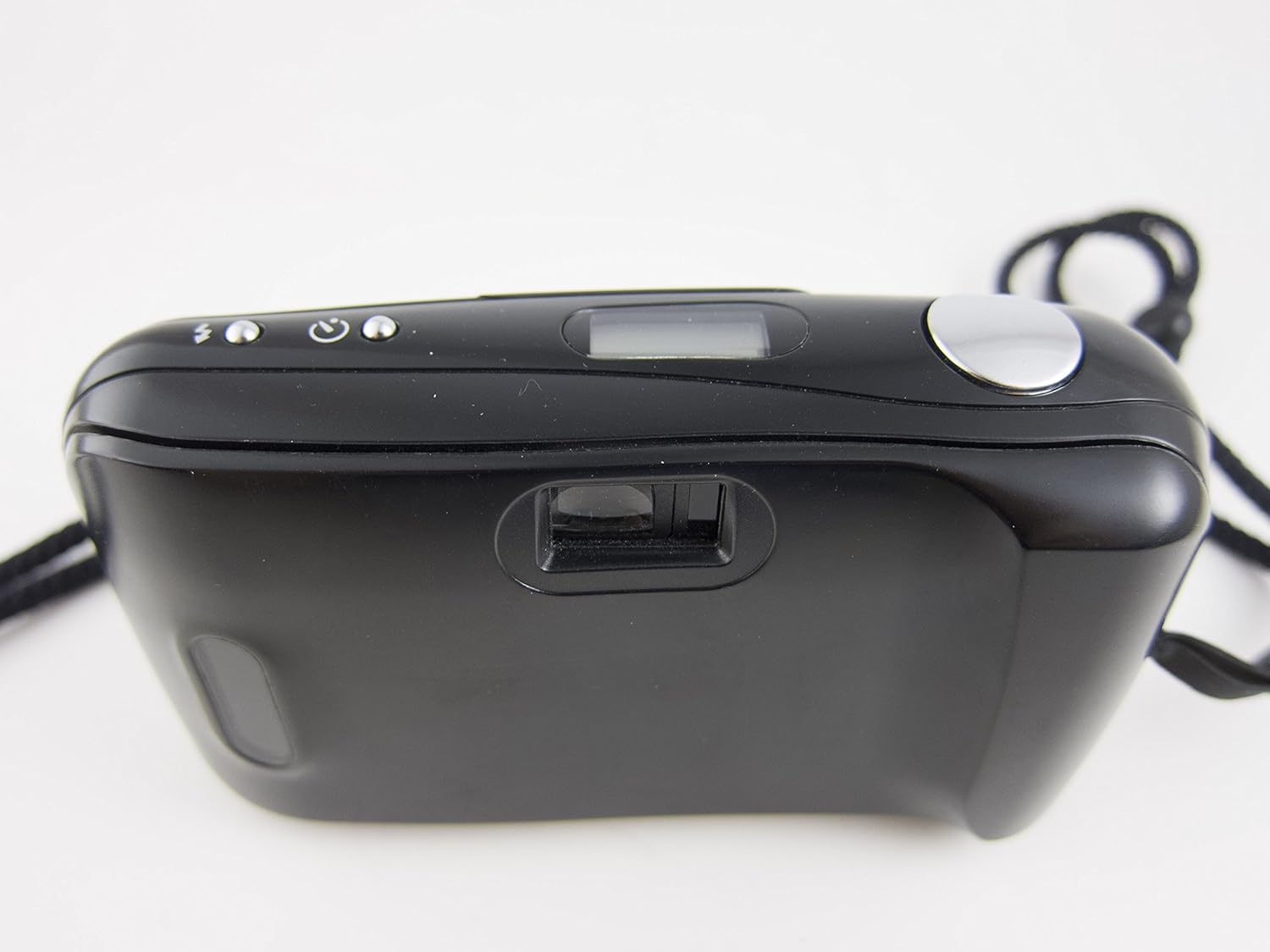
Figure 2: Camera Back and Viewfinder
2. Operating the Camera
2.1. Powering On/Off
To power on the camera, slide open the lens barrier. The camera will automatically power off when the lens barrier is closed.
2.2. Taking a Picture
- Open the lens barrier to power on the camera.
- Look through the viewfinder to compose your shot.
- Press the shutter button halfway down to activate the autofocus system. The camera will focus on your subject.
- Press the shutter button fully to take the picture. The film will automatically advance to the next frame.

Figure 3: Camera Front with Lens Open
2.3. Flash Modes
The Olympus Stylus AF features a built-in flash with 'Auto' and 'Off' modes. Consult the small icons near the flash control button on the top of the camera to select the desired mode. In 'Auto' mode, the flash will fire automatically in low-light conditions. In 'Off' mode, the flash will not fire.
2.4. Film Rewinding
Once all frames on the film roll have been exposed, the camera will typically rewind the film automatically. If manual rewind is necessary, locate the rewind button (usually on the bottom of the camera) and press it. Wait until the film counter indicates the film has fully rewound before opening the camera back.
3. Maintenance
3.1. Cleaning the Camera
- Use a soft, lint-free cloth to gently wipe the camera body.
- For the lens, use a specialized lens cleaning cloth and lens cleaning solution. Avoid touching the lens surface with your fingers.
- Keep the film compartment clean and free of dust or debris.
3.2. Battery Care
- Remove batteries if the camera will not be used for an extended period to prevent leakage.
- Replace batteries promptly when the low battery indicator appears or if camera functions become erratic.
3.3. Storage
Store the camera in a cool, dry place away from direct sunlight and extreme temperatures. Use a camera bag or case to protect it from dust and physical damage.
4. Troubleshooting
| Problem | Possible Cause | Solution |
|---|---|---|
| Camera does not power on. | Dead or incorrectly installed batteries. Lens barrier not fully open. | Check battery installation and replace if necessary. Ensure lens barrier is fully slid open. |
| Shutter does not fire. | No film loaded or film not advanced. Low battery. Camera not focused. | Ensure film is loaded and advanced. Replace batteries. Press shutter button halfway to allow autofocus to engage. |
| Flash does not fire. | Flash mode set to 'Off'. Low battery. | Check flash mode setting. Replace batteries. |
| Film does not advance. | Film not properly loaded. End of film roll. | Re-load film carefully, ensuring leader is caught. If at end of roll, rewind film. |
5. Technical Specifications
- Model Name: Olympus Stylus AF (Infinity Stylus AF)
- Lens: Olympus Lens 35mm 1:3.5
- Film Type: 35mm film
- Focus Type: Auto Focus (Contrast Detection)
- Minimum Focal Length: 35 Millimeters
- Maximum Aperture: 3.5 Millimeters
- Shutter Speed: 1/15 sec to 1/500 sec (Automatic)
- Flash: Built-In (Auto, Off modes)
- Viewfinder: Optical
- Battery Type: Requires Lithium Ion batteries (not included)
- Form Factor: Compact Point & Shoot
- Item Weight: Approximately 0.35 Pounds
- Manufacturer: Marvel (as per provided data, though typically Olympus)
- Made in: Japan
6. Warranty Information
This product comes with a 30-day warranty from the date of purchase. This warranty covers manufacturing defects and malfunctions under normal use. It does not cover damage caused by misuse, accidents, unauthorized repairs, or normal wear and tear. Please retain your proof of purchase for any warranty claims.
7. Customer Support
For further assistance, technical support, or inquiries regarding your Olympus Stylus AF 35mm Film Camera, please refer to the contact information provided by your retailer or visit the official Olympus support website. Ensure you have your model name and any relevant purchase details ready when contacting support.
You can visit the Olympus Store on Amazon for more information on Olympus products.
Related documentsStylus AF

Ask a question about this manual
Ask about setup, troubleshooting, compatibility, parts, safety, or missing instructions. Manuals+ will review the question and use this page’s manual context to help answer it.