
QSC KW152
QSC KW152 Loudspeaker User Manual
Model: KW152
1. Introduction
The QSC KW152 is a 1000-watt, 15-inch, 2-way powered loudspeaker designed for professional sound reinforcement applications. It combines the performance of the K Series with a lightweight, birch enclosure, making it suitable for various events and venues.
Key features include:
- K Series performance in a lightweight, birch design.
- 1000 watt Class D power modules (2 x 500 W).
- Extensive DSP featuring DEEP™ and Intrinsic Correction™ for enhanced system performance.
- DMT™ (Directivity Matched Transition) ensuring uniform coverage across the entire sound field.
- Rugged, texture-painted birch enclosures.
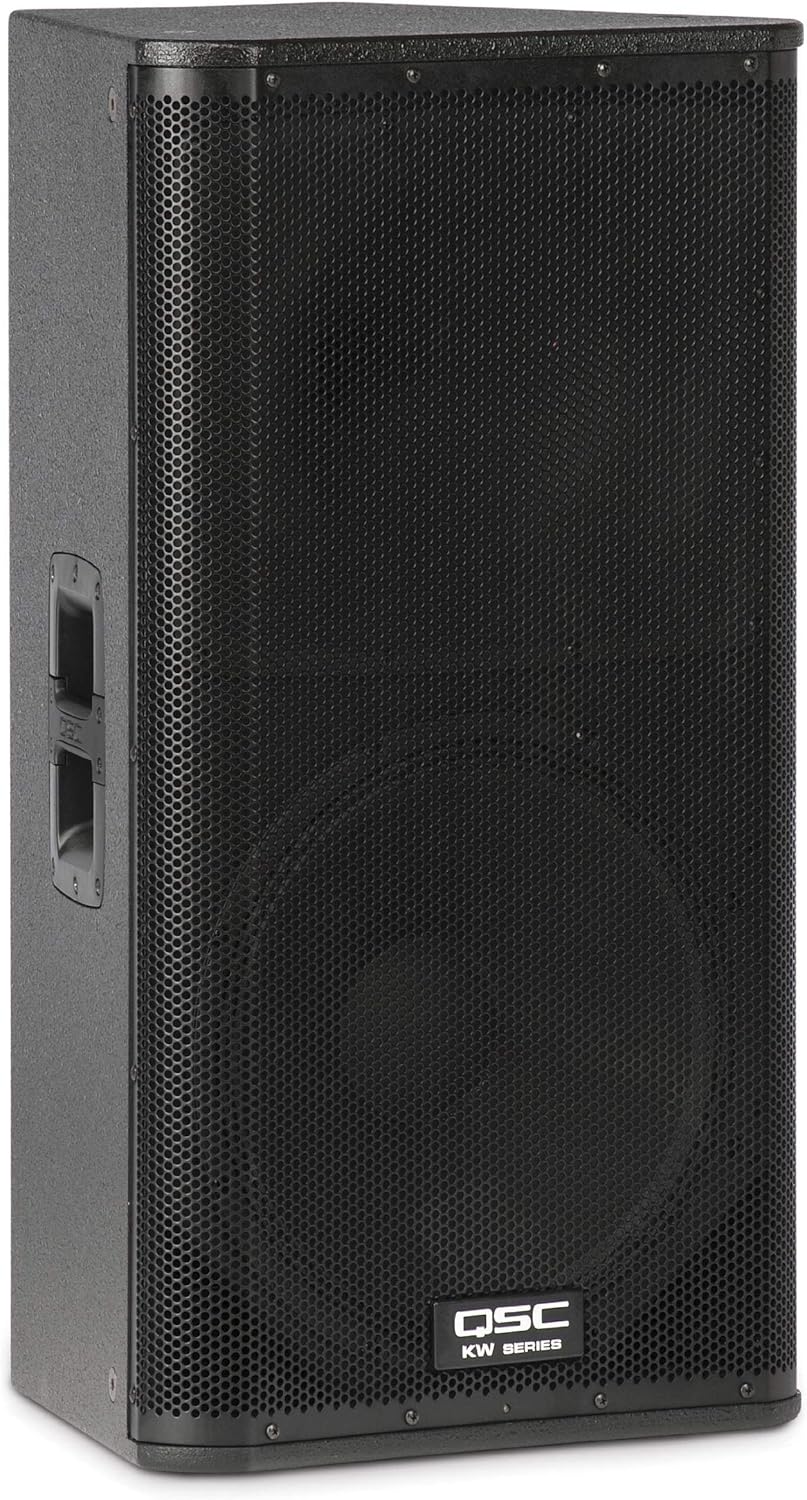
Figure 1.1: Front view of the QSC KW152 Loudspeaker, showcasing its robust grille and QSC KW Series branding.
2. Setup
Proper setup is crucial for optimal performance and safety. Ensure the loudspeaker is placed on a stable, level surface or mounted securely using appropriate hardware.
2.1 Physical Placement
The KW152 can be used as a main PA speaker, a stage monitor, or flown. When placing on the floor or a stage, ensure adequate ventilation around the unit. For pole mounting, use a sturdy speaker pole designed to support the weight of the KW152 (77.5 pounds).
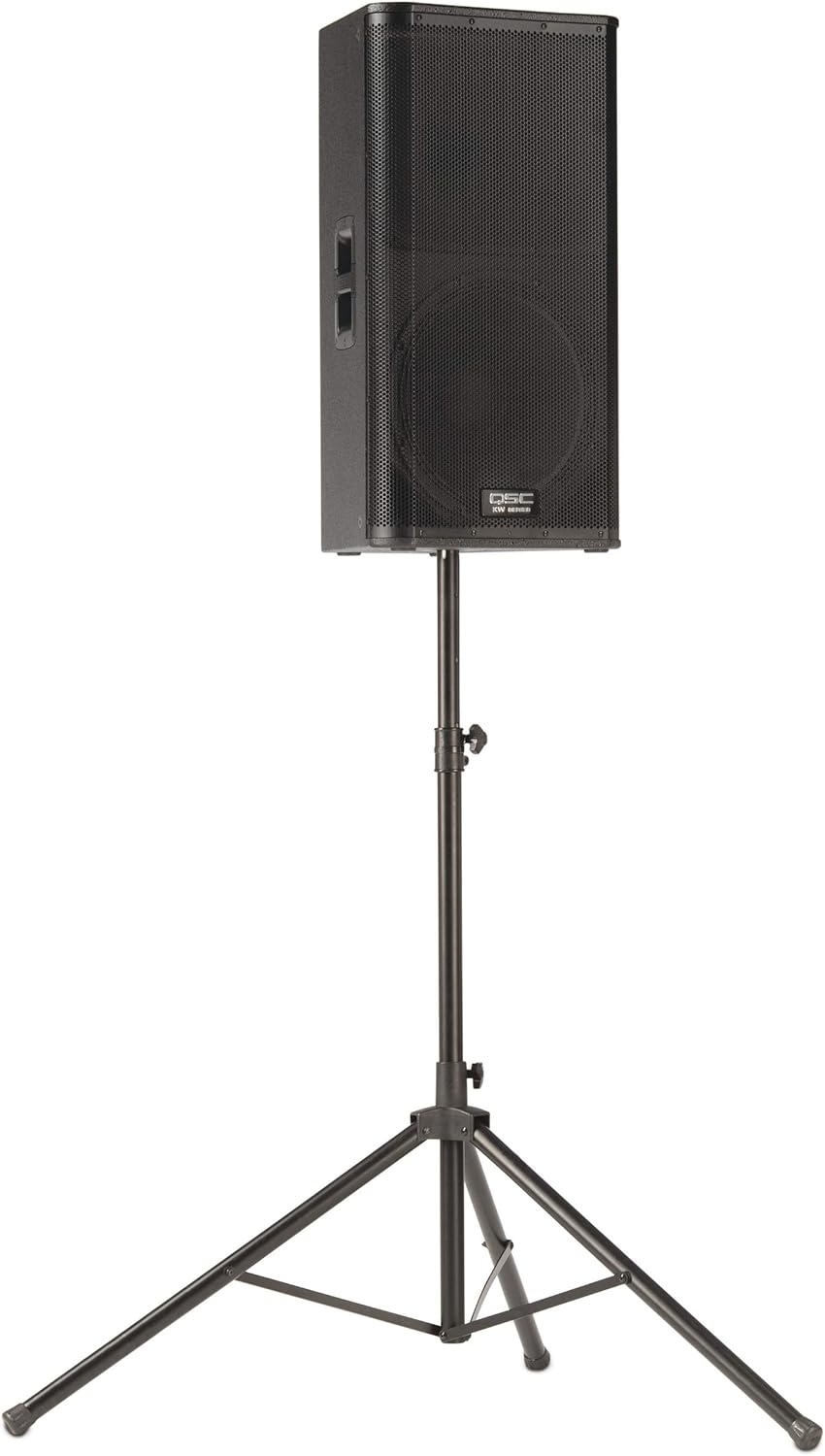
Figure 2.1: The QSC KW152 Loudspeaker securely mounted on a speaker stand, demonstrating a typical setup configuration.
2.2 Connections
Before connecting the loudspeaker to power or audio sources, ensure all equipment is turned off. The KW152 features various input and output options for versatile connectivity.
- AC Inlet: Connect the provided power cable to a suitable AC power source.
- Input A & B: XLR/TRS combo jacks for microphone or line-level inputs.
- Line Out: XLR output for sending a mixed signal to another loudspeaker or audio device.
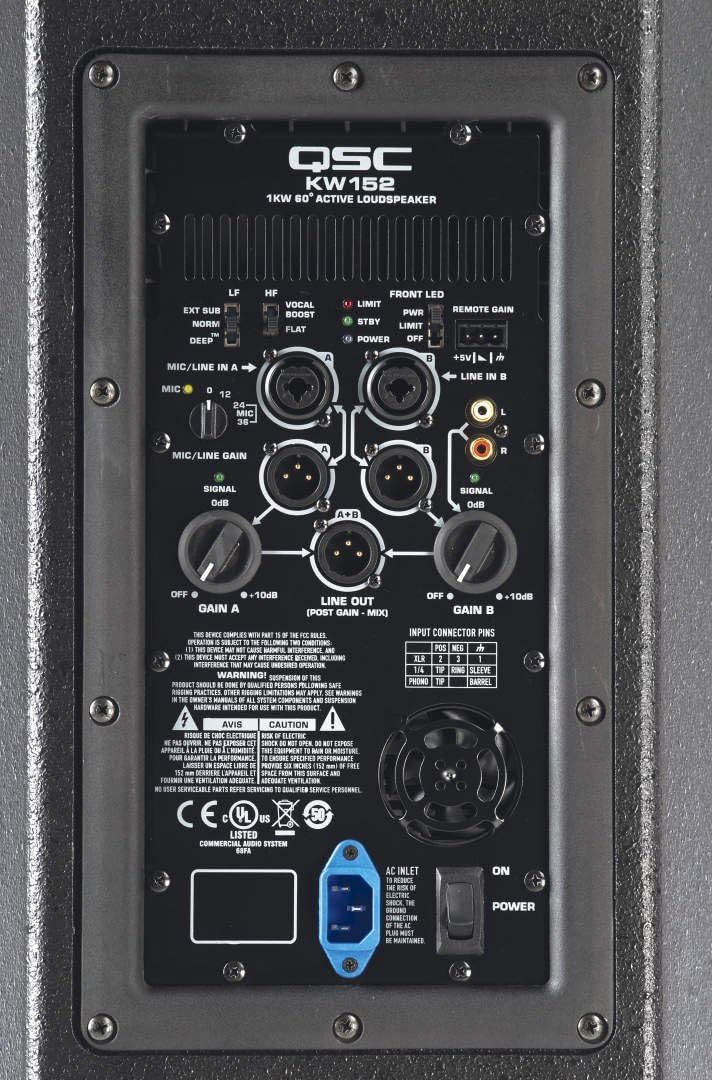
Figure 2.2: Detailed view of the rear panel of the QSC KW152, highlighting the various input/output connections and control switches.
3. Operating Instructions
The KW152 offers intuitive controls for sound optimization. Familiarize yourself with the rear panel controls for best results.
3.1 Powering On/Off
Locate the POWER switch on the rear panel. Flip it to the 'ON' position to power on the loudspeaker. The 'POWER' LED indicator will illuminate blue. Always turn off the loudspeaker before disconnecting power or making significant changes to connections.
3.2 Gain Control
Each input (Gain A and Gain B) has an independent rotary control to adjust the input level. Start with the gain controls at their minimum ('OFF') position and slowly increase them to achieve the desired volume without distortion. The 'SIGNAL' LED will illuminate green when a signal is present, and the 'LIMIT' LED will illuminate red if the signal is too high, indicating potential clipping.
3.3 DSP Presets
The KW152 features built-in Digital Signal Processing (DSP) with various presets to optimize sound for different applications:
- LF (Low Frequency) Switch:
- EXT SUB: Engages a high-pass filter for use with an external subwoofer.
- NORM: Standard full-range operation.
- DEEP™: Provides enhanced low-frequency extension for a richer bass response.
- HF (High Frequency) Switch:
- VOCAL BOOST: Enhances vocal clarity.
- FLAT: Provides a flat frequency response.
3.4 Front LED Control
The 'FRONT LED' switch controls the illumination of the QSC logo on the front of the loudspeaker. Options include 'PWR' (illuminates when powered on), 'LIMIT' (illuminates when limiting occurs), and 'OFF'.
4. Maintenance
Regular maintenance ensures the longevity and optimal performance of your QSC KW152 loudspeaker.
- Cleaning: Use a soft, dry cloth to clean the exterior. Avoid abrasive cleaners or solvents.
- Ventilation: Ensure the rear panel's cooling fan and vents are clear of obstructions to prevent overheating.
- Storage: Store the loudspeaker in a cool, dry environment, away from direct sunlight and extreme temperatures.
- Inspection: Periodically check cables and connections for wear or damage.
5. Troubleshooting
This section addresses common issues you might encounter with your KW152 loudspeaker.
| Problem | Possible Cause | Solution |
|---|---|---|
| No Sound Output | Power not connected; Gain too low; Input cable faulty; Source device off. | Check power connection and switch; Increase Gain A/B; Test input cables; Ensure audio source is active. |
| Distorted Sound | Input signal too high (clipping); Faulty cable; Speaker damaged. | Reduce input gain until 'LIMIT' LED no longer illuminates; Replace cables; Contact QSC support if damage is suspected. |
| No Power LED | No AC power; Power switch off; Internal fuse blown. | Verify power outlet and cable; Ensure power switch is ON; Consult qualified technician for fuse replacement. |
If the issue persists after attempting these solutions, please contact QSC customer support.
6. Specifications
| Feature | Detail |
|---|---|
| Model Name | KW152 |
| Speaker Type | Powered Loudspeaker |
| Wattage | 1000 watts |
| Speaker Size | 15 Inches |
| Item Weight | 77.5 pounds |
| Product Dimensions | 34 x 21 x 23 inches |
| Color | black |
| Connectivity Technology | RCA, XLR |
| Manufacturer | QSC |
| First Available Date | July 11, 2014 |
7. Warranty and Support
The QSC KW152 Loudspeaker comes with a limited warranty. For detailed warranty information, please refer to the official QSC documentation or visit the QSC website.
For technical support, service, or additional inquiries, please contact QSC Customer Support. You can also refer to the official User Manual (PDF) available for download: QSC KW152 User Manual PDF.
Related documentsKW152


Ask a question about this manual
Ask about setup, troubleshooting, compatibility, parts, safety, or missing instructions. Manuals+ will review the question and use this page’s manual context to help answer it.