
Introduction
Thank you for choosing the Taylor 5778 Stainless Steel Body Fat-Body Water Monitor and Scale. This device is designed to provide comprehensive body composition analysis, including body weight, body fat percentage, body water percentage, muscle mass, bone mass, Body Mass Index (BMI), and daily caloric requirements (CAL-MAX). Utilizing Bioelectrical Impedance Analysis (BIA) technology, this scale offers a convenient way to monitor your health and fitness progress. Please read this manual thoroughly before use to ensure proper operation and to maximize the benefits of your new scale.
Important Safety Information
- This scale is intended for household use only. It is not intended for medical diagnosis or treatment.
- Individuals with pacemakers or other internal medical devices should not use this product. The Bioelectrical Impedance Analysis (BIA) technology sends a small electrical signal through the body, which may interfere with such devices.
- Pregnant women should not use the body fat/water measurement function. Consult a healthcare professional for advice on weight and body composition monitoring during pregnancy.
- Do not use on wet or slippery surfaces. Ensure the scale is placed on a hard, flat, and stable surface for accurate readings.
- The maximum weight capacity is 400 lbs (180 kgs). Do not exceed this limit.
- Keep the scale dry. Avoid exposure to water or excessive moisture.
- Do not attempt to disassemble or repair the scale yourself. This will void the warranty.
Product Features
The Taylor 5778 scale incorporates several features designed for ease of use and comprehensive health monitoring:
- Stainless Steel Platform: Durable and sleek design.
- High Capacity: Measures weight up to 400 lbs (180 kgs) in 0.2 lb (0.1 kg) increments.
- Body Composition Analysis: Measures body fat and body water to 0.1% using BIA technology. Also estimates muscle mass, bone mass, and calculates BMI.
- CAL-MAX Feature: Provides an estimate of daily calorie requirements to maintain current weight.
- User Memory: Stores personal data for up to 4 users, allowing for individual tracking.
- Dual Line LCD Readout: A 2-inch display with a blue backlight for clear visibility of all measurements.
- Weight Units: Easily switch between pounds (lb) and kilograms (kg).
- Battery Included: Operates on 2 AA batteries for long-lasting use.
- Warranty: Comes with a 5-year warranty.
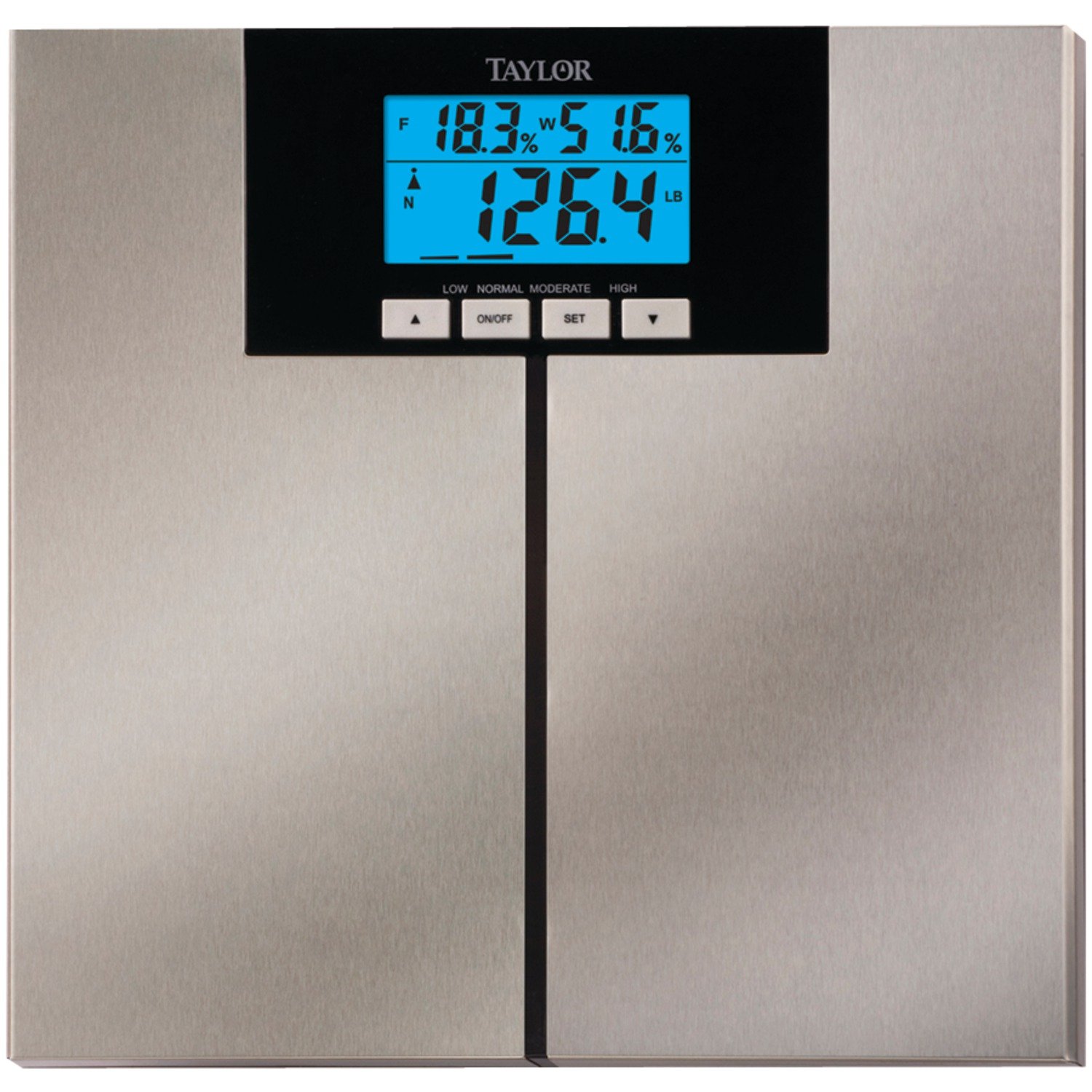
Image: The Taylor 5778 scale displaying weight and body fat percentage. Key features such as body fat and water measurement with BIA technology, a large LCD readout, a scale-only mode with high capacity, memory for up to four users, and included batteries are highlighted on the left side of the image.
Setup
1. Battery Installation
- Locate the battery compartment on the underside of the scale.
- Open the battery compartment cover.
- Insert 2 AA batteries, ensuring the correct polarity (+ and -) as indicated inside the compartment.
- Close the battery compartment cover securely.
2. Initial User Profile Setup
To utilize the body composition analysis features, you must set up a user profile. The scale can store data for up to 4 users.
- Press the 'SET' button to begin setting up a user profile. The user number (P1, P2, P3, P4) will flash.
- Use the 'UP' or 'DOWN' arrows to select a user number (P1-P4). Press 'SET' to confirm.
- Gender: The gender icon will flash. Use 'UP' or 'DOWN' to select male or female. Press 'SET' to confirm.
- Height: The height value will flash. Use 'UP' or 'DOWN' to adjust your height. Press 'SET' to confirm.
- Age: The age value will flash. Use 'UP' or 'DOWN' to adjust your age. Press 'SET' to confirm.
- Activity Level: The activity level icon will flash. Use 'UP' or 'DOWN' to select your activity level (e.g., sedentary, moderately active, active). Press 'SET' to confirm.
- The scale will save your profile and turn off. Your profile is now ready for use.
Operating Instructions
1. Weight Measurement Only
- Place the scale on a hard, flat surface.
- Gently tap the center of the scale with your foot to activate it. The display will show '0.0'.
- Once '0.0' is displayed, step onto the scale with both feet, standing still and centered.
- Your weight will be displayed. The scale will automatically turn off after a few seconds.
2. Body Composition Measurement (Body Fat, Body Water, etc.)
Ensure your user profile is set up before proceeding.
- Place the scale on a hard, flat surface.
- Press the 'ON/OFF' button to turn on the scale.
- Use the 'UP' or 'DOWN' arrows to select your user number (P1-P4).
- Once your user number is selected, step onto the scale barefoot, ensuring your feet are positioned on the stainless steel electrodes. Stand still and centered.
- The scale will first display your weight, then cycle through your body fat percentage, body water percentage, muscle mass, bone mass, BMI, and CAL-MAX.
- Remain on the scale until all measurements have been displayed. The scale will then turn off automatically.
3. Switching Weight Units (lb/kg)
To change the unit of measurement, locate the unit switch button on the underside of the scale, usually near the battery compartment. Press this button to toggle between pounds (lb) and kilograms (kg).
Maintenance
- Cleaning: Wipe the scale surface with a damp cloth and mild detergent. Do not use abrasive cleaners or immerse the scale in water.
- Storage: Store the scale in a cool, dry place. Avoid extreme temperatures and direct sunlight.
- Battery Replacement: If the display shows 'Lo' or becomes dim, replace both AA batteries with new ones. Ensure correct polarity.
- Calibration: If the scale is moved, it is recommended to recalibrate it by gently tapping it to turn it on, waiting for '0.0' to appear, and then stepping off before taking a measurement.
Troubleshooting
- 'Lo' on Display: Indicates low battery. Replace the batteries.
- 'Err' on Display: Indicates an overload. The weight capacity of 400 lbs (180 kgs) has been exceeded. Step off the scale immediately.
- Inaccurate Readings:
- Ensure the scale is on a hard, flat, and stable surface. Carpets or uneven floors can affect accuracy.
- Ensure you are standing still and centered on the scale.
- For body composition measurements, ensure your feet are bare, clean, and making good contact with the electrodes.
- Recalibrate the scale by tapping it on, waiting for '0.0', then stepping off.
- No Display: Check battery installation and ensure batteries are new and correctly inserted.
- Body Composition Data Not Displayed: Ensure you have selected your correct user profile and are standing barefoot on the electrodes.
Specifications
- Model: Taylor 5778
- Weight Capacity: 400 lbs (180 kgs)
- Weight Increments: 0.2 lb (0.1 kg)
- Body Fat/Water Increments: 0.1%
- Technology: Bioelectrical Impedance Analysis (BIA)
- User Memories: 4
- Power: 2 x AA batteries (included)
- Platform Material: Stainless Steel
- Product Dimensions: 5.08 x 32.39 x 33.02 cm; 1.77 kg
Warranty and Support
The Taylor 5778 Stainless Steel Body Fat-Body Water Monitor and Scale comes with a 5-year warranty. For warranty claims, technical support, or any questions not covered in this manual, please refer to the contact information provided with your product packaging or visit the official Taylor website.


