1. Introduction
Thank you for choosing the Vanguard Alta Pro 263AB 100 Aluminum Tripod. This manual provides essential information for the safe and effective use, maintenance, and troubleshooting of your tripod. Please read this manual thoroughly before operating the product.

Figure 1: The Vanguard Alta Pro 263AB 100 Aluminum Tripod, fully extended with the SBH-100 Ball Head attached.
2. Safety Information
- Always ensure your camera is securely mounted to the ball head before use.
- Do not exceed the maximum load capacity of 15.4 pounds (7 kg).
- When adjusting the central column or leg angles, ensure all locking mechanisms are properly engaged to prevent accidental collapse.
- Be cautious when extending or retracting legs to avoid pinching fingers.
- Avoid using the tripod in extreme weather conditions (e.g., strong winds, heavy rain) without proper precautions to prevent damage or instability.
- Keep the tripod away from children to prevent accidents.
3. Package Contents
Verify that all items are present in your package:
- Vanguard Alta Pro 263AB 100 Tripod
- SBH-100 Ball Head
- Quick Release Plate (QS-39)
- Tripod Bag
4. Product Overview
The Vanguard Alta Pro 263AB 100 is an aluminum tripod designed for stability and flexibility, featuring the Multi-Angle Central Column (MACC) system and the SBH-100 Ball Head.
4.1. Key Components
- Multi-Angle Central Column (MACC): Allows the central column to pivot from 0 to 180 degrees for versatile shooting angles.
- Instant Swivel Stop-n-Lock (ISSL) System: Securely repositions the central column with a single movement.
- SBH-100 Ball Head: Provides smooth 360-degree rotation and precise locking for camera positioning.
- Aluminum Alloy Legs: 3-section legs with quick-flip leg locks, adjustable to 25, 50, and 80-degree angles.
- Spiked Rubber Feet: Non-slip feet with retractable spikes for stability on various terrains.
- Accessory Hook: Removable hook for hanging counterweights or camera accessories.
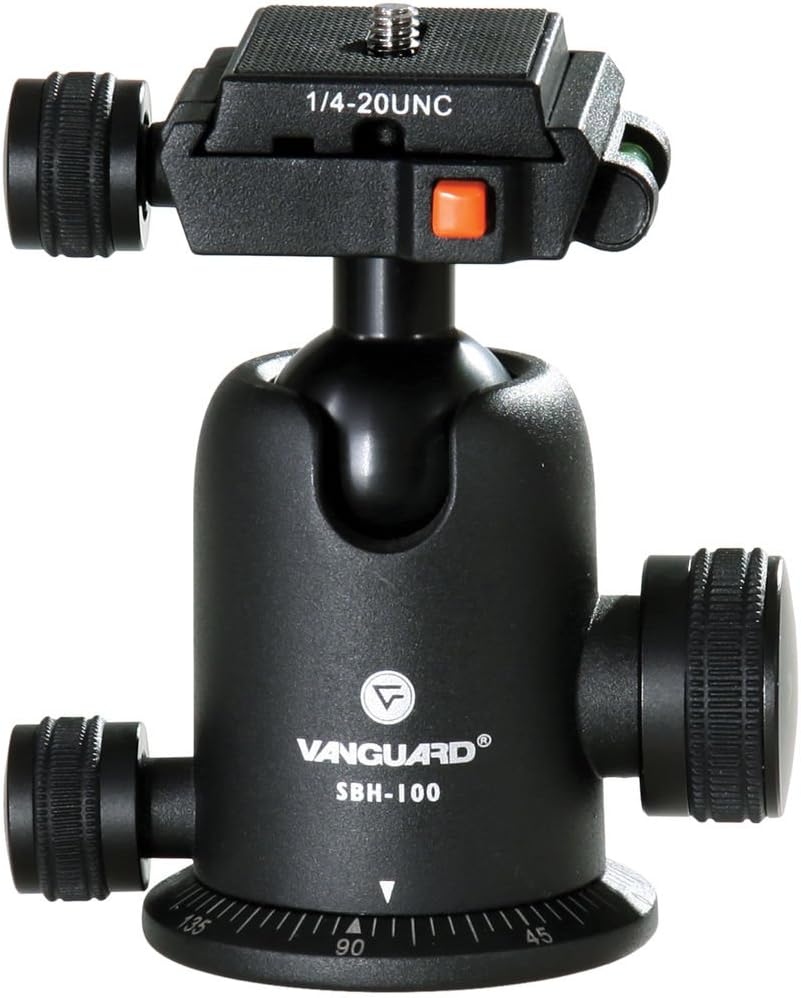
Figure 2: Close-up view of the SBH-100 Ball Head, showing the quick release plate and locking knobs.
5. Setup
5.1. Unfolding the Tripod
- Release the leg locks on each leg section.
- Extend each leg to the desired length.
- Securely close all quick-flip leg locks.
- Adjust the leg angles using the leg angle release buttons located at the top of each leg.
5.2. Attaching Your Camera
- Ensure the SBH-100 Ball Head is securely attached to the tripod's central column.
- Attach the QS-39 quick release plate to the bottom of your camera by screwing the 1/4"-20 UNC screw into the camera's tripod socket. Ensure it is tightened firmly.
- Open the quick release clamp on the ball head.
- Slide the camera with the attached quick release plate into the clamp until it clicks securely into place. Ensure the safety lock is engaged.
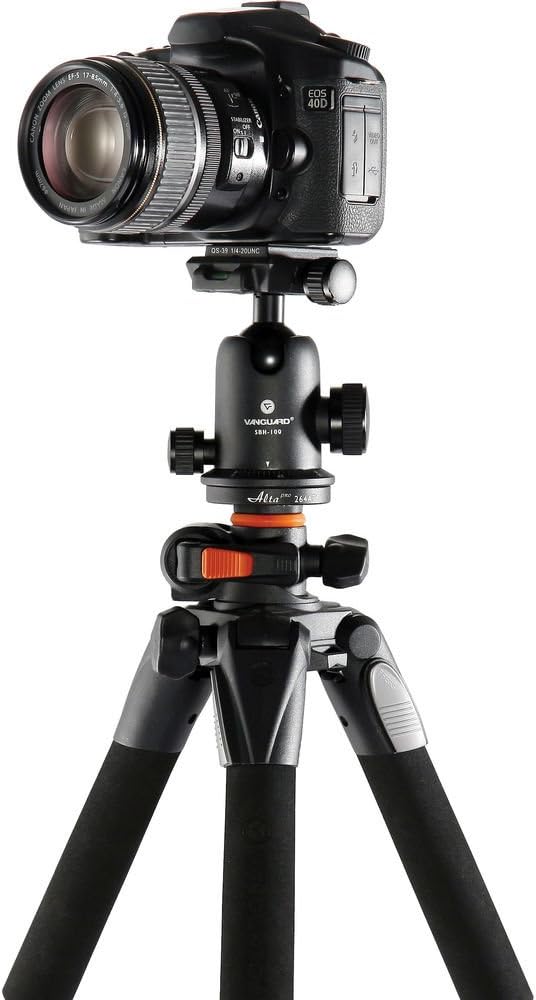
Figure 3: A DSLR camera mounted on the Vanguard Alta Pro 263AB 100 Tripod in a standard vertical position.
6. Operating Your Tripod
6.1. Adjusting Leg Angles
The tripod legs can be independently adjusted to 25, 50, and 80-degree angles. Press the leg angle release button at the top of each leg and move the leg to the desired position until it locks into place.
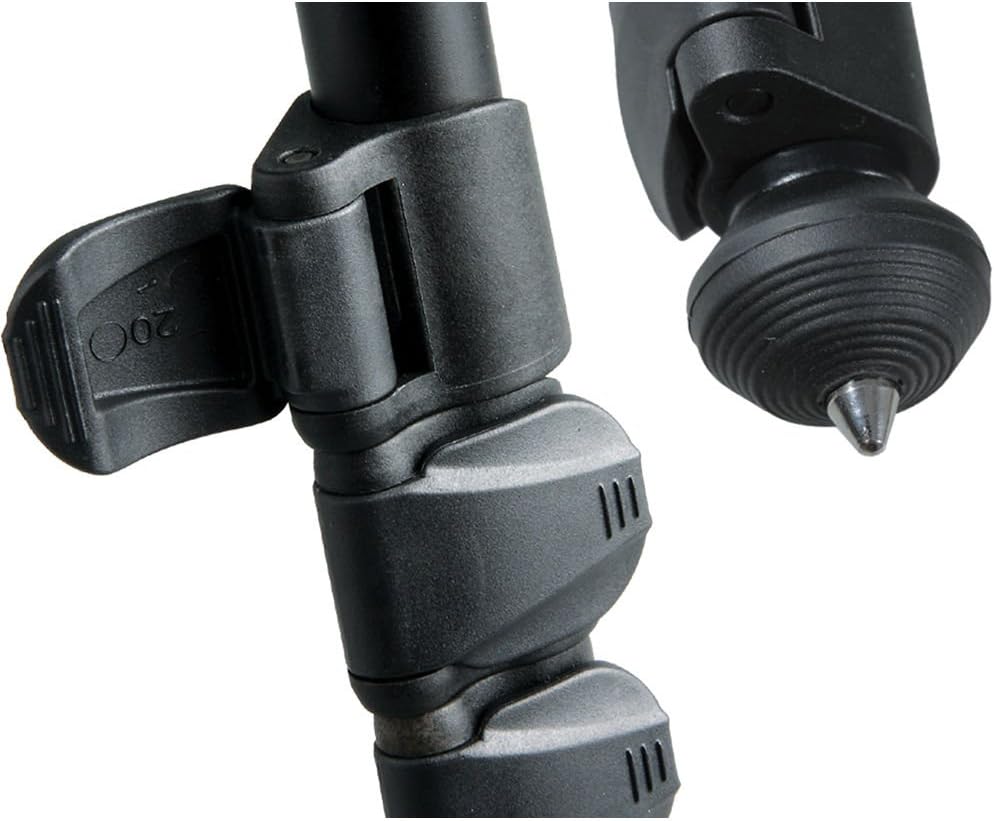
Figure 4: Illustration of the adjustable leg angles for versatile positioning.
6.2. Using the Multi-Angle Central Column (MACC)
The MACC system allows for unique shooting perspectives, including macro and wide-angle shots.
- Loosen the central column locking knob.
- Press the Instant Swivel Stop-n-Lock (ISSL) button to release the central column.
- Pivot the central column from 0 to 180 degrees, or position it vertically or horizontally as needed.
- Once the desired angle is achieved, release the ISSL button and tighten the central column locking knob to secure it.
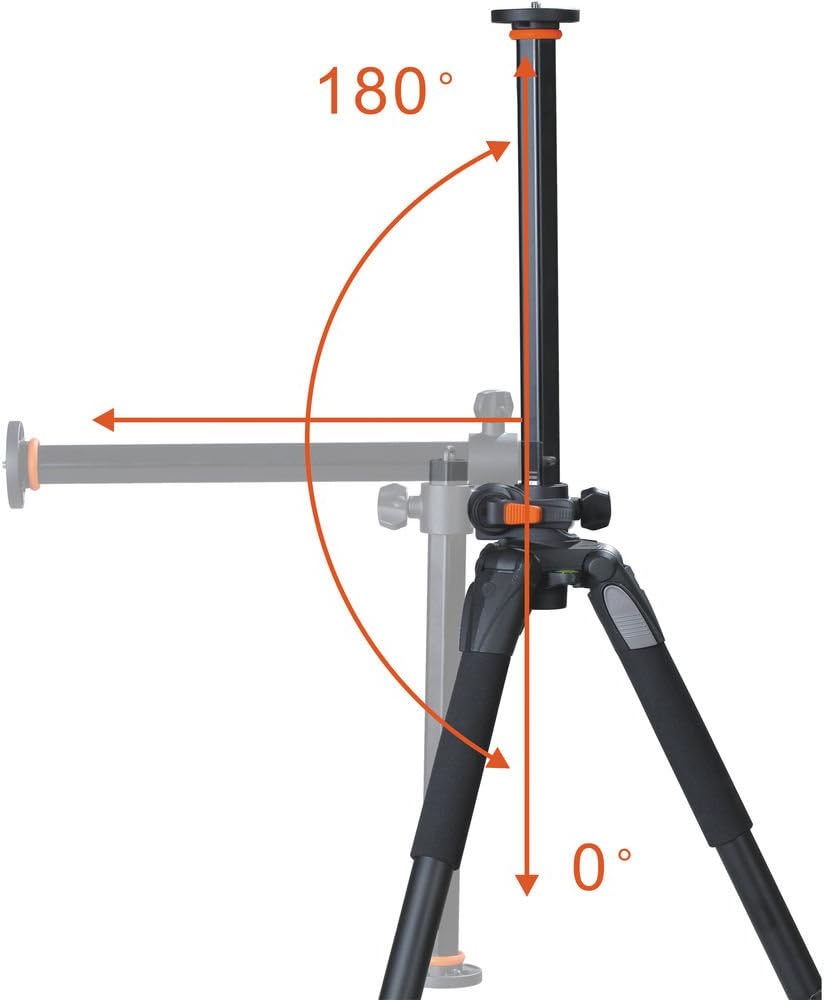
Figure 5: The MACC system allows the central column to move from 0 to 180 degrees for diverse shooting angles.
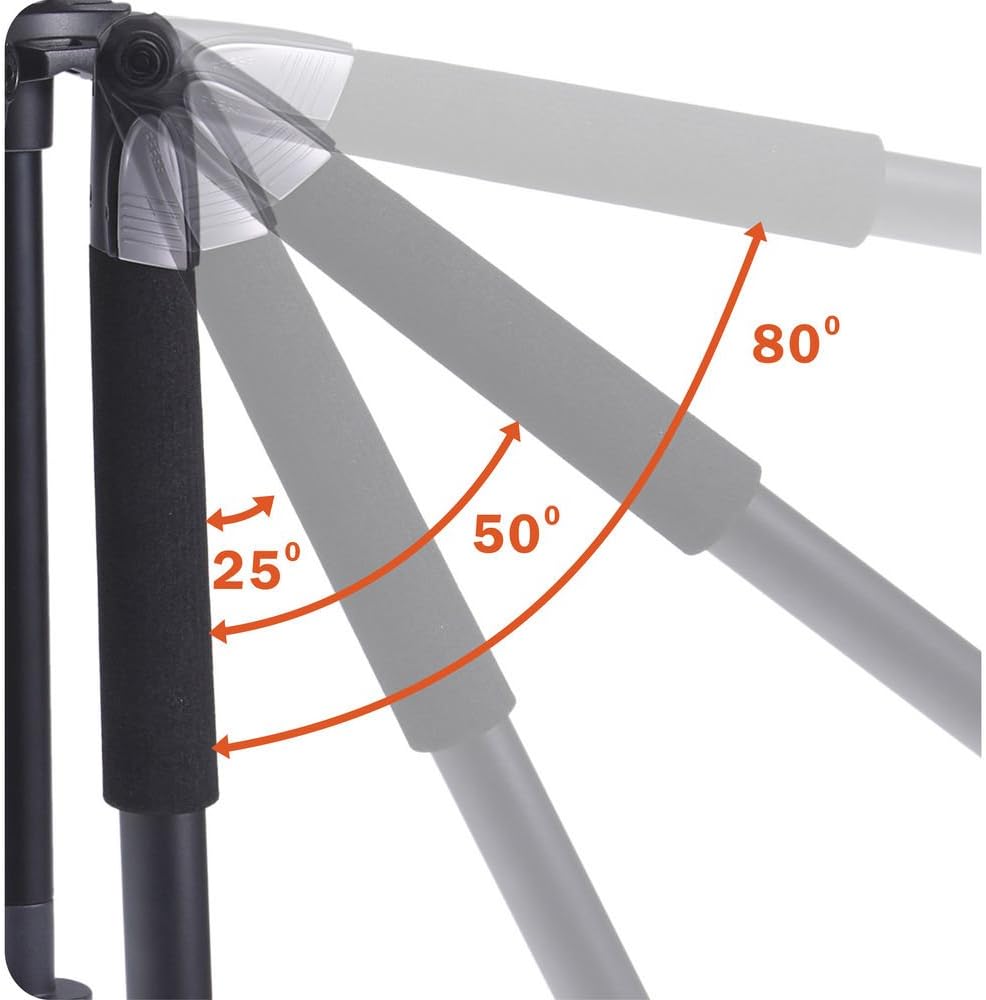
Figure 6: The central column extended horizontally, ideal for macro photography or overhead shots.
6.3. Using the SBH-100 Ball Head
The SBH-100 Ball Head offers smooth and precise camera adjustments.
- Main Locking Knob: Loosen to adjust the camera's position (tilt, pan, and rotation). Tighten to secure the camera.
- Friction Control Knob: Adjusts the tension of the ball movement, allowing for smoother or stiffer adjustments.
- Panning Lock Knob: Loosen to rotate the camera 360 degrees horizontally. Tighten to lock the panning movement.
- Bubble Levels: Use the integrated bubble levels on the quick release plate to ensure your camera is perfectly level.

Figure 7: The quick release plate features a bubble level for accurate leveling of your camera.
6.4. Using the Spiked Rubber Feet
The tripod features non-slip rubber feet with retractable spikes. For increased stability on soft ground (e.g., grass, dirt), twist the rubber feet to expose the metal spikes. For hard surfaces, ensure the rubber feet are fully extended.
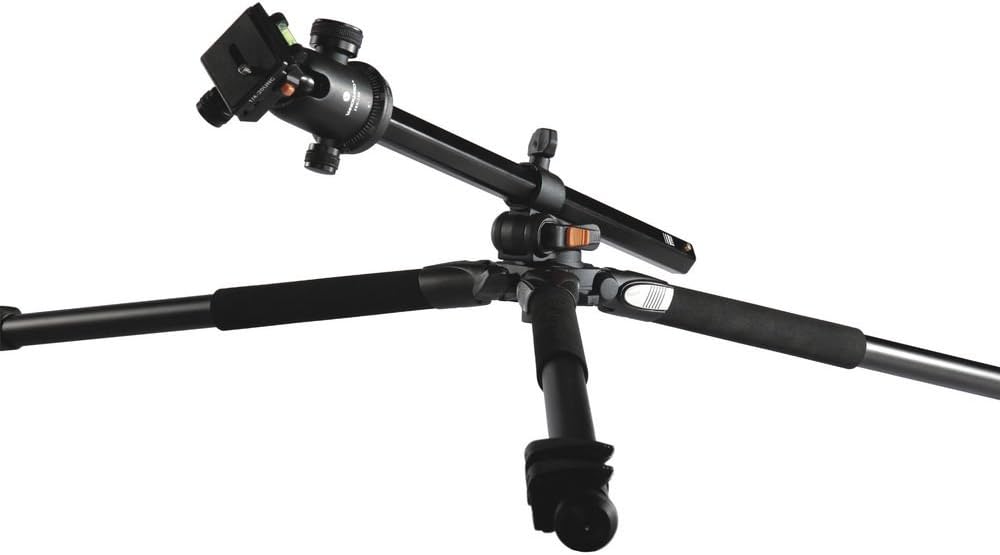
Figure 8: The versatile feet provide stability on various terrains.
6.5. Using the Accessory Hook
A removable hook is located at the bottom of the central column. This can be used to hang a counterweight (e.g., a camera bag) to increase the tripod's stability, especially when the central column is extended or used horizontally.
7. Maintenance
- Cleaning: Wipe down the tripod with a soft, damp cloth after each use, especially if used in dusty, sandy, or wet environments. Avoid harsh chemicals.
- Lubrication: Periodically check leg locks and central column mechanisms. If movement becomes stiff or a leg lock doesn't engage properly, a small amount of silicone-based lubricant can be applied to the moving parts. Avoid excessive lubrication, which can attract dirt.
- Storage: Store the tripod in its bag in a dry, cool place to prevent corrosion and damage.
- Inspection: Regularly inspect all screws, bolts, and locking mechanisms for tightness and wear. Tighten any loose components.
8. Troubleshooting
- Tripod is unstable: Ensure all leg sections are fully extended and locked. Verify leg angles are properly engaged. Consider using the accessory hook with a counterweight.
- Leg locks are stiff or not engaging: Clean the leg lock mechanisms to remove any debris. Apply a small amount of silicone lubricant if necessary.
- Ball head movement is not smooth: Ensure the main locking knob is sufficiently loosened. Check for any debris around the ball. Adjust the friction control knob.
- Camera not securely attached: Ensure the quick release plate is firmly attached to the camera and properly seated in the ball head clamp with the safety lock engaged.
9. Specifications
| Feature | Specification |
|---|---|
| Product Dimensions | 28 x 4 x 4 inches |
| Item Weight | 5.4 pounds |
| Material | Aluminum |
| Weight Limit | 15.4 Pounds |
| Maximum Height | 68.2 Inches |
| Tripod Head Type | Ball Heads (SBH-100) |
| Leg Sections | 3 |
| Leg Angles | 25°, 50°, 80° |
| Special Feature | Multi-Angle Central Column (MACC), Instant Swivel Stop-n-Lock (ISSL) |
10. Official Product Videos
Vanguard Alta Pro 263AB 100 Aluminum Tripod Overview
This video provides a comprehensive overview of the Vanguard Alta Pro 263AB 100 Aluminum Tripod, highlighting its key features and functionalities, including the Multi-Angle Central Column and the SBH-100 Ball Head.
11. Warranty
Vanguard products are covered by a limited warranty against defects in materials and workmanship. For detailed warranty information, including terms, conditions, and registration, please refer to the official Vanguard website or contact their customer support.
12. Support
For further assistance, technical support, or inquiries regarding your Vanguard Alta Pro 263AB 100 Tripod, please visit the official Vanguard website at www.vanguardworld.com or contact their customer service department directly.


