Introduction
This manual provides detailed instructions for the assembly, operation, and maintenance of your Bush Furniture Salinas Computer Desk with Hutch. Please read all instructions carefully before beginning assembly and retain this manual for future reference. This desk is designed to provide a functional workspace with integrated storage solutions.

Image: The Bush Furniture Salinas Computer Desk with Hutch, showcasing its Vintage Black finish and overall design.
Safety Information
General Safety Precautions
- Always follow assembly instructions precisely. Incorrect assembly can lead to instability and injury.
- Ensure all hardware is securely tightened before use. Periodically check and re-tighten as necessary.
- Do not overload the desk or hutch shelves. Refer to the 'Specifications' section for maximum weight recommendations.
- Keep small parts and packaging materials away from children to prevent choking hazards.
- Use the desk on a level surface to prevent tipping.
- Avoid placing hot items directly on the desk surface without protection.
Package Contents
Before beginning assembly, verify that all components and hardware are present. If any parts are missing or damaged, contact Bush Furniture customer support.
- Desk panels and components
- Hutch panels and components
- Hardware kit (screws, dowels, cam locks, drawer slides, handles, etc.)
- Assembly instructions booklet
Assembly Instructions
Assembly typically requires two people and approximately 3 hours. Tools recommended for assembly include a hammer and a screwdriver. An additional tube of wood glue may be beneficial for enhanced stability.
Step 1: Prepare Your Workspace
Clear a spacious, clean, and level area for assembly. Lay out all parts and hardware, organizing them by type or part number to facilitate the process.
Step 2: Assemble the Desk Base
Follow the provided assembly booklet to construct the main desk frame. This typically involves attaching side panels to the desktop and base, securing them with the provided hardware. Ensure all connections are firm.
Step 3: Install Drawers and Cabinet
Assemble the drawer box and install the drawer slides onto both the drawer and the desk frame. Insert the drawer into its designated slot. For the cabinet, attach hinges to the door and the cabinet frame, then mount the door. Ensure smooth operation of both the drawer and cabinet door.
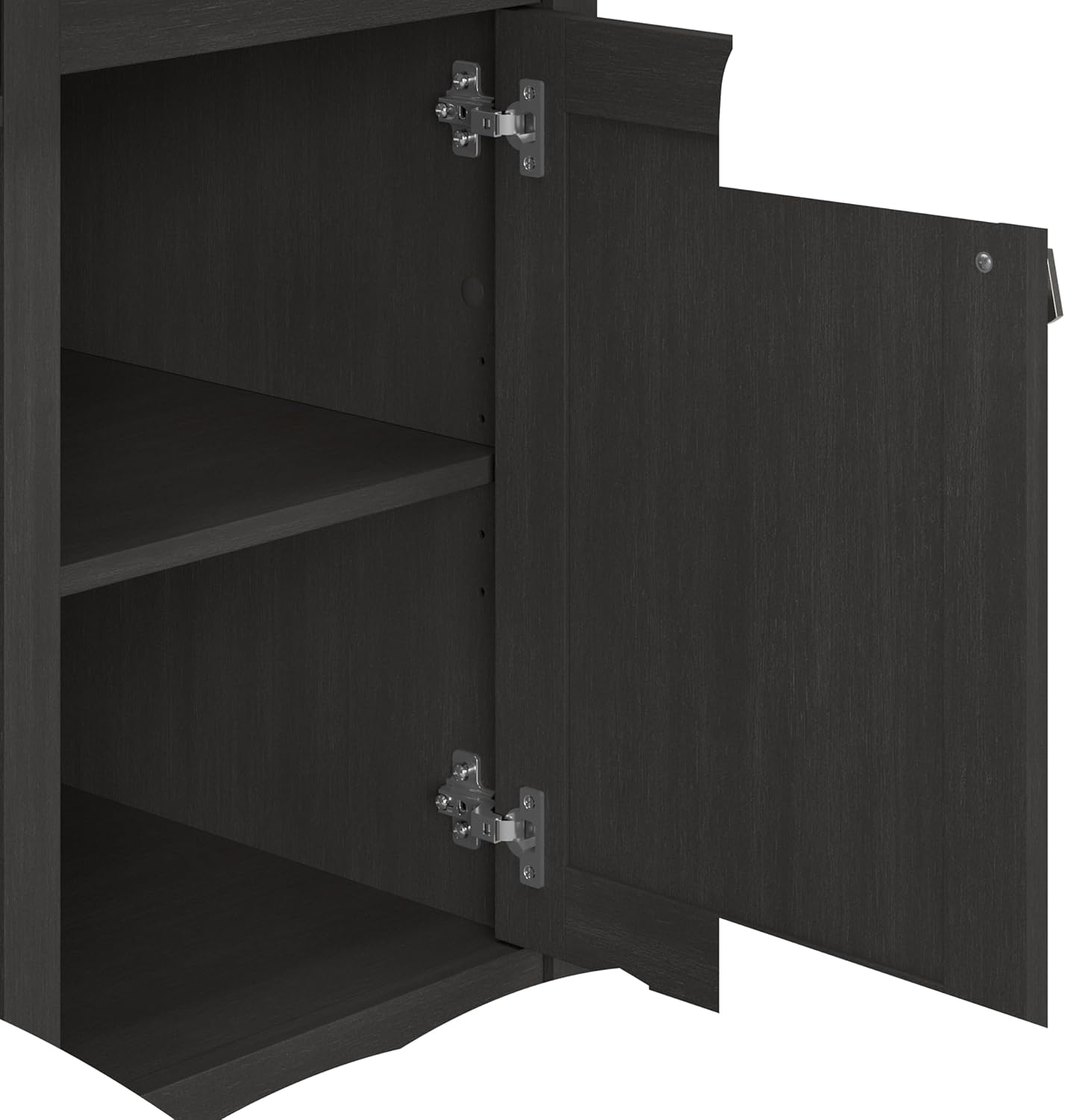
Image: An open view of the desk's vertical storage cabinet, revealing internal shelving for organization.
Step 4: Attach Keyboard Tray
Mount the pull-out keyboard tray slides to the underside of the desk and then attach the tray itself. Test its smooth extension and retraction.

Image: A close-up of the integrated pull-out keyboard tray, extended to show space for a keyboard and mouse.
Step 5: Assemble and Mount the Hutch
Construct the hutch unit separately, then carefully lift and secure it onto the top of the desk. Ensure it is aligned and firmly attached using the specified hardware to prevent wobbling.

Image: A detailed dimensional diagram illustrating the overall measurements and key sections of the desk and hutch.
Step 6: Final Checks
Once assembled, gently move the desk to its desired location. Re-check all screws and fasteners to ensure they are tight. Confirm that drawers and doors open and close smoothly.
Operating Instructions
Using the Work Surface
The main desktop provides ample space for a computer monitor, laptop, and other work essentials. It supports up to 200 pounds. Utilize the built-in wire management system to keep cables organized and out of sight, maintaining a clutter-free environment.
Keyboard/Laptop Tray
The integrated pull-out tray is designed to hold a keyboard and mouse, or a laptop, freeing up valuable desktop space. Gently pull the tray forward to extend and push back to retract.
Storage Drawer
The box drawer is ideal for organizing office supplies, pens, and other small items. It features smooth ball-bearing glides for easy access.

Image: The desk's storage drawer, partially open, illustrating its capacity for office supplies.
Vertical Storage Cabinet
The cabinet provides enclosed storage for larger items or documents, helping to keep your workspace tidy. The internal shelf can be adjusted to accommodate various item heights.
Hutch Shelves
The open hutch shelves offer convenient storage and display space for books, decorative items, or work-in-progress files. These shelves help maximize vertical space and keep frequently used items within reach.

Image: The open hutch shelves, demonstrating their use for storing books and displaying decorative objects.
Maintenance and Care
To maintain the appearance and longevity of your Bush Furniture Salinas Computer Desk with Hutch, follow these care instructions:
- Cleaning: Wipe surfaces with a damp cloth. Avoid harsh chemicals or abrasive cleaners, as these can damage the finish.
- Spills: Clean spills immediately to prevent staining or damage to the engineered wood surface.
- Hardware: Periodically check and tighten all screws and fasteners to ensure the desk remains stable.
- Sunlight: Avoid prolonged exposure to direct sunlight, which can cause fading or discoloration.
Troubleshooting
Desk Wobbles or is Unstable
- Ensure the desk is placed on a level surface.
- Check all assembly hardware. Tighten any loose screws or cam locks.
- Verify that all panels are correctly seated and aligned according to the assembly instructions.
Drawer Does Not Slide Smoothly
- Ensure the drawer slides are correctly installed and aligned on both the drawer box and the desk frame.
- Check for any obstructions in the drawer glides.
- Verify that the drawer box itself is assembled squarely.
Cabinet Door Does Not Close Properly
- Inspect the hinges for proper installation and alignment. Adjust if necessary.
- Ensure the cabinet frame is square and not warped.
Specifications
| Feature | Detail |
|---|---|
| Brand | Bush Furniture |
| Model Number | MY72708-03 |
| Product Dimensions (D x W x H) | 23.19"D x 47.17"W x 62.95"H |
| Item Weight | 115 Pounds |
| Color | Vintage Black |
| Material | Engineered Wood (Top, Hutch), Metal (Base, Furniture Legs) |
| Maximum Weight Recommendation | 200 Pounds (Desktop) |
| Number of Drawers | 1 |
| Number of Cabinets | 1 |
| Number of Shelves | 1 (adjustable in cabinet) + multiple in hutch |
| Required Assembly | Yes (Recommended 2 people) |
| Tools Recommended for Assembly | Hammer, Screwdriver |
Warranty and Support
Manufacturer's Warranty
This Bush Furniture product is backed by a 1-year manufacturer's warranty. This warranty covers defects in materials and workmanship under normal use. For specific details regarding coverage and limitations, please refer to the warranty information provided with your product packaging or contact Bush Furniture directly.
Customer Support
For assistance with assembly, missing parts, or any product-related inquiries, please contact Bush Furniture customer support. Contact information is typically found in the assembly instructions booklet or on the manufacturer's official website.


