
Introduction
This manual provides detailed instructions for the proper use and care of your Taylor Precision Products Body Fat and Body Water Scale, Model 5741F. This scale is designed for home use to measure body weight, body fat percentage, and body water percentage. Please read this manual thoroughly before initial use to ensure accurate readings and safe operation.
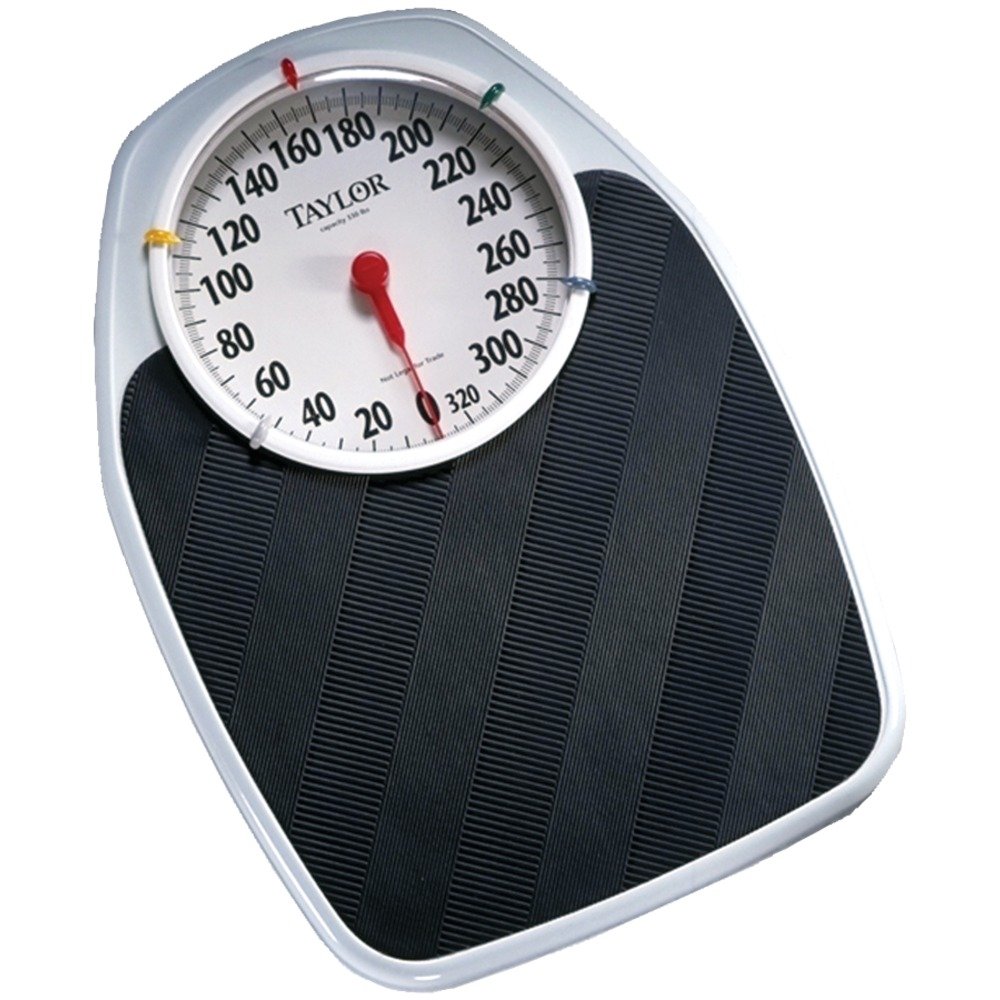
Image: The Taylor Precision Products Body Fat and Body Water Scale, Model 5741F. It features a sleek, rectangular glass platform with two metal electrodes for body composition analysis and a large digital display at the top.
Important Safety Information
- Do not use this device if you have a pacemaker or other internal medical device.
- Do not use this device if you are pregnant.
- The scale's surface can be slippery when wet. Ensure the surface is dry before stepping on.
- Always place the scale on a hard, flat surface for accurate measurements. Carpets or uneven floors can affect accuracy.
- Keep the scale away from extreme temperatures and direct sunlight.
- This scale is intended for personal use only and not for medical diagnosis or treatment.
Setup
1. Unpacking
Carefully remove the scale from its packaging. Inspect the scale for any damage. Retain packaging for future storage or transport.
2. Battery Installation
- Locate the battery compartment on the underside of the scale.
- Open the battery compartment cover.
- Insert the lithium battery (included) according to the polarity indicators (+ and -) inside the compartment.
- Close the battery compartment cover securely.
3. Initial Placement
Place the scale on a firm, flat, and level surface. Avoid placing it on carpets, rugs, or uneven flooring, as this can lead to inaccurate readings.
4. User Profile Setup (for Body Fat/Water Measurement)
The scale can store up to four user profiles. Each profile requires input of gender, height, and age for accurate body composition analysis.
- Press the 'SET' button to enter setup mode.
- Use the 'UP' or 'DOWN' arrows to select a user number (P1, P2, P3, P4). Press 'SET' to confirm.
- Select gender (male/female) using 'UP' or 'DOWN' arrows. Press 'SET'.
- Enter your height using 'UP' or 'DOWN' arrows. Press 'SET'.
- Enter your age using 'UP' or 'DOWN' arrows. Press 'SET'.
- The scale will save the profile and return to weighing mode.
Operating Instructions
1. Basic Weight Measurement
- Gently tap the scale with your foot to activate it. The display will show '0.0'.
- Step onto the scale with bare feet, standing still and centered on the platform.
- Your weight will be displayed. The scale will automatically turn off after a few seconds.
2. Body Fat and Body Water Measurement
- Gently tap the scale to activate it.
- Press the 'USER' button repeatedly to select your user profile (P1, P2, P3, or P4).
- Once your user number is displayed, step onto the scale with bare feet, ensuring your feet are in contact with the metal electrodes.
- Stand still until your weight is displayed, followed by your body fat percentage and body water percentage.
- The readings will cycle through, then the scale will turn off.
3. Reading the Display
The large 1.4-inch LCD display shows your weight in pounds (lb) or kilograms (kg), body fat percentage (%), and body water percentage (%). Indicators for user profiles (P1-P4) and measurement units are also visible.
Maintenance
1. Cleaning
Wipe the scale's surface with a damp cloth and mild detergent. Do not use abrasive cleaners or immerse the scale in water. Ensure the scale is dry before use.
2. Storage
Store the scale in a cool, dry place. Avoid placing heavy objects on the scale when not in use.
3. Battery Replacement
When the battery indicator appears on the display, or if the scale fails to power on, replace the lithium battery following the instructions in the 'Battery Installation' section.
Troubleshooting
- Inaccurate or Inconsistent Readings: Ensure the scale is on a hard, flat, level surface. Avoid moving the scale between measurements. Ensure feet are clean, dry, and making good contact with electrodes.
- Display Shows 'Lo' or is Blank: The battery is low or depleted. Replace the battery.
- Display Shows 'Err' or 'Error 4/5': This typically indicates an overload (weight exceeds maximum capacity) or an issue with body composition measurement. Step off the scale, wait for it to reset to '0.0', and try again. Ensure bare feet are making proper contact with the electrodes for body composition analysis.
- No Body Fat/Water Reading: Ensure you have selected your user profile and are stepping on the scale with bare feet. Ensure your feet are making good contact with both metal electrodes.
Specifications
| Model Number | 5741F |
| Weight Capacity | 350 pounds (160 kilograms) |
| Body Composition Accuracy | 0.1% for Body Fat and Body Water |
| Display | Large 1.4-inch LCD |
| User Memory | Up to 4 users |
| Power Source | Lithium Battery |
| Product Dimensions | 13 x 1.5 x 12.75 inches |
| Materials | Metal, Plastic |
Warranty and Support
Warranty Information
This Taylor Precision Products scale is covered by a 5-year limited warranty. This warranty covers defects in materials and workmanship under normal household use. For specific terms and conditions, please refer to the warranty card included with your product or contact customer support.
Customer Support
For technical assistance, troubleshooting, or warranty claims, please contact Taylor Precision Products customer support. Contact details can typically be found on the product packaging or the official Taylor website.


