
Introduction
This manual provides essential instructions for the safe and effective operation of your Pro'sKit MT-1280 Digital Multimeter. This device is designed for measuring DCV, ACV, DCA, ACA, resistance, capacitance, diode, transistor, continuity, and temperature. It features a large, easy-to-read display and is suitable for laboratory, factory, and home use.
Safety Information
Always observe safety precautions when using electrical testing equipment. Failure to do so may result in injury or damage to the meter. Read all instructions before use.
- Do not apply voltage or current that exceeds the maximum specified limits.
- Ensure test leads are properly connected and the function switch is in the correct position before making measurements.
- Exercise extreme caution when working with live circuits. Avoid contact with bare wires or terminals.
- Replace batteries when the low battery indicator appears to ensure accurate readings.
- Do not operate the meter if it appears damaged or if the case is open.
Package Contents
- Pro'sKit MT-1280 Digital Multimeter
- Test Probes
Product Overview
The Pro'sKit MT-1280 features a large LCD display with backlight for clear readings in various lighting conditions. It includes a rotary switch for function selection and input jacks for test leads.
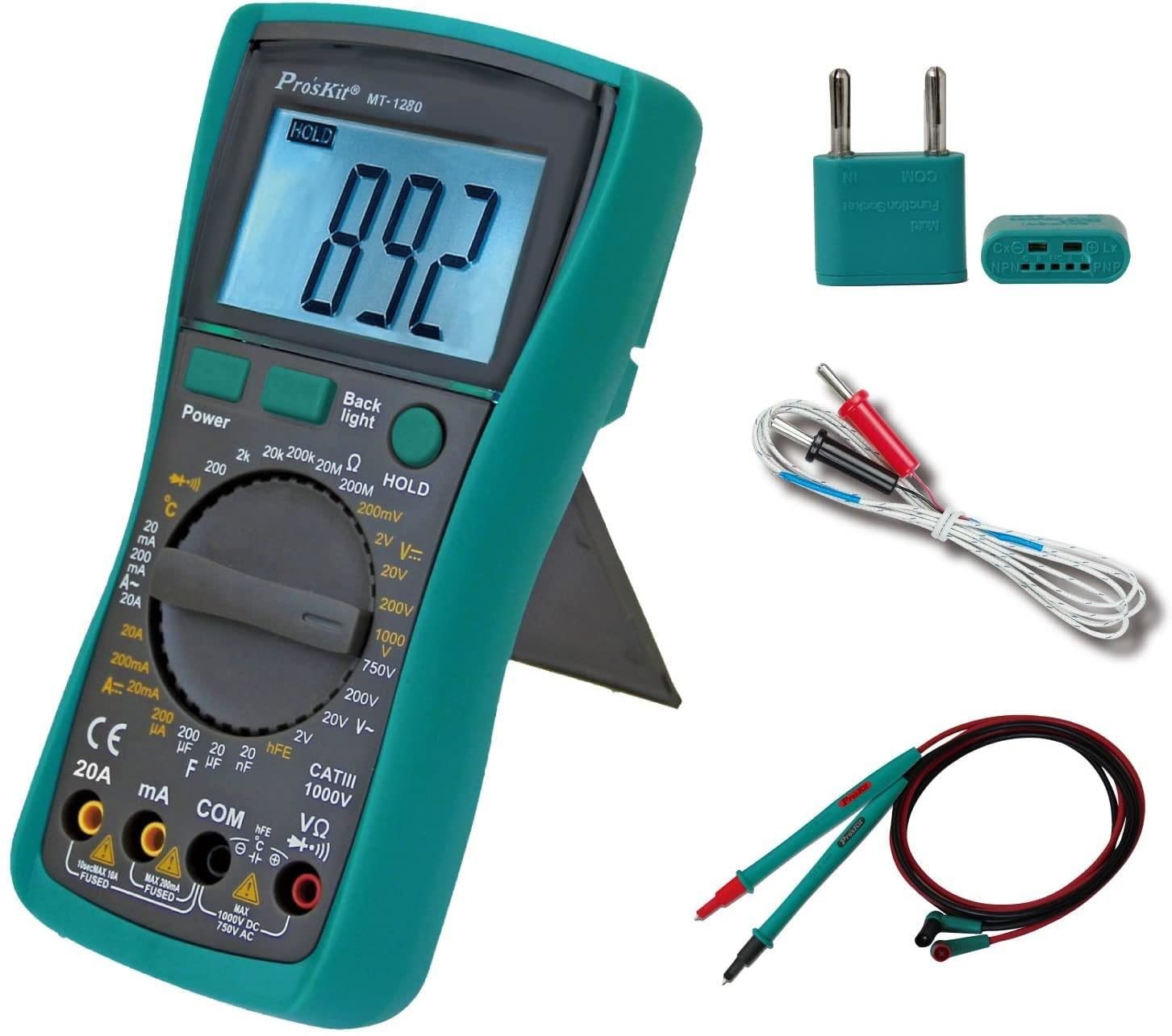
Figure 1: Pro'sKit MT-1280 Digital Multimeter and included accessories.
Key Features:
- Stable multimeter, battery-driven.
- Measures DCV, ACV, DCA, ACA, resistance, capacitance, diode, transistor, continuity, and temperature.
- Large and easy-to-read display panel.
- Ideal for lab, factory, and family use.
Setup
1. Battery Installation
- Locate the battery compartment cover on the back of the multimeter.
- Unscrew the retaining screw(s) and remove the cover.
- Insert the required batteries, observing correct polarity (+ and -).
- Replace the cover and secure with the screw(s).
2. Connecting Test Leads
- Insert the black test lead into the "COM" (Common) jack.
- For most voltage, resistance, and continuity measurements, insert the red test lead into the "VΩmA" jack.
- For high current measurements (e.g., 10A or 20A), insert the red test lead into the dedicated "10A" or "20A" jack.

Figure 2: Front panel of the MT-1280, showing the display, function dial, and input jacks.
Operating Instructions
To operate the multimeter, turn the rotary switch to the desired measurement function. Connect the test leads to the circuit or component under test as appropriate for the selected function.
General Measurement Steps:
- Select Function: Turn the rotary switch to the desired measurement type (e.g., DCV, ACV, Resistance).
- Connect Leads: Insert the black lead into the COM jack and the red lead into the appropriate input jack (VΩmA, 10A, etc.).
- Measure: Connect the test probes to the circuit or component. Read the value on the LCD display.
- Power Off: When finished, turn the rotary switch to the "OFF" position to conserve battery life.
Specific Functions:
- Voltage (DCV/ACV): Select the appropriate voltage range. Connect probes in parallel with the circuit.
- Current (DCA/ACA): Select the appropriate current range. Connect probes in series with the circuit. Ensure the correct input jack is used for high current.
- Resistance (Ω): Ensure the circuit is de-energized. Select the resistance range. Connect probes across the component.
- Continuity: Select the continuity function. The meter will beep if a continuous path is detected.
- Diode Test: Select the diode function. Connect probes across the diode to measure forward voltage drop.
- Capacitance (F): Ensure the capacitor is discharged. Select the capacitance range. Connect probes across the capacitor.
- Temperature (°C): Connect the temperature probe (if included) to the appropriate jacks and select the temperature function.
Maintenance
- Cleaning: Wipe the meter with a damp cloth and mild detergent. Do not use abrasives or solvents.
- Battery Replacement: Replace batteries promptly when the low battery indicator appears to maintain accuracy. Refer to the "Battery Installation" section for instructions.
- Fuse Replacement: If the current measurement function fails, the fuse may need replacement. Refer to the specifications for the correct fuse type and rating. Fuse replacement should only be performed by qualified personnel.
- Storage: If the meter is not used for an extended period, remove the batteries to prevent leakage.
Troubleshooting
| Problem | Possible Cause | Solution |
|---|---|---|
| No display or faint display | Dead or low batteries | Replace batteries. |
| Incorrect readings | Incorrect function selected; poor lead connection; damaged leads; meter out of calibration | Verify function and range; check lead connections; replace leads; contact service for calibration. |
| Current measurement not working | Blown fuse | Replace fuse (refer to fuse specifications). |
Specifications
| Parameter | Value |
|---|---|
| Product Dimensions | 3.54 x 1.81 x 7.17 inches |
| Item Weight | 15.84 ounces |
| Model Number | MT-1280 |
| Brand | Pro'sKit |
| Power Source | Battery Powered |
| Style | Digital |
| Manufacturer | Eclipse Tools |
| ASIN | B003TYIC9K |
Warranty and Support
For warranty information or technical support, please refer to the manufacturer's official website or contact your point of purchase. Specific warranty details are not provided in this manual.