
Santamedical SM-110
Santamedical SM-110 Finger Pulse Oximeter User Manual
Model: SM-110
Introduction
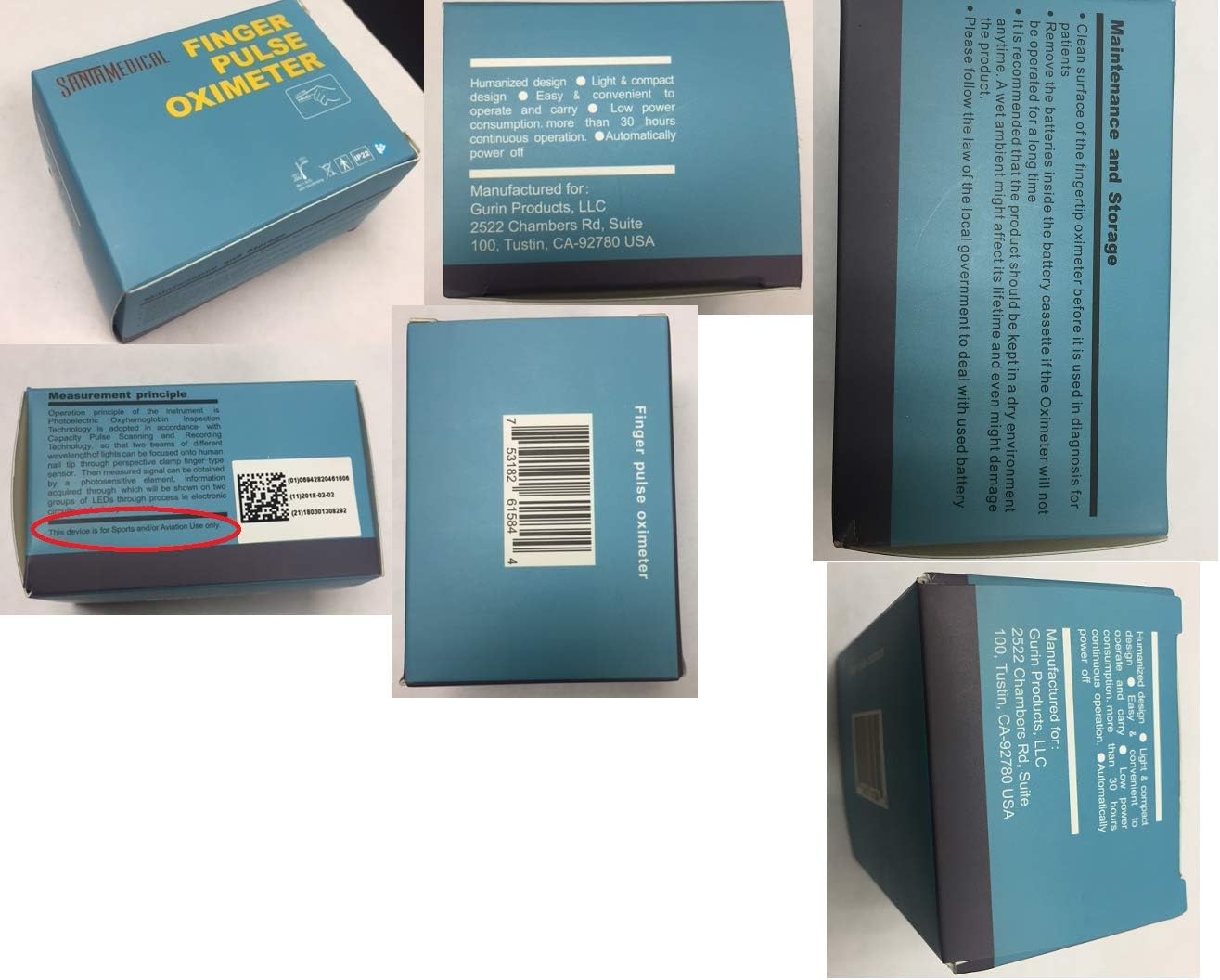
The Santamedical SM-110 Finger Pulse Oximeter is a compact, portable device designed for non-invasive spot-checking of arterial oxygen saturation (SpO2) and pulse rate. It provides quick and reliable readings. This device is intended for sports and aviation use only and is not for medical diagnosis or treatment. This manual provides essential information for safe and effective operation.
Important Safety Information
- This device is for sports and aviation use only. It is not intended for medical use or diagnosis.
- Do not use the oximeter in an MRI or CT environment.
- Do not use the oximeter in situations requiring continuous monitoring.
- Keep the device away from young children. Small parts may be a choking hazard.
- Remove batteries if the oximeter will not be used for a long period to prevent battery leakage.
- Readings may vary on darker skin pigmentation and can appear higher than actual oxygen levels. Refer to the full manual for detailed considerations.
- Ensure hands are dry, warm, and free of nail polish for accurate readings.
Package Contents
- Santamedical SM-110 Finger Pulse Oximeter
- 2 AAA Batteries
- Carry Case
- Neck/Wrist Cord
- User Manual
The package includes the SM-110 oximeter, two AAA batteries, a protective carry case, a neck/wrist cord for portability, and this user manual.
Product Overview
The Santamedical SM-110 Finger Pulse Oximeter features a compact design with a clear display for easy reading of your SpO2 and pulse rate.

Key components include the display screen showing blood oxygen saturation (SpO2) and pulse rate (PR BPM), a pulse bar graph, a single power button for operation, a finger opening for measurement, a battery cover, and a lanyard loop hole.

The device measures approximately 2.25 inches in length, 1.25 inches in height, and 1.2 inches in width, making it highly portable.
Setup
- Install Batteries: Open the battery cover on the back of the device. Insert the two AAA batteries, ensuring correct polarity (+/-). Close the battery cover securely.

Ensure batteries are correctly installed before first use.
Operating Instructions
- Insert Finger: Open the clamp of the oximeter and place one of your fingers (preferably the index finger) into the rubber opening. Ensure your finger is fully inserted and resting on the sensor.
- Power On: Press the power button once. The device will automatically begin measuring.
- Read Results: Keep your hand still. Within 8 to 10 seconds, your blood oxygen saturation (SpO2) and pulse rate (PR BPM) will be displayed on the screen. A pulse bar graph will also indicate pulse strength.
- Display Orientation: If the display is upside down, press the power button again briefly to rotate the screen orientation for easier viewing.
- Power Off: The device will automatically power off after 8 seconds of inactivity.

For accurate readings, ensure your finger is correctly positioned and still during measurement.
Maintenance
- Cleaning: Clean the surface of the oximeter with a soft cloth dampened with alcohol or a mild disinfectant. Do not immerse the device in water.
- Storage: Store the oximeter in a cool, dry place, away from direct sunlight and extreme temperatures. If storing for extended periods, remove the batteries.
- Battery Replacement: Replace batteries when the low battery indicator appears on the display.
Troubleshooting
| Problem | Possible Cause | Solution |
|---|---|---|
| No reading or inaccurate reading | Finger not properly inserted, movement during measurement, low battery, nail polish, cold fingers, dark skin pigmentation. | Reinsert finger correctly, remain still, replace batteries, remove nail polish, warm hands, consult manual for dark skin pigmentation notes. |
| Display is upside down | Default display orientation. | Press the power button briefly to rotate the display. |
| Device does not power on | Dead batteries, incorrect battery installation. | Replace batteries, ensure correct polarity. |
Specifications
| Feature | Detail |
|---|---|
| Model Name | SM-110 |
| Measuring Range (SpO2) | 35-99% |
| Power Source | 2 AAA batteries (included) |
| Product Dimensions | 3.9 x 2.3 x 2.9 inches; 3.21 ounces |
| Brand | Santamedical |
| Color | Silver |
Warranty and Support
The Santamedical SM-110 Finger Pulse Oximeter comes with a 1-year manufacturer warranty. For support or warranty claims, please refer to the contact information provided in the original product packaging or visit the Santamedical official website.
For additional information or to explore other Santamedical products, visit the Santamedical Store.
Ask a question about this manual
Ask about setup, troubleshooting, compatibility, parts, safety, or missing instructions. Manuals+ will review the question and use this page’s manual context to help answer it.