
Introduction
Thank you for choosing the Classic Cantabile 00016122 Double X-Style Keyboard Stand. This manual provides essential information for the safe and effective setup, operation, and maintenance of your keyboard stand. Please read these instructions carefully before use and retain them for future reference.
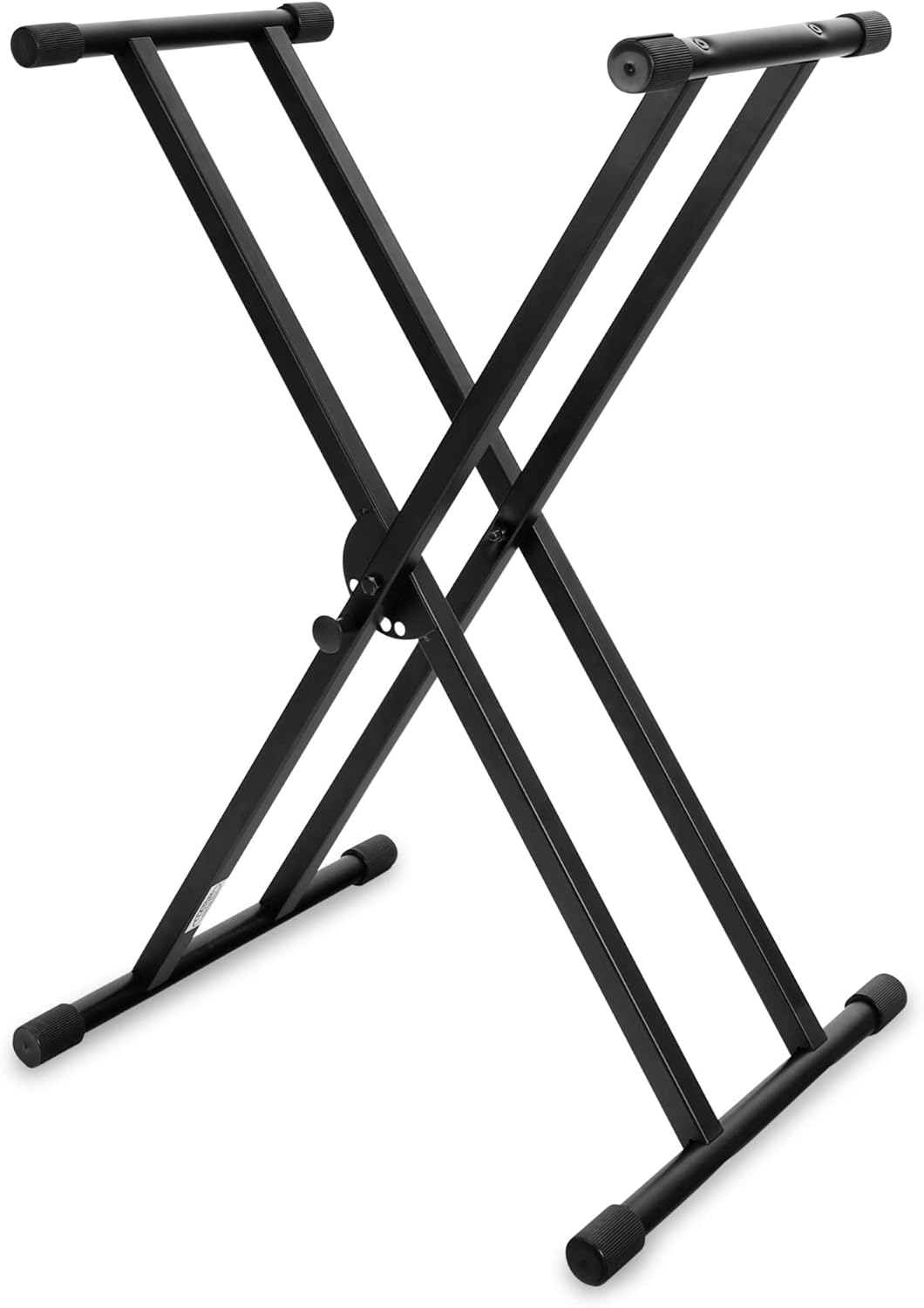
Figure 1: Classic Cantabile 00016122 Double X-Style Keyboard Stand.
Package Contents
Please verify that all components are present in the package:
- a. Frame (Main X-structure)
- b. Top Stand (Short support bars for the instrument)
- c. Bottom Feet (Long support bars for the base)
- d. Screws (for assembly)
- e. Hex Wrench (for assembly)

Figure 2: Diagram illustrating the components included in the package.
Setup and Assembly
The Classic Cantabile 00016122 Keyboard Stand is designed for straightforward assembly. Follow these steps:
- Unfold the Frame: Carefully unfold the main X-shaped frame (a) until it forms an open 'X' structure.
- Attach Top Stand Bars: Secure the two shorter top stand bars (b) to the upper ends of the X-frame using the provided screws (d) and hex wrench (e). Ensure they are firmly tightened.
- Attach Bottom Feet Bars: Secure the two longer bottom feet bars (c) to the lower ends of the X-frame using the remaining screws (d) and hex wrench (e). Ensure these are also firmly tightened.
- Check Stability: Once assembled, ensure all screws are tight and the stand is stable on a flat surface.
The stand features anti-slip rubber caps on both the top support bars and the bottom feet to prevent movement and protect surfaces.
Operation
Adjusting Height
The keyboard stand features a 5-step locking system for height adjustment. To adjust the height:
- Locate the quick-release mechanism and locking pin at the center joint of the X-frame.
- Pull the locking pin outwards to disengage it from its current position.
- Adjust the stand to your desired height by moving the X-frame inwards or outwards.
- Once the desired height is reached, release the locking pin, ensuring it securely engages into one of the five adjustment holes.
- Verify the stand is stable before placing any instrument on it.

Figure 3: Detail of the 5-step locking system for height adjustment.
Usage and Compatibility
This double X-style stand is suitable for various keyboard instruments, including those with 61, 76, or 88 keys. It can be adjusted for both sitting and standing playing positions.
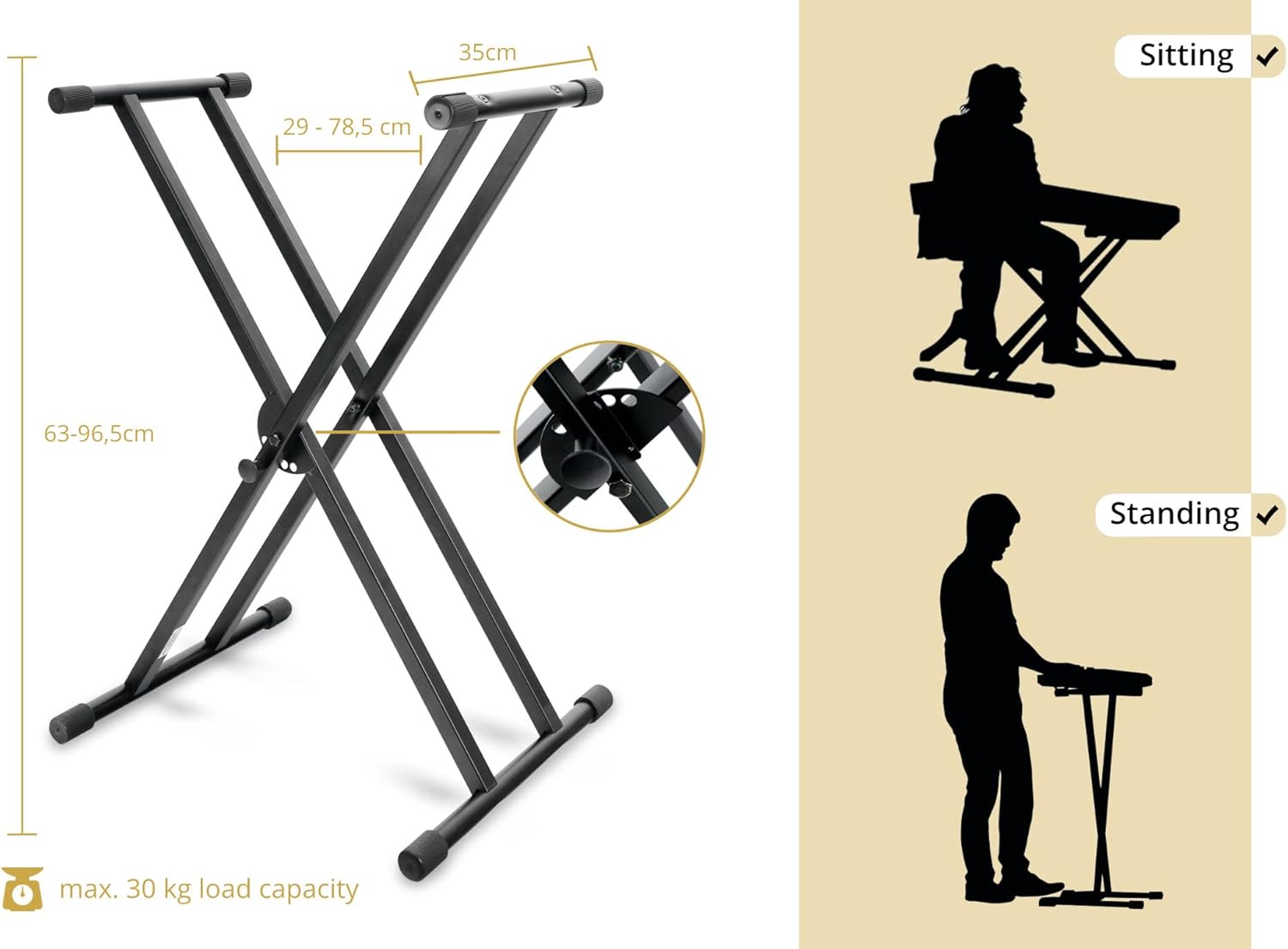
Figure 4: The stand is adjustable for both sitting and standing positions, with indicated dimensions.

Figure 5: The dual X-shaped frame provides stability and supports a maximum load of 30 kg.

Figure 6: A keyboard placed on the stand, highlighting the secure fit and anti-slip features.
Maintenance
To ensure the longevity and proper function of your keyboard stand, follow these maintenance guidelines:
- Cleaning: Wipe the stand with a soft, dry cloth to remove dust and dirt. For stubborn marks, use a slightly damp cloth and mild soap, then dry thoroughly. Avoid abrasive cleaners.
- Inspection: Periodically check all screws and joints to ensure they are tight. Re-tighten if necessary using the hex wrench.
- Rubber Components: Inspect the rubber caps on the top and bottom bars for wear or damage. Replace if necessary to maintain stability and surface protection.
- Storage: When not in use, the stand can be folded flat for compact storage. Store in a dry environment to prevent rust.
Troubleshooting
- Stand is wobbly: Ensure all screws are securely tightened. Check that the locking pin for height adjustment is fully engaged in one of the adjustment holes. Ensure the stand is placed on a flat, stable surface.
- Difficulty adjusting height: Ensure the locking pin is fully pulled out before attempting to adjust the height. Do not force the adjustment.
- Instrument sliding on stand: Verify that the anti-slip rubber caps on the top support bars are clean and intact. Ensure the instrument's weight does not exceed the maximum load capacity.
Specifications
| Feature | Detail |
|---|---|
| Model Number | 00016122 |
| Brand | Classic Cantabile |
| Material Type | Alloy Steel |
| Finish Type | Powder Coated |
| Color | Black |
| Adjustable Height Range | 63 cm – 96.5 cm |
| Top Support Bar Depth | 35 cm |
| Maximum Load Capacity | 30 kg |
| Item Weight | 4.7 kg |
| Special Features | Double bracing for stability, quick-release adjustment, anti-slip rubber contacts |

Figure 7: Key dimensions and maximum load capacity of the keyboard stand.
Warranty and Support
For warranty information or technical support, please refer to the documentation provided with your purchase or contact your retailer. Keep your proof of purchase for any warranty claims.


