
1. Introduction
This manual provides essential instructions for the safe and effective use, setup, and maintenance of your Wiha 70545 Security Torx Power Bit T45s x 50mm. Please read this manual thoroughly before use and retain it for future reference.
2. Product Overview
The Wiha 70545 is a high-quality power bit designed for driving and removing security Torx fasteners. It features a T45s tip and a length of 50mm, making it suitable for various applications requiring tamper-resistant Torx screws. This bit is constructed for durability and precision.
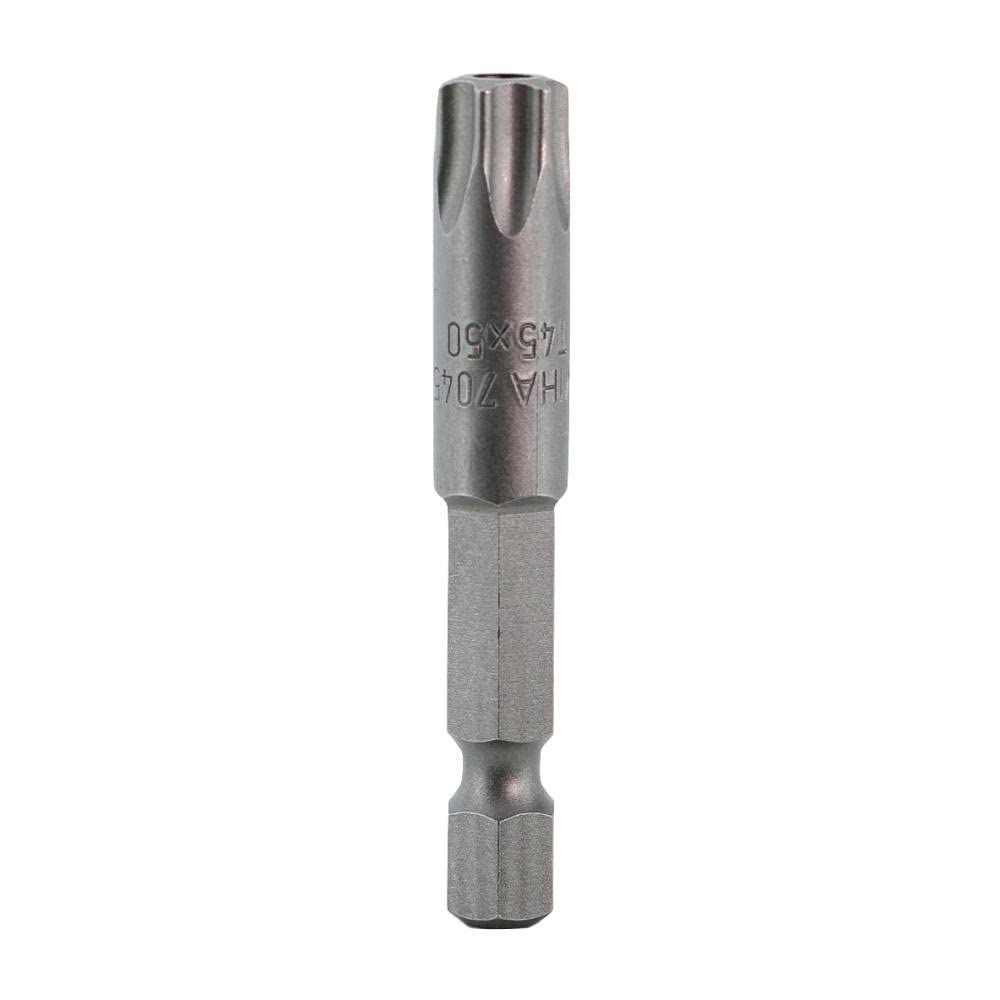
Figure 1: Wiha 70545 Security Torx Power Bit T45s x 50mm. This image shows the full length of the metallic bit, highlighting its T45s security Torx tip and the hexagonal shaft for insertion into a power tool or bit holder.
3. Setup
- Select the Correct Tool: Ensure you are using a power drill, impact driver, or screwdriver handle compatible with 1/4-inch hexagonal bits.
- Insert the Bit: Firmly insert the hexagonal base of the Wiha 70545 power bit into the chuck of your power tool or bit holder. Ensure it is fully seated and securely locked to prevent slippage during operation.
- Verify Fit: Before applying torque, gently test the connection to ensure the bit is stable and does not wobble.
4. Operating Instructions
This bit is designed for use with security Torx fasteners. Always match the bit size (T45s) to the fastener size to prevent damage to both the bit and the fastener.
- Fastening:
- Place the T45s tip squarely into the head of the security Torx screw.
- Apply firm, steady pressure along the axis of the screw.
- Engage the power tool at a controlled speed, driving the screw until it is snug. Avoid over-tightening, which can strip the screw head or damage the material.
- Unfastening:
- Place the T45s tip squarely into the head of the security Torx screw.
- Apply firm, steady pressure along the axis of the screw.
- Engage the power tool in reverse at a controlled speed to loosen and remove the screw.
Safety Precaution: Always wear appropriate personal protective equipment, including eye protection, when using power tools.
5. Maintenance
- Cleaning: After each use, wipe the bit clean with a dry cloth to remove any debris, dust, or residue.
- Storage: Store the bit in a dry environment, away from moisture and corrosive materials, to prevent rust and degradation. A bit holder or storage case is recommended.
- Inspection: Periodically inspect the bit for signs of wear, such as rounded edges on the tip or cracks in the shaft. Replace worn bits to ensure optimal performance and prevent damage to fasteners.
6. Troubleshooting
| Problem | Possible Cause | Solution |
|---|---|---|
| Bit slips in fastener head | Incorrect bit size; Worn bit tip; Insufficient pressure; Fastener head stripped. | Ensure T45s bit matches fastener; Replace worn bit; Apply more axial pressure; Replace stripped fastener. |
| Bit breaks or bends | Excessive torque; Improper angle; Material defect. | Use appropriate torque settings; Maintain straight alignment; Contact manufacturer if defect suspected. |
7. Specifications
| Feature | Detail |
|---|---|
| Brand | Wiha |
| Model Name | 70545 |
| Drive System | Security Torx |
| Bit Size | T45s |
| Length | 50mm |
| Material | Blend (High-grade tool steel) |
| Finish Type | Brushed |
| Item Weight | 3 Pounds (Note: This weight may refer to package weight or a set, as a single bit typically weighs less.) |
| Number of Items | 1 |
| UPC | 084705705453 |
8. Warranty and Support
Wiha products are manufactured to high standards and are typically backed by a manufacturer's warranty against defects in materials and workmanship. For specific warranty details, claims, or technical support, please refer to the official Wiha website or contact their customer service directly. Keep your purchase receipt as proof of purchase.
Wiha Official Website: www.wihatools.com