
1. Product Overview
The Philips SFL2186 is a high-performance rechargeable LED flashlight designed for various outdoor and indoor activities. Its robust construction and versatile lighting modes make it suitable for camping, hiking, mountaineering, and general utility use. This manual provides essential information for safe and effective operation.
2. Key Features
- High Performance Illumination: Equipped with high-quality P8 LED lamps, delivering 600 lumens of brightness with a 6500K color temperature for natural light reproduction. The beam can reach up to 300 meters.
- Five Lighting Modes: Features High, Low, Strobe, SOS, and Continuous Dimming modes. The continuous dimming function allows for precise brightness adjustment by pressing and holding the power button.
- Durable Construction: Crafted from 6063-grade hard-anodized aluminum alloy, providing high resistance to impacts and crushing. The body includes anti-slip stripes and a lanyard design for secure handling.
- USB-C Rechargeable: Integrated Type-C fast charging port for convenient and efficient power replenishment.
- Water and Dust Resistant: Rated IP55 for protection against water splashes and dust ingress, ensuring reliable performance in various environments.
- Portable Design: Compact and lightweight, making it easy to carry in a pocket or attach to gear for everyday use.
3. Specifications
| Brand | Philips |
| Model Number | SFL2186 |
| Light Source | P8 LED |
| Luminous Flux | 600 Lumens |
| Color Temperature | 6500K |
| Beam Distance | Up to 300 meters |
| Lighting Modes | High, Low, Strobe, SOS, Continuous Dimming |
| Power Source | Rechargeable Battery (18650, 2200mAh) |
| Charging Port | USB-C |
| Material | 6063 Anodized Aluminum Alloy |
| Water Resistance | IP55 |
| Dimensions | 15 x 6 x 10 cm (approximate) |
| Weight | 220 g |
4. Setup and Charging
4.1 Initial Charge
Before first use, fully charge the flashlight. Connect the provided USB-C cable to the flashlight's charging port and to a compatible USB power source (e.g., wall adapter, computer USB port). The charging indicator will show the charging status.
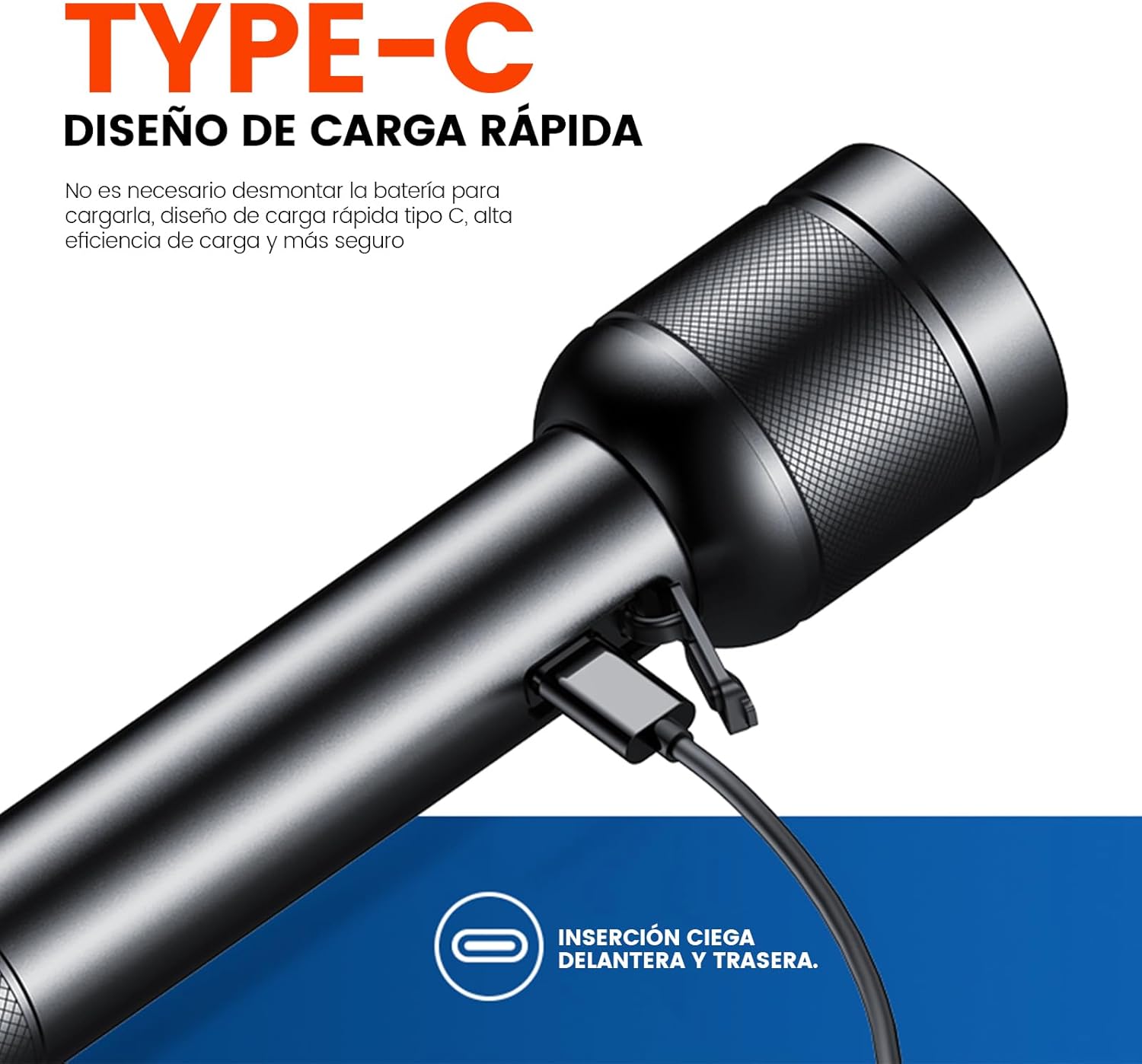
Image: Philips SFL2186 flashlight with its USB-C charging port. This port allows for convenient and fast charging.
4.2 Battery Installation (if applicable)
The Philips SFL2186 typically comes with an integrated rechargeable battery. If battery installation is required, ensure the battery is inserted with the correct polarity as indicated inside the battery compartment. The flashlight uses an 18650 type battery.

Image: Internal diagram of the Philips SFL2186, highlighting the 18650 lithium battery with 2200mAh capacity.
5. Operating Instructions
5.1 Power On/Off
Press the power button once to turn the flashlight on. Press it again to cycle through the different lighting modes. To turn off the flashlight, cycle through all modes or press and hold the button for a few seconds.
5.2 Switching Modes
The Philips SFL2186 features five lighting modes: High, Low, Strobe, SOS, and Continuous Dimming. Briefly press the power button to switch between High, Low, Strobe, and SOS modes. To activate Continuous Dimming, press and hold the power button while the flashlight is on; release when the desired brightness is reached.

Image: Visual representation of the High, Low, and SOS Flash modes of the Philips SFL2186.

Image: The continuous dimming feature of the Philips SFL2186, activated by a long press, suitable for various lighting needs.
5.3 Beam Performance
The flashlight provides a powerful beam, illuminating objects up to 300 meters away. The 6500K color temperature ensures clear visibility, mimicking natural daylight conditions.
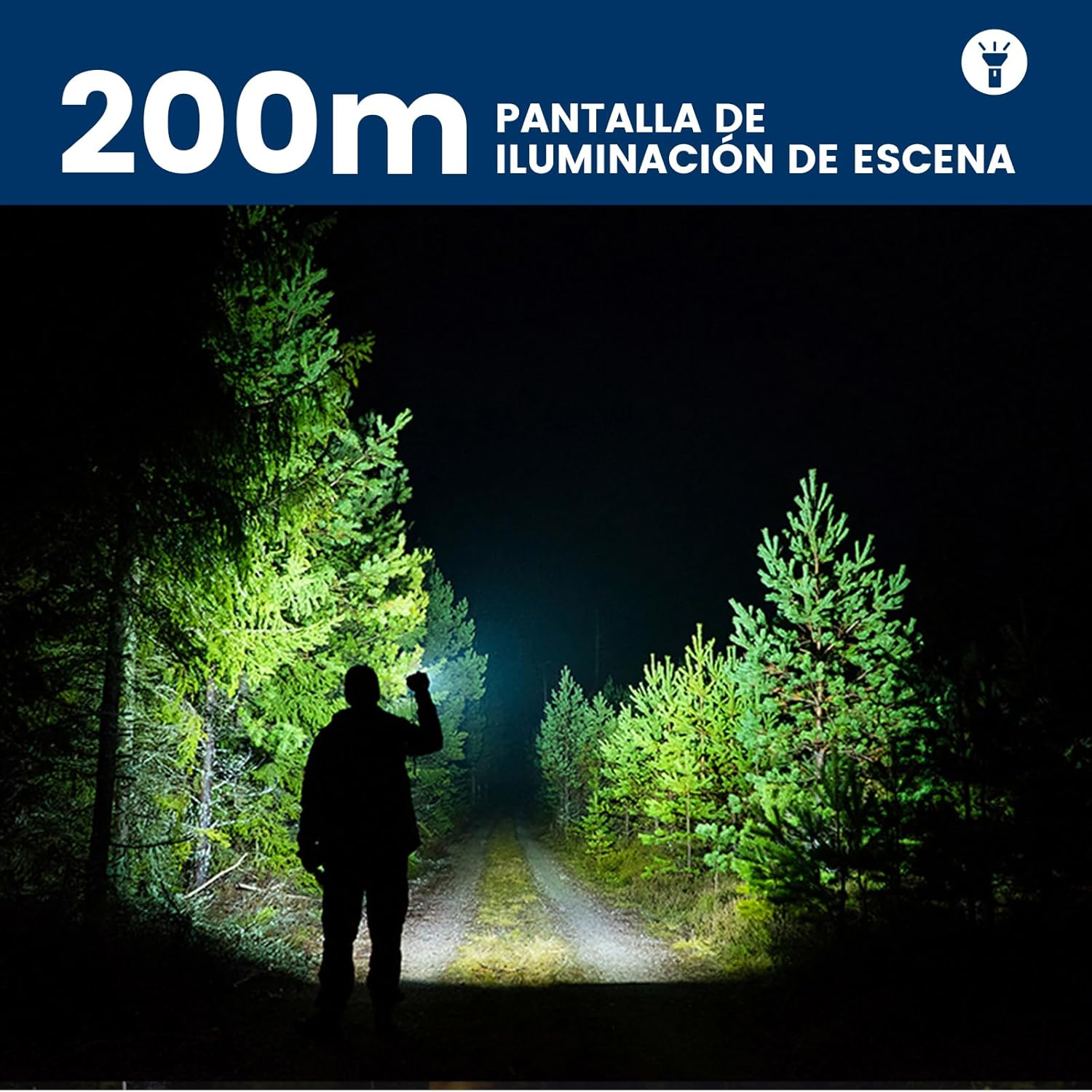
Image: The Philips SFL2186 flashlight illuminating a scene, demonstrating its effective beam distance.
6. Maintenance
- Cleaning: Wipe the flashlight body with a soft, damp cloth. Do not use abrasive cleaners or solvents.
- Lens Care: Keep the lens clean to ensure optimal light output. Use a lens cleaning cloth to gently wipe away dust or smudges.
- Storage: Store the flashlight in a cool, dry place when not in use. If storing for extended periods, charge the battery periodically to maintain its health.
- Battery Life: To maximize battery lifespan, avoid fully discharging the battery frequently. Recharge when the battery level is low.

Image: The Philips SFL2186 demonstrating its IP55 water and dust resistance, indicating its suitability for various conditions.
7. Troubleshooting
| Problem | Possible Cause | Solution |
|---|---|---|
| Flashlight does not turn on. | Low battery; improper battery installation; faulty switch. | Charge the battery fully. Ensure the battery is inserted with correct polarity. Contact customer support if the switch is faulty. |
| Light output is dim. | Low battery; dirty lens. | Recharge the battery. Clean the lens with a soft cloth. |
| Flashlight does not charge. | Faulty USB-C cable or adapter; charging port obstruction. | Try a different USB-C cable and power adapter. Check the charging port for debris. |
8. Safety Information
- Do not shine the flashlight directly into eyes, as it can cause temporary vision impairment.
- Keep out of reach of children.
- Do not disassemble the flashlight, as this may void the warranty and cause damage.
- Avoid exposing the flashlight to extreme temperatures or direct sunlight for prolonged periods.
9. Product Videos
9.1 Philips Flashlight Features Overview
Video: This video demonstrates general features and durability of a Philips flashlight, showcasing its robust design and powerful illumination in various scenarios.
9.2 Philips Flashlight Power and Range Demonstration
Video: This video illustrates the impressive power and long-range illumination capabilities of a Philips flashlight, highlighting its effectiveness in dark environments.
10. Warranty and Support
Philips products are designed and manufactured to the highest quality standards. This product is covered by a limited warranty. For detailed warranty information, troubleshooting assistance, or to contact customer support, please refer to the official Philips website or the warranty card included with your product.
For further assistance, visit the Philips Store.


