
Introduction
Thank you for choosing the IDIMEX Flexi Junior Adjustable Height and Tilting Desk. This manual provides essential information for the safe assembly, operation, and maintenance of your new desk. Please read these instructions carefully before use and retain them for future reference.
Safety Warnings
Important: Always follow these safety guidelines to prevent injury or damage to the product.
- Ensure all components are securely fastened during assembly.
- Do not overload the desk or drawer.
- Keep small parts away from young children during assembly to avoid choking hazards.
- Supervise children when adjusting the desk height or tilt mechanism.
- Periodically check all screws and fittings to ensure they remain tight.
- The appearance of the product may vary slightly from the images provided.
Product Overview
The IDIMEX Flexi Junior desk is designed to grow with your child, offering a comfortable and ergonomic workspace. Key features include:
- Adjustable height to suit various ages and needs.
- Tilting desktop for drawing, reading, and writing comfort.
- Integrated storage drawer, positionable on either side.
- Removable ruler to secure items on the tilted surface.
- Constructed from solid pine with a durable white and pink stained finish.
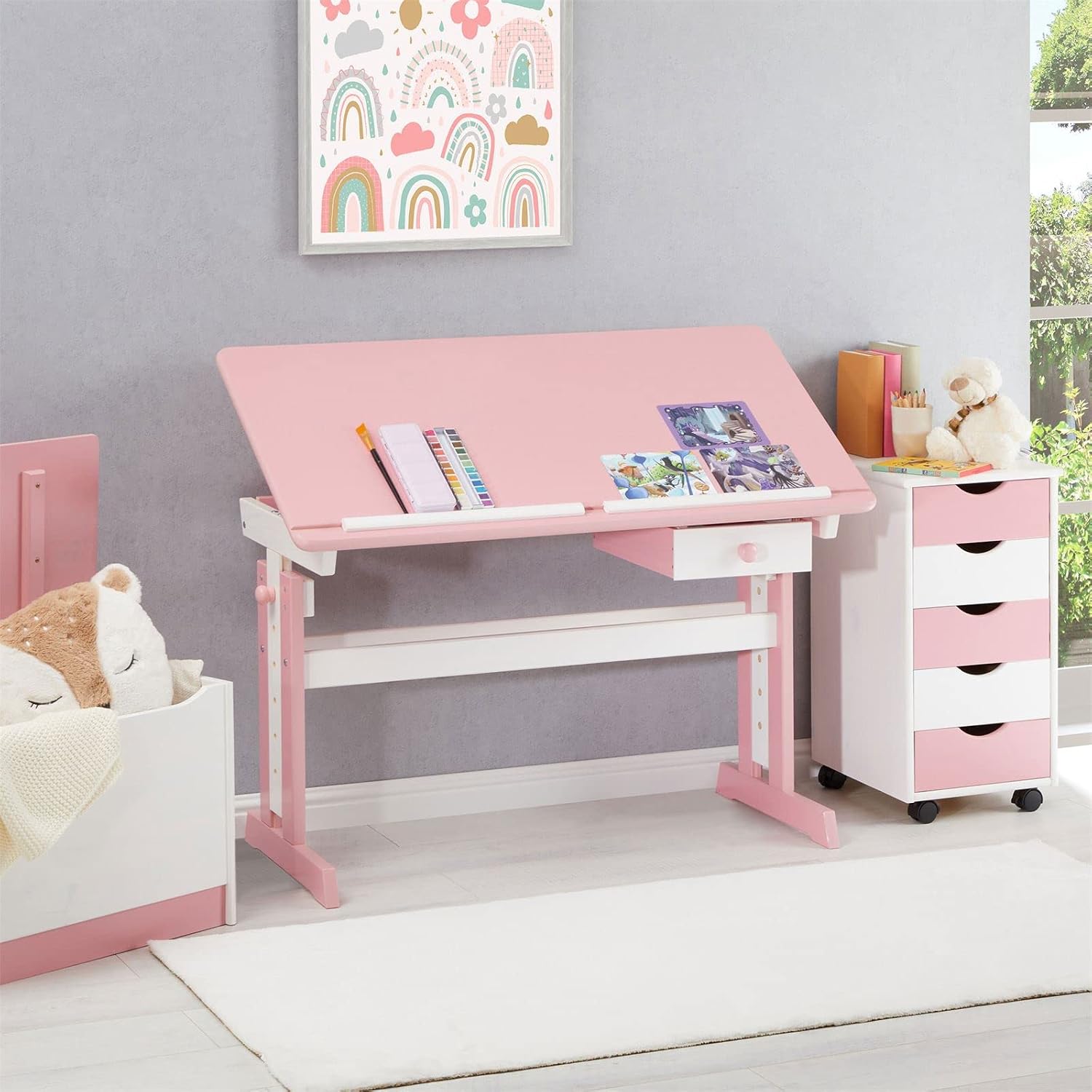
Image: The IDIMEX Flexi Junior desk, shown in a child's room setting, highlighting its design and functionality.
Setup and Assembly
The IDIMEX Flexi Junior desk is delivered in disassembled parts and requires assembly. Follow the included manufacturer's assembly instructions carefully. All necessary hardware is provided.
- Unpack all components and verify against the parts list in the assembly guide.
- Assemble the main frame of the desk, ensuring all connections are secure.
- Attach the desktop to the frame, paying attention to the tilting mechanism.
- Install the drawer. The drawer can be positioned on either the left or right side of the desk.
- Insert the removable ruler into its designated slot on the desktop.
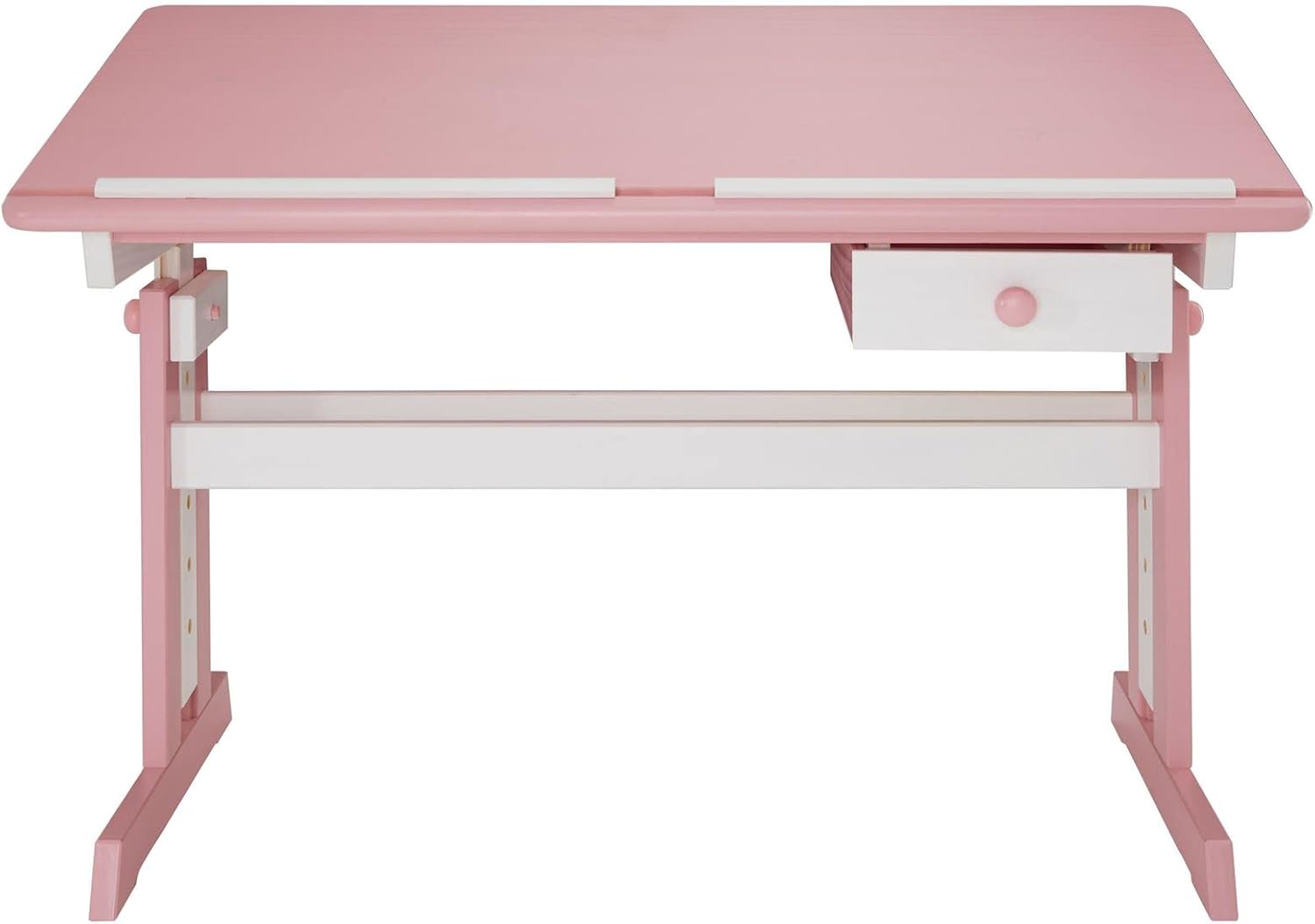
Image: Front view of the desk, illustrating the overall structure and the integrated drawer.

Image: Close-up of the desk leg, showing the pre-drilled holes for height adjustment during assembly.
Operating Instructions
Height Adjustment
The desk height can be adjusted to accommodate the user's growth. The height is adjustable from 62 cm to 98 cm.
- Loosen the securing bolts on both side legs of the desk.
- Carefully raise or lower the desktop to the desired height. Ensure both sides are adjusted evenly.
- Align the height adjustment pins with the corresponding holes on the desk legs.
- Tighten the securing bolts firmly to lock the desk at the new height.
Desktop Tilt Adjustment
The desktop can be tilted from 0° (flat) to 37° for ergonomic comfort during various activities.
- Lift the front edge of the desktop slightly.
- Engage the tilting mechanism (ratchet system) located underneath the desktop.
- Adjust the desktop to the desired angle.
- Ensure the mechanism is securely locked in place before use. To lower, lift the desktop to disengage the ratchet and gently lower it.

Image: The desk with its desktop tilted, demonstrating the adjustable angle feature.

Image: A detailed view of the metal tilting mechanism located beneath the desktop, showing its robust construction.
Using the Removable Ruler
The removable ruler prevents pens, pencils, and other items from sliding off the desktop when it is tilted.
- Place the ruler into the groove at the bottom edge of the desktop when the desk is tilted.
- Remove the ruler when the desktop is flat or if it is not needed.

Image: A close-up view of the removable white ruler positioned in the groove at the bottom of the pink desktop.
Using the Storage Drawer
The small drawer provides convenient storage for stationery and small items. It can be installed on either the left or right side of the desk during assembly.

Image: A close-up of the desk's white drawer, pulled open to show its storage capacity for books and pens.
Maintenance
To ensure the longevity and appearance of your IDIMEX Flexi Junior desk, follow these maintenance guidelines:
- Cleaning: Wipe the desk surfaces with a soft, damp cloth. Avoid abrasive cleaners or harsh chemicals that could damage the finish.
- Spills: Clean up spills immediately to prevent staining, especially on the wooden surfaces.
- Hardware Check: Periodically inspect all screws, bolts, and fittings. Tighten any loose hardware to maintain stability and safety.
- Avoid Direct Sunlight: Prolonged exposure to direct sunlight may cause the wood finish to fade or crack.
- Avoid Excessive Moisture: Keep the desk in a dry environment to prevent wood warping or damage.
Troubleshooting
If you encounter any issues with your desk, refer to the following common solutions:
- Desk is wobbly: Check all assembly screws and bolts. Ensure they are fully tightened. Verify that the desk is on a flat, even surface.
- Desktop not tilting smoothly: Inspect the tilting mechanism for any obstructions. Ensure it is clean and free of debris. Do not force the mechanism.
- Drawer not sliding properly: Check the drawer runners for alignment and ensure no objects are obstructing the path.
- Difficulty adjusting height: Ensure the securing bolts are fully loosened before attempting to adjust the height. Do not force the adjustment.
If problems persist, please refer to the support information below.
Specifications
| Feature | Detail |
|---|---|
| Brand | IDIMEX |
| Model Number | 7223 |
| Color | White/Rose |
| Material | Solid Pine Wood |
| Product Dimensions (L x W x H) | 109 x 55 x 75 cm (assembled) |
| Adjustable Height Range | 62 cm to 98 cm |
| Desktop Tilt Angle | 0° to 37° |
| Number of Drawers | 1 |
| Item Weight | 16.2 Kilograms |
Warranty and Support
For information regarding warranty coverage or to inquire about spare parts, please contact your retailer or the manufacturer directly. Specific warranty details and spare parts availability are not provided in this manual.
For customer support, please refer to the contact information provided at the point of purchase or on the manufacturer's official website.