
Introduction
This manual provides essential information for the safe and efficient use of your De Dietrich DTI1041X induction hob. Please read all instructions carefully before installation and operation. Keep this manual for future reference.
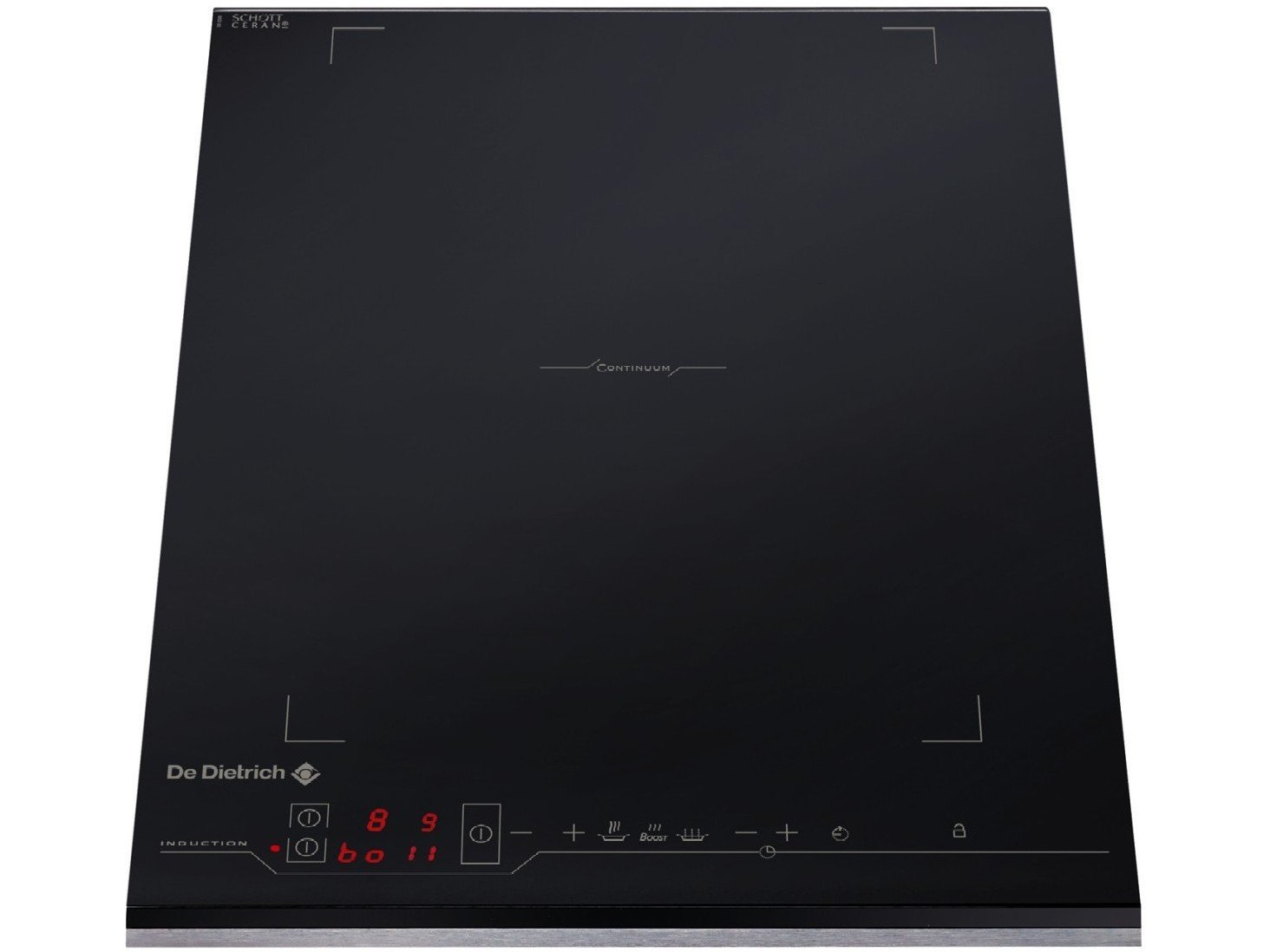
Image: The De Dietrich DTI1041X induction hob, showcasing its sleek black vitroceramic glass surface and touch controls.
Important Safety Instructions
Always follow basic safety precautions when using electrical appliances to reduce the risk of fire, electric shock, burns, or injury.
- Electrical Safety: Ensure the hob is correctly installed by a qualified electrician and connected to a properly grounded outlet. Do not use adapters or extension cords.
- Heat and Burns: The hob surface becomes hot during use. Do not touch hot surfaces. Use pot holders.
- Children: This appliance is not intended for use by persons (including children) with reduced physical, sensory or mental capabilities, or lack of experience and knowledge, unless they have been given supervision or instruction concerning use of the appliance by a person responsible for their safety. Children should be supervised to ensure that they do not play with the appliance.
- Cleaning: Disconnect the appliance from the power supply before cleaning. Do not use steam cleaners.
- Ventilation: Ensure adequate ventilation around the appliance as specified in the installation instructions.
- Pans: Use only induction-compatible cookware with flat bases.
Setup and Installation
Unpacking
Carefully remove the hob from its packaging. Inspect for any damage during transit. Retain packaging materials for potential future transport or service.
Placement
The DTI1041X is a built-in induction hob designed for integration into a kitchen countertop. Ensure the countertop opening dimensions match the hob's specifications. Allow sufficient clearance for ventilation beneath the hob as per the installation diagram.
Image description: An illustration showing the required cutout dimensions for the countertop and minimum clearances for proper ventilation around the hob.
Electrical Connection
Installation and electrical connection must be performed by a qualified electrician in accordance with local regulations and standards. The appliance requires a dedicated electrical circuit. Refer to the rating plate for voltage and power requirements (4600 Watts).
Operating Instructions
Control Panel Overview
The DTI1041X features intuitive touch controls located at the front of the hob. These controls include power on/off, cooking zone selection, power level adjustment, and timer functions.
Image description: A close-up view of the hob's touch control panel, highlighting the various buttons and their symbols for power, zone selection, and power level indicators.
Turning On/Off
To turn on the hob, press the main power button (O/I symbol). The display will illuminate. To turn off, press and hold the main power button until the display turns off.
Selecting a Cooking Zone
After turning on the hob, place an induction-compatible pan on the desired cooking zone. Select the zone by touching its corresponding sensor button. The zone indicator will flash.
Adjusting Power Levels
Once a cooking zone is selected, use the '+' and '-' touch controls to adjust the power level from 1 (low heat) to 9 (high heat). Some models may feature a 'Boost' function for maximum power.
Timer Function
The timer can be set for individual cooking zones or as a general minute minder. To set, select the zone, then press the timer button and adjust the time using '+' and '-'.
Safety Features
- Child Lock: Activates to prevent accidental operation. Press and hold the lock symbol to engage/disengage.
- Automatic Shut-off: If a cooking zone is left on for an extended period without adjustment, it will automatically switch off.
- Residual Heat Indicator: An 'H' will appear on the display to indicate that a cooking zone is still hot after use.
Maintenance and Cleaning
Daily Cleaning
After each use, allow the hob to cool down. Wipe the vitroceramic surface with a damp cloth and a small amount of mild dish soap. Dry thoroughly with a clean cloth.
Deep Cleaning
For stubborn stains or burnt-on food, use a specialized ceramic hob cleaner and a scraper designed for glass surfaces. Follow the product instructions carefully.
- Do Not Use: Abrasive sponges, scouring pads, harsh detergents, or steam cleaners, as these can damage the surface.
- Spills: Clean up spills immediately, especially sugary liquids, to prevent them from burning onto the surface.
Image description: A person cleaning the induction hob surface with a soft cloth and a specialized cleaner, demonstrating proper cleaning technique.
Troubleshooting
Before contacting service, consult the following table for common issues and their solutions.
| Problem | Possible Cause | Solution |
|---|---|---|
| Hob not turning on | No power supply; Child lock activated. | Check circuit breaker; Deactivate child lock. |
| Cooking zone not heating | Non-induction compatible pan; Pan not centered; Power level too low. | Use induction-compatible cookware; Reposition pan; Increase power level. |
| Display shows 'E' or error code | Internal fault; Overheating; Pan detection issue. | Turn off and restart hob; Allow to cool; Ensure correct pan placement. If error persists, contact service. |
| Unusual noises during operation | Normal fan operation; Pan material resonance. | Some humming or clicking is normal for induction hobs. This is not a fault. |
Specifications
- Brand: De Dietrich
- Model: DTI1041X
- Type: Integrated Electric Induction Hob
- Surface Material: Vitroceramic Glass
- Color: Black
- Number of Heating Elements: 1
- Power: 4600 Watts
- Installation Type: Built-in
- Weight: Approximately 13.23 Pounds (6 kg)
- Power Source: Electric Cable
- ASIN: B003KP4XC8
- International Article Code: 03660767573529
Warranty and Support
Your De Dietrich DTI1041X induction hob comes with a manufacturer's warranty. Please refer to the warranty card included with your purchase for specific terms and conditions, including warranty period and coverage.
For technical assistance, spare parts, or to schedule a service appointment, please contact De Dietrich customer support. Contact details can typically be found on the manufacturer's official website or in the warranty documentation.
When contacting support, please have your model number (DTI1041X) and serial number ready.


