
Planet Audio AC2400.4
Planet Audio AC2400.4 4 Channel Car Amplifier User Manual
Model: AC2400.4 | Brand: Planet Audio
Introduction
This manual provides detailed instructions for the installation, operation, and maintenance of your Planet Audio AC2400.4 4 Channel Car Amplifier. Designed for high output and versatile audio configurations, this amplifier features 2 Ohm stability, high/low level inputs, and adjustable high/low pass crossovers to enhance your vehicle's audio system, including subwoofer integration.
Safety Information
Always observe the following safety precautions during installation and operation:
- Disconnect the vehicle's negative battery terminal before beginning any installation.
- Ensure proper grounding to prevent electrical hazards.
- Use appropriate gauge wiring for power, ground, and speaker connections to avoid overheating and damage.
- Mount the amplifier securely in a well-ventilated area, away from moisture and direct sunlight.
- Do not operate the amplifier if it is damaged or malfunctioning. Refer to the troubleshooting section or contact qualified service personnel.
- Professional installation is strongly recommended to ensure proper and safe functionality.
Package Contents
Verify that all items are present in the package:
- Planet Audio AC2400.4 4 Channel Car Amplifier
- Remote Subwoofer Control
- Mounting Hardware (screws, washers)
- User Manual (this document)
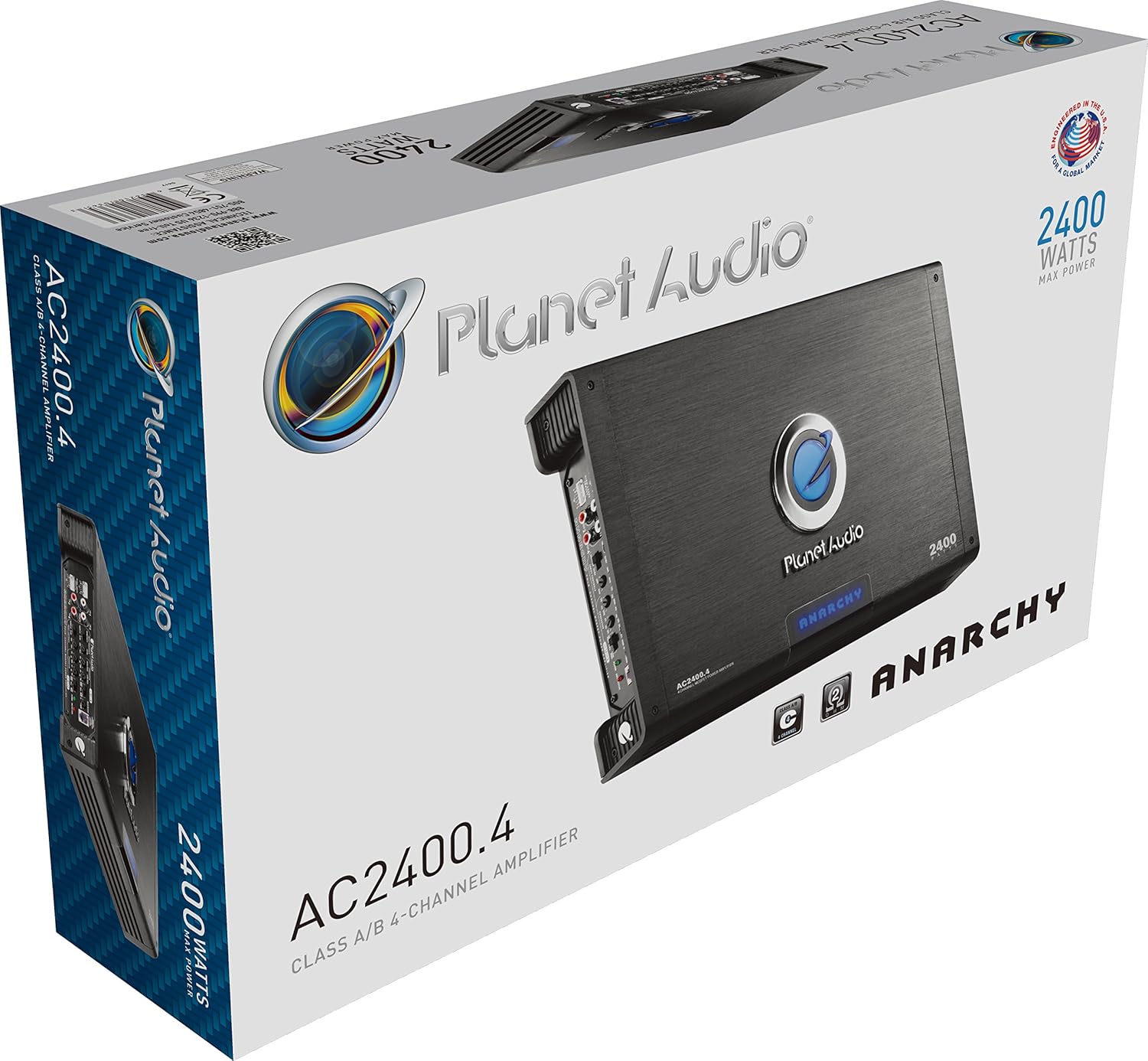
Figure 1: Planet Audio AC2400.4 amplifier packaging.
Product Features
- Power Output: 600 Max x 4 @ 2 Ohms, 300 Max x 4 @ 4 Ohms, 1200 Max Bridged x 2 @ 4 Ohms.
- Full Range Capability: Supports both speakers and subwoofers.
- Variable Bass Boost: Adjustable bass output for subwoofers.
- MOSFET Power Supply: Efficient and precise voltage and current control.
- Class A/B Topology: Balanced audio performance.
- Low & High Level Inputs: Versatile input options for various head units.
- Variable Low-Pass Crossover: Fine-tune bass frequency reproduction.
- Variable High-Pass Crossover: Optimize high-frequency output for speakers and tweeters.

Figure 2: Top view of the Planet Audio AC2400.4 amplifier.
Setup and Installation
Proper installation is crucial for optimal performance and safety. Follow these steps carefully:
1. Mounting the Amplifier
Choose a secure, well-ventilated location for mounting the amplifier, such as under a seat or in the trunk. Ensure adequate airflow around the unit to prevent overheating.
2. Power Connections
Connect the power, ground, and remote turn-on wires as follows:
- +12V (Power): Connect to the positive terminal of the vehicle's battery via an inline fuse (not included, recommended 80A).
- REMOTE (Remote Turn-On): Connect to the remote output of your head unit.
- GROUND: Connect to a clean, unpainted metal surface of the vehicle chassis.

Figure 3: Power and Speaker Connections.
3. Speaker Connections
Connect your speakers to the amplifier's speaker terminals. The AC2400.4 supports both stereo and bridged configurations. Refer to the diagram on the amplifier for correct wiring.
- For 4-channel stereo operation, connect each speaker to its respective channel (CH1, CH2, CH3, CH4).
- For 2-channel bridged operation (e.g., for subwoofers), connect speakers across the bridged terminals as indicated on the amplifier.
4. Input Connections
The amplifier supports both Low Level (RCA) and High Level inputs:
- Low Level Inputs (RCA): Use RCA cables to connect the amplifier's input jacks to the RCA outputs of your head unit.
- High Level Inputs: If your head unit does not have RCA outputs, use the high-level inputs. Connect the speaker wires from your head unit directly to the high-level input terminals on the amplifier.

Figure 4: Input Controls and Crossovers.
5. Remote Subwoofer Control
Connect the included remote subwoofer control to the "REMOTE SUBWOOFER LEVEL CONTROL" port on the amplifier. This allows for convenient adjustment of subwoofer bass levels from the driver's seat.

Figure 5: Remote Subwoofer Control.
Operating Instructions
Once installed, adjust the amplifier settings for optimal audio performance:
- Sensitivity (Level): Adjust this control to match the output voltage of your head unit. Start at minimum and slowly increase until distortion is heard, then back off slightly.
- Crossover (High Pass / Low Pass):
- High Pass (HPF): Filters out low frequencies, typically used for full-range speakers. Adjust to prevent distortion from bass frequencies.
- Low Pass (LPF): Filters out high frequencies, typically used for subwoofers. Adjust to ensure only bass frequencies are sent to the subwoofer.
- Bass Boost: Use this control to increase the bass output at a specific frequency. Use sparingly to avoid distortion and speaker damage.
Maintenance
To ensure the longevity and performance of your amplifier:
- Keep the amplifier clean and free of dust. Use a soft, dry cloth for cleaning.
- Ensure proper ventilation around the amplifier at all times.
- Regularly check all wiring connections for tightness and corrosion.
- Avoid exposing the amplifier to extreme temperatures or moisture.
Troubleshooting
If you experience issues with your amplifier, consult the following table before seeking professional service:
| Problem | Possible Cause | Solution |
|---|---|---|
| No Power / No Sound | Blown fuse; Loose power/ground/remote wire; Amplifier in protection mode. | Check and replace fuse; Verify all connections are secure; Check for short circuits in speaker wires. |
| Distorted Sound | Gain set too high; Improper crossover settings; Speaker impedance mismatch. | Reduce gain; Adjust crossover settings; Ensure speaker impedance matches amplifier's capabilities. |
| Amplifier Overheats | Insufficient ventilation; Speaker impedance too low; Prolonged high volume use. | Improve ventilation; Check speaker impedance; Reduce volume or allow cool-down periods. |
| No Bass Output | Low-pass filter not enabled or set too high; Subwoofer wiring issue. | Enable LPF and adjust to appropriate frequency; Verify subwoofer connections. |
Specifications
| Feature | Detail |
|---|---|
| Brand | Planet Audio |
| Model Number | AC2400.4 |
| Number of Channels | 4 |
| Output Power | 2400 Watts (Max) |
| Dimensions (L x W x H) | 17 x 10 x 2.4 inches |
| Item Weight | 12.2 pounds |
| Voltage | 8 Volts |
| Mounting Type | Surface Mount |
Warranty and Support
Planet Audio provides a powerful 6-year Platinum Online Dealer Warranty for this product when purchased through Amazon.com. For warranty claims or technical support, please refer to your purchase documentation or contact Planet Audio customer service.
For additional information, you may refer to the official user manual PDF: Download User Manual (PDF)
Related documentsAC2400.4


Ask a question about this manual
Ask about setup, troubleshooting, compatibility, parts, safety, or missing instructions. Manuals+ will review the question and use this page’s manual context to help answer it.