Introduction
This manual provides essential instructions for the proper setup, operation, maintenance, and troubleshooting of your Casio MTP-1302D-7A1 Quartz Watch. Please read this manual thoroughly to ensure correct usage and to maximize the lifespan of your timepiece.

Image 1: Front view of the Casio MTP-1302D-7A1 watch, showcasing its white dial, silver hands, and stainless steel bracelet.
Setup
1. Setting the Time
- Pull the crown (the knob on the right side of the watch case) out to the second click position. The second hand will stop.
- Turn the crown to move the hour and minute hands to the desired time. When setting the minute hand, advance it four or five minutes past the desired time, then turn it back to the correct minute.
- Push the crown back in to the normal position. The second hand will resume movement.
2. Setting the Date
- Pull the crown out to the first click position.
- Turn the crown clockwise to adjust the date. Do not attempt to set the date between 9:00 PM and 1:00 AM, as this may interfere with the automatic date change mechanism.
- Push the crown back in to the normal position.
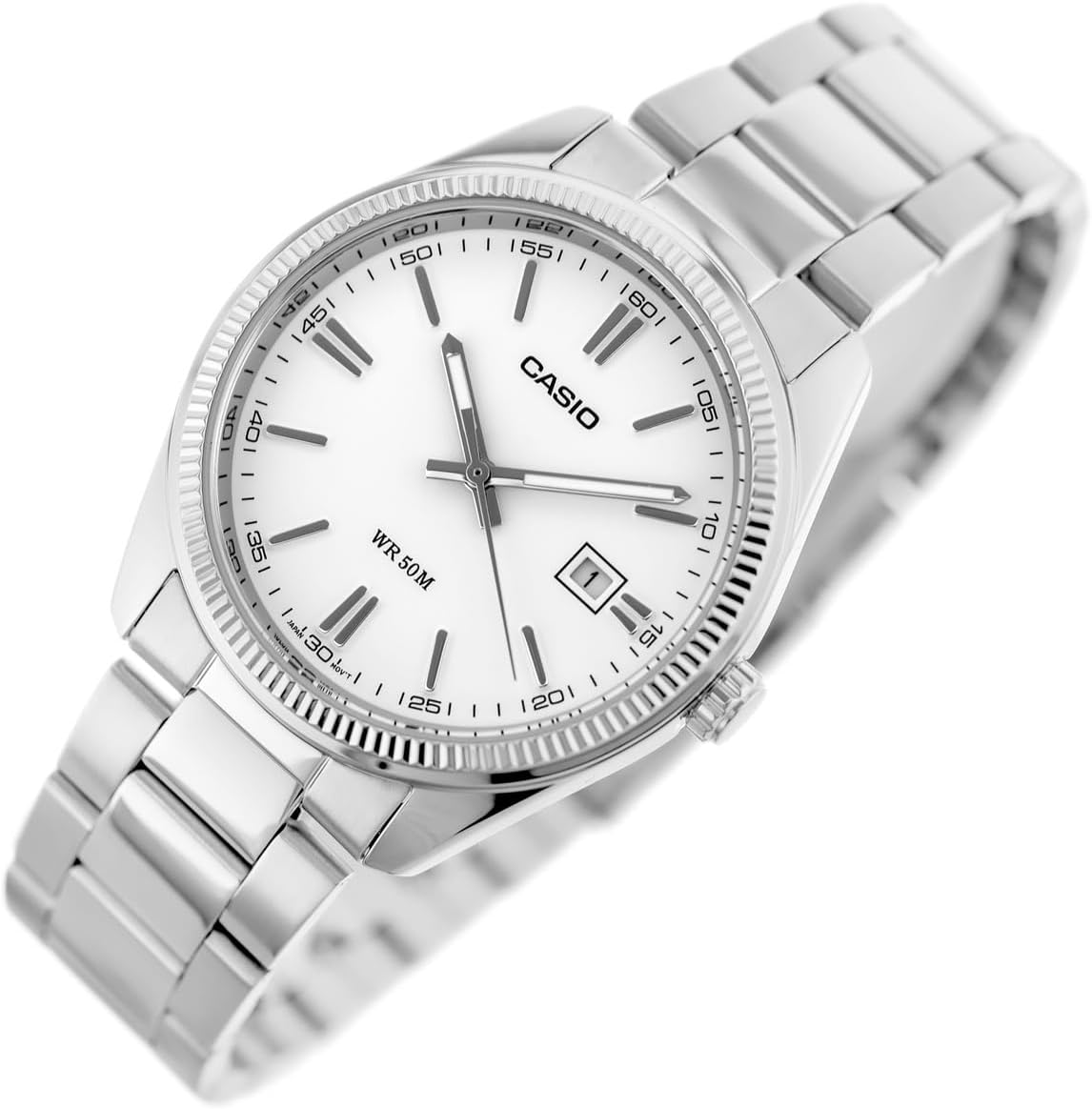
Image 2: Angled view of the watch face, highlighting the crown used for time and date adjustments.
3. Adjusting the Bracelet
The stainless steel bracelet can be adjusted for a comfortable fit. This typically involves removing or adding links. It is recommended to have this adjustment performed by a qualified jeweler or watch technician to prevent damage to the bracelet or clasp.

Image 3: Rear view of the watch, displaying the stainless steel bracelet and the foldover clasp with the Casio logo.
Operating the Watch
Your Casio MTP-1302D-7A1 is a quartz analog watch designed for reliable timekeeping. Once the time and date are set, the watch operates continuously using its internal battery.
- Water Resistance: This watch is water resistant up to 50 meters (5 ATM). This means it is suitable for everyday use and can withstand splashes, rain, and brief immersion in water. It is not suitable for swimming, diving, or showering with hot water, as steam can penetrate the seals. Ensure the crown is fully pushed in before any contact with water.
- Battery Life: The watch is powered by one CR2032 battery, which is included. The typical battery life is several years, but this can vary based on usage and environmental conditions.
Maintenance
- Cleaning: Wipe the watch case and bracelet periodically with a soft, dry cloth to remove dirt and moisture. For the stainless steel bracelet, a slightly damp cloth can be used, followed by a dry cloth. Avoid using chemical cleaners or abrasive materials.
- Temperature Extremes: Avoid exposing your watch to extreme temperatures, either hot or cold, as this can affect its accuracy and battery life.
- Magnetic Fields: Keep the watch away from strong magnetic fields, such as those produced by speakers or certain electronic devices, as this can cause temporary inaccuracies.
- Battery Replacement: When the battery runs low, the watch may start to lose time or stop completely. Battery replacement should be performed by a qualified watch technician to ensure proper sealing and prevent damage to the movement.
Troubleshooting
- Watch Not Running:
- Check if the crown is fully pushed in to the normal operating position.
- The battery may be depleted. Refer to the "Battery Replacement" section under Maintenance.
- Incorrect Time/Date:
- Refer to the "Setting the Time" and "Setting the Date" sections under Setup to re-adjust.
- Ensure the crown is fully pushed in after setting.
- Condensation Inside Watch:
- If condensation appears inside the watch crystal, it indicates a potential issue with the water resistance. Have the watch inspected by a professional immediately to prevent internal damage.
Specifications
| Feature | Detail |
|---|---|
| Model Number | MTP-1302D-7A1VDF |
| Movement Type | Quartz |
| Display Type | Analog |
| Case Material | Stainless Steel |
| Band Material | Stainless Steel |
| Water Resistance Depth | 50 Meters (5 ATM) |
| Case Diameter | 39 Millimeters |
| Case Thickness | 9 Millimeters |
| Band Width | 22 Millimeters |
| Battery Type | 1 CR2032 (included) |
| Item Weight | 0.25 Pounds |
| Clasp Type | Foldover Clasp |
Warranty Information
Your Casio MTP-1302D-7A1 watch is covered by a manufacturer's warranty. The specific terms and duration of the warranty may vary by region. Please refer to the warranty card included with your purchase for detailed information regarding coverage, limitations, and how to make a claim. Keep your proof of purchase for warranty validation.
Support
For further assistance, technical support, or inquiries regarding your Casio MTP-1302D-7A1 watch, please visit the official Casio website or contact their customer service department. You can also find additional resources and product information on the Casio Store on Amazon.


