
Introduction
Welcome to the user manual for the Pyle PAD10MXU 2-Channel Mini Mixer with USB Audio Interface. This compact mixer is designed for various audio applications, offering versatile connectivity and control for both beginners and professional users. Please read this manual thoroughly to understand the features and proper operation of your new mixer.
Safety Information
To ensure safe operation and prevent damage, please observe the following safety precautions:
- Do not expose this unit to rain or moisture.
- Do not block any ventilation openings.
- Use only the power supply specified by the manufacturer.
- Protect the power cord from being walked on or pinched.
- Refer all servicing to qualified service personnel.
- Avoid placing the unit near heat sources such as radiators, heat registers, stoves, or other apparatus (including amplifiers) that produce heat.
Product Features
- RECORD AND CONNECT TO PC: This personal mixer has a USB soundcard and audio interface to record and connect to MAC or PC and it has universal digital audio file compatibility. Can be used by beginners or studio professional applications.
- LOW NOISE DESIGN: This portable 2-channel DJ console controller mixer has signal output through the headphones. The Line/INSTR SW input has a select switch set, and a peak LED lights up when the input signal of Ch1 is too high.
- MULTIPLE CONNECTIVITY: Caters to multiple devices with its combo input female XLR and ¼’ phone jack for microphone, line 3/2 stereo inputs RCA Plugs to connect CD, Mp3 and players. Also has main output plug for mixers, receivers or amplifiers.
- INDEPENDENT CONTROLS: The recording mixer has line 2/3 level to control and adjust volume of signal input line 2/3. Master control is the mixer’s overall controller. There’s even a clip LED light that lights up when the main output is too high.
- 18V PHANTOM POWER: For reliable power source, this DJ mixer comes with an 18V Phantom power supply. There’s a Phantom Power Supply on the XLR connector Of Ch1 and the Phantom LED Indicates that the Phantom Power is on.
Setup
Unpacking
Carefully remove all components from the packaging. Ensure the following items are present:
- Pyle PAD10MXU Audio Mixer
- USB Power Cable and Wall Adapter

Image: What's in the Box - Pyle PAD10MXU Audio Mixer and Power Supply.
Power Connection
Connect the provided USB power cable to the 'USB TO COMPUTER / EXT. DC IN (5V 500mA)' port on the rear of the mixer. Plug the other end into a compatible USB power source or the included wall adapter. The 'POWER' LED on the front panel will illuminate when the unit is powered on.
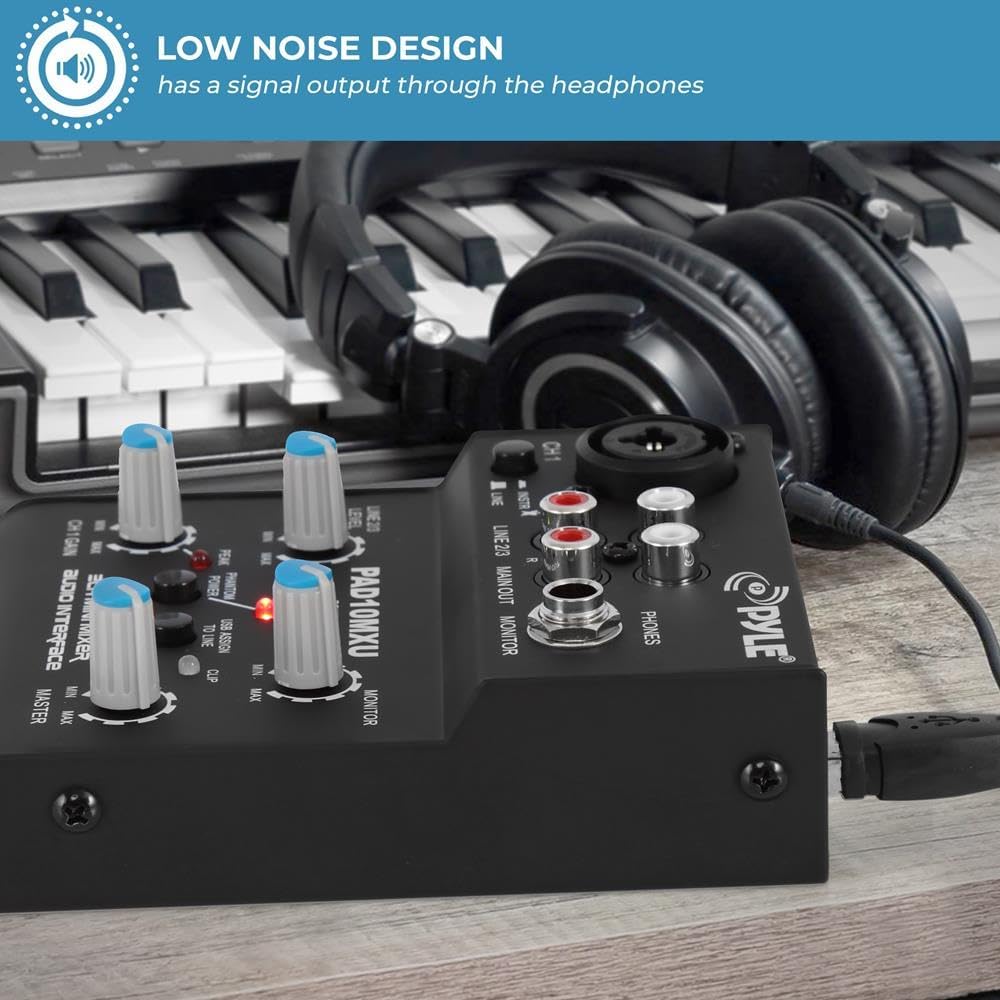
Image: USB Port for Power and Data Transfer.
Operating Instructions
Controls and Interface Overview
The Pyle PAD10MXU features a user-friendly layout for intuitive control over your audio. Familiarize yourself with the various inputs, outputs, and controls:

Image: PAD10MXU Controls and Interface Diagram.
- CH 1 Input: Combo input connector (Female XLR and ¼'' Phone Jack) for MIC/Line inputs.
- LINE/INSTR SW: Input select switch for Channel 1, toggling between line and instrument level.
- LINE 2/3 Stereo Line Inputs: RCA Plugs to connect CD players, MP3 players, tape decks, or other line-level audio sources.
- MAIN OUT: RCA Plugs to connect the mixer's main stereo output to a receiver, amplifier, or recording device.
- PHONES: 1/4'' stereo headphone output for personal monitoring.
- MONITOR: Control knob to adjust the volume output of the headphone jack.
- POWER LED: Indicator light that illuminates when the unit is powered on.
- PEAK LED: Indicator light for Channel 1 that illuminates when the input signal is too high, indicating potential clipping.
- PHANTOM POWER: Button to activate the 18V phantom power supply for the XLR connector of Channel 1, used for condenser microphones.
- PHANTOM LED: Indicator light that illuminates when phantom power is active.
- USB ASSIGN TO LINE: Button to route the USB audio input to the line input.
- CLIP LED: Indicator light that illuminates when the main output signal is too high, indicating potential clipping.
- CH 1 GAIN: Control knob to adjust the input gain (volume) for Channel 1.
- LINE 2/3 LEVEL: Control knob to adjust the volume of the signal input for Line 2/3.
- MASTER: Control knob that adjusts the mixer’s overall output volume level.
Connecting Audio Sources
Microphones and Instruments (CH 1)
Connect a microphone (XLR or 1/4" jack) or an instrument (1/4" jack) to the CH 1 combo input. Use the LINE/INSTR SW to select the appropriate input type for optimal signal processing.
Line-Level Devices (LINE 2/3)
Connect CD players, MP3 players, or other line-level devices using RCA cables to the LINE 2/3 stereo RCA inputs.

Image: Multiple Connectivity Options for the PAD10MXU.
USB Audio Interface
The mixer features a USB soundcard for recording and playback with your computer (Mac or PC). Connect the mixer to your computer using a standard USB cable. The mixer is class-compliant and compatible with Windows 2000/XP, Vista, and Mac OS X 2.0 without requiring additional drivers.
Monitoring and Output
Use the PHONES output to monitor your audio with headphones. Adjust the MONITOR knob to control the headphone volume. The MAIN OUT RCA plugs provide the main stereo output for connecting to external amplifiers, powered speakers, or recording devices.
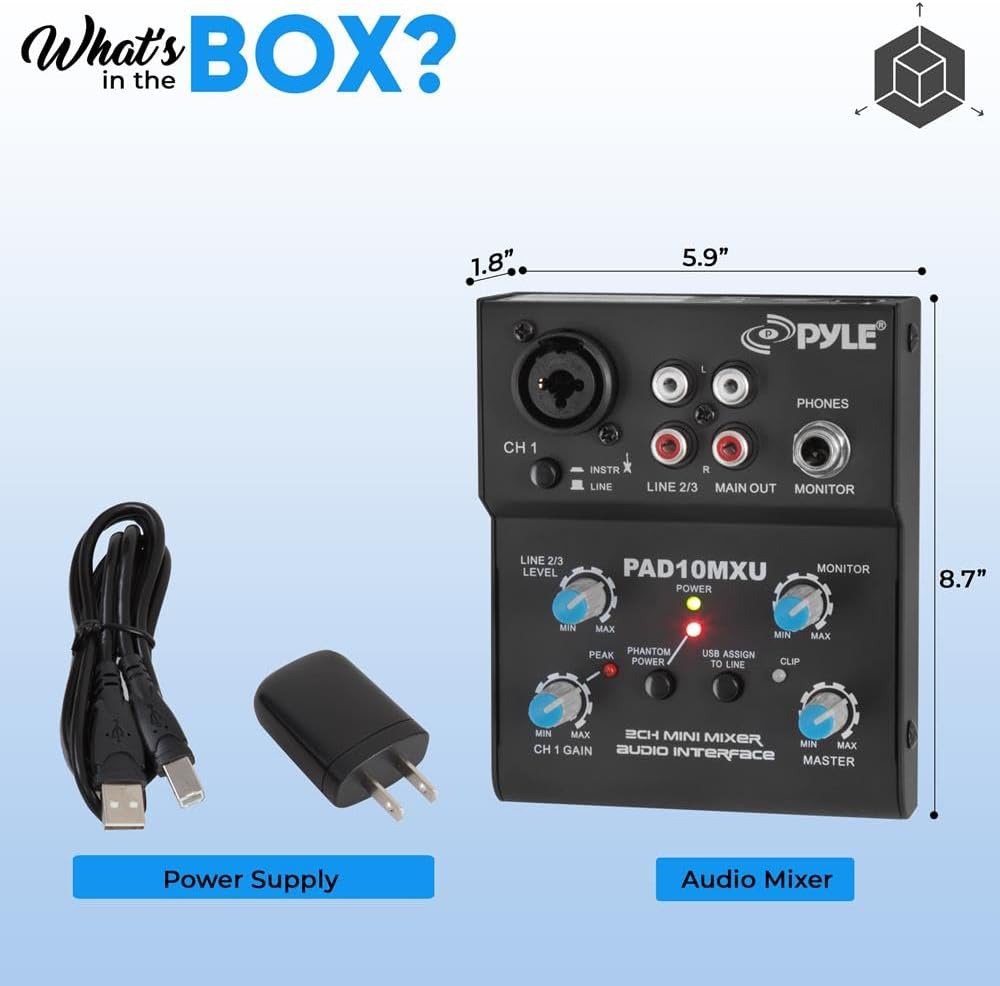
Image: Low Noise Design with Headphone Monitoring.

Image: Adjusting Controls for Low Noise Output.
Maintenance
Proper maintenance ensures the longevity and optimal performance of your Pyle PAD10MXU mixer:
- Cleaning: Use a soft, dry cloth to clean the exterior of the unit. Avoid using abrasive cleaners, solvents, or strong detergents, as they may damage the finish or internal components.
- Storage: When not in use for extended periods, store the mixer in a cool, dry place away from direct sunlight and extreme temperatures.
- Connections: Periodically check all cable connections for secure fit and signs of wear. Loose or damaged cables can affect audio quality.
Troubleshooting
If you encounter issues with your Pyle PAD10MXU, refer to the table below for common problems and their solutions:
| Problem | Possible Cause | Solution |
|---|---|---|
| No Power | Power cable not connected; Power source issue. | Ensure the USB power cable is securely connected to the mixer and a working USB power source/adapter. Try a different USB port or power adapter. |
| No Sound Output | Volume knobs too low; Incorrect connections; Output device off/muted. | Increase the MASTER and MONITOR volume knobs. Verify all audio cables (input and output) are correctly connected. Ensure your connected speakers/headphones are powered on and not muted. |
| Distorted Sound | Input signal too high; Damaged cables. | Reduce the input gain (CH 1 GAIN, LINE 2/3 LEVEL) to prevent the PEAK/CLIP LEDs from illuminating constantly. Check all audio cables for damage and replace if necessary. |
| Phantom Power LED Off | Phantom power not activated. | Ensure the PHANTOM POWER button is pressed in to activate 18V phantom power for Channel 1. |
| USB Recording/Playback Issues | Incorrect computer audio settings; Software conflict. | Ensure the Pyle PAD10MXU is selected as the input/output audio device in your computer's sound settings and your Digital Audio Workstation (DAW) software. Restart your computer and mixer. |
Specifications
- Model Number: PAD10MXU
- Number of Channels: 2
- Item Weight: 1.2 pounds
- Product Dimensions: 4.7'' x 1.3'' x 3.8'' (inches)
- Connectivity Technology: XLR, TRS (1/4'' Phone Jack), RCA, USB
- Hardware Interface: USB
- Power Source: Corded Electric (5V DC via USB)
- Phantom Power: 18V (for XLR input on CH1)
- Color: Black
- Country of Origin: China
Warranty and Support
For warranty information, technical support, or further assistance with your Pyle PAD10MXU mixer, please visit the official Pyle website or contact their customer service department.
Official Pyle Store: Pyle USA Store
User Manual (PDF): Download PDF Manual


